





patm95
Members
-
Joined
-
Last visited
-
I replaced the cables and am now on my 3rd parity check at the results are consistent now and have been corrected. I would not have guessed that given no CRC errors. Thank you!
-
Interesting. Will do! I already reseated them so I will buy another set of cables and see what happens.
-
Interesting. SDK is the parity drive that is giving the errors. But those seems to be new. I will have to check on the power splitters. Built this about 7 years ago and never had problems until recently. Apologies, here is the full diagnostics. tower-diagnostics-20260723-1043.zip
-
Hi Gang. Requesting help from the community. I've been getting parity errors lately ~3500. I checked all cables and reseat them. Ran a correcting parity check, then another non correcting parity immediately thereafter. I still got 36 new errors. However, I noticed that Unraid now reports 168 errors on my 1st parity drive. This has never happened before. The smart self test passes for this drive. Looking for advice as to what to try/do next. Attached is a syslog if that helps. Thank you. tower-syslog-20260722-2041.zip
-
Thank you. I had tried to do that but it kept giving me an error that I didn't have enough free space even though I did. I ended up dragging each folder one by one and it worked? Thank you for your help!
-
Successful boot. Trying to figure out how to restore the config folder.
-
I will try this and let you know. Thank you!
-
Due to a bad Gcfi outlet. I had at least unclean shutdown and now it is not booting. Seems to get hung up in a couple of places. See pics. Not sure where to go next.
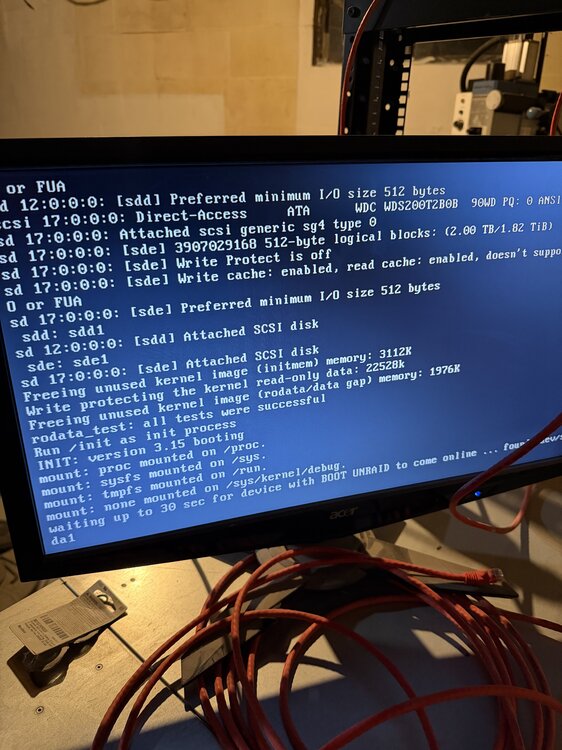
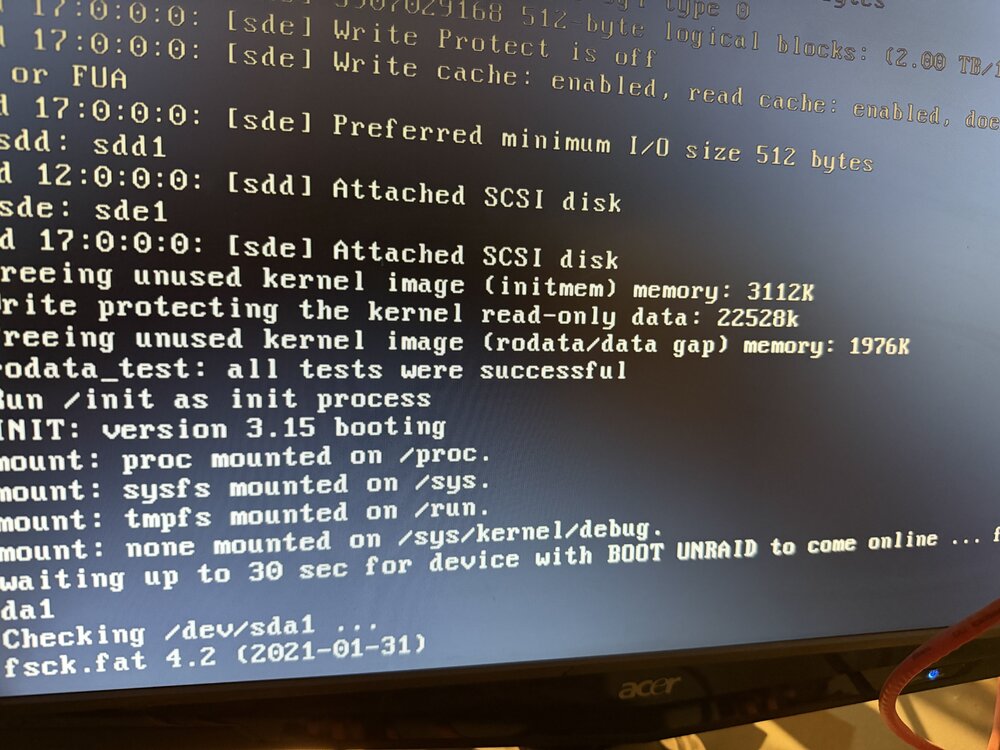
-
So far, so good. On pace to finish by tomorrow afternoon. Thank you my friend!
-
Thank you! So when I reassign it will automatically rebuild?
-
Attached. THank you!! tower-diagnostics-20260220-2122.zip
-
reseated everything. It was embarrassingly dusty. Like I had to take a step back when I blew the compressed air on it. I periodically clean it, but we had some construction recently which could have exasperated it. Should I try to reassign the drives? Or would you like another diagnostic?
-
Thank you for the correction. New Diag attached. tower-diagnostics-20260220-2024.zip
-
I guess that is what I was afraid to do. Should I start the array without those disks mounted? It should just emulate the data right? If I mount them, it will "override the data".
-
Thanks for your help! tower-diagnostics-20260220-1936.zip


