



Skip to content
View in the app

A better way to browse. Learn more.

Unraid

A full-screen app on your home screen with push notifications, badges and more.

To install this app on iOS and iPadOS
  1. Tap the Share icon in Safari
  2. Scroll the menu and tap Add to Home Screen.
  3. Tap Add in the top-right corner.
To install this app on Android
  1. Tap the 3-dot menu (⋮) in the top-right corner of the browser.
  2. Tap Add to Home screen or Install app.
  3. Confirm by tapping Install.
  • Joined

  • Last visited

  1. Only 2GB, it's an old Asustor NAS with soldered-on RAM chips, no possible way to upgrade RAM size
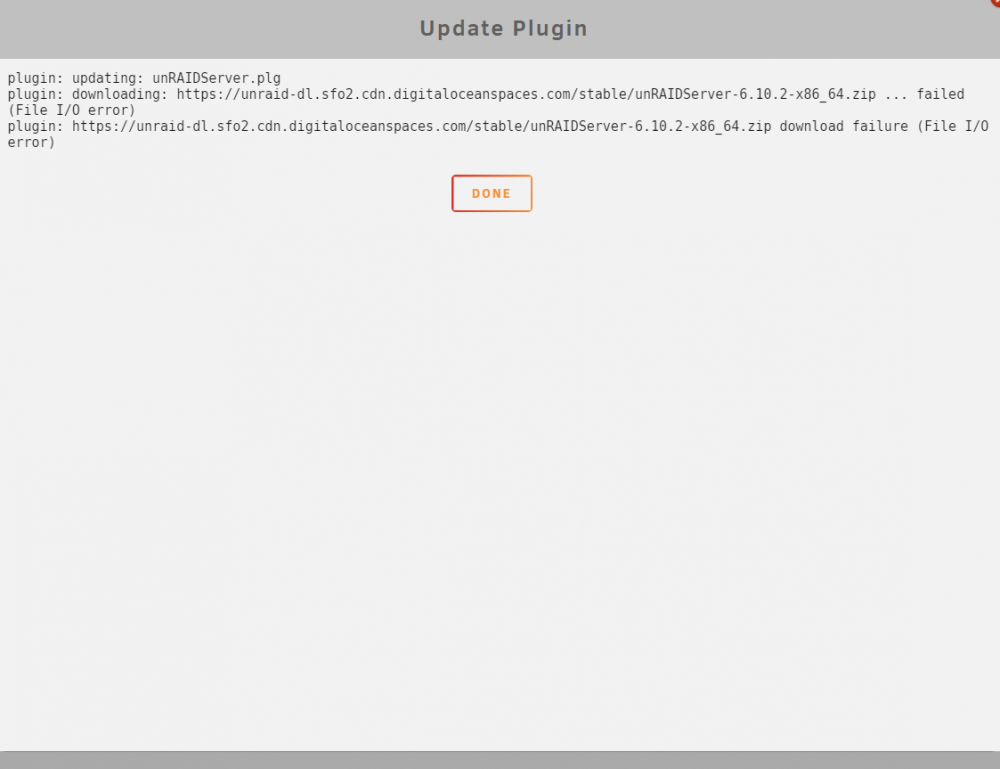
  2. Doing everything to update as in the first post of this thread. But - right after getting to 30% of download - it always sticks with this error.. No matter what i do, change DNS, try to download the file manually(which works fine) - i always get this error in UNRAID. Any ideas how to fix it? No anomalies in the log file.

Account

Navigation

Search

Search

Configure browser push notifications

Chrome (Android)
  1. Tap the lock icon next to the address bar.
  2. Tap Permissions → Notifications.
  3. Adjust your preference.
Chrome (Desktop)
  1. Click the padlock icon in the address bar.
  2. Select Site settings.
  3. Find Notifications and adjust your preference.