Nanuk_
Members
-
Joined
-
Last visited
-
Thanks! that checksum error has been bugging me for months now. I've tracked down the file and deleted it. I'll find some time tomorrow and fix the RAM speed I had configured for the Infinity Fabric 1:1 mode with the memory clock. Though the ram itself has been stable since I last configured it.
-
orion-diagnostics-20261110-2342.zip Nov 10 20:24:07 Orion Parity Check Tuning: Send notification: mover no longer running: Scheduled Correcting Parity-Check (78.4% completed) (type=normal link=/Settings/Scheduler) Nov 10 20:47:01 Orion root: Fix Common Problems Version 2026.10.12 Nov 10 20:47:14 Orion root: Fix Common Problems: Error: Machine Check Events detected on your server Nov 10 20:47:14 Orion root: mcelog: ERROR: AMD Processor family 25: mcelog does not support this processor. Please use the edac_mce_amd module instead. Nov 10 20:47:14 Orion root: CPU is unsupported Nov 10 21:47:01 Orion root: Fix Common Problems Version 2026.10.12 Nov 10 21:47:14 Orion root: Fix Common Problems: Error: Machine Check Events detected on your server Nov 10 21:47:14 Orion root: mcelog: ERROR: AMD Processor family 25: mcelog does not support this processor. Please use the edac_mce_amd module instead. Nov 10 21:47:14 Orion root: CPU is unsupported Nov 10 22:47:01 Orion root: Fix Common Problems Version 2026.10.12 Nov 10 22:47:14 Orion root: Fix Common Problems: Error: Machine Check Events detected on your server Nov 10 22:47:14 Orion root: mcelog: ERROR: AMD Processor family 25: mcelog does not support this processor. Please use the edac_mce_amd module instead. Nov 10 22:47:14 Orion root: CPU is unsupported Not sure why I'm getting this again since I've followed (https://forums.unraid.net/topic/46802-faq-for-unraid-v6/page/2/#comment-819173) a few months ago and it fixed it, but I'm getting this error again.

-
Thanks! I'll pull the new 2 sticks out for now and monitor my NAS for anymore corruption errors on the nvmw.
-
My dashboard is shows corruption errors reported for my boot drive data partition - it started happening last week after I installed 2 additional RAM sticks and configured the BIOS for my 5950x so it doesn't lock up anymore. I ran an extended SMART test and in the Web UI under Self Test for that drive it says "Completed with No Errors" orion-diagnostics-20260718-0345.zip


-
Damn! I was hoping I just needed to toggle something in BIOS. Thanks!
-
I received this message from "orion-diagnostics-20260708-2206.zip". Your server has detected hardware errors. The output of mcelog has been loggeg. Post your diagnostics and ask for assistance on the Unraid forums More Information Found this in the syslog: Jul 8 20:47:20 Orion root: Fix Common Problems: Error: Machine Check Events detected on your server Jul 8 20:47:20 Orion root: mcelog: ERROR: AMD Processor family 25: mcelog does not support this processor. Please use the edac_mce_amd module instead. Jul 8 20:47:20 Orion root: CPU is unsupported I am running a Ryzen 5950x with a 2080 Ti. I recently disabled secure boot because Unraid won't start with it on after I added more RAM. I also just installed Immich and FolderView Plus, but the problem happened after I reinstalled Scrutiny It didn't install right away because I got this error "The container name "/scrutiny" is already in use by container" which I solved by deleting the container and then installing it. I did notice that all my containers had shut off and only Scrutiny was running. I've disabled it for now while I wait for a response here.
-
Yes, it worked. Looks stable so far except for a few missing docker containers. But that's probably because I moved some stuff around to make room on the nvme before moving them back after converting it to a bootable partition.
-
orion-diagnostics-20260515-1653.zipUploading Attachment... orion-diagnostics-20260515-1658.zip
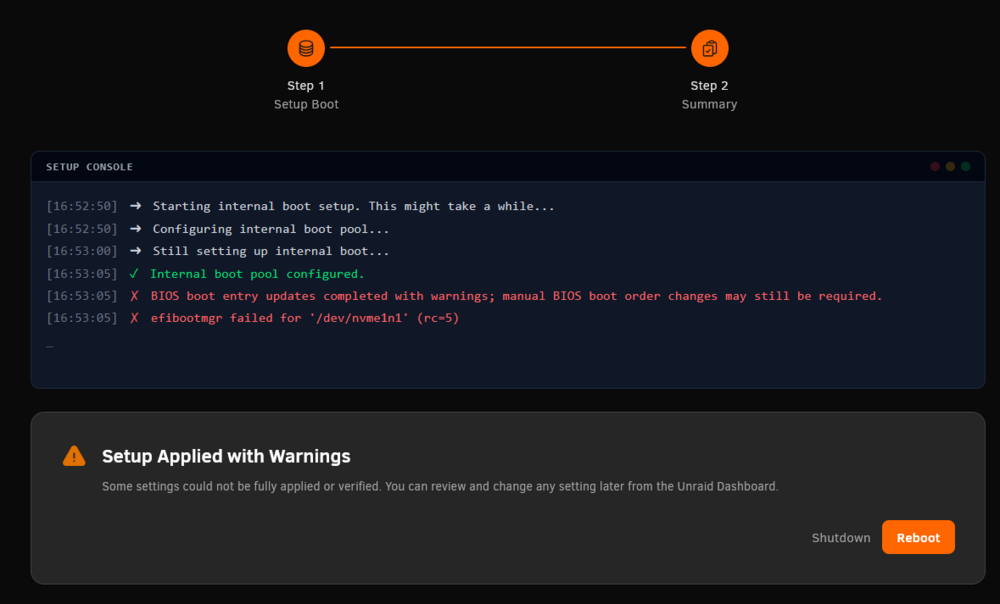
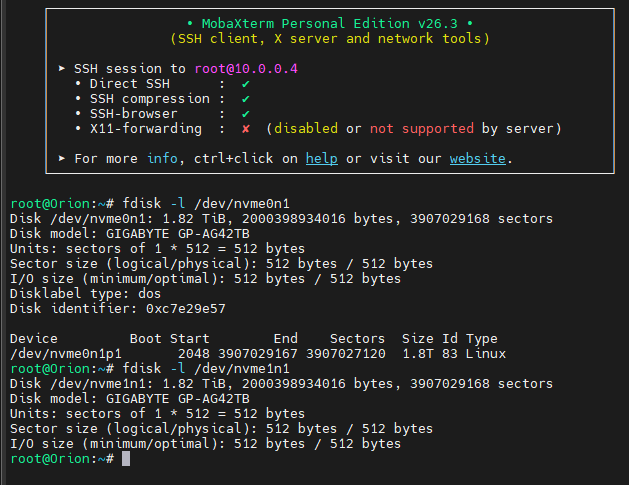 Actually this was the fdisk result for both nvme before the reboot. I SSHd into the server and ran it once the reboot button showed up.
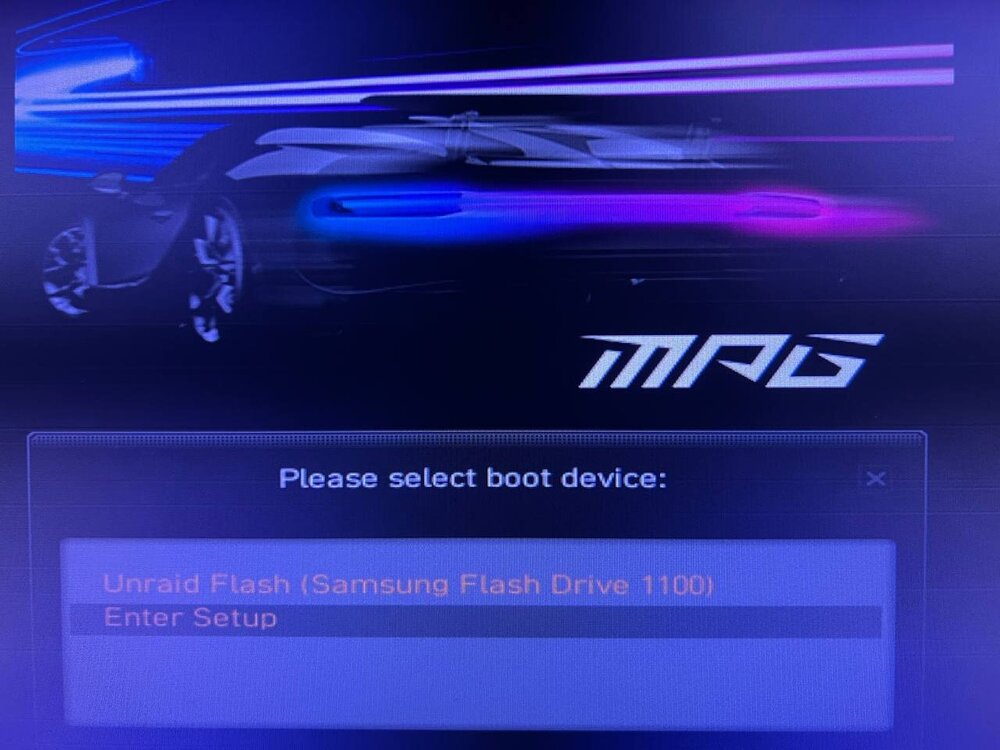
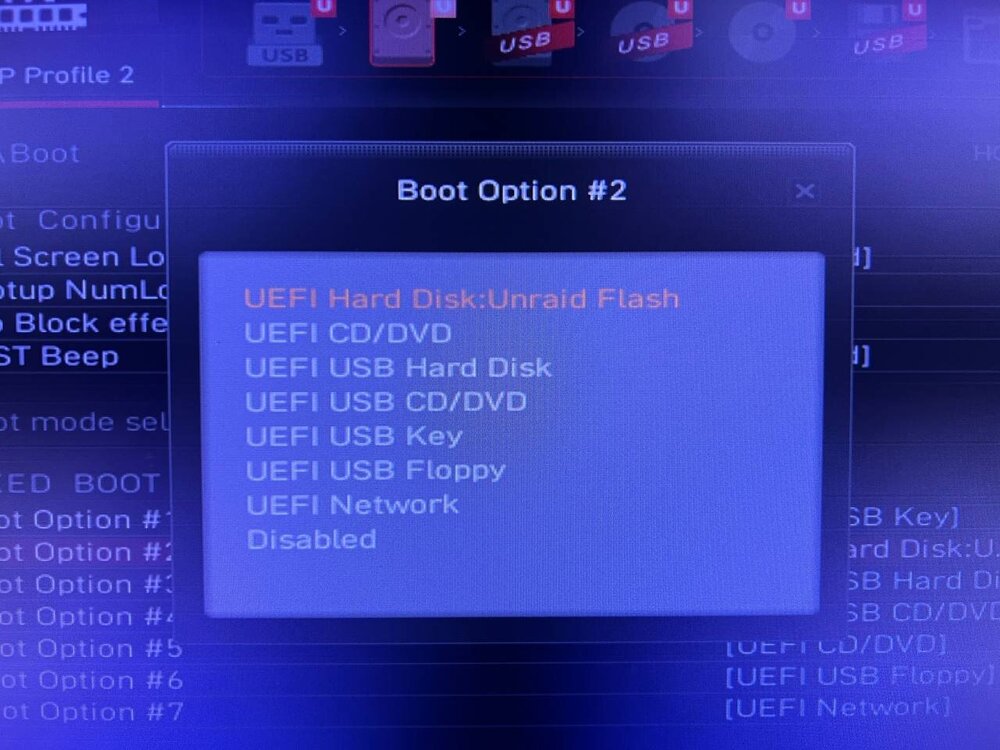
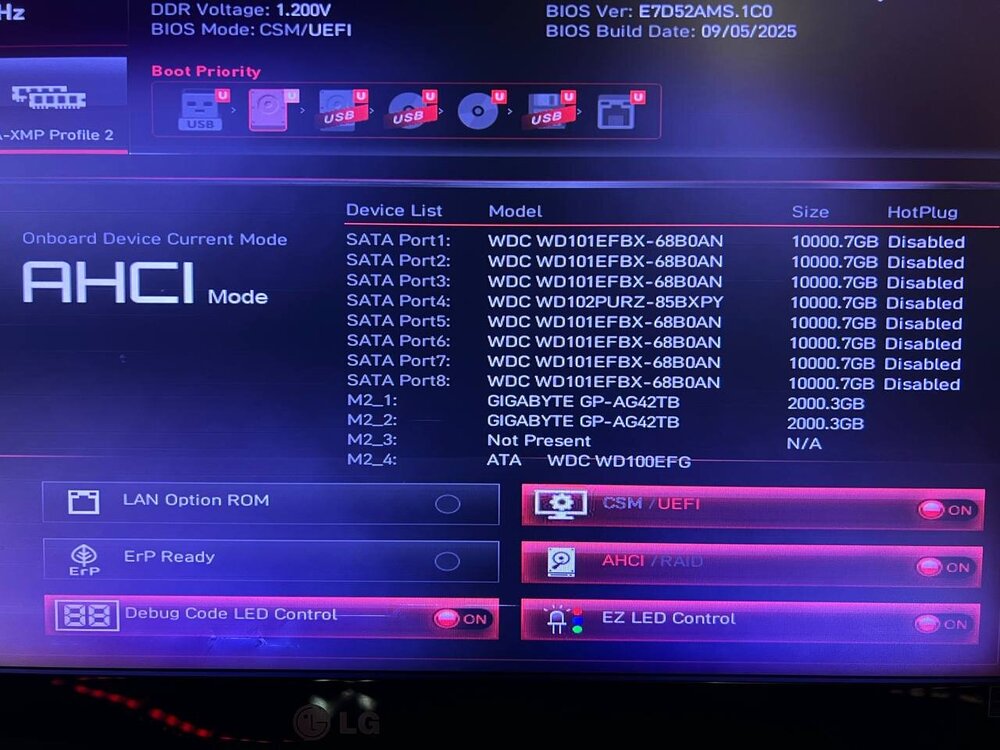
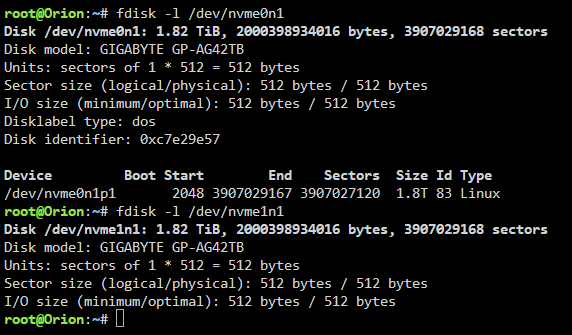 I've run fdisk -l /dev/nvme0n1 fdisk -l /dev/nvme1n1 and run the internal boot wizard multiple times, but the bios won't detect the (nvme1n1) as a UEFI boot drive no matter what I do. Does anyone have experience with MSI bios that can help?
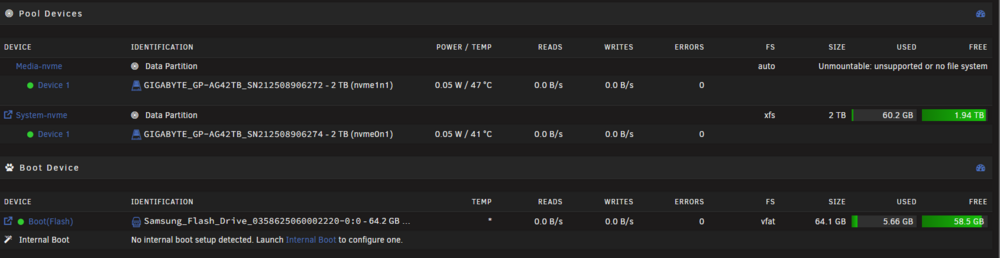 Hello all, is anyone having a bios issue with the MSI bios not allowing the selected nvme drive as a boot option after running the "Internal boot" wizard and rebooting? I have secure boot disabled and AHCI enabled but I still get select the nvme as a boot option after running the wizard, rebooting and going to bios. Uploading Attachment...
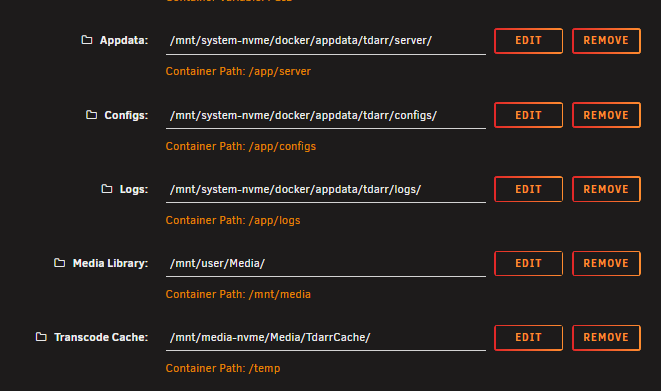
 New plugin update is out. Does anyone know the proper steps to get it working again? Is it update then restart Unraid?Hmmm.... I believe I already have it set up that way. I have the transcode cache on an NVMe. maybe it's freaking out because it's not on the same share as the actual media files?