




Skip to content
View in the app

A better way to browse. Learn more.

Unraid

A full-screen app on your home screen with push notifications, badges and more.

To install this app on iOS and iPadOS
  1. Tap the Share icon in Safari
  2. Scroll the menu and tap Add to Home Screen.
  3. Tap Add in the top-right corner.
To install this app on Android
  1. Tap the 3-dot menu (⋮) in the top-right corner of the browser.
  2. Tap Add to Home screen or Install app.
  3. Confirm by tapping Install.

Theok

Members
  • Joined

  • Last visited

  1. Thank you so much! So excited to make use of this awesome tool!
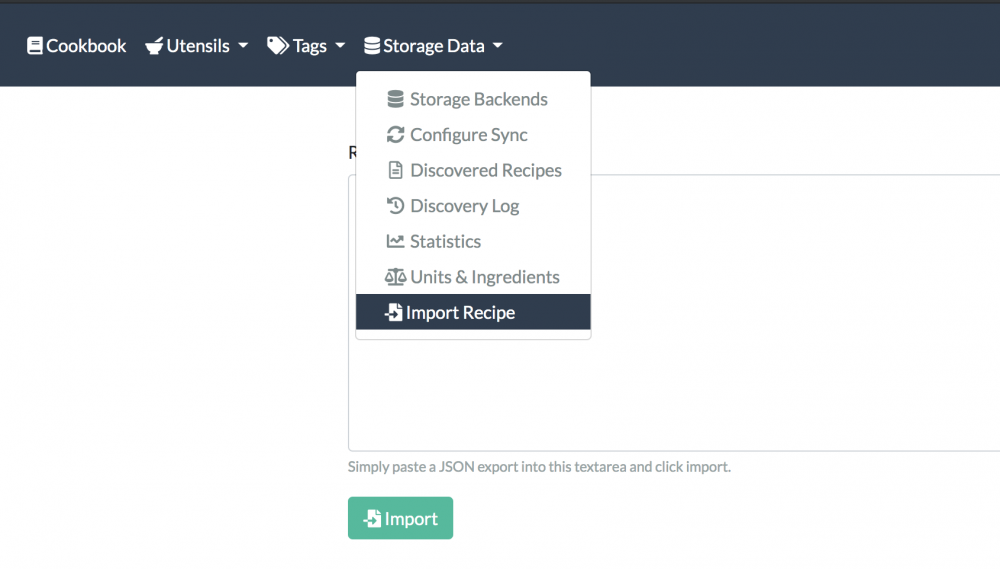
  2. This may be a silly question, but where are you finding the option to import from URL? The only option I'm seeing for importing recipes is via JSON, and I've been having trouble finding an easy way to format recipes from common websites (e.g. Allrecipes, Serious Eats, etc.) into JSON format without configuring some sort of scraper. I'm happy to do that if necessary, but wanted to check whether I was missing something first.
Account

Navigation

Search

Search

Configure browser push notifications

Chrome (Android)
  1. Tap the lock icon next to the address bar.
  2. Tap Permissions → Notifications.
  3. Adjust your preference.
Chrome (Desktop)
  1. Click the padlock icon in the address bar.
  2. Select Site settings.
  3. Find Notifications and adjust your preference.