





Malachi
Members
-
Joined
-
Last visited
Everything posted by Malachi
-
I figured out I just needed to install the NVIDIA driver plugin. Seems I had multiple problems! Thanks for your advice on the CPU config, pretty sure that was my main issue!
-
I tried those things with no success. Some hardware updates though. I validated the RAM in another computer, so I know that works. I also got my hands on another CPU (3700X), and still unable to boot. I plugged the USB into another computer and it booted fine. So that eliminates everything except the motherboard. As I said before, I know it works; there must be some configuration or incompatibility issue. I have gotten it to boot into command line at this point. I can access the web GUI too. The only thing I can't get to work is the local GUI. I've tried booting in GUI mode, booting in GUI safe mode, and using slim. When the GUI tries to start it gets stuck on a flashing cursor.
-
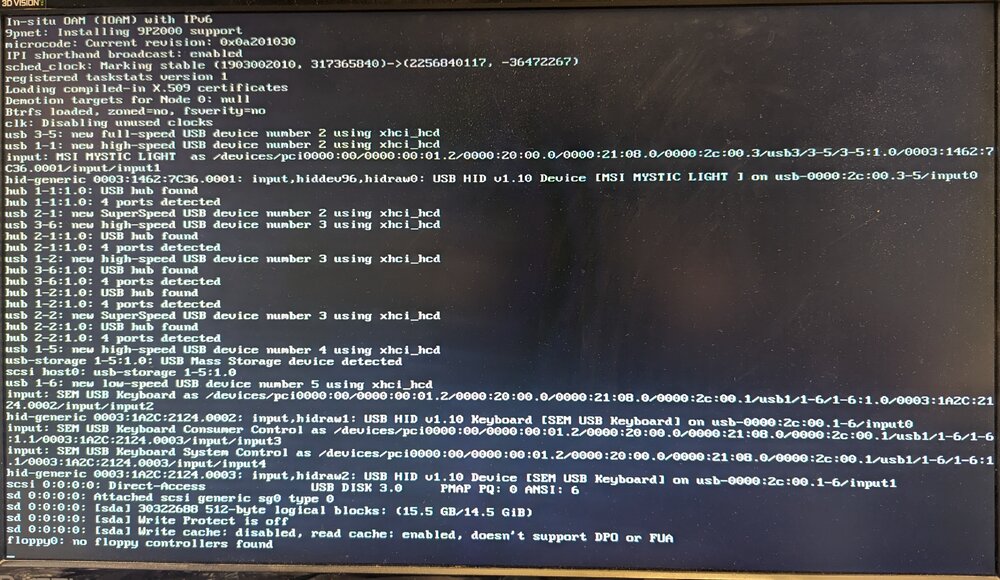
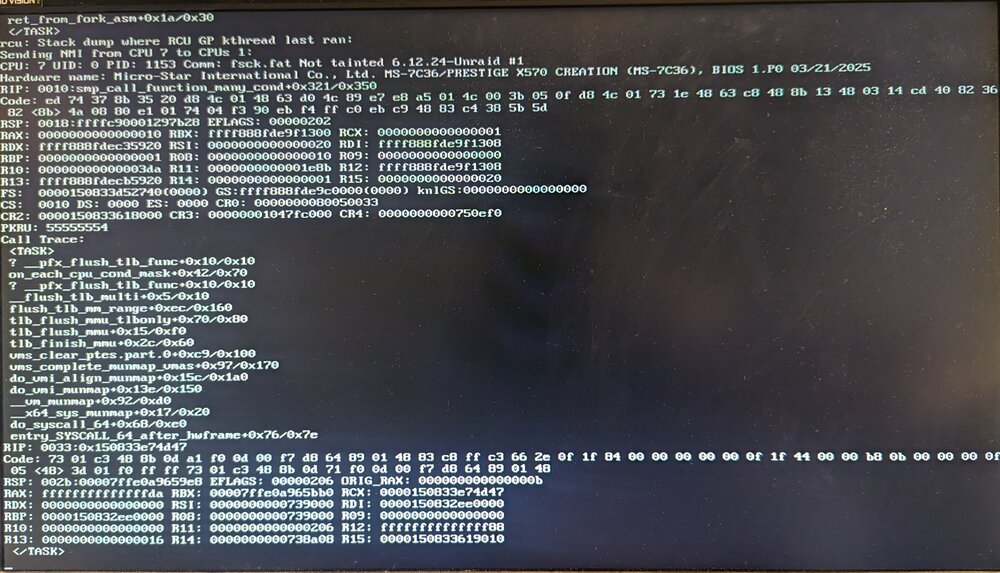
Unraid is getting stuck mid-boot. Appears to get stuck in a few different states, but the screenshots are pretty representative of most of them. Appears to be either CPU or onboard device related, I'm not sure. Boot works fine if I plug the boot media into another system. The hardware is known good, was running Windows just fine until recently. All testing done with Unraid 7.1.2-7.1.4. Some things I've tried: Replacing the GPU Disabling all possible onboard devices Disabling CPU virtualization Updating BIOS Booting using the other options (CMD, GUI, Safe, etc.) Existing and newly created Unraid installs Booting with nothing plugged in except Unraid USB and monitor Booting with only 2 sticks of RAM installed Hardware: MSI Prestige X570 Creation Ryzen 5950X 128GB RAM
-
Thanks for the tip. I installed that and updated the firmware, startup works fine now.
-
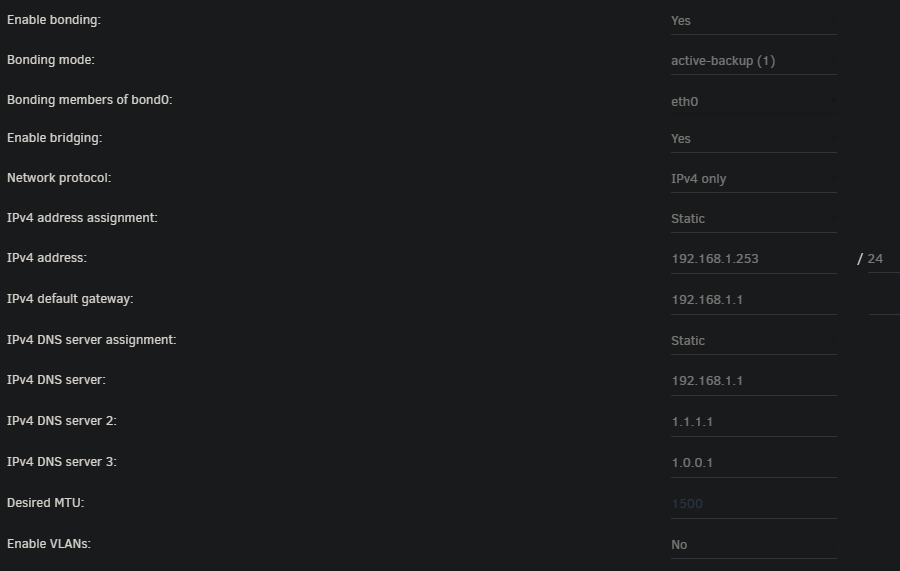
When the system boots, the network interface fails to start. I've found that I can get it to work by changing any network setting. I guess that causes it to restart. I've been having this issue for a long time, not just the current version. I'm running a Mellanox (NVIDIA) Connect X-3, with the networking on the motherboard disabled in the BIOS. nas-diagnostics-20240423-1630.zip
-
Hello! I was testing out the extra files option and noticed that extra files are backed up after the container backups are finished, even when type is set to 'Stop all containers, backup, start all'. Could this be changed so extra files are backed up before the containers are restarted? I'm worried that those files might be touched by the now restarted containers before backup is complete.
-
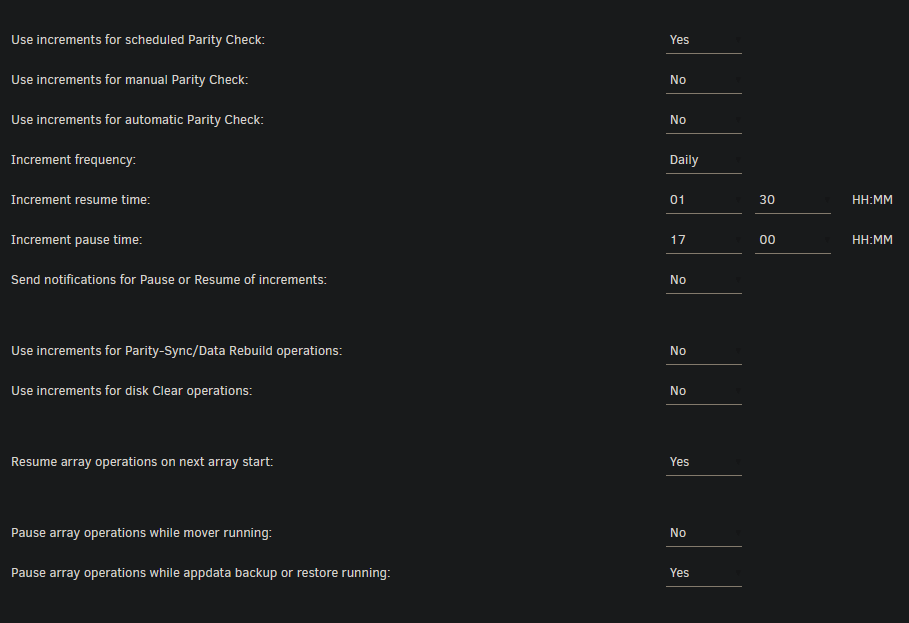
I've run into some behavior I'm not sure is expected. I was running a parity sync when appdata backup started. The sync operation was paused, as expected, but then not resumed when it finished. It was outside the increment window, but I would have only expected that to apply to parity checks, not syncs, especially since I have increments disabled for Parity-Sync/Data Rebuild.
Waterfox.thumb.png.9759692f59946ddd1557eeee0e4def97.png)
-
Add a setting for Minimum Free Space on a per drive basis. I use a very mixed set of drives (HDDs & SSDs, wildly different capacities) in my array, and for speed and drive age reasons use the Fill-up allocation method. I've got all my drives formatted in ZFS. ZFS is known to perform badly when drives are almost full, so I'd like to set a minimum free space on each drive that is appropriate for it's size. Another option is to allow a percentage in the existing Share minimum free space setting, so each drive will leave some percentage of it's capacity free. I noticed there's already some sort of support for this, added in 6.12 I think, but it seems to just pick a static number on save.



Waterfox.png.760540d554d4718840b3597ed472cddf.png)