Kurtchen
Members
-
Joined
-
Last visited
-
If you dont mind. The Problem is solved now! Used another folder path to install the docker and now i can connect to the screen and everything. runtime was installed propperly and the forge server runs now too. Since i could connect to the screen, i could put in the command per hand. Thank you very much! Even though it was just my stupidity
-
The docker was removed and i cant delete it. I now installed it in a different instalationpath. This worked perfectly now! Yes it is/was. Okay, i will do that. No worries please. Its just a game and not a life relevant service or so Have fun!
-
I will reinstall it then and try that. Maybe there is my error. EDIT: i tried to delete that folder but it reappears instantly? In Extra Game Parameters and then Extra JVM Parameters to test which works. I put in my backup from my old server so it would start the old world on the new server. Thats why mods and a save is already in.
-
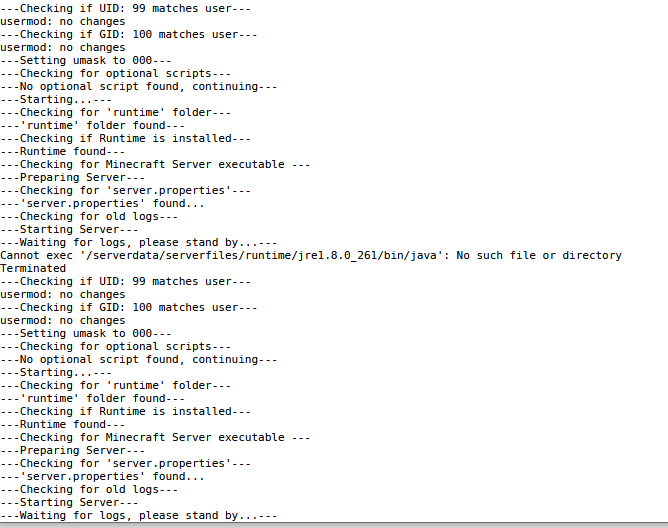
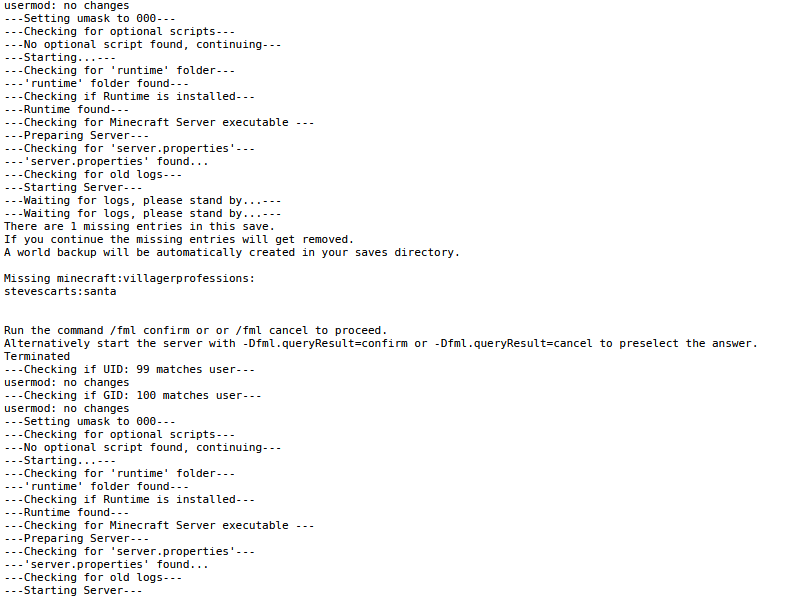
Heya! I sadly have a problem with the MinecraftBasicServer that i dont get fixed. Starting the server the first time gives me an error (first picture). I dont know what this means really? There is nothing there on the server, so should i install something there? After i convert the server to a forge one i get this start error (second pic). I tried getting into the console through the screen but it says that there are no screens for this docker( i used "docker exec -u minecraft -ti Mods screen -xS Minecraft"). If i put the "-Dfml.queryResult=confirm" into the start parameter, it doesnt help and still shows this error. Could somebody help me please with that? Thank you!