




.jpg.cd0ee2faf0b1ddf75893cc24e561601d.jpg)
ZappyZap
Members
-
Joined
Everything posted by ZappyZap
-
Great, Yeah now , configure the connection with the contoller and you will be all set
-
Please provide the output of : ls -lad /mnt/user/appdata/unifi-toolkit
-
@VlarpNL yeah not an issue with template i am following this as well. thanks
-
i bet it is a permission issue open a shell and type : docker logs unifi-toolkit Let me know the output
-
what the log saying ?
-
Overview: Support for Docker image Unifi-toolkit Application Name: Unifi-toolkit Application: https://github.com/Crosstalk-Solutions/unifi-toolkit Overview : A comprehensive suite of tools for UniFi network management and monitoring. Make sure to look at the complete documentation Please post any questions/issues relating to this docker template you have in this thread.
-
Thanks for the feedback , i will get this added
-
Thanks for the update..
-
You seem to have an old version of the template .
-
reserved
-
Overview: Support for Docker image Nutify Application Name: Nutify Application Site : https://github.com/DartSteven/Nutify Application repository: https://github.com/DartSteven/Nutify Documentation: https://github.com/DartSteven/Nutify/wiki Overview : Nutify is a comprehensive monitoring system designed to track the health and performance of your Uninterruptible Power Supply (UPS) devices. It provides real-time insights into critical UPS metrics, allowing you to ensure the continuous operation and protection of your valuable equipment. Nutify collects data, generates detailed reports, and visualizes key parameters through interactive charts, all accessible via a user-friendly web interface. Make sure to look at the complete documentation Please post any questions/issues relating to this docker template you have in this thread.
-
sorry but where do you see this ?
-
No worries Thanks
-
@kilrah i cant reproduce can you please provide the output of : cat /build_date.info ps auxww |grep -i dnscrypt Thanks
-
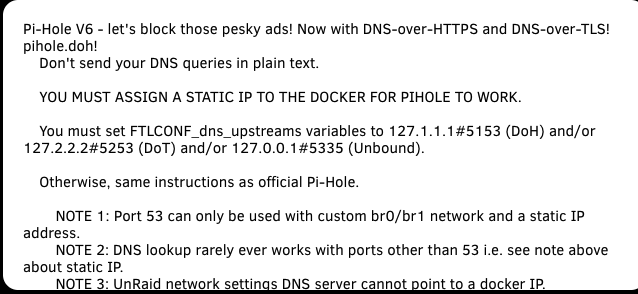
you mean 127.1.1.1#5153. and 127.2.2.2#5253. right ?
-
please raise an issue in the github
-
pushed. hopefully this will end up the saga with cloudflared. let me know still need to update Overviewa nd others.....
-
I need to update the Overview : dnscrypt-proxy for DoH - 127.1.1.1#5153. Uses Cloudflare Security (1.1.1.2 ) stubby for DoT - 127.2.2.2#5253 Uses google (8.8.8.8 / 8.8.4.4) by default unbound for recursive - 127.0.0.1#5335
-
forgive me all... i learn my lesson: do not try read the forum on a cell, and not fully concentrated ..... @Zilonis wich tag are you using ? @Kilrah i think you are correct After thinking and reread all the report in a more calm env.... , i think all those issue is due to the cloudflare update removing proxy-dns i will be back home in about 1h and i push the beta version to prod.... since i am testing it from a month now without issue.
-
Not sure i am understanding your error there ..... but i will try conduct some extensive test
-
interesting , need to verify what they did.... did you found the culprit ?
-
reserved
-
Overview: Support for Docker image Hawser Application Name: Hawser Application: https://dockhand.pro/ Documentation: https://dockhand.pro/manual/#hawser Repository: https://github.com/Finsys/hawser Overview : Remote Docker agent for Dockhand - manage Docker hosts anywhere. Hawser is a lightweight Go agent that enables Dockhand to manage Docker hosts in various network configurations. It supports two operational modes: Standard Mode: Agent listens for incoming connections (ideal for LAN/homelab with static IPs) Please post any questions/issues relating to this docker template you have in this thread.
-
Thanks to let us know
-
is your TZ and time correct ? raise a issue on the github thanks
.thumb.jpg.bec61e4e919a9235cc4475f8cb53d5e3.jpg)

