





KLLSWITCH
Members
-
Joined
-
Last visited
-
im guessing its something that NGINX is messing up then. Ill dig into it. Thank you for the quick replies!
-
Been using this for awhile now and love it, but it seems at least for me the discord embeds are broken.
-
Ive got a new install and i keep getting this maria db error even tho the DB is setup. any ideas??? Database connection [mariadb] not configured. -------------------------------------------------------------------- _______ __ __ __ | __|.-----.-----.-----.--| | |_.-----.-----.| |_ |__ || _ | -__| -__| _ | _| -__|__ --|| _| |_______|| __|_____|_____|_____|____|_____|_____||____| |__| _______ __ |_ _|.----.---.-.----.| |--.-----.----. | | | _| _ | __|| <| -__| _| |___| |__| |___._|____||__|__|_____|__| -------------------------------------------------------------------- To support Speedtest Tracker visit: https://github.com/alexjustesen/speedtest-tracker ------------------------------------- GID/UID ------------------------------------- User uid: 1000 User gid: 1000 ------------------------------------- 🔒 SSL_MODE has been set to MIXED, setting the web server to work in HTTP + HTTPS... 🏃♂️ An SSL key was not detected, so I'll generate a self-signed SSL certificate pair for you... 🐇 Configuring Speedtest Tracker... 🔒 Fixing app path file permissions... ✅ Permissions fixed. 🧹 Clearing any previous caches... ✅ Cache cleared. ✅ Environment file exists. 🔗 Creating symlinks for config and log files... ✅ Symlinks created. ⏳ Generating an application key... ⚠️ An application key was generated at start up, no environment variable was set. 👀 To set an application key that persists, read the docs: https://docs.speedtest-tracker.dev/ 💰 Building the cache... ✅ Cache set. 🚛 Migrating the database... In DatabaseManager.php line 173: Database connection [mariadb] not configured. ** Press ANY KEY to close this window ** mariaDB settings https://photos.google.com/lr/photo/ACEPBf2_TGwG0AUHMfZdQPFbxpAXjIoSpj4b3e_NsKnC--BhnmMG7B5284jLYDMlR9RZQ1dJhU0hlVjplH92I97RLkTWWWa9IQ
-
i ended up just re downloading them all from the previous app tab in CA, Thanks for all your help!!
-
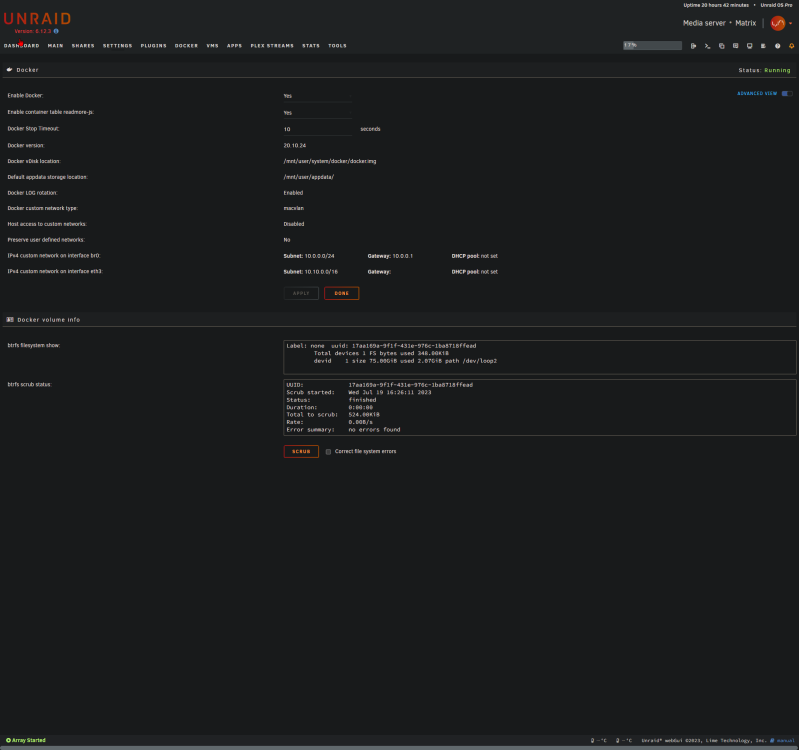
ok so i got the drive repaired for the time being but now all my docker containers are gone? i went to docker and it said no error were found but all the containers are gone?
-
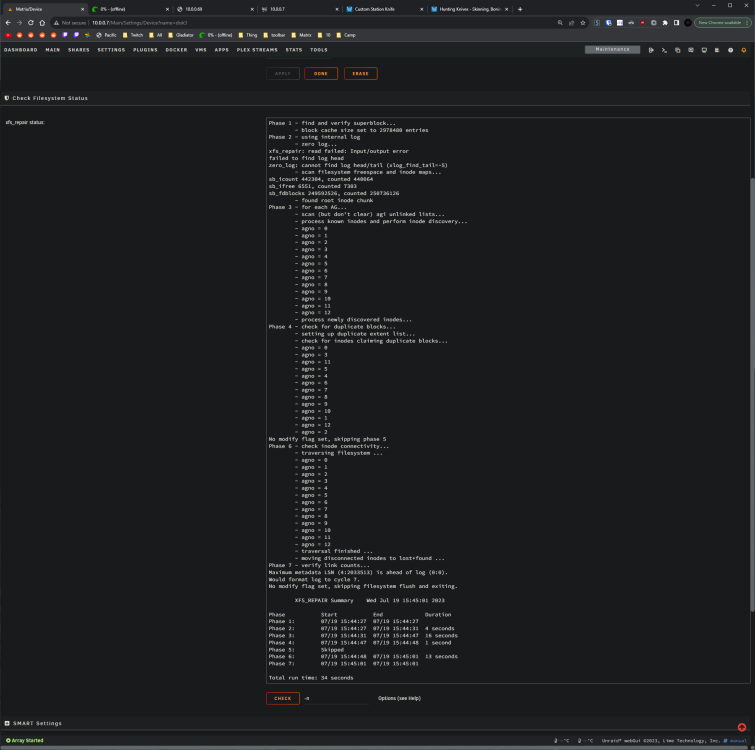
sorry for the late reply work has been busy. The check filesystem came back with this
-
i was able to change the FS back to xfs but the drive still shows unmountable
-
Is that what the disc mounted or unmounted?
-
Yes that was with array stopped.
-
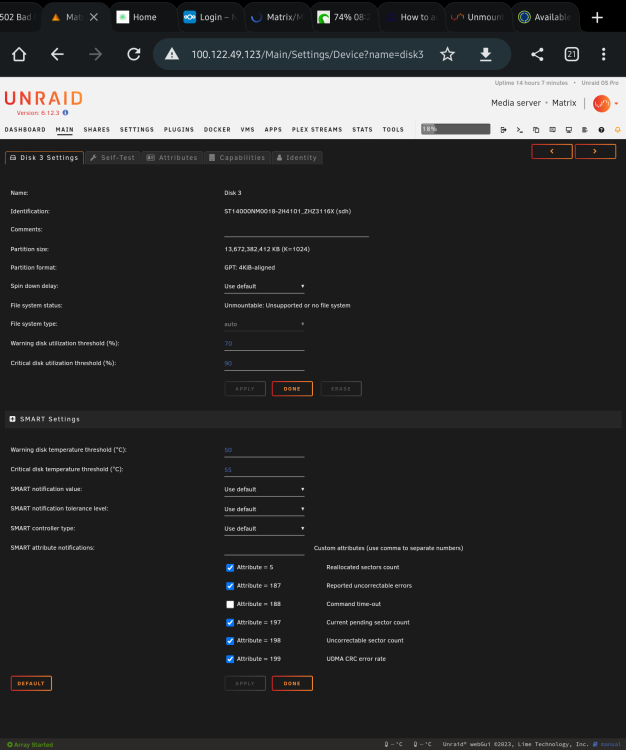
I am unable to select a fs for that drive since it won't mount.
-
So one thing is the file system shows auto and I didn't see auto covered?
-
Ok I will give that a shot thanks 👍
-
Ok I kind of figured that's what he meant. I tried that this morning before work and unraid won't mount it and wants to format the drive. Not really sure what else to do other than taking the drive out and seeing if I can read the files with my windows machine.
-
im kind of new to unraid how would i do that?
-
Hi everyone my array went down suddenly with Unmountable: Unsupported or no file system on one of my disks. the file system now shows auto instead of xfs like it should and now that disk has errors. how can i copy the data off that drive to the other drives and save it? ive attached the diag file. any help is appreciated. matrix-diagnostics-20230716-2158.zip




