BoonioX
Members
-
Joined
-
Last visited
Everything posted by BoonioX
-
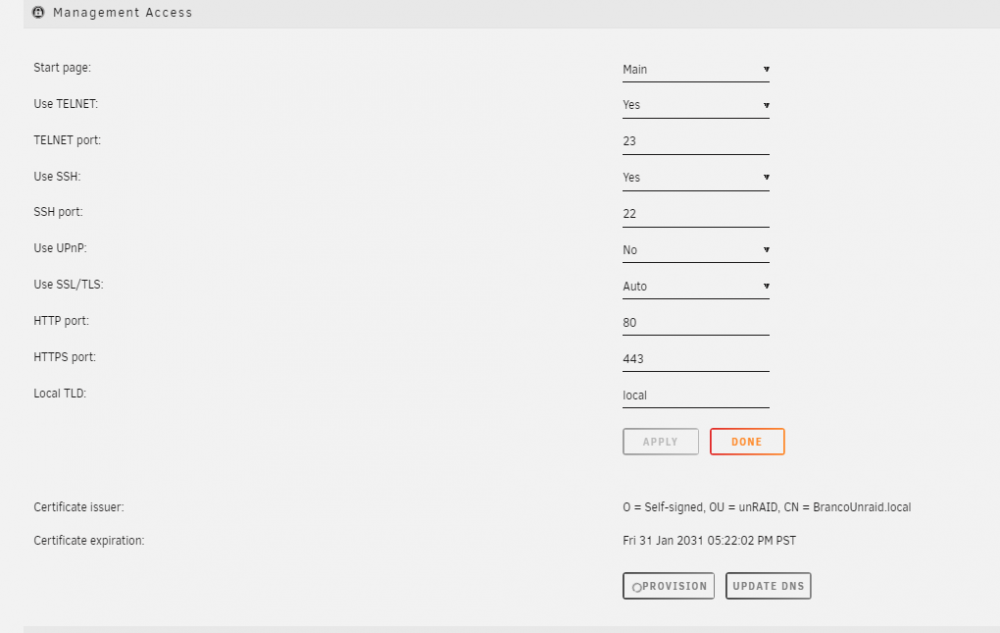
Sorry I just saw there is this thread, I created a post regarding issue i am having, where the provision button stays continously spinning after clicking it, or sometimes i get the following error back as response from ProviderCert.php: {"type": "dns-01","status": "invalid","error": {"type": "urn:ietf:params:acme:error:dns","detail": "DNS problem: NXDOMAIN looking up TXT for _acme-challenge.<ommitted>.unraid.net - check that a DNS record exists for this domain" } Wondering if anyone encounter this issue?
-
Hi, I was trying MyServers to make my unraid accessible remotely. However, when I try to provision the cert the button just turns grey with a loading icon without throwing an error. Looking at the Network tab in Chrome, I can see ProvideCert.php is returning 403 code As someone encountered this issue before?