spacezmonkey
Members
-
Joined
-
Last visited
Everything posted by spacezmonkey
-
Hello, from time to time, i face this issue. I am unable to connect to my unraid server locally. The machine is still running, but i am unable to connect through local ip. Not only local machine, all docker and vm hosted , i am unable to connect as well. however, if i restart the server, i am able to connect again. May i know what is wrong with my server. i have attached diagnostic report homenas-diagnostics-20250601-1210.zip
-
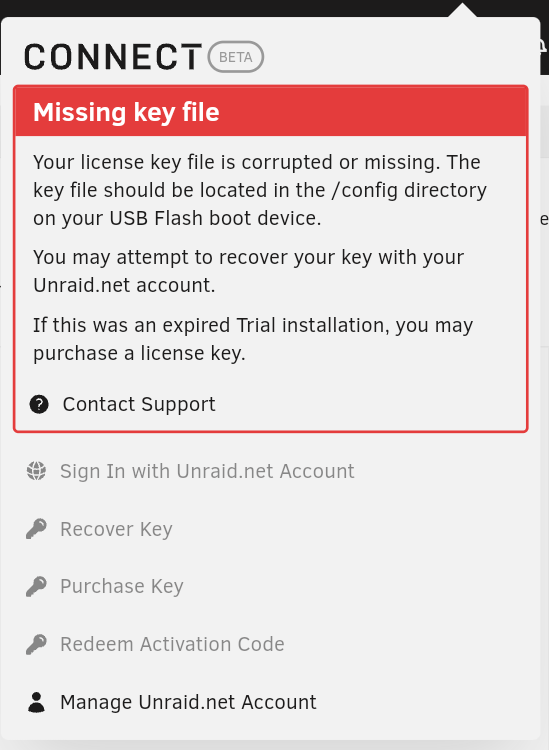
I have change my server from amd back to Intel and existing USB is unable to boot in Intel. I have reformat it , reinstall unRAID on same USB , but i am getting error on license key May I know what should I do ? homenas-diagnostics-20240523-1748.zip
-
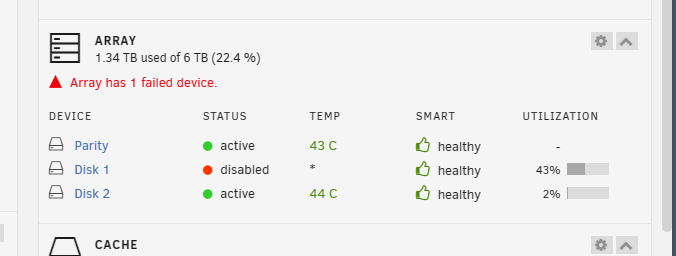
Hello Sir, I am facing device disable from time to time. usually what i have done is stop the array, remove the disk and start the array without the disk. After started, i stop the array again, reselect disk 1 and start array again. usually what happens is that array will check pariety again and when it is complete, i have active disk. which will last for a few days before disabled again. I have attached my diagnostic for reference. I have changed my sata cable for this disk as well, but the problem persist. homenas-diagnostics-20231123-1625.zip
-
Hello, anybody face the similiar problem? should i delete the docker image and restore using this guide?
-
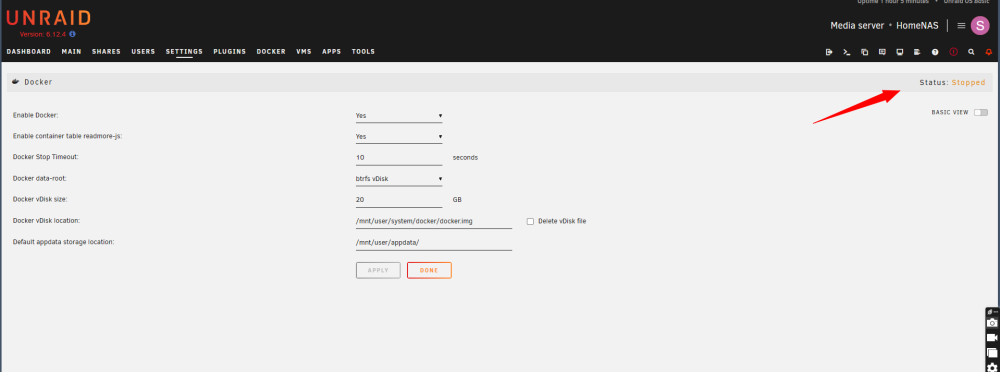
Hello Sir, I am facing problem of restarting docker after stopping ( ie i have the "enable docker " to "no " , press done and change back to " yes " and press done . However, the status is showing "stopped " as shown in my screenshot below if i login using SSH and try 'docker ps' , it gives me error as well. I have attached my diagnostic for reference. May i know what should i be doing? homenas-diagnostics-20231025-1421.zip

-
nope..it does not show up in docker page. Anyway i am reinstalling all the docker. Since harddisk is working well, my previous setting for docker containers can be retrieve easily. Thank you once again for your help.
-
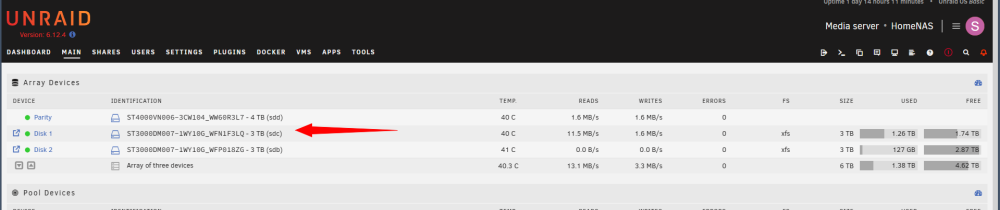
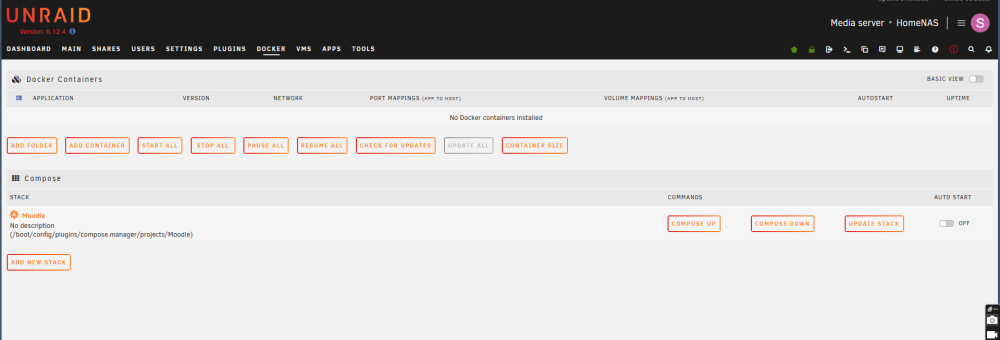
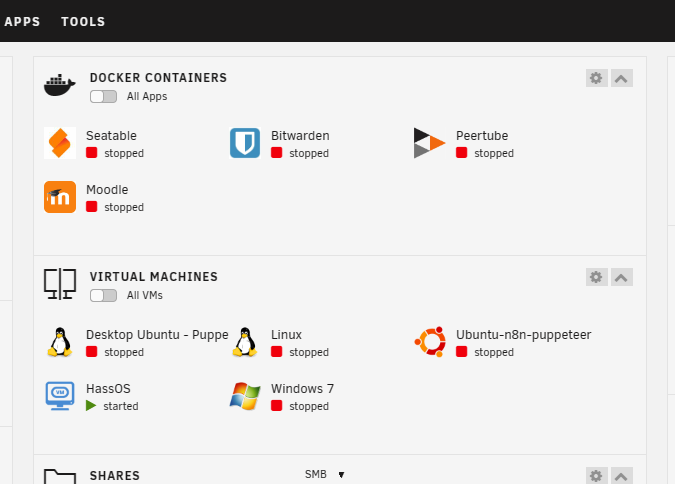
I managed to "check " without " -n" and add "-L" and it managed to complete the process without error. Now I am able to start the array without any issue and disk is identified as well.. Thank you @JorgeB and @itimpi . It is working well as shown below and I am very glad of your kind assistance. However, I am facing another issue now. My docker containers that was installed previously has disappeared. However, i am still able to see icons of docker that i had installed using "docker-compose" on "Dashboard" page. Is there any method for me to see all my previous installed docker?
-
Hello @itimpi thank you for the guide, i have rerun it without " -n " and added "-L" , however, it still give me an error. secondly, just to confirm, i am running the check with "maintenance mode" started.
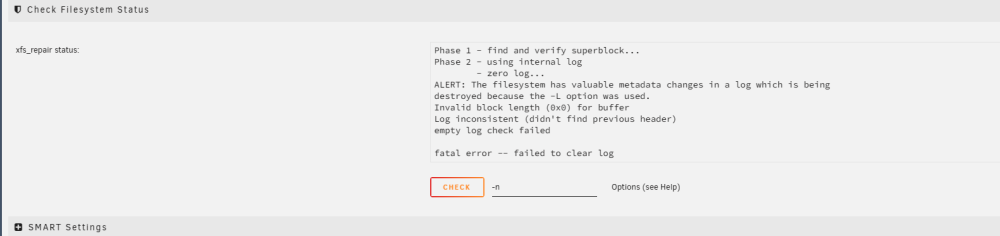
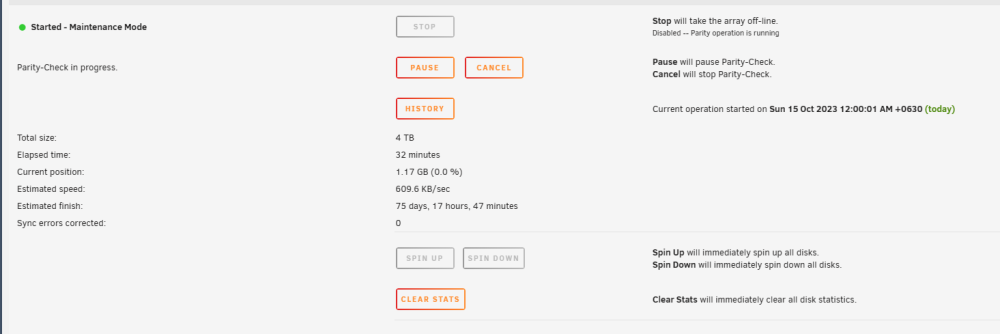
-
I have start the array in maintenance mode. click on my affected disk, remove the "-n" and click on check. Error log as displayed below. I think i have to run the xfs_repair using command?

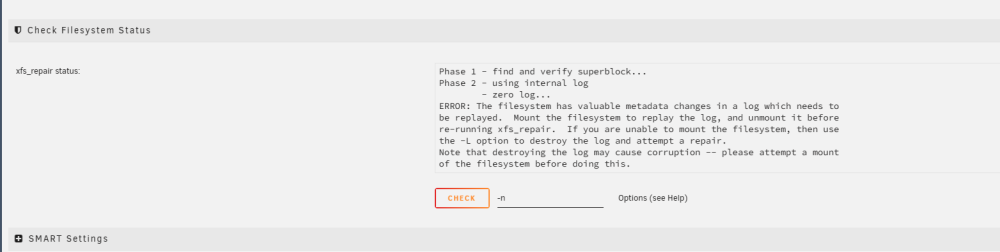
-
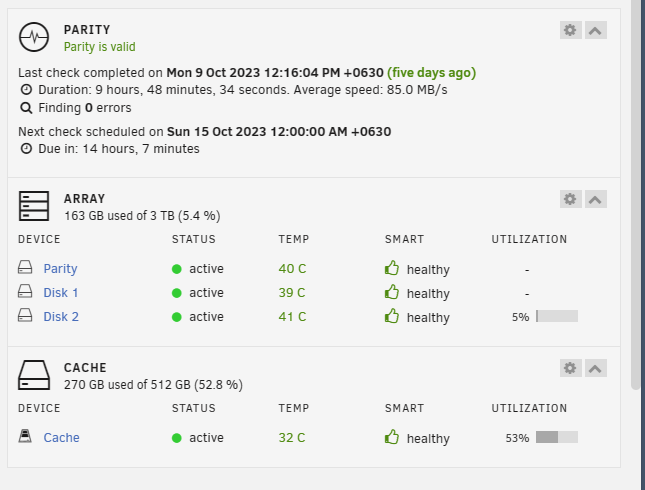
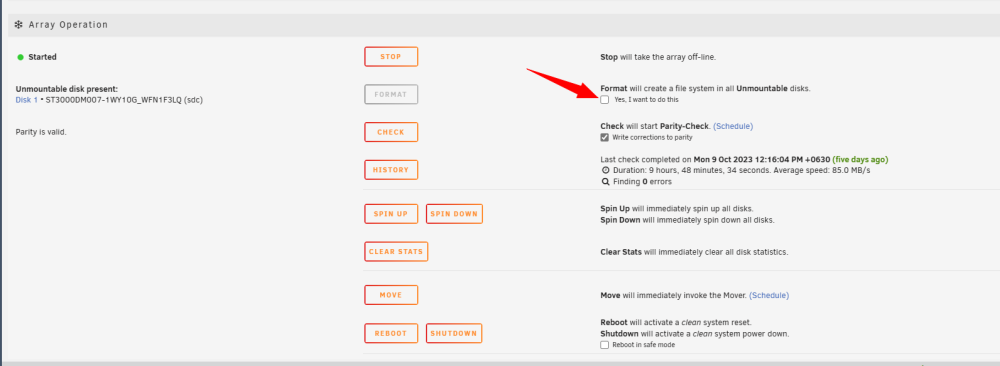
Hello, I have an disk error at disk 2 initally and changed the error disk 2 ( WFP018ZG ). After changing the disk, the system is unable to shutdown and i made a force shutdown to my server. When the system restart, i am facing this error on disk 1. I have wait until the array to rebuild for my new disk 2 and restart , the error persist. May I know what should I continue to do ? I have attached a zip copy of diagnostic as well. On my dashboard, it shows everything is running fine. Parity is fine, disk 1 and disk 2 are healthy as well. ... at the array option, it does show me that i can format disk 2. Should i format the disk ( 1WY10G ) and allow the disk to copy it back from parity? or will a formatted disk write make changes to my parity? homenas-diagnostics-20231014-1112.zip

-
I have changed my ram to low voltage ram and error is gone. I think the initial problem is more of motherboard and ram compatibility issue.
-
Hello, I just setup a new server and when i login to web interface, i saw this error. the error said that my machine has hardware error. May i know which hardware is having error? Attached is report of my diagnosis. tower-diagnostics-20230705-1653.zip

-
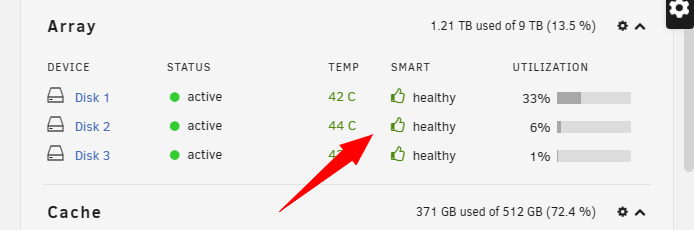
thank you.. i just leave it as thumb down previously and does not know if the values are increasing or if my hard disk is failing consistantly.. now it has converted to thumb up.. 😀
-
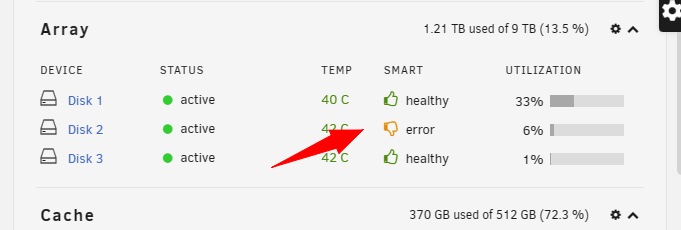
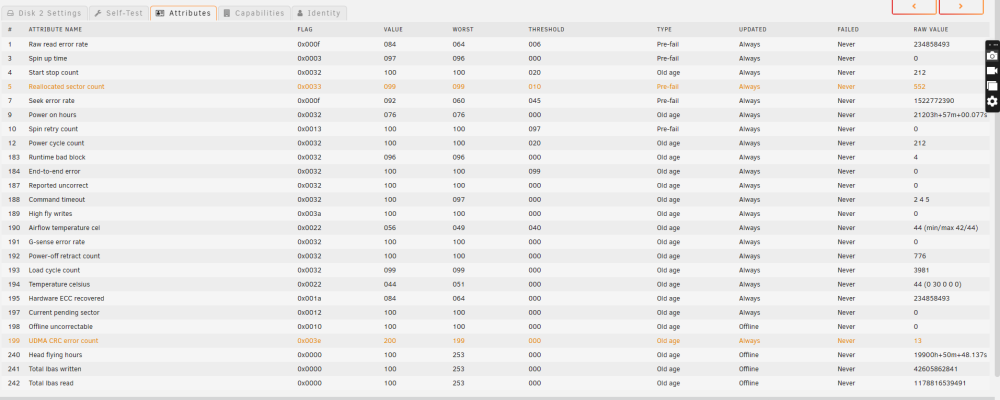
till now, everything seems to be running as per normal. however, i have another disk that is showing "thumb down". it has some error count as following. May i know if there is anyway i could do to make it a " thumb up " again?
-
I have removed the disk @JorgeB and attached is my diagnostic result. homenas-diagnostics-20230504-1034.zip
-
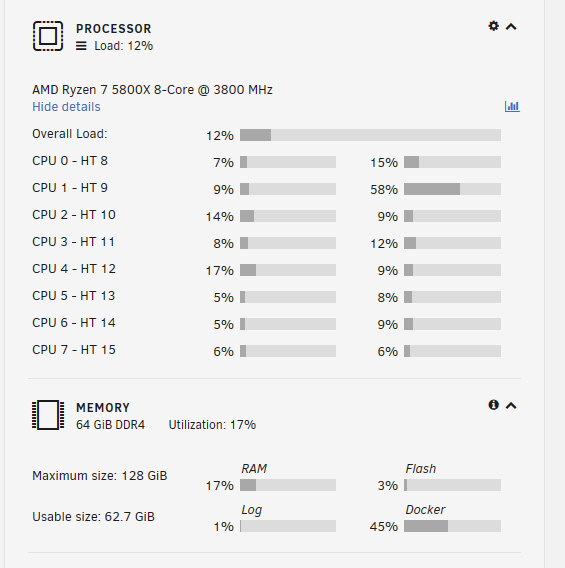
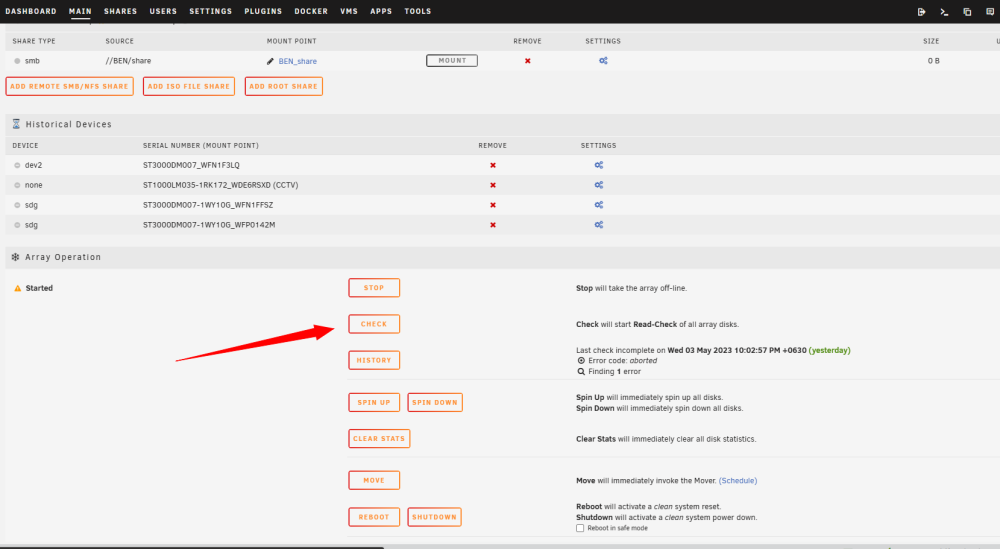
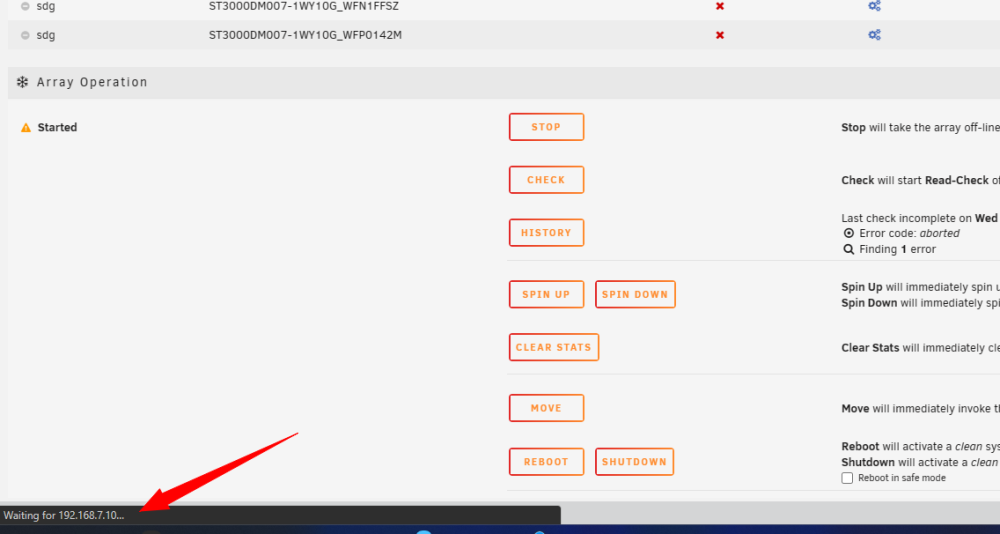
There is an error in my USB previously and i have changed a new USB and managed to get my "install key" transferred as well. However, now i am facing another problem. I am able to boot up, and it seems like dockers are running well as I am able to access docker services. but my array is missing and processor display and memory display is "hang" . meaning that it is stuck at the same percentage as shown below and not fluctuating. secondly, when i press on " check array" , nothing happen. if i press "stop", nothing happen too. it show only " waiting for my ip " and nothing happens. I have attached my diagnostic. Is it because my usb is not good? homenas-diagnostics-20230504-0037.zip
-
i just found a solution to my problem. I went to "Unraid Connect" and the url of the key can be found there. 😀
-
I have checked that it is not in spam. I have emailed unraid support contact and it say the waiting is around 1 day for their response. Is there anything else i can do to get my install key url while waiting for support to reply?
-
@itimpii have checked my usb, it is indeed failing. Now i have move to a new USB. However, i am still waiting for email with regards to url for "install key". May i know if this email is automatic or do i have to wait for a few hours before receiving the email? and i have blacklisted my old usb, so i guess there is no returning back while i wait for the email. 😟
-
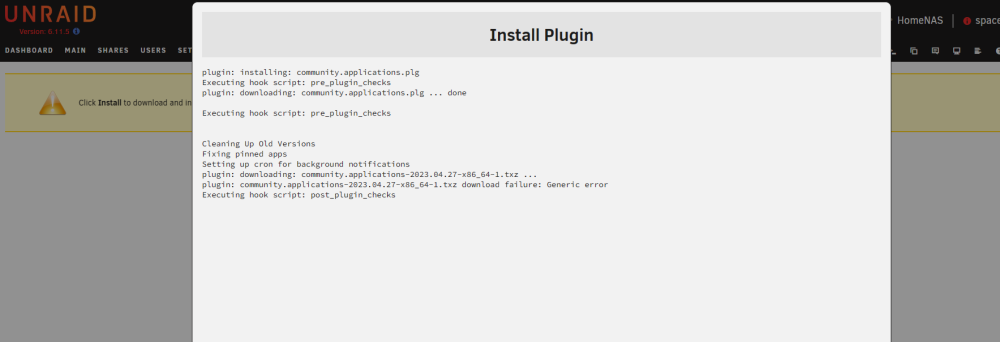
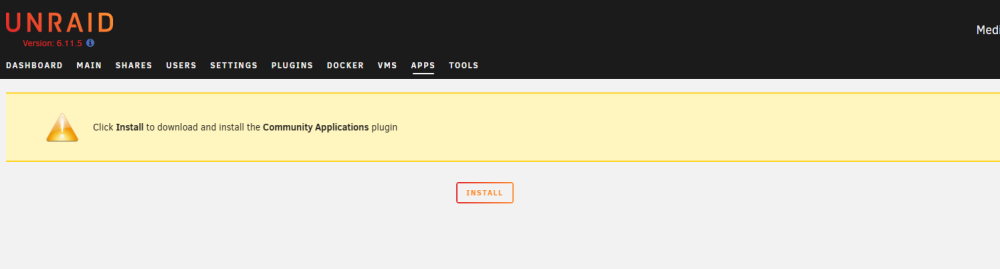
Hello, I am running unraid for a few year and has working community plugin. However, one day, when i login to check my server, i realised that it as me to install "community plugin" again. ( as shown below ) and upon pressing "install" , i receive another error " generic error" May i know what is wrong with my server? I have attached a copy of "diagnostic " report homenas-diagnostics-20230503-1046.zip
-
after restart, it is working normal again
-
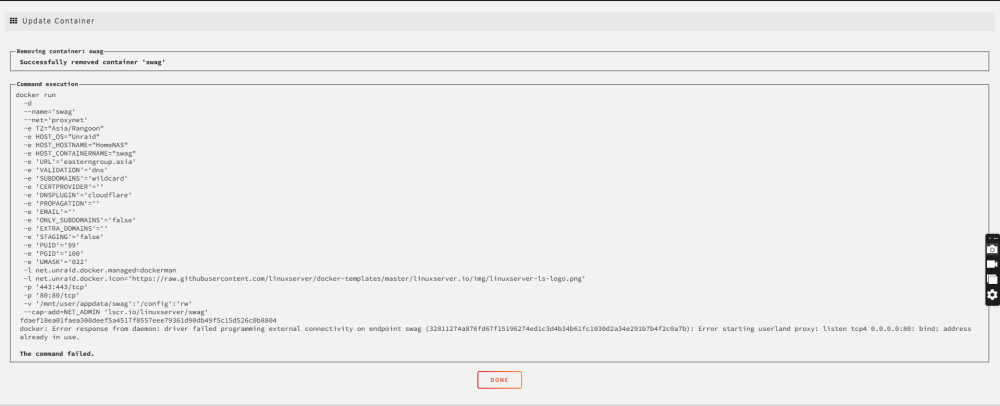
I had installed swag previously and it is running well. I guess there is an update yesterday and this morning, i realized that my swag container has disappeared. I tried to re install the container that it says that ip address is already in use, as shown below. i tried running the following command and it shows as following I saw in a post that disabling VM might help. and it is still not working. I am unable to install swag due to same error even after i have disabled VM. I have attached my diagnostic in this post. May i know how should i proceed? homenas-diagnostics-20230324-1402.zip


-
Hello, I have replace the sata cable that is connected to disabled drive. And click on the little cross beside the word parity to spin up the disk, but it is still showing parity device is disabled. Power supply is shared with other disk, so i dont think there is any issue with power supply. May i know what else should i be checking?
-
i did rotate my server from horizonal position to vertical position when i try to remove the fan filter for washing. Maybe it cause the cable to become loose. I try to open up the server casing and check the cable again. 😀
-
Hello, when i log into my unraid one day, I realized that my parity drive is disabled as following may i know what is wrong with my system? I have attached the diagnosis report as well. homenas-diagnostics-20220510-2134.zip