RGB_KGB
Members
-
Joined
-
Last visited
Everything posted by RGB_KGB
-
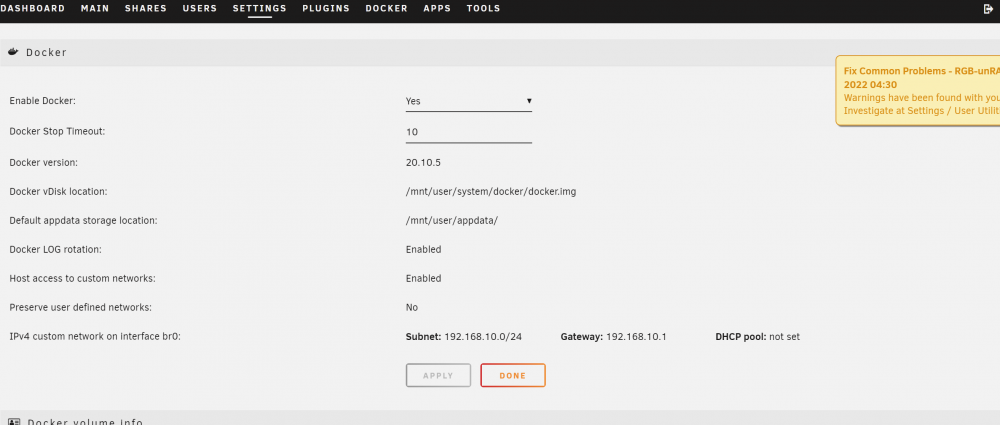
Under settings in unraid, click on Docker and it will be greyed out at the bottom until you stop docker
-
This fixed it along with your other suggestions. Thank you so much!
-
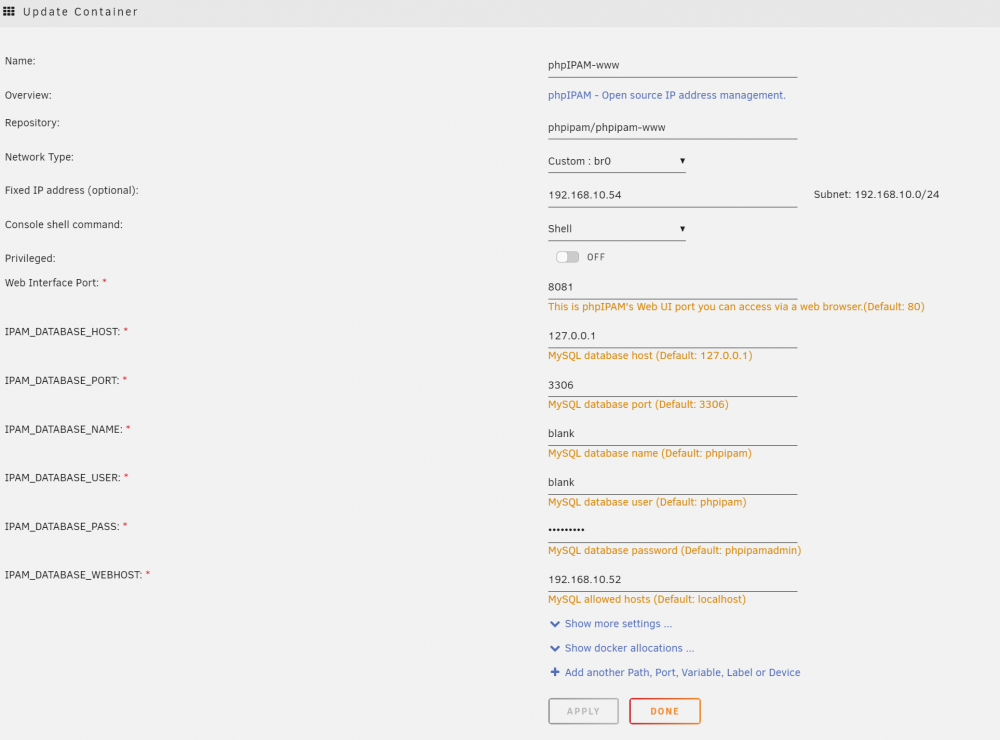
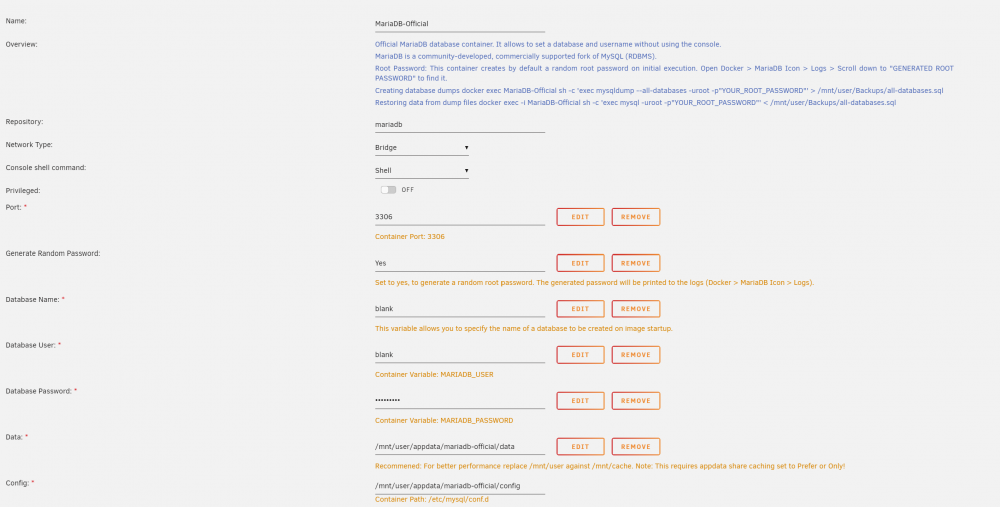
I've been able to apply the change to the database as mentioned in "https://github.com/phpipam/phpipam/issues/1549" but still get the same "Could not connect to database! SQLSTATE[HY000] [2002] Connection refused" issue. I'm using the MariaDB Official container and am able to retrieve the root password from the logs, but am not sure why I am still getting this error. Whether I use the database password I specified or the one from the log, the same error appears. I'm able to open the PHPIPAM web gui and uncheck all 3 options according to the guide "https://knilixun.wordpress.com/phpipam/" But im not sure where I am going wrong. Any assistance would be greatly appreciated. I've setup databases in MariaDB for Snipe IT, Bookstack, and a few others with success, so I believe its a simple issue I am overlooking.