





Wolf
Members
-
Joined
-
Last visited
Everything posted by Wolf
-
sorry. wasnt explicit enough: same behaviour and error message as before..
-
Hello, I changed the port to 8080 and loaded the latest version.. still it faild. I tried de-DE also failed with different error and tried ther again.. not sure what I can do now ....
-
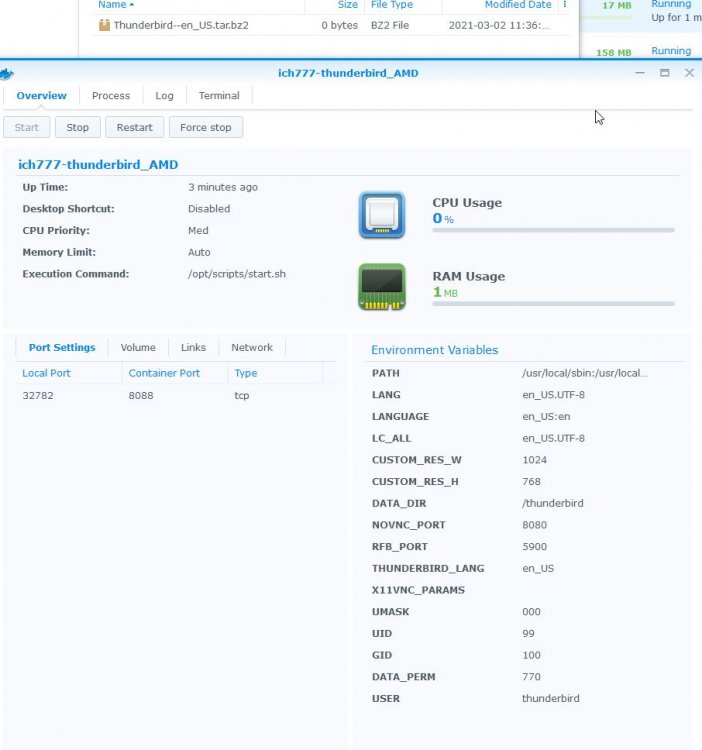
I am running Synology Ds416play+ using Intel CPUs I am running 2 other x86 docker without an issue. what I did now: download AMD docker container, reviewed config (see picture). 1 file was created (filename:Thunderbird--en_US.tar.bz2) but not completed.. so no really change 😞 see screenshot of config
-
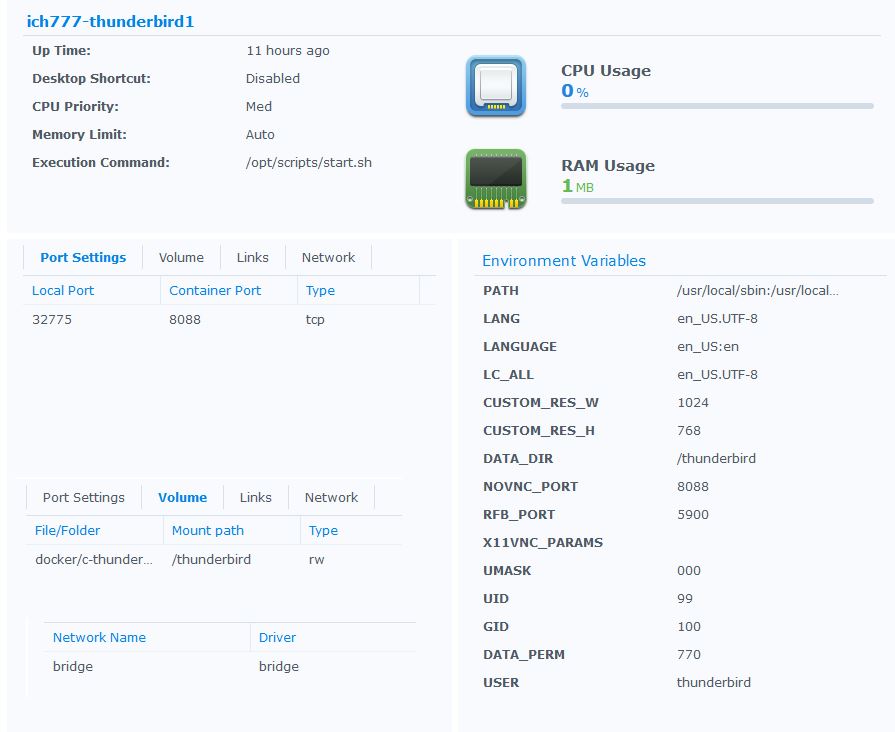
ok, here we go..
-
pihole is active and running.. but github, thunderbird are all available.. I will try agin with pihole completely deactivated... I do not understand what you mean by post a screensot of the docker template itself.. do you mean the config or var. settings?
-
sorry, didnt get an email notification about an answer .. so this is what I did: I stopped the container, deleted the 2 files and then started it again. same problem - this is the log file (please read from bottom to top) ---Something went wrong, can't download Thunderbird, putting container in sleep mode--- 2021-03-01 20:44:37 stdout ---Thunderbird not installed, installing--- 2021-03-01 20:44:37 stdout ---Version Check--- 2021-03-01 20:44:36 stdout ---Starting...--- 2021-03-01 20:44:36 stdout Nothing to do, noVNC compression set to default 2021-03-01 20:44:36 stdout Nothing to do, noVNC qaulity set to default 2021-03-01 20:44:36 stdout Nothing to do, noVNC resizing set to default 2021-03-01 20:44:36 stdout ---Checking configuration for noVNC--- 2021-03-01 20:44:36 stdout ---No optional script found, continuing--- 2021-03-01 20:44:36 stdout ---Checking for optional scripts--- 2021-03-01 20:44:36 stdout ---Setting umask to 000--- 2021-03-01 20:44:36 stdout usermod: no changes 2021-03-01 20:44:36 stdout ---Checking if GID: 100 matches user--- 2021-03-01 20:44:36 stdout usermod: no changes 2021-03-01 20:44:36 stdout ---Checking if UID: 99 matches user--- 2021-03-01 20:43:21 stdout Session terminated, killing shell... ...killed.
-
Hello, I try using ich/thunderbird docker on Synology (having a few other containers already active and working fine). I have installed and configured Thunderbird docker, but I cannot get it to work the log files says: ---Starting...--- ---Version Check--- ---Thunderbird not installed, installing--- ---Something went wrong, can't download Thunderbird, putting container in sleep mode--- the network is set to bridge, so it should have full access to internet. edit: I looked in the respective docker folder and only found 3 files 15 Feb was my first try... 21 is from today.. 15.02.2021 14:36 215 .wget-hsts 21.02.2021 16:49 0 Thunderbird--.tar.bz2 15.02.2021 14:23 0 Thunderbird-78.3.2-.tar.bz2 Where can I start locking to get it to work?

