





skwisgaarz
Members
-
Joined
-
Last visited
Everything posted by skwisgaarz
-
Years later but your thread is all I can find so here's hoping. Having similar php segfault errors that seem to be related to plex. Did you replacing your memory end up solving the issues, even though you weren't getting any memory errors?
-
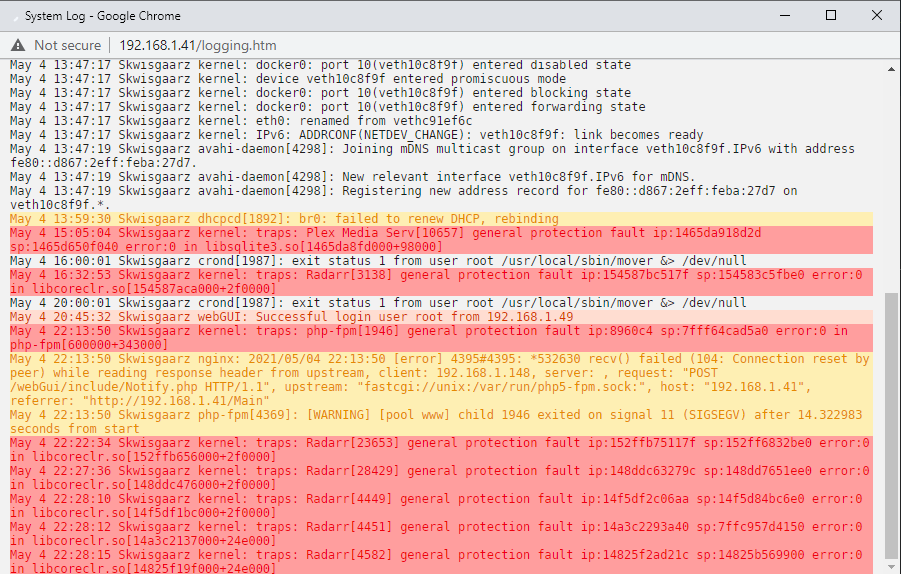
I keep getting "kernal: traps: [docker] [random number] general protection fault" errors in my system log with multiple different dockers. The errors seem to very briefly crash the docker but it comes straight back without a restart. Usually by the time I notice an error the docker is running fine again. I did manage to catch a radarr error as it happened and when I tried to reload the webpage it gave me an API error, reloaded the webpage a few seconds later and it was fine. Also not sure what php-fpm is, all the other errors in the log were dockers. Google seems to tell me it's related to the Unraid webGUI. Any ideas on how troubleshoot or further diagnostics I can run to figure out what's going on?
-
Ha yea I think i'm gonna leave it on false not to risk it, who knows what could happen. When I see an update on my PC client i'll just restart the server to force the update.
-
Thanks mate, done. Out of curiosity, when set to true would it update the game even while the docker is running, potentially kicking people off the server?
-
Hey mate, updated the container but still can't see it as an option to disable.
-
Ich you're a bloody legend. I've always connected via the wan ip without issue, but yea just tried local IP and it worked. They must have changed something else with this latest update. I'm annoyed I didn't think to try my local IP, but i'm gonna blame that on the scotch and it being 230am here in aus. Thank you mate!
-
Yea I do, checked that after I saw your comment. My friends can connect to it, it's just me that can't connect apparently. Frustrating since my server computer is metres away from my gaming PC...
-
I wanted mine to not be public on initial set up, thought it wouldn't be an issue, wasn't until this latest update. That said I still don't know wtf is going on with my game, but at least I can help others...
-
Is Public Server: Set to 1? That fixed a lot of issues people have had since last update.
-
Yep just verified the game files and it was all good. Really confused but I don't think it's anything to do with the docker.
-
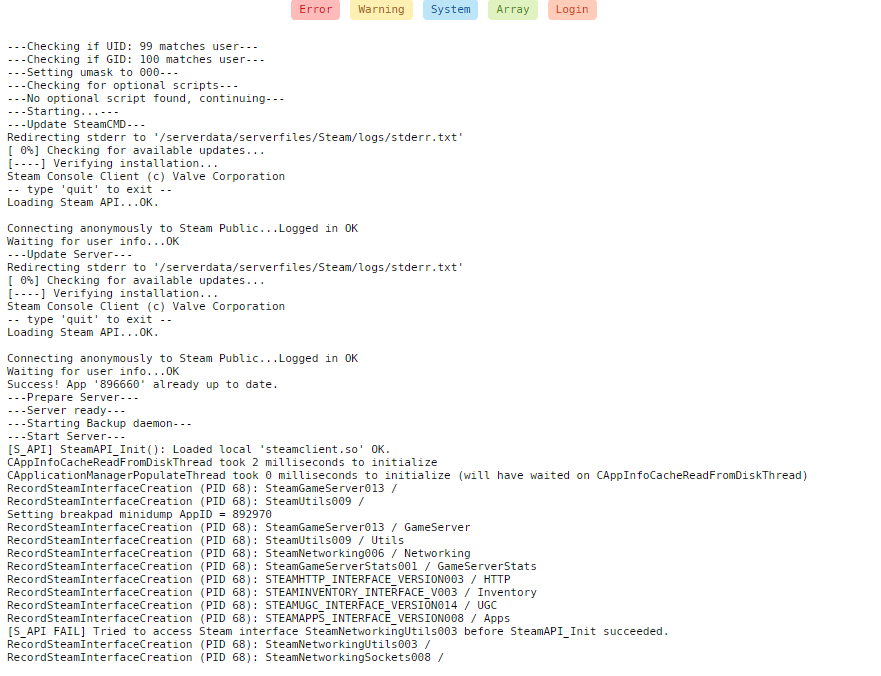
Just had a mate connect to test and he got in fine but I still can't for some reason, must be something with my PC sorry. Usually after i connect via steam server list and input the password the game will prompt me for the password again but now it just hovers on connecting and eventually says disconnected. Seems the docker is functioning fine though sorry. Logs attached just in case.
-
I set it to 1 and it showed up bit still couldn't connect, same as someone above, have people had success actually connecting setting it to 1?
-
Regarding the Valheim docker, Steam valheim did an update so I restarted the server docker to force download the update but now my server isn't visible to anyone, it shows as not responding in the steam server list. They noted in their update notes that dedicated servers had to be set to -public 0 which mine already was in the docker set up. They also noted that now they need to connect through the game whereas previously it's been through the steam server list, but neither the server list nor in game direct IP:Port connection is working. Any ideas?


