Skip to content
View in the app

A better way to browse. Learn more.

Unraid

A full-screen app on your home screen with push notifications, badges and more.

To install this app on iOS and iPadOS
  1. Tap the Share icon in Safari
  2. Scroll the menu and tap Add to Home Screen.
  3. Tap Add in the top-right corner.
To install this app on Android
  1. Tap the 3-dot menu (⋮) in the top-right corner of the browser.
  2. Tap Add to Home screen or Install app.
  3. Confirm by tapping Install.

Topside

Members
  • Joined

  • Last visited

  1. I may have celebrated a bit to early.
  2. @Squidwas right (again) - at least for my case It helps a bit if i use my eyes and look at the right setting. CPU is doing just fine now

  3. I have taken the good initiative of pinning the CPU for Sonarr, as this at least isn't taking all of my 8(16) cores Also I am using "cache"
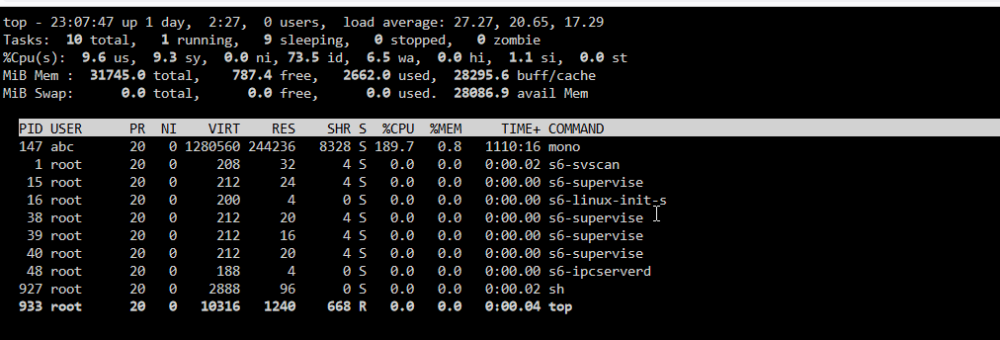
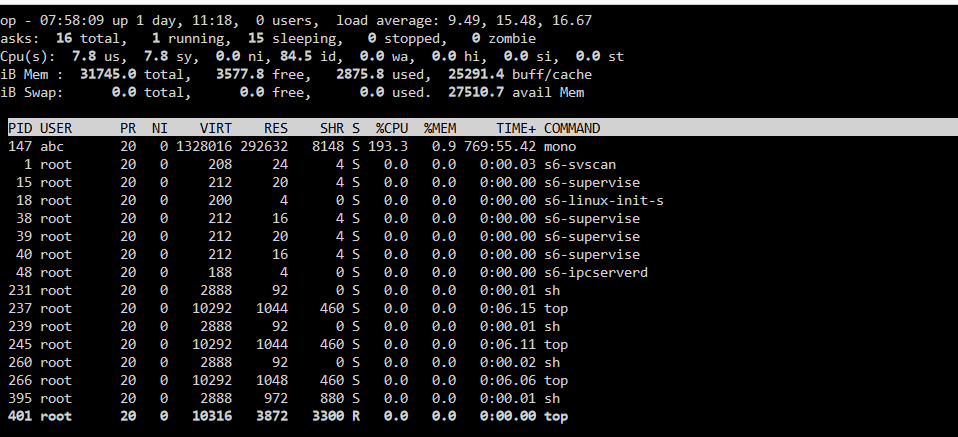
  4. Think I have something that looks the same. Two times I have confirmed that by shutting Sonarr docker down my CPU (all 8 cores) go from plus 90% to 0-20%. Both times, after i boot Sonarr the issue seems to be gone. I'll be more than happy to bring any info if it can help finding the issue
Account

Navigation

Search

Search

Configure browser push notifications

Chrome (Android)
  1. Tap the lock icon next to the address bar.
  2. Tap Permissions → Notifications.
  3. Adjust your preference.
Chrome (Desktop)
  1. Click the padlock icon in the address bar.
  2. Select Site settings.
  3. Find Notifications and adjust your preference.