





Monroe1701
Members
-
Joined
-
Last visited
Everything posted by Monroe1701
-
Thank you very much for your help. With the new tag I was able to update all the way to Nextcloud 20.0.8.1. I also change the tag to "20.0.0-ls122", with "latest" I couldn't log in anymore. One question: My Nextcloud says it is Version 20 and up-to-date, but I thought version 21 ist the current version of Nextcloud? Even changing to beta channel it says it's up-to-date. Or is Nextcloud Hub different to Nextcloud? Thanks.
-
Yes, I started my update-journey somewhere around Nextcloud 14. I will try the tag tonight. When I reach the current Nextcloud version, is it save to use the "latest" tag, or should I match the tag with the Nextcloud version? Thanks.
-
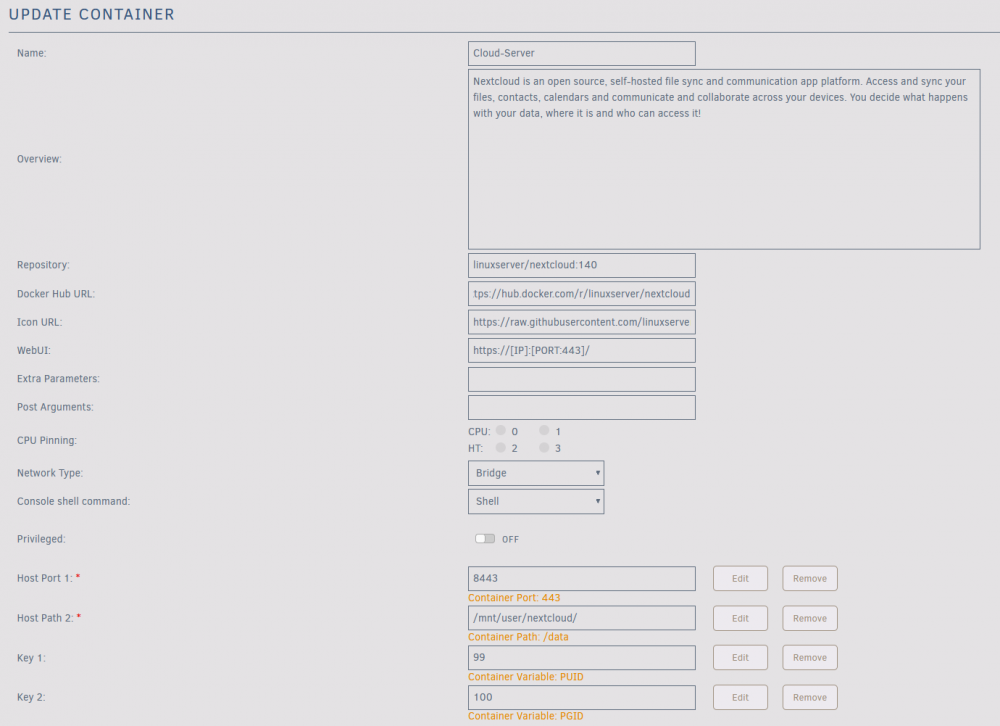
Yes, updater.phar had NO output at all, or any reaction I could see. Repository: linuxserver/nextcloud:140 Docker Hub URL: https://hub.docker.com/r/linuxserver/nextcloud
-
Hello, I tried "updater.phar" and nothing happend and "occ upgrade" says: "Nextcloud ist already latest version" But "occ update:check" says: It still seems I need a newer PHP. This is a standard linuxserver.io unraid docker container and I couldn't find anything about this problem, so the update from Nextcloud 17 to 18 probably worked for most, but why not for me?
-
Hello, I'm trying to update my way up into modern times. I'm currently at Nextcloud 17 an stuck. "occ update:check" shows: Nextcloud 18.0.14 is available. Get more information on how to update at https://nextcloud.com/outdated-php-7-1/ The docker container in unraid is up-to-date and "php --version" shows 7.1.17. I couldn't find a solution anywhere. What am i missing? Thanks.

