





ichundmeinbrain
Members
-
Joined
-
Last visited
-
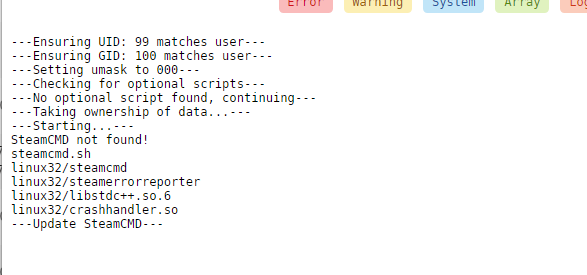
this are the docker logs: I did not change anything else I tried it with steam credentials (yes they are correct) and without I am on version 6.9.1
-
thanks for your reply SE and yes i tripple checked to delete it as well
-
thanks for your reply thing is 24 h and still no change and i havea very good connection
-
Hi i am trying to get Ark running but i cant get it over this state: ---Ensuring UID: 99 matches user--- ---Ensuring GID: 100 matches user--- ---Setting umask to 000--- ---Checking for optional scripts--- ---No optional script found, continuing--- ---Taking ownership of data...--- ---Starting...--- ---Update SteamCMD--- I got it working a while ago but now i cant get it to start again. I deleted everything and did a fresh install as well. All the ports are set and steam guard disabled any help would be great thx
