





wtfcr0w
Members
-
Joined
-
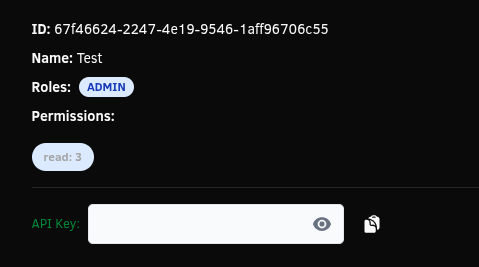
I am trying to make an API key in both the GUI and in the CLI but I am unable to. In the CLI I specify everything per the --help command and it says "Error: Invalid roles. Valid options are: ADMIN, USER, CONNECT, GUEST. When making it in the GUI the API key itself is blank. When I click copy it does nothing. When I try to copy whatever text is there it just copies the password dots that contain no key.


-
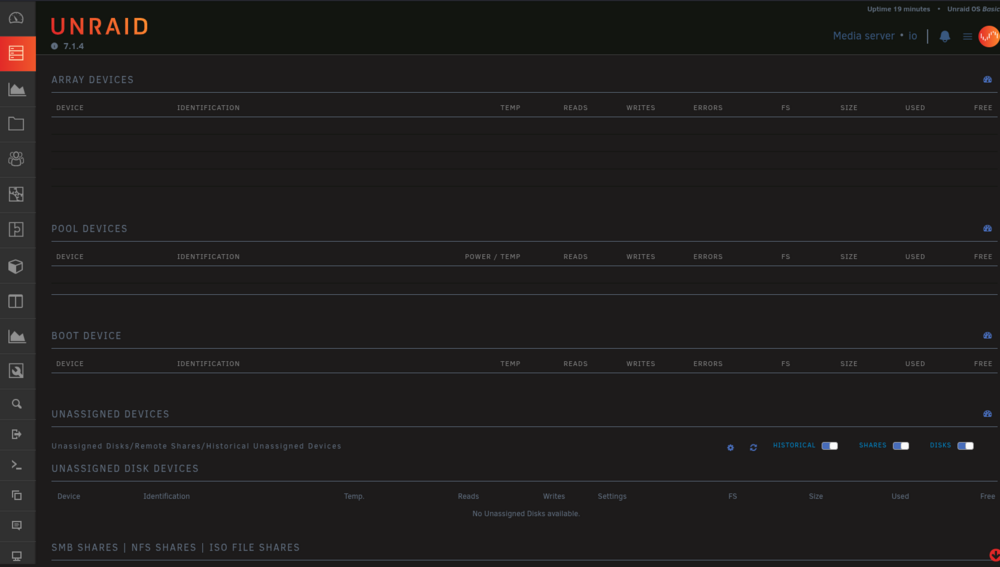
Its so bad that 90% of the time when I visit the Main page this is what I see(I have 4 disks in the array and two cache pools). Other pages dont even load. I have to click refresh about 5 times before I'm able to get to a page, and when a page actually loads, I have about 5-10 seconds to do what I have to before it loses connection again.
-
Sorry for the late response. I have been very busy and this situation has been extremely frustrating so I have tried to not touch unraid at all. Yes, I booted into Safe Mode and am still having the issue. The GUI locks up due to timed out requests and SSH drops connection within 20-30 seconds of connecting. I have done everything I can think to resolve this issue. Its making me want to tear my hair out. I'm about to move to proxmox. As I was tying this I was trying to load the Logs window to no avail. After it finally loaded, there are ~10 of these entries: Aug 5 13:40:53 io nginx: 2025/08/05 13:40:53 [error] 3629#3629: *1306 connect() to unix:/var/run/syslog.sock failed (111: Connection refused) while connecting to upstream, client: 10.10.10.45, server: , request: "GET /webterminal/syslog/token HTTP/2.0", upstream: "http://unix:/var/run/syslog.sock:/token", host: "10.10.100.200:10443", referrer: "https://10.10.100.200:10443/webterminal/syslog/" Aug 5 13:40:53 io nginx: 2025/08/05 13:40:53 [error] 3629#3629: *1433 connect() to unix:/var/run/syslog.sock failed (111: Connection refused) while connecting to upstream, client: 10.10.10.45, server: , request: "GET /webterminal/syslog/ws HTTP/1.1", upstream: "http://unix:/var/run/syslog.sock:/ws", host: "10.10.100.200:10443" Aug 5 13:40:53 io nginx: 2025/08/05 13:40:53 [error] 3629#3629: *1306 connect() to unix:/var/run/syslog.sock failed (111: Connection refused) while connecting to upstream, client: 10.10.10.45, server: , request: "GET /webterminal/syslog/token HTTP/2.0", upstream: "http://unix:/var/run/syslog.sock:/token", host: "10.10.100.200:10443", referrer: "https://10.10.100.200:10443/webterminal/syslog/" Aug 5 13:40:53 io nginx: 2025/08/05 13:40:53 [error] 3629#3629: *1439 connect() to unix:/var/run/syslog.sock failed (111: Connection refused) while connecting to upstream, client: 10.10.10.45, server: , request: "GET /webterminal/syslog/ws HTTP/1.1", upstream: "http://unix:/var/run/syslog.sock:/ws", host: "10.10.100.200:10443"
-
Almost two weeks ago I updated to 7.1.4 with no issues. I also installed a dual port intel 82576 nic. I have had these issues before doing of the previously mentioned, but randomly it works fine until today. When I navigate the web GUI it randomly stops responding while acting like its loading and doesnt complete the requests for at least 10 seconds. SSH connections also drop when this happens. I've attached diags. I couldnt find anything that might be causing this issue. io-diagnostics-20250704-1407.zip
-
I decided to forego mounting the docker socket to the LXC and ended up opening up the TCP port to the docker daemon and am connecting to it through ip/port to get all of my containers. Thank you for the help anyway.
-
I am developing a docker front end dashboard and wanted to see about passing through the socket to use rather than using nested containers. I have plenty of containers on the host machine and didnt really want to run all the same containers in the LXC as well, as I would be using the API's to pull info from the docker containers.
-
Hey I am trying out LXC containers again and would like to use them for development. I would like to know if it is possible to pass through /var/run/docker.sock from the host machine to a container. Can this be done?
-
My server locked up and I had to force a reboot by holding the power button down. This has only happened once or twice in the past and I have never experienced any issues after restarting the array. However, this time I am having plenty of issues with Docker when restarting the array. The whole OS is slow. I have a few containers that need to be updated and when I go to update them I get an error and it seems unRAID thinks that the container is still running, so it just removes the container from the list altogether and it will not allow me to add it back. When I reboot, the container is there again but it will not start. I cant even get to the VM page to see if my VMs are started. Can anyone take a look at my diags to see if there is anything they might be able to identify? I am really at a loss. I run all my 3d printers from my unRAID server and at this point I am dead in the water with my business. Any help would be so greatly appreciated!! io-diagnostics-20230214-1145.zip Edit: After trying to update a container, and it fails and disappears, I reboot and it shows up again. When I try to start the same container I receive the following error: Image can not be deleted, in use by other container(s)
-
Will do boss. I'll report back soon.
-
It sat there for a good 10 minutes after I was able to reach it via ssh. Checked the terminal output from the machine itself and it just stops at the samba init.
-
Stuck at samba on boot as well... Reverted back to 6.10.3
-
Attached io-diagnostics-20221103-1904.zip
-
I just upgraded from 6.10.3 two nights ago and have been experiencing extremely slow speeds while updating and installing containers, and also viewing/browsing the CA app store. I am not the only one, there is a thread I created on Reddit where others are also experiencing the same issues. Docker container updates and installs sometimes take at least 4 times as long as they used to on 6.10.3. Anyone else experiencing this issue? Thanks in advance
-
Glad you were able to get it working!! Thanks for laying out a walkthrough for others, as well!!
-
I setup a Debian virtual machine and used the Kiauh tool to install klipper. I've also had good luck with the Ubuntu Server iso. I wouldnt use the raspberry pi image. Then use the USB Manager tools to forward your printer (I'd recommend forwarding the port) through to the virtual machine so it connects whenever the VM turns on.

