





Eddie Seelke
Members
-
Joined
-
Last visited
-
Yeah, I had opened a ticket and they said the same thing. I didn't even need to restart the array. As soon as I deleted that file it came right back up. Thank you for all the support.
-
Yes
-
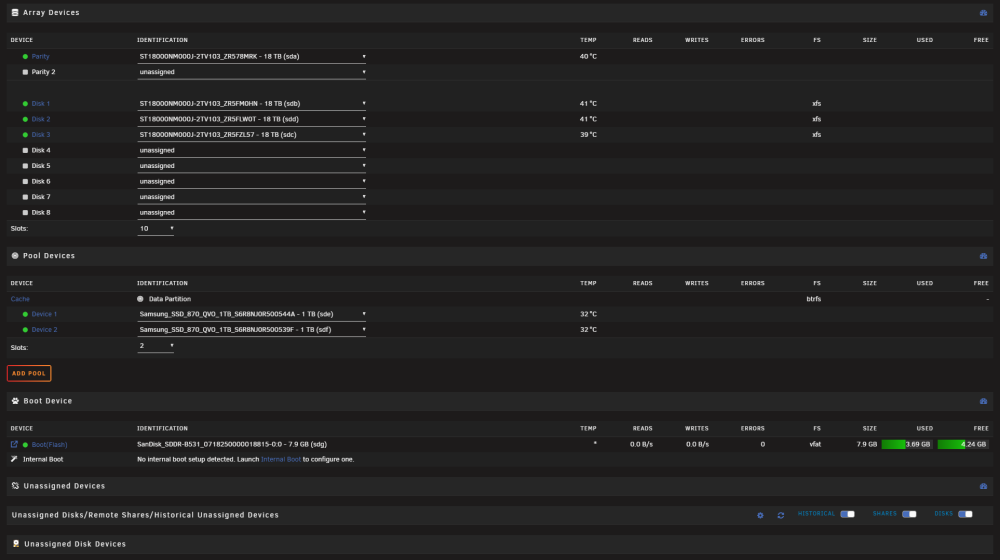
If I turn off auto start for the array, I see this. But when I start Array I get same issue.
-
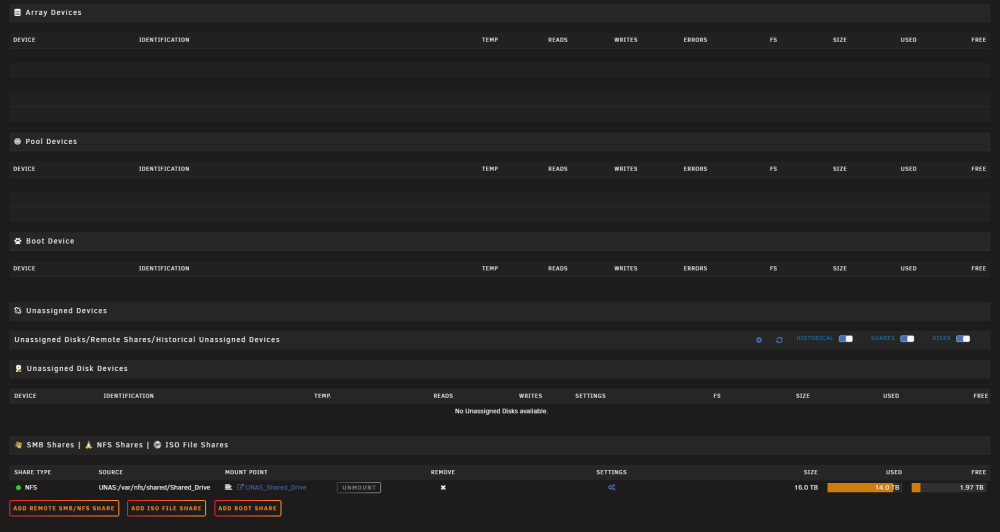
This is the system booted into safe mode (no plugins).
-
No firewalls, ad-blockers, or reverse proxies between the local PC's and unRAID server. As I said, I tried using the local IP as well. I usually use a local domain to access. I don't use SSL as I do not have access to from the internet. I was logged in right as the parity hit 100% and watched the page disappear before my eyes.
-
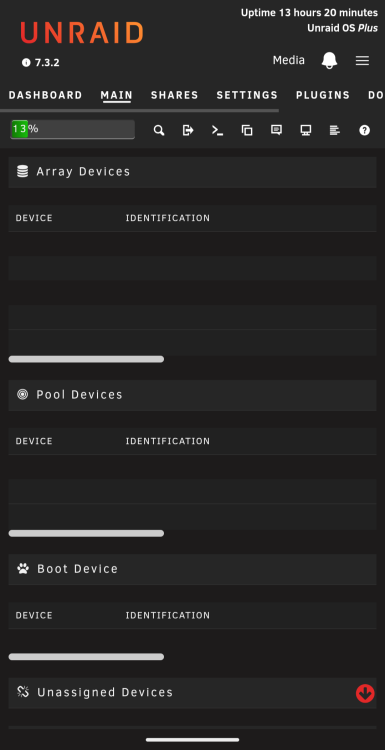
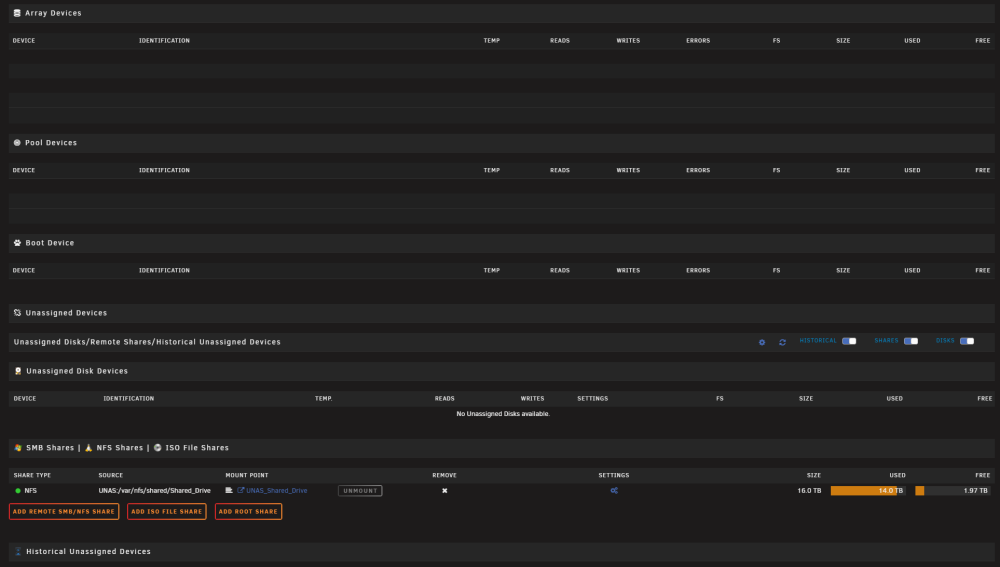
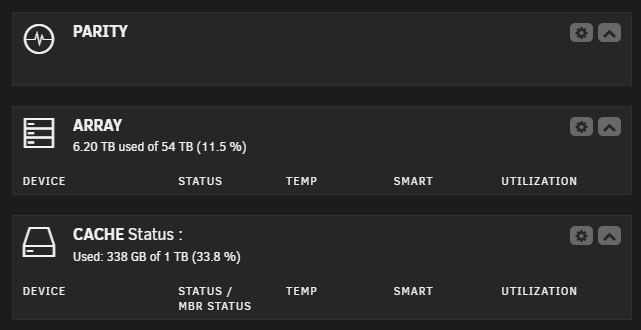
Due to the extreme cost of news drives today, I opted to start mine over rather than buying another drive. I backed up the 15-16TB of data I didn't want to lose to a NAS. I then cleared the config and reformatted the drives. I started moving the necessary files back as the parity was created. This is an array of 4 18TB drives, one of which is for parity. The parity took about 52 hours due to my copying data back at the same time. Everything seemed to be fine until the moment the parity stopped. The Main tab was showing all drives, 4 in array, 2 in cache, 1 USB boot, and one NFS mount to my NAS. As soon as parity completed, my Main tab did this. This is from the dashboard. I have rebooted. I have tried from another browser and another computer. I have tried using the IP address. I am not using SSL, but I did try resetting it. I do not have Tailscale installed. I have tried restarting nginx, but when I do this it shows as restarted but I lose the entire webui until I reboot. I am not able to try Safe mode until I can connect a KVM, but wanted to see if anyone has any other ideas. I can see this has been something that has plagued many users over the years. Any help would be appreciated. media-diagnostics-20260922-1000.zip
-
Forgot to mention that the xml file attached is what I am using.
-
I am having a strange issue that is causing me to pull my hair out and am hoping someone can help set me. I have been trying to get ownCloud working for a few weeks now. I tried the one from the appstore. I was able to get it to work with the exception of being able to put it behind traefik. Nothing I did would make it work. So, I redid it manually using the owncloud repo. Everything seems to work great. I can login to the webui. I can sync using the client. But, anytime I try to add another client it seems to kill the container. There are no messages in the logs, but it stops responding, both the webui and the clients. When it stops responding I am unable to stop, kill, restart, or delete the container. At this point all other containers and the unRAID webui work fine. If I try to add the client a second or third time all containers stop responding and so does unRAID. I can login using SSH, but no commands seem to work. If I try to reboot it gives the message that it is rebooting but never does. My only option at this time is to power off and then power back on. If I don't start the ownCloud container it will work for days with no issues. If I start the ownCLoud container and don't try to add any clients it seems to stay running as well. my-ownCloud.xml
-
Ok, after spending way too many hours rebooting with just one new plugin added I found the issue. It wasn't even a plugin. Posting the resolution here in case someone else has the same issue. The problem was in the /boot/config/dashboard_settings.json file. I renamed this file to dashboard_settings.json.bak and the dashboard came right up. Didn't even need to reboot for this.
-
I tried that and tried from another computer. I also tried updating to the RC released today. Still no dashboard.
-
Tried, still blank dashboard.
-
Starting today, when I click on Dashboard it is completely blank. All other tabs are working fine. I checked to see if any new plugins were installed. The only one that was in the last 3 days was FolderView. I removed it and tried dashboard again, but still same issue. I also rebooted and tried latest beta. I restored it back to 7.1.4 after seeing that did not resolve my issue. Version 7.1.4 Diagnostics are attached. media-diagnostics-20250929-1822.zip
-
They are all the same. As I said above, I ran the New Permissions command under tools, which set all the permissions the same. I would assume it's linux. I am using File Manager and terminal, which means I am running these commands directly on the unRAID server. I am not using any other client or OS, other than the browser or Putty for accessing terminal. No other OS is trying to access any files. I have also disabled the VM and Docker services while trying to troubleshoot. My only guess is that it has something to do with ZFS.
-
Also, forgot to mention. I can rename the file, but not copy or move from this folder.
-
It shows the single file in the folder and I can cd into the folder this file is in. Same for all others that I am having this same issue with. The folder that the file is in has the following permissions.




