





FACENC
Members
-
Joined
-
Last visited
-
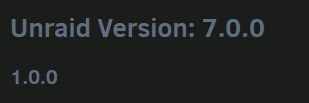
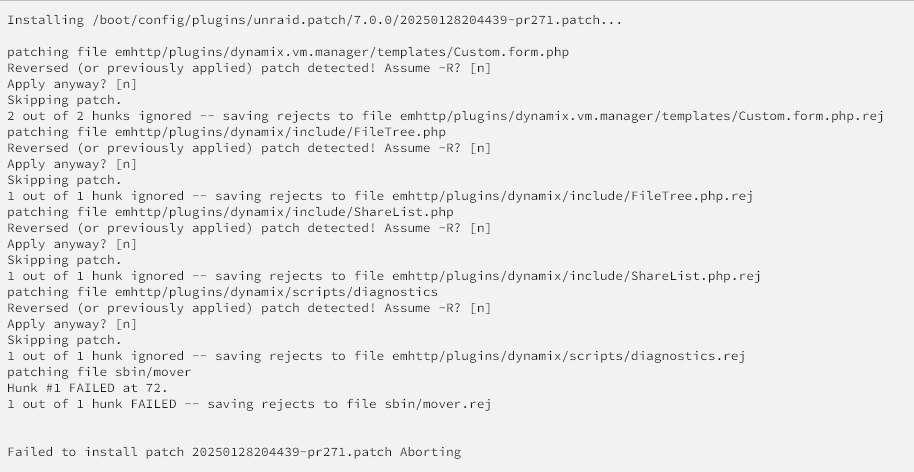
Getting an error notification from Fix Common Plugins that this plugin isn't installed, then having the patch name itself being Unraid 7.0 1.0.0 (???), then having the patch installs error out repeatedly isn't exactly instilling a lot of confidence.
-
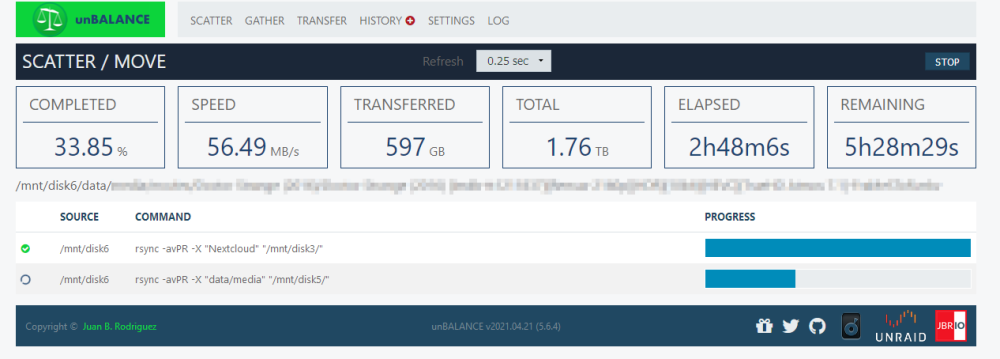
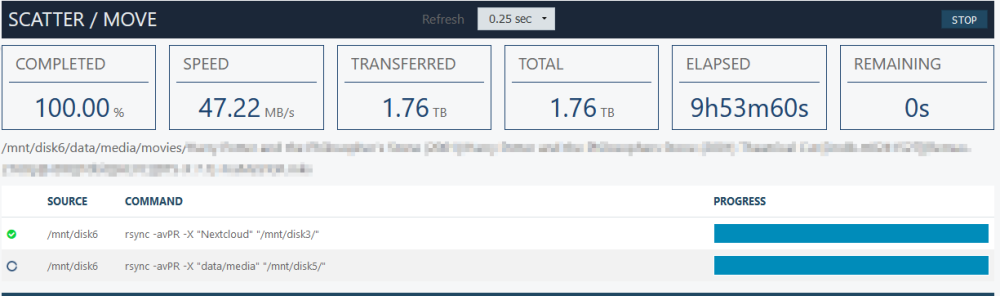
Okay now I'm running into an even weirder issue. I'm using unbalance to move data from one disk to another. And while I can confirm the data is moving (checking through SFTP or SSH session), the Unraid GUI still shows the same amount of disk usage. Here is unBalance showing it has already moved 597GB of data off of disk6. And here is the unraid GUI still showing only 166GB free. I'm at a loss for why my drive space is not moving. Unless unbalance is moving hardlinks and still just taking forever to do such? ...and now it is at 100% complete, but it is still "moving" data. Disk5 is nearing completely full (even though the plan showed it would have 1TB free after the move). I don't understand why unbalance is acting this way. I have used it before without issue, but now between the GUI crashing and this behavior, I can't really trust it with my data anymore.

-
So I was doing a gather job and it was running along fine. I checked my tab and it looked like it had frozen, so I refreshed. Now I just get an "Unbalance: Unraid App" titled tab and nothing loads in the page. How do I check if my job has finished successfully before I stop/start the plugin and/or my array?



