Matr1X
Members
-
Joined
-
Last visited
-
That solved it for me, THANK YOU!!!
-
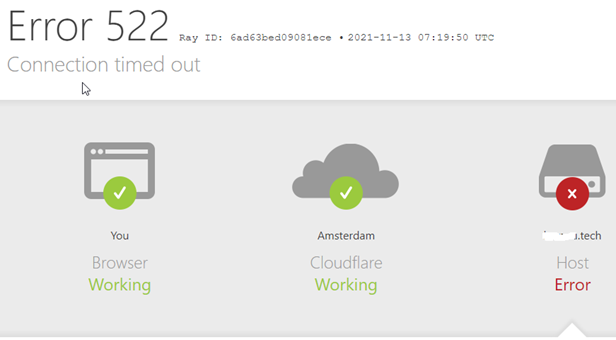
I can't fix this. Usually, I manage to fix thing by watching the YouTube videos of the right person, but mot this time. I was introduced to UNRAID in early 2021 and immediately cheated, I had Synology since 2007. I am definitely a NOOB in UNRAID. (don't understand everything i do) I have a domain name xxxxxx.tech since September. I am trying to access my Apps via SWAG or NGINX and CloudFlare, with the help of the following tutorial video's. https://www.youtube.com/watch?v=I0lhZc25Sro&t=1117s&ab_channel=SpaceinvaderOne https://www.youtube.com/watch?v=h1a4u72o-64&ab_channel=IBRACORP https://www.youtube.com/watch?v=N7FlsvhpVGE&ab_channel=IBRACORP https://www.youtube.com/watch?v=cI17WMKtntA&list=WL&index=25&ab_channel=Geeked https://www.youtube.com/watch?v=c6Y6M8CdcQ0&t=159s&ab_channel=IBRACORP https://www.youtube.com/watch?v=qnEuHKdf7N0&ab_channel=SpaceinvaderOne https://www.youtube.com/watch?v=I0lhZc25Sro&ab_channel=SpaceinvaderOne https://www.youtube.com/watch?v=fUPmVZ9CgtM&ab_channel=SpaceinvaderOne What I would like to achieve is use Nextcloud with my own domain. Can someone with a lot of patience help me with this??? 1. Check if my UNRAID is properly configured at all? 2. Show me the way to a possible solution? What have I already done. 1. I tried SWAG. 2. I have tried NGINX.matrix-diagnostics-20211113-0833.zip 3. Portforward 8001 and 44301 are open. (now) Thanks in advance !!!