





Itsaulgoodman
Members
-
Joined
-
Last visited
-
Here you go, hopefully this is what you were looking for.
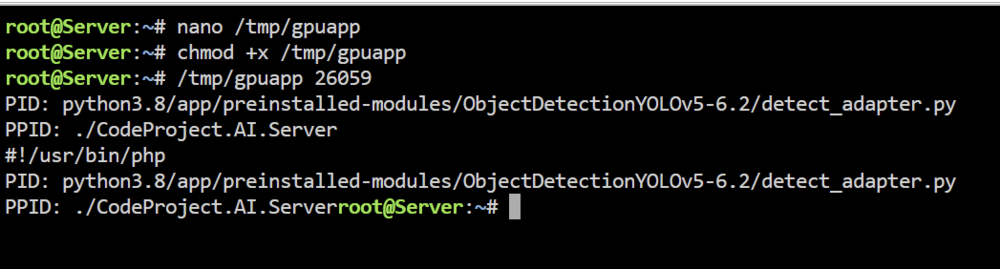
-
This is all I got, not sure if I did something wrong...
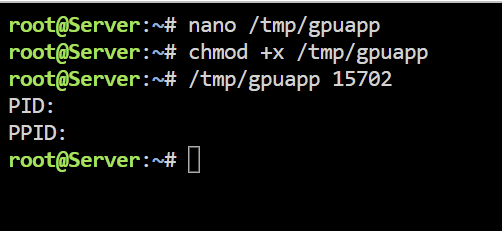
-
Perfect TY, except after pasting the code, then ctrl X, then Y, it wants another input before it will let me chmod........ screen shot added.
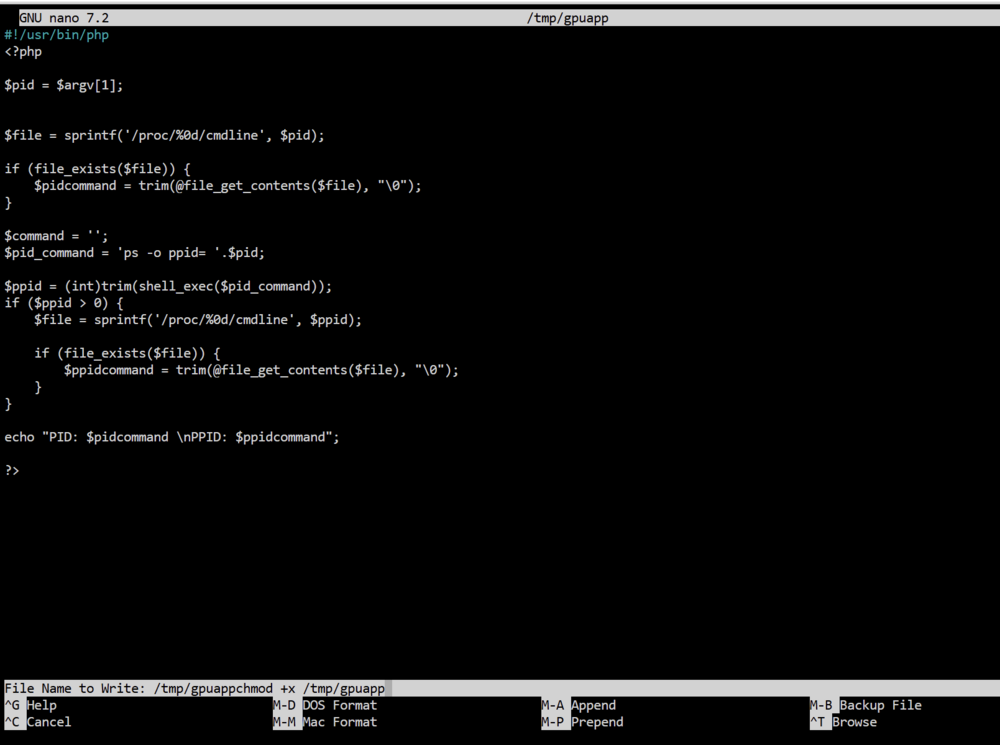
-
So, this went above my head real fast. I get "nano /tmp/gpuapp" pasting into terminal, the copy past the code into terminal, but there is not an option in my terminal that says "save". I am guessing "chmod +x /tmp/gpuapp" is just pasted into terminal as well, do I replace PID with the 15702 or include PID with 15702 such as "PID 15702". Sorry gonna have to have my hand held for this.
-
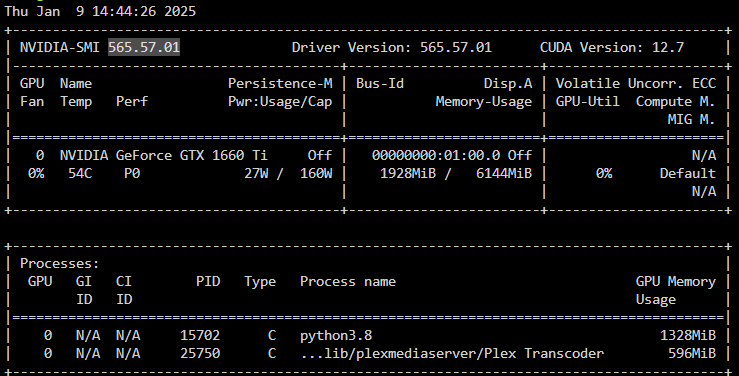
Recently upgraded unraid to 6.12.14 and updated the gpu driver to 565.57.01. Now the GPU statistics does not show the icon for a docker that is using the gpu. Code Project AI docker runs 24/7 but never shows under GPU statistics. My plex icon still works.
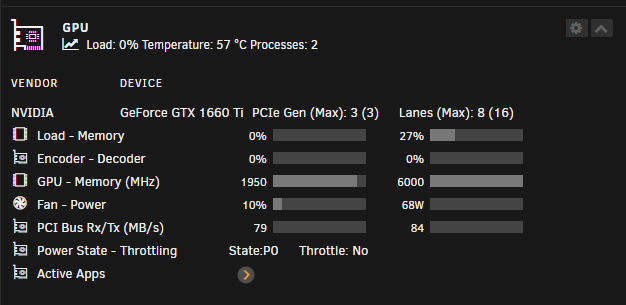
-
It seems to be working correctly, just missing the icon now. Thank you for your help!!
-
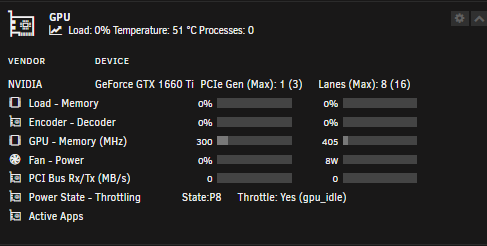
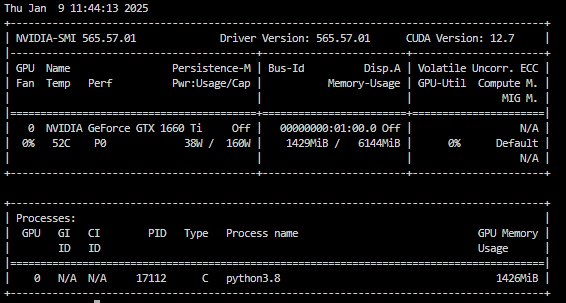
So prior to all the upgrades, the GPU stats window on the unraid dashboard used to show an icon for plex and code project ai. This gave me a very quick visual to verify that the dockers were using the gpu. The plex icon still shows up under "active apps" but the code project ai is not showing up. I do get the python3.8 under processes when i look at nvidia-smi, but no icon on the unraid dashboard. Any ideas?
-
I just upgraded to Unraid 6.12.14 and then upgraded the nvidia driver from 535.216.03 to 565.57.01 and now my dockers will not use my GPU. I have since tried several other versions of the drivers available, rebooting server after each installation and dockers still do not see the GPU. The dockers worked fine utilizing the GPU before. The original driver I was using does not show as an option in the list of available drivers in the nvidia addon. Motherboard is ASUS Proart Z790 Creator WIFI, GPU is GTX 1660 TI, and Intel 19-13900K. Using ter GPU with Plex docker as well as Code Project AI Docker. First image is a error on startup after first trying to upgrade driver, 3rd image is a error on plex docker startup. server-diagnostics-20250106-2136.zip
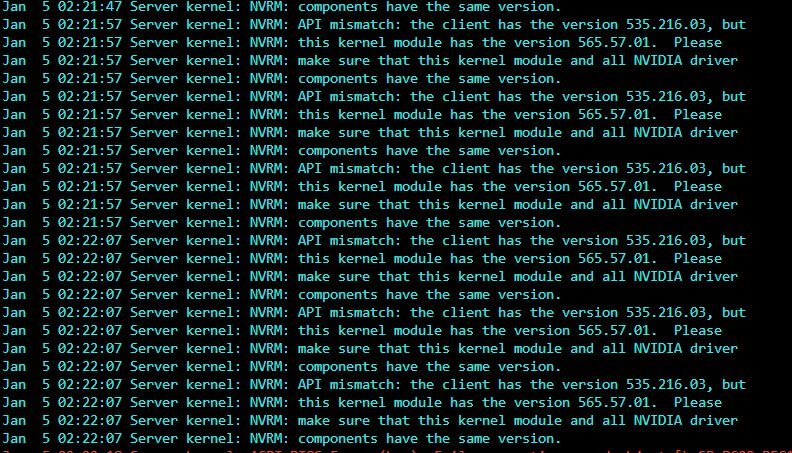
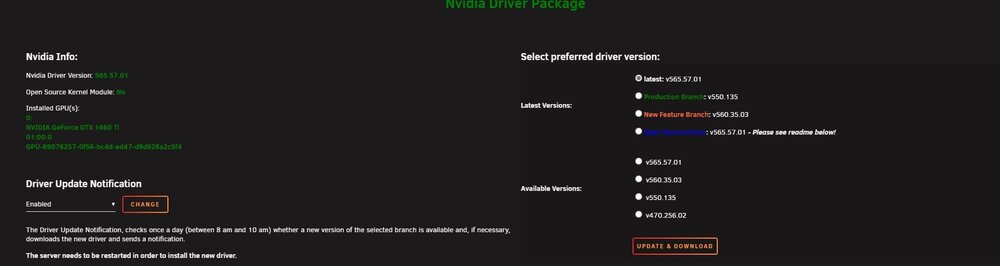
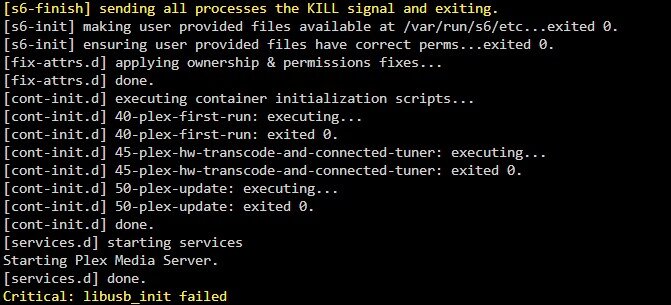
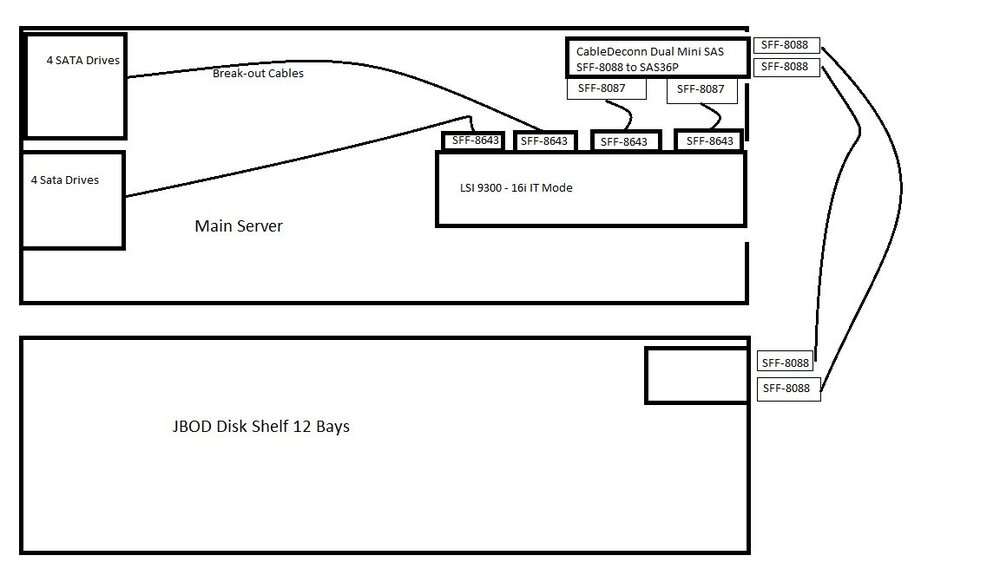
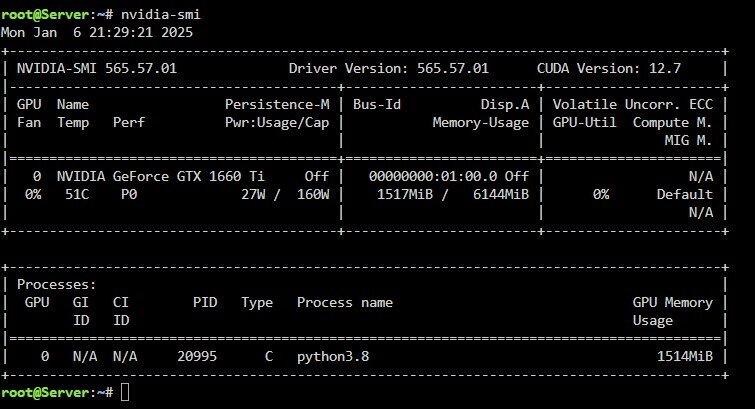 Upgraded to latest Unraid 6.12.14 and also updated nvidia driver to latest 565.57.01. Dockers could no longer see GPU. Was getting server kernal error in logs said "API mismatch: The client has version 535.216.03, but this kernal module has the version 565.57.01. Please make sure that this kernal module and all Nvidia driver components have the same version." I then tried going back to production branch on the nvidia driver (550.135), but still get no gpu to dockers. The original nvidia driver 535.216.03 is no longer an option to go back to. server-diagnostics-20250105_0836.zipI only have 1 PCI slot available and need to add a JBOD disk tray. I currently have a LSI 2008 with breakout cable controlling the 8 drives in my main server case. which is working fine. I am adding a JBOD disk tray and I will have to replace the current HBA card as I do not have any more PCI slots. My idea is to get a LSI 9300 16i and run 2 connectors with sata break out cables to internal drives, and 2 connectors to a internal-external adapter which then gives me 2 connectors to go to the JBOD disk shelf. Would this scenario work correctly? See attached kindergartener's drawing for a visualization.
 I recently rebuild my server and really struggled to find a motherboard with 4 pci slots. Ended up settling on a MB with 3 PCI slots. I currently have a LSI SAS2008 for internal connections, and LSI SAS2308 for an external JBOD chassis. Both connections on the internal card are being used, SAS to sata cables running 8 drives internally. Only using 1 cable from the 8e to the JBOD chassis. I have seen LSI 8i8e cards, but never seen any that said IT mode. Also thought with all the different type of SAS cables, maybe there was a way to just use the 8i card, running one internal connection to my internal disks, and run another cable out the back going to the JBOD chassis. SO is there any option to get rid of one of the cards?No, only way I have been able to stop the loop is turning of Docker, the restarting it. I thought after the first time I did that, it fixed it, but last week they were in a loop again. I have not found anyone else with this problem, nor any real solutions.





Account
Navigation
Search
Configure browser push notifications
Chrome (Android)
- Tap the lock icon next to the address bar.
- Tap Permissions → Notifications.
- Adjust your preference.
Chrome (Desktop)
- Click the padlock icon in the address bar.
- Select Site settings.
- Find Notifications and adjust your preference.
Safari (iOS 16.4+)
- Ensure the site is installed via Add to Home Screen.
- Open Settings App → Notifications.
- Find your app name and adjust your preference.
Safari (macOS)
- Go to Safari → Preferences.
- Click the Websites tab.
- Select Notifications in the sidebar.
- Find this website and adjust your preference.
Edge (Android)
- Tap the lock icon next to the address bar.
- Tap Permissions.
- Find Notifications and adjust your preference.
Edge (Desktop)
- Click the padlock icon in the address bar.
- Click Permissions for this site.
- Find Notifications and adjust your preference.
Firefox (Android)
- Go to Settings → Site permissions.
- Tap Notifications.
- Find this site in the list and adjust your preference.
Firefox (Desktop)
- Open Firefox Settings.
- Search for Notifications.
- Find this site in the list and adjust your preference.