





oldskuule
Members
-
Joined
-
Last visited
-
This worked thank you! Was a bit scared because it re-downloaded from the new location i guess. But seems all the config and things like that are still there. Thankyou.
-
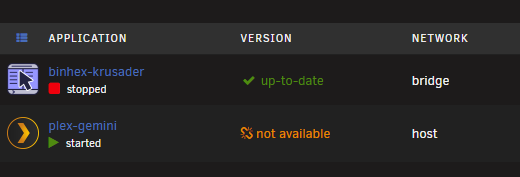
Hi All, I just updated Unraid to 7.4.0. And getting the following when trying to just run the update check on docker containers: Thoughts on why this is happening? Log also attached. Thank you. gemini-diagnostics-20261116-1857.zip
-
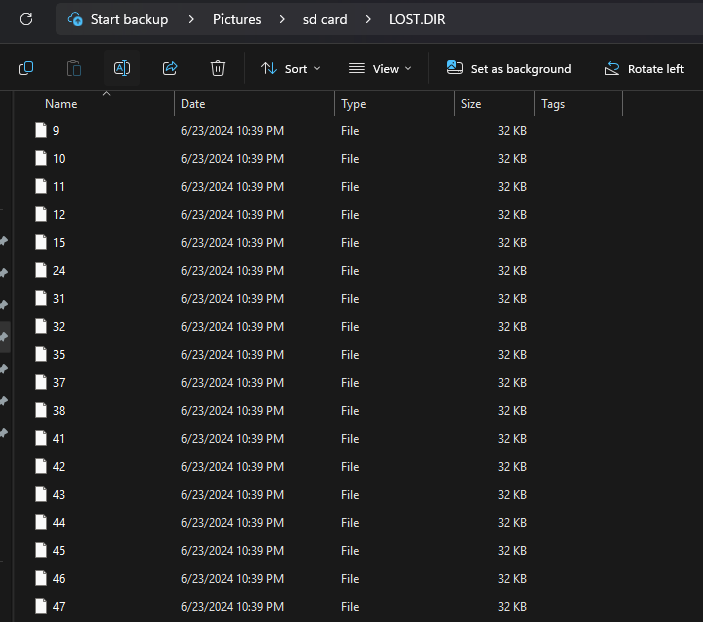
Hi All, I ran into an issue where when swapping my SIM card on the phone, some how this corrupted the SD card where all the files in the DCIM folder got nuked, and it seemed to have moved it in a corrupt way into the lost.dir on the card. Is there an app that can scan the card and possible recover images / videos? Screenshot of below of what happened. After the SIM swap the DCIM folder just worked as normal...but all the files in the folder before the SIM swap are gone. Thoughts?
-
I rebooted after the recent update to the OS. The error message is not there right now but may show up a bit later. Logs attached. gemini-diagnostics-20260225-1605.zip
-
gemini-diagnostics-20260222-0956.zip Hi there, please see the diagnostic file. Thank you.
-
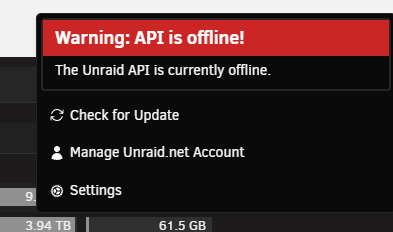
Hi all, Recently I have been seeing this API warning that comes up relatively frequently: It goes away after a restart, then comes back after a bit.... any thoughts? Thanks!
-
Done. Thanks!
-
Hi Trurl, Quick question regarding the move of the files you mentioned. The first time i did it I forgot to disable docker and vm manager. Now it seems the files are on both disk1 and in the cache. Any idea if it should live on both? I think one has a more recent date than the other at this point .... File in disk1 File on cache... Thoughts on what to do? Thanks!


-
Thanks for the tips! I will adjust those settings after doing the file moves.
-
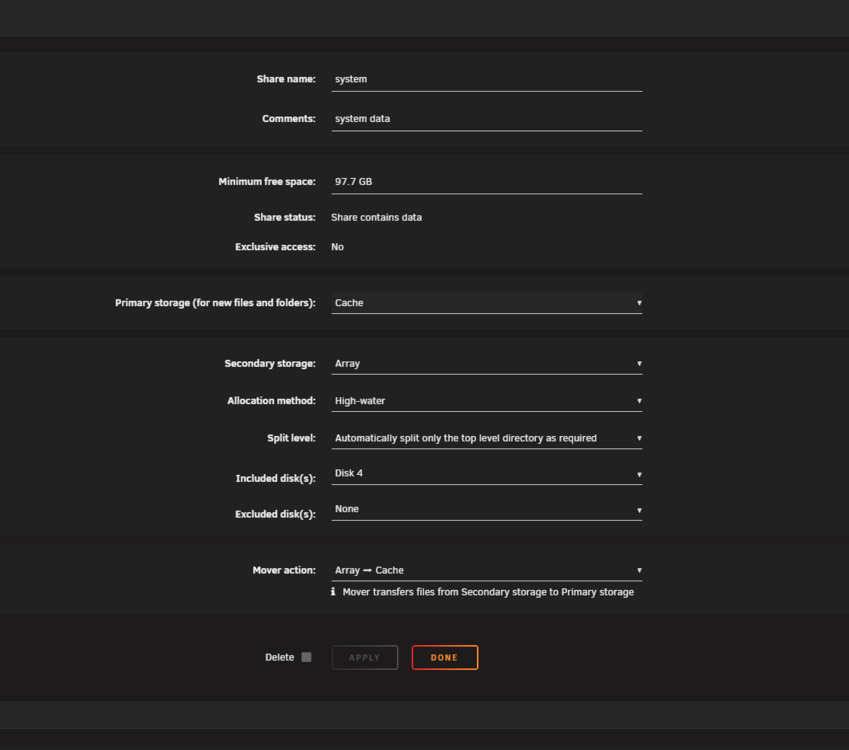
Thanks for the advice! I started to move things manually as you suggested. Regarding the systems share, is this setting not correct? I shouldn't have the "Include disk(s) 4" ?
-
gemini-diagnostics-20260128-1737.zip Diagnostic attached.
-
This is great! Thank you. I understand the idea of the min free space setting. Looks like it has to be done for every share, which I didn't have configured. Any tips on moving the data? Will the mover handle it if the setting is set? Or do you have to manually do it?
-
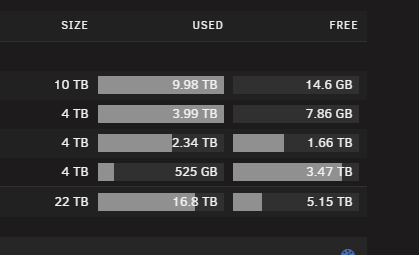
Hi All, I was wondering what is the best way to move data from one drive to another, then what setting to use to leave at least 100GB of space on the drives, so they don't get filled up. Currently my drives looks like below. I'd like to leave 100GB of space on each drive automatically. Thanks!
-
Hi all, Just wondering if anyone is having issues where they are unable to cast some movies after the last plex update from the browser or phone. It attempts to cast as if it is buffering, and sometimes even plays the movie, but the timeline does not move. And a few seconds/minutes later the cast just stops with an error. Any ideas? Thanks!
-
Worked! Thanks!



