




-
It's the community who should be thankful. This plugin is a life saver, and kudos to you for taking the rains in a long line of good people.
-
Sorry for not doing even the simplest of verification before asking. Worked after clearing cache and a couple of forced refreshes. 🙈
-
Also updated and lost all folders. I cannot remove my compose plugin yet, so how can I get my folders back

-
I must say that I really applaud the initiative from @SpaceInvaderOne on this plugin, and if I were to assume anything on behalf of the Unraid community based on myself, I would think many are welcoming such a plugin. That being said it needs to be as secure as possible - with a clear understanding of what that means. For my own setup I've tested various solutions, and I've landed on an approach were upon boot a request is placed some where in my Tailscale network. I am notified, and I have the option to approve or deny this request. If approved I am asked for a password (for the lack of a better word), which is used to decrypt the key which unlocks my master key-drive. For my setup to work I have highjacked the cryptsetup command on Unraid which allows me to change the default keylocation path used during boot (if only Unraid could supply a config entry for the keylocation). This means that the master key never leaves the encrypted volume, and when disks are unlocked this disk is closed. A rather secure solution, but it does rely on external factors and solutions (which of course can be hosted locally). This solves a few things (for me): 1) Nothing gets decrypted without me knowing (as I have to provide the master password) 2) I don't need to be at the Unraid console for a successful boot 3) The master key never leaves its location What it does not solve (yet) is the temporary storage of the key that unlocks the master key, but I plan to make use of the key programatically. Maybe we could expand on your plugin @SpaceInvaderOne ?
-
Thanks for you continued efforts into this plugin - which we cannot live without ;) I've been using both the latest and the beta (from May) successfully, but lately I had to create a stack using docker compose and these seem impossible to group. I've tried the labels approach but the containers will not be grouped. Any input from the crowd? //Thomas
-
Problem will reoccur if you reboot your server.
-
@Mainfrezzer posted this in another thread, which resolved my issue. Many thanks.
-
Thank you so much @Mainfrezzer - I have something to learn when it comes to searching! Problem solved.
-
Aha - that is indeed interesting. Testing the suggested fix now.
-
Thanks for the follow-up, but this is not a new setup - this has been running for years. With host access enabled.
-
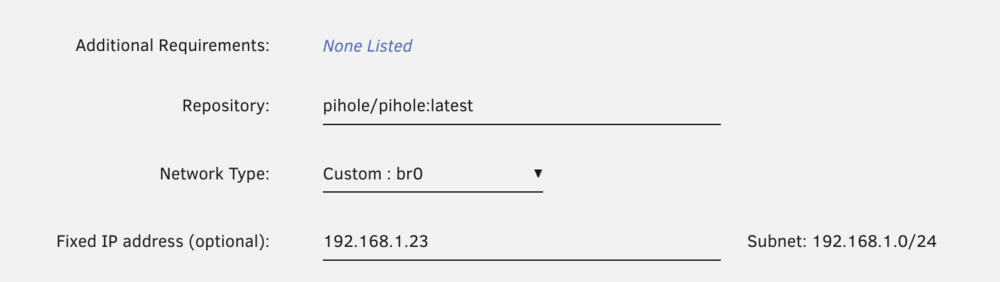
Here's my config @bonienl Any suggestions as to how I can get my containers back up? I have downgraded to 7.0.1, but same issue. Running all zfs's I don't want to downgrade below 7.
-
Just tried this. Removed all the manual ip add’s, and assigned the ip’s in the custom br0 - still fails. No ping or service response.
-
Interresting. In my case I’ve running on 7 since it became available, and on 7.1.0. It only failed after 7.1.1.
-
Any reason why this worked when I upgraded to 7.1.0, but failed after going to 7.1.1? And do I have to a manual downgrade to 7.0.1 to get this working again? Right now all services has stopped due to my dns servers not working...
-
Having issues with Pihole and NPM (running on a static ip's on br0). Seems like there's issues with a host having multiple IP's assigned not working after updating to 7.1. I've used "ip addr add" to add 4 ips to my server, and none of them works after upgrading (no ping response). The IP is assigned on the container but the container does not bind to that ip. I've also tried adding the ips with "ip addr add" in the go script, but still fails. Anybody else see this? algarheim-diagnostics-20250510-1257.zip

View in the app
A better way to browse. Learn more.



