





nrgbistro
Members
-
Joined
-
Last visited
-
I've installed the latest version of Unraid (6.12.13) on my USB drive and I'm able to access to webUI from the tower name. I've set the root password, but now on the login screen I cannot seem to log in. I've entered my username and password and click login. It just clears the fields with no indication of anything actually happening. I've tried with incorrect credntials and get "Invalid username or password" so what I'm entering must be correct. I also notice that there are no folders in /mnt, not sure if that is normal on first boot. Also, the monitor on my server says the ip address is 192.168.0.10, and I can successfully ping that address, but I can't access the webUI or connect via ssh using that address, only the DNS name. Something seems very wrong here, any ideas on how I can fix this? I've tried rebooting the system but don't see any changes. All I did was install Unraid using the provided installer and copied over my Pro.key file and my user-templates folder. Everything else is installed as-is. EDIT: I was able to access to webUI in an incognito window, I guess I had an extension that wasn't playing nice. I still can't use the ip address to connect to the server. EDIT2: I was able to get access to the webUI by enabling SSH and SSL in the management settings. Looks like it's all back, hopefully this solves the issues I've been having!
-
Sweet, thanks! I've backed that up and I'm gearing up to do the reset this weekend. How would you recommend completely wiping the system? Can I format my usb drive and reinstall Unraid to it, or will that mess up my authorization key? I want to make sure it's as wiped as possible because this issue still persists and is really frustrating to deal with every few days. I'm fine losing disk assignments and share configuration, I just want to make sure the actual data on my connected disks isn't modified since this is where I currently store all of my backups (I know, not a great practice but this is the only solution I have for now). Also, when I do successfully wipe the system, is there a chance that data in /system could mess things up? I want my docker information back but don't care about much else.
-
Do you have recommendations for what exactly I should back up? I have everything in important in /mnt/user backed up already, but do you think I should also back up anything from /boot or other directories? I don't care too much if I lose plugins or system configuration, but it would be nice to at least have access to that information after a reset.
-
nrgserver-diagnostics-20240815-1916.zip
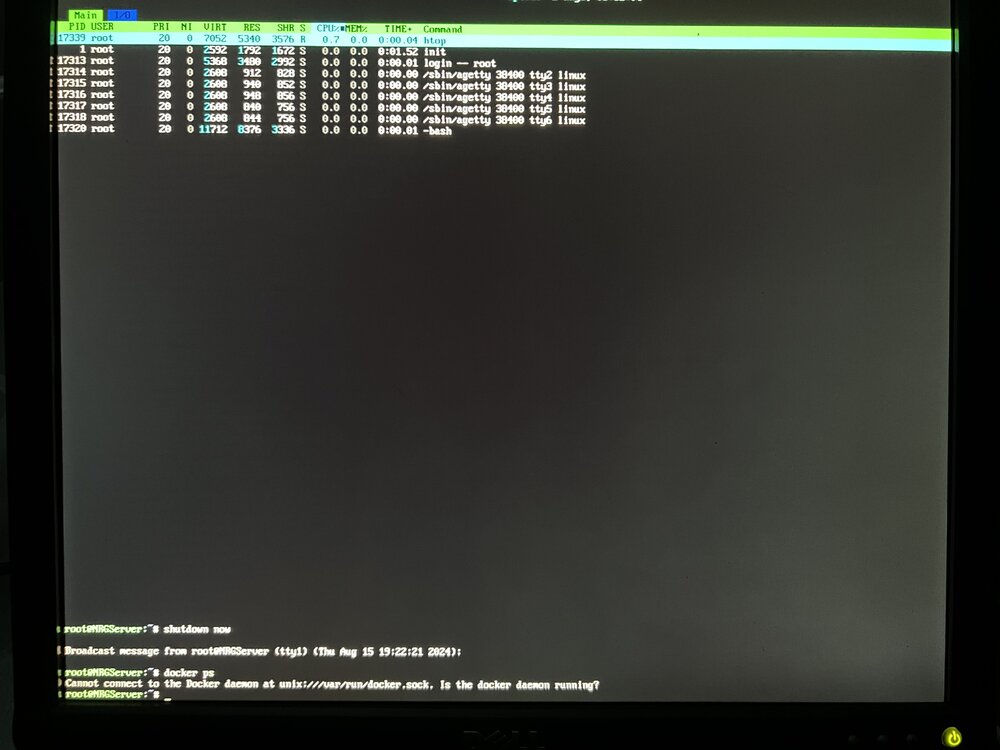
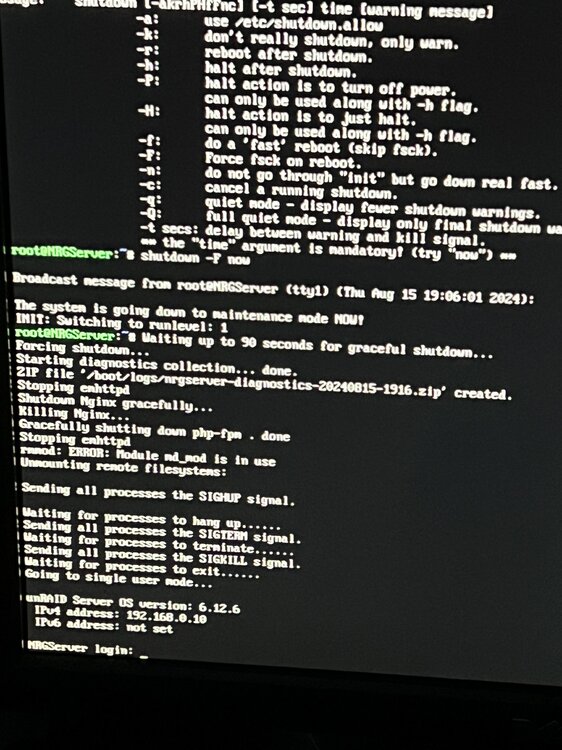
-
Just encountered this problem once more, again during a parity check + disk preclear. Shutdown is also failing, but I'll give it a big longer to see if I can get logs from this. It seems like there is a serious problem with my Unraid system because this level of slowdown is not normal. Do you think a full reset would be feasible or worth pursuing?
-
Understood, I'll keep an eye out for failing containers and ensure my pools have enough space. Thank you!!
-
Last time I noticed this issue, I was in the middle of a parity-check and a pre-clear for a new disk. However, I've encountered both the slowdown and unable to reboot issues separately and not just when doing these disk operations.
-
I think paperless was a culprit. However, if you're referring to the constant Aug 13 14:15:10 NRGServer kernel: vethff81f9b: renamed from eth0 Aug 13 14:15:10 NRGServer kernel: br-d3460b511cb1: port 1(vetha647afe) entered disabled state Aug 13 14:15:10 NRGServer kernel: br-d3460b511cb1: port 1(vetha647afe) entered disabled state Aug 13 14:15:10 NRGServer kernel: device vetha647afe left promiscuous mode Aug 13 14:15:10 NRGServer kernel: br-d3460b511cb1: port 1(vetha647afe) entered disabled state Aug 13 14:15:20 NRGServer kernel: veth5cec661: renamed from eth0 Aug 13 14:15:20 NRGServer kernel: br-d3460b511cb1: port 4(veth6fa8293) entered disabled state Aug 13 14:15:20 NRGServer kernel: br-d3460b511cb1: port 4(veth6fa8293) entered disabled state Aug 13 14:15:20 NRGServer kernel: device veth6fa8293 left promiscuous mode Aug 13 14:15:20 NRGServer kernel: br-d3460b511cb1: port 4(veth6fa8293) entered disabled state Aug 13 14:15:55 NRGServer kernel: br-d30795677b1c: port 3(veth820bab2) entered blocking state Aug 13 14:15:55 NRGServer kernel: br-d30795677b1c: port 3(veth820bab2) entered disabled state Aug 13 14:15:55 NRGServer kernel: device veth820bab2 entered promiscuous mode I've also had this issue for a while, but it seems that stopping paperless and other restarting containers stopped the messages for now. Do you think this would cause the system slowdown and inability to shut down problems? Another weird problem I've noticed is Aug 13 14:34:28 NRGServer shfs: share cache full I don't have a pool named cache, only fast-cache and download-cache. It seems like something is still referencing a cache pool, but I don't know how to tell what it is.
-
Here is is the diagnostics file referenced in the shutdown error photo: nrgserver-diagnostics-20240812-1831.zip
-
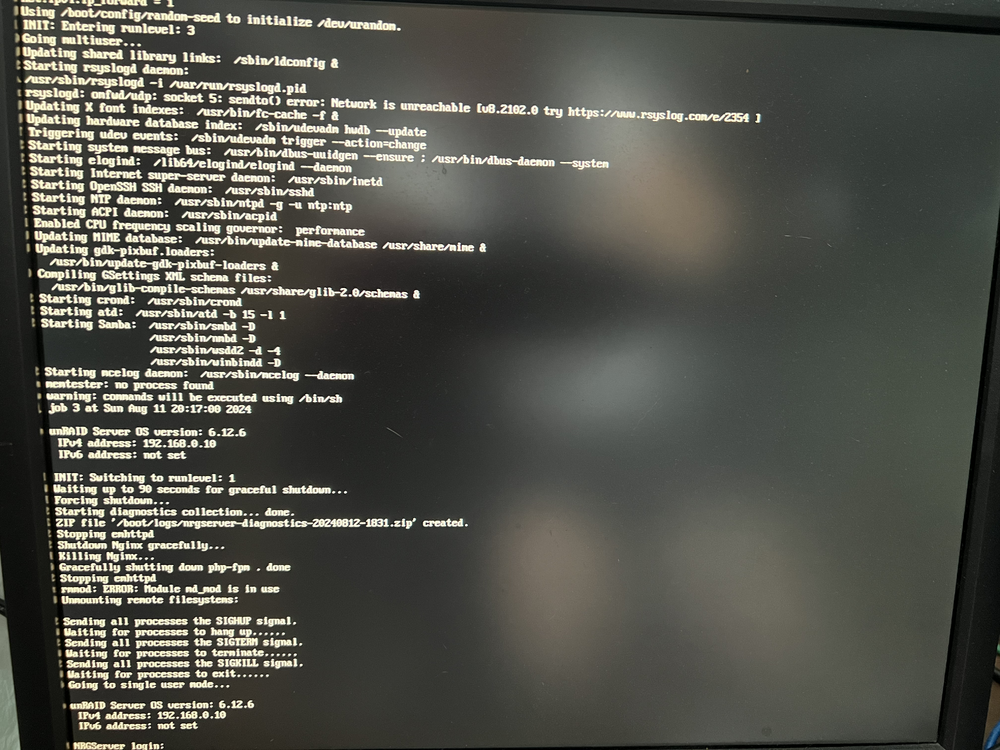
I'm having a lot of trouble debugging this one. I'm normally able to interact with my Unraid server webUI very quickly, but sometimes the entire server seems to halt for seemingly no reason. I can't connect to any of my services, I can barely issue commands via SSH, and I can't access any information on the webUI. The only way I've found to fix this is by rebooting the server. I am also unable to fully shut down or reboot the server when this slowdown issue occurs. It seems to hang during this process, so I need to hold the power button to force a shutdown. I've seen other posts about this but haven't been able to apply their solutions to my problem. I've attached a photo of the monitor I have attached to the server. The system does not respond to any keyboard input in this state and just seems completely stuck... I recently had some issues with data loss (user error) and moving data around to different disks, so perhaps I caused an issue with docker or a core Unraid system when I did this? It almost seems like I'm out of RAM, but I still have >5GB left when I see this problem. I've attached my diagnostics, but since this was after I rebooted my system to access the webUI, I'm not sure if it will show any useful information. Please let me know if there's anything else I can provide to help debug this. I'm at the verge of completely resetting my system because it is so unreliable... nrgserver-diagnostics-20240813-1253.zip
-
Still looking for this feature! I think it would be useful beyond OP's use case; I have old files on my array and other pools that I want to exist on a specific pool. Since, to my knowledge, the mover will only move files specified in primary and secondary storage, I'll have to stop my services, move the files from the incorrect pool to my array, then move them AGAIN from my array to the correct pool. With this feature I could directly move from the incorrect pool to the correct one.
-
root@NRGServer:~# xfs_repair -n /dev/md4p1 Phase 1 - find and verify superblock... bad primary superblock - bad magic number !!! attempting to find secondary superblock... ...found candidate secondary superblock... unable to verify superblock, continuing... Then a bunch of "." ......Sorry, could not find valid secondary superblock Exiting now.
-
/dev/sdi: PTTYPE="dos" Disk /dev/sdi: 1.82 TiB, 2000398934016 bytes, 3907029168 sectors Disk model: ST2000DM008-2FR1 Units: sectors of 1 * 512 = 512 bytes Sector size (logical/physical): 512 bytes / 4096 bytes I/O size (minimum/optimal): 4096 bytes / 4096 bytes Disklabel type: dos Disk identifier: 0x00000000 Device Boot Start End Sectors Size Id Type /dev/sdi1 64 3907029167 3907029104 1.8T 83 Linux That is very weird because I don't believe I did anything that would write over data or filesystem information on any of my disks. If recovery seems hopeless for this disk it isn't too big of a deal, I had most of my important information backed up to my external hard drive so I can restore pretty much everything. I am currently experienced very weird errors on my system, such as unreachable containers even though nothing appears wrong in the logs, unhealthy containers, etc. Could this disk issue be causing that, or is it more likely that some of my /appdata is partially corrupted since the disk isn't mounted?
-
Here they are: nrgserver-diagnostics-20240720-1311.zip
-
What would cause this message? Did I accidentally ruin the filesystem on this disk?



