





smithrmark
Members
-
Joined
-
Last visited
Everything posted by smithrmark
-
please advise, tfs file is getting full (currently 78 % used) Possibly an application is storing excessive amount of data in /tmp. Seek assistance on the forums and post tower-diagnostics-20230121-0933.zip
-
Oh that’s good to know I absolutely brain dead when it comes to this stuff. Is there any thing I can do to better my self.
-
please close
-
was a prefix issue http https etc
-
hello i used the 'my server' back up option today on my usb key and i can not load the GUI local connection time out i was on discord and the asked me to post here with the diagnostics report i can see my ip address and i cant connect to it through the LAN to get into the OS connecting a monitor to it I can see the login screen but says connection error on the GUI tower-diagnostics-20220409-1401.zip
-
i fixed it i had to redownload the dockers that did not work and set them up the same way. thanks for the help
-
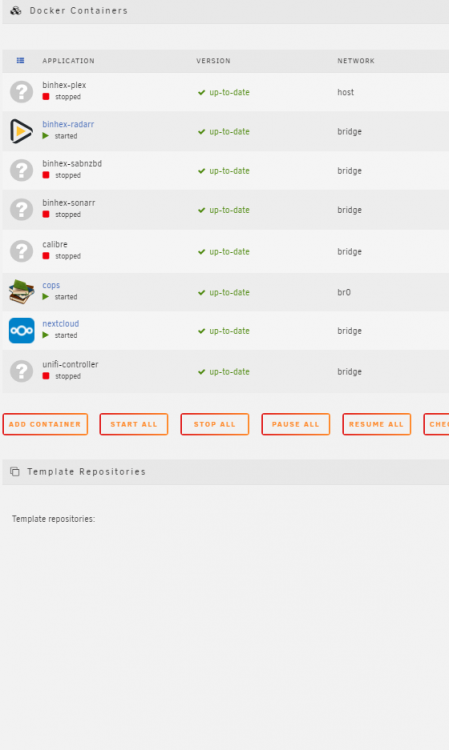
i have just asked for a key because my GUID was not the same which is logical o well got fed up with it. now i have a problem that my dockers are not all working i stopped the ones that do not work. i cant edit them or lunch the WEBUI
-
The registered GUID does not match the USB Flash boot device GUID
-
i just SSH into my server
-
is there a way to remote into my box and pull the usb backup off of it?
-
cant see my tower in my network tree
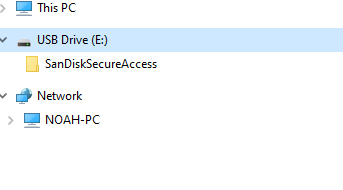 looks like i didnt make my back up folder a share. and now i cant access it to put it on my windows box. is there another way to do things ?damn i cant get to my back up! i can see it on my server under my shares and i cant transfer it over to my windows comp. any ideas?do u recommend a particular flash drive? the one that failed was a Kingston g3no i have not everything is the same except apps and settingsi followed space invaders on YouTube to create a back up how do i put it on a new usb?USB is not even recognized on my main compno i had a power outage and ups kicked in and no flash drive is not recognized seems like my usb is failed? what would you recommend to get my back up and runninghello it would seem that after a short power out with the UPS kicking in I get a flash device error. i scanned it with windows and no errors are on the disk not sure what wrong. do i have a Fatal flash drive error when i open app page on the server. please help.


