





starcat
Members
-
Joined
-
Last visited
Everything posted by starcat
-
I am starting cache_dirs from my go script with the following command, basically delaying startup until all directories and mount points are created. echo "/boot/scripts/cache_dirs -w -B -u -e /mnt/disk*/Data -e /mnt/user/Data" | at now + 10 minute However I am still getting following error, am I doing something wrong? ERROR: excluded directory "/mnt/disk*/Data" does not exist. ERROR: excluded directory "/mnt/user/Data" does not exist. cache_dirs process ID 16607 started, To terminate it, type: cache_dirs -q
-
Any other hints on this? Anyone has waken up unRAID by setting Wake-on of its interface to "a" and by sending an ARP request?
-
Writing of .DS_Store files on network shares can be prevented by running these: defaults write /Library/Preferences/com.apple.desktopservices DSDontWriteNetworkStores true defaults write com.apple.desktopservices DSDontWriteNetworkStores true see this for details: http://www.macosxhints.com/article.php?story=20051130083652119
-
This doesn't wake unRAID. I have Intel NICs on my Supermicro boards (X7SBE and X7SPA-HF), that supports all pumbag. Setting to ag doesn't change behaviour. unRAID won't wake up by accessing a share on it. This is dubious!! Anything else to check on the mainboard or BIOS?
-
Joe, thanks. Will try it out. My NICs support full pumbag. Edit: I've just set eth0 to Wake-on: ag, put to sleep and tried waking the unRAID box by accessing a share on it. It did not work. Waked up by sending a Magic Paket, no problem. Any more hints I may try out?
-
I know the WOL with Magic Packet, I was thinking about waking up on connection to the IP address of unRAID. WOL with Magic Packet works flawless, the thing is, I don't have a way to send it automatically when a client access a share on unRAID. I have tried setting "p" with ethtool on WOL for eth0 but then unRAID wakes up on every network activity. I can WOL from a script by sending the Magic Packet but I am looking to automate things. In the Apple world, accessing a share on another computer wakes up the other box (if it is setup to be waken up of course). I am looking for such functionality. Accessing a share should automatically wake up unRAID. Any ideas?
-
Anyone know how to automate wakeup after the unRAID box has been put to sleep? I want it to wake up automatically as soon as a computer access it, like with Apple computers? Any comments on this?
-
Also, there is no 140mm fan that is PWM controlled...
-
This can be done of course and helps a little, but even than, standard fans are just not capable to pull enough air through the disks in a server case like the 4220. I guess all things has their pros and cons.
-
Ok, the WD drives run pretty cool, they won't overheat but fans with low static pressure won't pull air from outside through the drives when you fully populate the 20 bays. No problem finding high pressure 80mm fans, there are a lot of them out there. Running at least 10 of your WDs with low noise standard fans won't be e a problem at least not when you are not calculating parity. I would suggest you consider swapping the fanboard for one with three 120mm as this would be the best and is already proven by a lot of 4220 advanced users. Regarding the CPU cooler: I am using a Scythe Ninja 2 passive cooler in a 4220, works excellent. It has a PWM controlled 120mm fan attached to it, that almost never spins. You have to remove the decorative top caps on the Ninja 2 (just pull them out with pliers, they aren't threaded) in order to fit the height in the 4220, but other than that this is a dream combo.
-
In a rackmount server type design you don't need solely air movement, what you need is HIGH STATIC PRESSURE in order to pull the air between the almost non existing space between the drives!! You get high static pressure with thick fans rotating at high rpm. The thicker a fan for a given diameter and the higher rpm, the more static pressure it can develop. This is just physics. Thin fans with big diameter can't develop high static pressure and are absolutely useless in rackmount server cases!
-
3x 140mm definitely don't work. I have tried different types (including the Noiseblocker XK2) in the 4220 and they just can't cool fast Seagates when fully loaded. I am in the process of switching to three 120mm PWM Delta AFC1212DE and will RPM control them from a script based on actual temp reading from the harddrives.
-
Senjo, how many drives do you have and what type? I've looked above but couldn't find that info (see only 4 SATA cables). I also don't think you will have enough static pressure (!) with those fans for cooling 20x 7200rpm fast and hot drives as all the fans are the thin design and also run at low rpm. The thing with those server type cases with high-density disk drive bays is that a "regular" cooling is ok for say up to 10 drives with whatever fans but if you fully populate all bays and with all drives spinning and writing you will run into high temperatures. The only solution for proper cooling would be thick fans, max 120mm in size that have high static pressure (function of rpm, thickness and diameter). You may of course get PWM fans and use a script for sophisticated rpm control if drives aren't spinning and such in order to decrease noise level, but your cooling solution must be designed for full load on hot days!! Just imho, but very interested to see details and your results. Thanks for posting! Edit: Btw, I would replace the cpu cooler for something like this http://i41.tinypic.com/2uiwyty.jpg or anything else that blows in the same direction (ouf of the case) as any other fan in your case. The one you use just totally screws up airflow in your case.
-
hello, has this been confirmed ... can you possibly run 20 drives only connecting one molex for each backplane ? has anyone done this ? thanks in advance 20 drives, each pulling 2 amps upon spin-up will in total draw 40 Amps of current. A single molex is not rated for that amount of current. It might work, but you are going to be asking for trouble. There is a reason the ATX spec limited any single rail to 18 Amps. According to this page, the molex connector is rated for 11 Amps. Kind of missed those postings. The Norco 4220 cases use one Molex connetor per 4 drives, i.e. to power each mini disk backplane. There are 5 backplanes on 5 rows, each with two Molex connectors, one is required, the second one is to be connected to a redundant power source. So, they definitely do not use *one* Molex for all 20 drives, but for 4 only.
-
Looks nice. I would change that stock CPU cooler screwing up all the airflow in your case to a Scythe Ninja that blows to the back in the same direction as the drive fans.
-
This is what I thought also. I have eyeballed the Scythe Ultra Kaze 38mm thickness fan with 3000 rpm, but they don't have PWM. Found the 25mm thick Noiseblocker BlackSilentFan XLP with 41-75 CFM, but I'm not sure it would provide enough airflow for 20 drives performing parity calc. Perhaps the DELTA's, both 120mm 3900 rpm with 148.34 CFM http://www.newegg.com/Product/Product.aspx?Item=N82E16835706028&cm_re=120mm_fan_PWM-_-35-706-028-_-Product or even 6000 rpm with 210.38 CFM http://www.newegg.com/Product/Product.aspx?Item=N82E16835706022&cm_re=120mm_fan_PWM-_-35-706-022-_-Product but having three of them the former should be more than a match?! BubbaQ, which fans are you running?
-
No, they are all 4-pin. The manual says not to mix 3-pin and 4-pin fans. And the operation can be set in the BIOS to 3-pin or 4-pin. I am not sure on this, but isn't it possible that they change through the BIOS how the pins behave, being the reason not to mix 3-pin and 4-pin fans? Anyway, I will change to 4-pin, not a problem and it is obvious that 4-pin technology is more mature. Hopefuly I will get speed control from the OS depending on the temp at the HDDs. Even being able to turn them off while all disks are spun down.
-
BubbaQ, got it, thanks much! This is probably I am always getting 0rpm reported throgh the OS, just because I am running 3-pin fans on 4-pin connectors. Just because it is pssible to run them, doesn't obviously mean I get PWM all the way down :-) I am looking to swap the fans to 4-pin PWM enabled fans and will report how it turns out.
-
Ok, I see, thanks! Anyone, any recommendations for 4-pin fans, preferably 120mm or 140mm?
-
BubbaQ, what do you mean exactly? Do I need 4-pin fans to get variable fan speed control from the OS? And why is my BIOS allowing me to use 3-pin *or* 4-pin fans, all on the same 4-pin sockets? I am completely confused now.
-
I don't think that this has something to do with 3-pin vs. 4-pin fans by itself. It is more something unRaid related to the X7SBE. You should get the Scythe Ultra Kaze 3000 rpm 120mm fans if you plan to put the case where noise isn't an issue. Those are the best in terms of high pressure fans, best match for a high density server case like the Norco's.
-
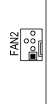
Ok, guys, I am using the Noiseblocker XK2 140mm fans, just veryfied again and they are indeed 3-pin fans with tachymeter signal. Checked the fan connectors on the X7SBE mobo and they are for 3-pin and 4-pin fans, however there is a notch so that you can't plugin on the wrong pins (see attached jpeg from the mobo drawing). With the BIOS set to Disaled Fan Control there is still no pwm_enable file and fan2_input shows always 0, exactly as with the other settings for 3-pin and 4-pin Fan Speed Control. I am attaching the output of ls -l /sys/class/hwmon/hwmon0/device/* and the output of pwmconfig for Disabled. I am able to write a value to pwm2 and verify that it contents changes, but not the actual fan speed! pwm_enable is still missing... Sure, I don't miss any packages? pwmconfig.txt sys-class-hwmon-hwmon0-device.txt
-
Ok. I was all the time on 3-pin server setting. Disabled means the fans stay at 12v without varying speed at all. The difference between 3-pin workstation and 3-pin server is that with workstations the fans will go slower than with server, that's it pretty much. There is also no difference in the tree between server and workstation. What I haven't tried is to see what happens with Disabled?! I'll post results in couple of minutes...
-
Hmm, not really sure how to interpret this. I don't really believe it needs 4-wire fans in order to get PWM as already the 3-wire fans are being able to get speed control and report frequency. I believe that this is just a setting telling the BIOS either to get control (3-pin) or to allow PWM (4-pin setting). Both can be used with 3- and 4-wire fans. When mixing fans, then only 3-pin setting is possible. At least this is how I am interpreting this, correct me if I am wrong and if I need to get 4-wire fans for PWM, if that's the case I surely will.
-
I don't have pwm_control, command not found. Are there any Slackware packages that I need to install? Mobo used is the Supermicro X7SBE: http://www.supermicro.com/products/motherboard/Xeon3000/3210/X7SBE.cfm it is not cheap with $240 and the specs page show all this should be possible. It also has two Winbond chips on it. The IPMI fan speeds don't show fluctuation, they are rounded and reflect only massive change in speed. The BIOS however shows them constantly fluctuating. I read up the lm-sensors URL and tried the divisors, also different sensors3.conf files, no change. Perhaps I need to install lm-sensors packages from Slackware distro as I don't have pwm_control at all? This would be interesting to others too, as a lot of the members here are using the X7SBE mainboard. Thank you much guys! Edit: Page 4-20 of the X7SBE Manual found at http://www.supermicro.com/manuals/motherboard/3210/MNL-0970.pdf says the following about Fan Speed Control Modes: Looks like I have to enable 4-pin fans even if I am using 3-wire if I want to get PWM support!? Edit2: Changed BIOS to 4-wire fans. Running unraid-fan-speed.sh shows again: Highest temp is: 34 ./unraid-fan-speed.sh: line 78: /sys/class/hwmon/hwmon0/device/pwm2_enable: No such file or directory Setting pwm to: 120 and pwmcofnig: # pwmconfig revision 5345 (2008-09-28) This program will search your sensors for pulse width modulation (pwm) controls, and test each one to see if it controls a fan on your motherboard. Note that many motherboards do not have pwm circuitry installed, even if your sensor chip supports pwm. We will attempt to briefly stop each fan using the pwm controls. The program will attempt to restore each fan to full speed after testing. However, it is ** very important ** that you physically verify that the fans have been to full speed after the program has completed. Found the following devices: hwmon0/device is w83627hf hwmon1/device is coretemp hwmon2/device is coretemp Found the following PWM controls: hwmon0/device/pwm1 hwmon0/device/pwm2 Giving the fans some time to reach full speed... Found the following fan sensors: hwmon0/device/fan1_input current speed: 0 ... skipping! hwmon0/device/fan2_input current speed: 0 ... skipping! hwmon0/device/fan3_input current speed: 0 ... skipping! There are no working fan sensors, all readings are 0. Make sure you have a 3-wire fan connected. You may also need to increase the fan divisors. See doc/fan-divisors for more information.

