





Lohita
Members
-
Joined
-
Last visited
Everything posted by Lohita
-
Hello Everyone, I've been trying to set up secure remote access to my Docker containers using Cloudflare Tunnels and Traefik. I have run into a persistent "502 Bad Gateway" error and have exhausted all configuration troubleshooting. I'm hoping someone with deeper Unraid networking knowledge can spot the issue. My Goal: Securely expose services like Jellyfin via https://jellyfin.mydomain.com. My Architecture: Unraid version 7.1.4 running on a server with a bonded/aggregated network port. cloudflared Docker container running on a custom bridge network named proxynet. traefik Docker container running on the same proxynet network. A Cloudflare Tunnel is configured with a Public Hostname (jellyfin.mydomain.com) pointing to the service http://traefik:80. The Problem: When I access https://jellyfin.mydomain.com, I can log in successfully with Cloudflare Access, but I then receive a 502 Bad Gateway error. This indicates the cloudflared container cannot connect to the traefik container. Key Diagnostic Steps I've Already Taken: I have confirmed my Traefik container is working. If I access it locally from another computer on my LAN at http://<unraid-ip>:8001, I correctly receive a 404 Not Found page from Traefik. I have confirmed my cloudflared container is running, connected, and has pulled the correct configuration from Cloudflare (I can see the jellyfin.mydomain.com -> http://traefik:80 rule in its logs). Most importantly: I have opened a console inside the cloudflared container and run the command curl -v http://traefik:80. This command succeeds and returns the 404 Not Found page from Traefik. This proves that container-to-container name resolution and networking on the proxynet network is working at a basic level. However, the cloudflared service itself seems unable to make this same connection, resulting in the 502 error. I have tried restarting the containers and even doing a "hard reset" (deleting the container and its appdata) to no avail. I suspect there may be a subtle issue with Unraid's networking, firewall, or how Docker interacts with my bonded network interface. I've also attached my diagnostics file. Any ideas would be greatly appreciated. Thank you! watchpoint-diagnostics-20250916-0024.zip
-
I just tried adding "nomodeset" to the end of any 'append' lines in my flash config and it now shows a blank screen with no cursor either. Update diagnostics file attached. watchpoint-diagnostics-20241209-1537.zip

-
Hi Everyone, hoping someone can shed some light on what's happening here - the image below shows the screen I'm getting via both a connected display and via IPMI. I can confirm the webgui works fine. I'm currently on Unraid OS v6.12.14, but I have had this issue for at least the last 2 years. Not entirely sure what's gone wrong - any help would be most appreciated! Diagnostics are also attached. Thanks! watchpoint-diagnostics-20241209-1353.zip

-
Hi Everyone, I was wondering if anyone had any suggestions for dockers / VMs to help me automate the following scenario: I shoot on film and as part of getting the photos developed I am also given the scanned photos. These photos are emailed to be in a dropbox link by the photolab. The link would be to a shared folder on Dropbox, and will contain a number of folders, one for each roll being developed, with the relevant photos in each. Currently, when I receive the email with the photos, I copy the files to my dropbox and then use rclone on a Windows VM (the VM also does a few other things) on Unraid to copy the files over to the array. Ideally, I want to get to a point where I can forward a copy of the email to a specified email address and then have a way that something (app / docker / vm) get's the link to the shared Dropbox folder, and downloads the contents to the array. Does anyone have any suggestions as to how I might do this? Thanks in advance!
-
Hey @Fredrick, did you manage the figure out what went wrong? @Convington and I have the same issue and noone replied, so we're not sure how to fix this. @Convington did you manage to fix the issue yourself?
-
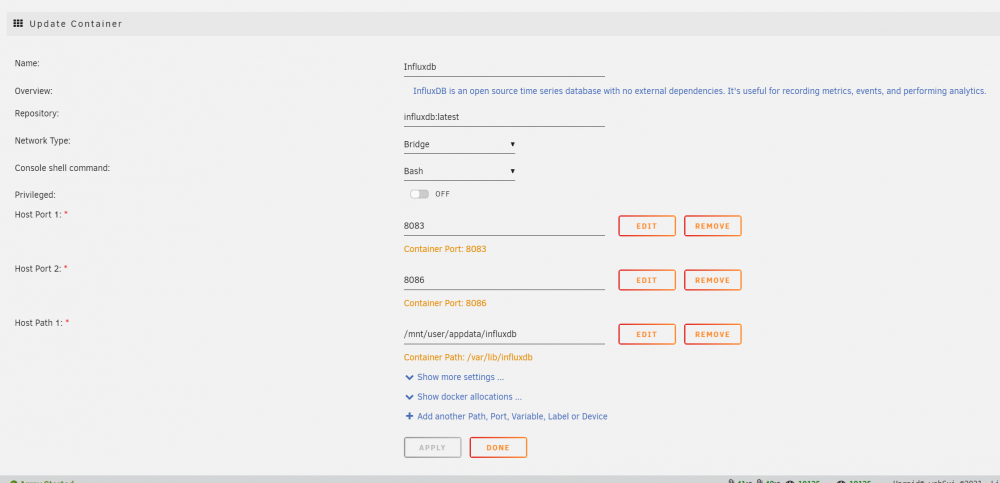
Hey Folks, I've run into an issue where whenever I update my InfluxDB container (it's running v 2.x) it wipes all the existing data and seems to update it to the latest version. I therefore lose the entire config and all my data. Any idea why this might be? Here's a picture of my container config page. Any help would be most appreciated
-
Sorry for the late reply - I tried that and it worked. Thanks again!
-
No, they're both English based setups, but I only used that as a gui through which to use robocopy. I tried renaming it and it didn't work, so I used rsync to copy it to a new folder in the same folder and I can see the new folder and browse it just fine. The moral of the story seems to be avoid using choezycopy/robocopy lol. Thanks a lot for all the help!
-
Done - I've created folders in both the root of the Backups share and in the Achini folder. Both show up on other laptops too :(.
-
I'm using a OnePlus 8 running Android 11, and accessed the share using SMB through the ES File Explorer app. Yup - I've rebooted it, and have also tried it on 2 other laptops also running Windows 10. The laptops are on Windows 10 Pro v. 21H1 (build 19043.1202), Windows 10 Pro v. 21H1 (build 19043.1165), and Windows 10 Enterprise v. 1909 (build 18363.1734). This has me completely flummoxed too
-
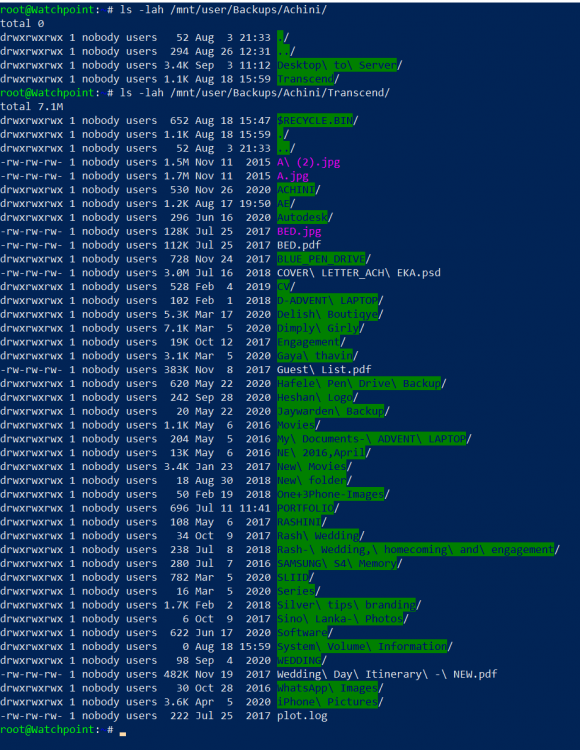
Thanks - I just ran it but sadly it didn't help. Here's the output of ls -lah on the Transcend folder: Also, when accessing this share via my phone I can see the Transcend folder. Yes, I've sadly realised that the hard way. What do you recommend instead?
-
Sorry about that - I've just attached it. Any help would be appreciated watchpoint-diagnostics-20210912-1354.zip
-
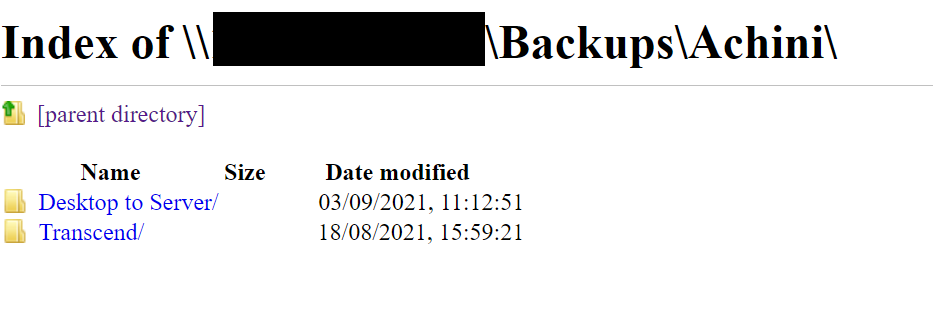
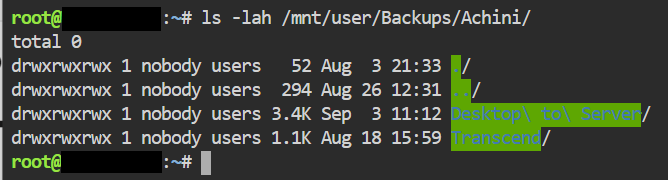
So I have this weird issue with one of my SMB shares - I recently used choezycopy (robocopy) to copy an entire external HDD to my unraid share. After doing that however, the new folder containing all these files does not show up when trying to access it using File Explorer from a Windows Laptop: Upon checking via unraid and a browser, I can see the folder there though: However, if I try to access the folder via File Explorer directly (by typing path), I am able to access it. It appears to be hidden for some reason. I've also run ls -lah against the folder: Does anyone know what the issue might be? I've also tried running the Fix Common Problems plugin, but it can't seem to find any issue with that folder.

-
Hi everyone, is there anyway for me to reset the password to login to the paperless Web UI?


