





Earsum
Members
-
Joined
-
Last visited
-
应用商店搜索intel gvt g,然后去主板设置一下显存到1G就可以把子设备分给虚拟机了,但是我这里i5 10400不成功估计是主板兼容性的问题
-
本人用的并非11代cpu,该链接仅供参考 https://post.smzdm.com/p/aen5k88z/ 关于n6005核显不能硬解的情况搜索了下有人在jellyfin里面遇到了 作者NyanMisaka称“jellyfin官网文档里有写,JasperLake需要开启i915 guc” https://post.smzdm.com/p/a3gw6g47/ 理论上按照第一个链接的教程开启guc应该就可以硬解了,6.9.2应该是不带11代核显驱动的(猜测) 至于6.10能识别显卡但是不能开启硬解感觉得观察plex docker容器的错误日志才能下结论
-
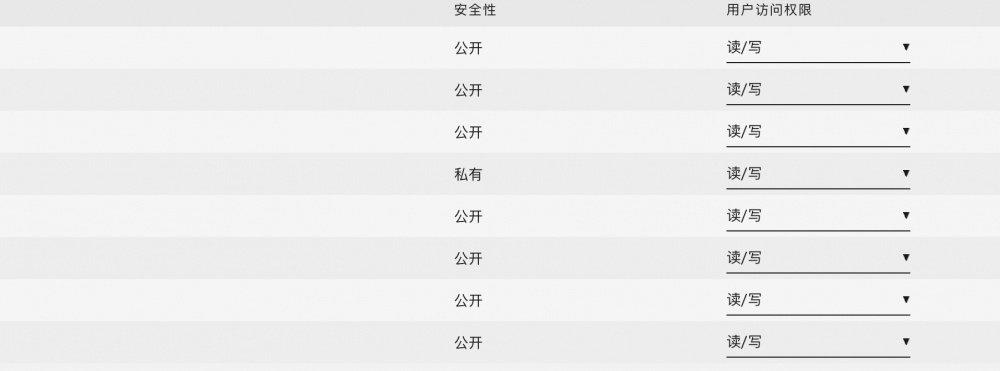
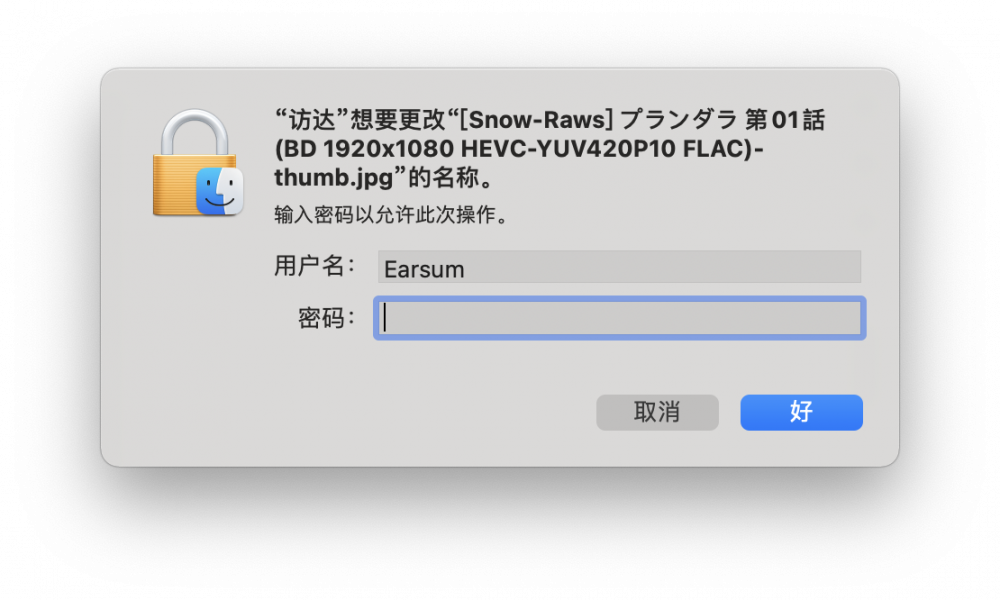
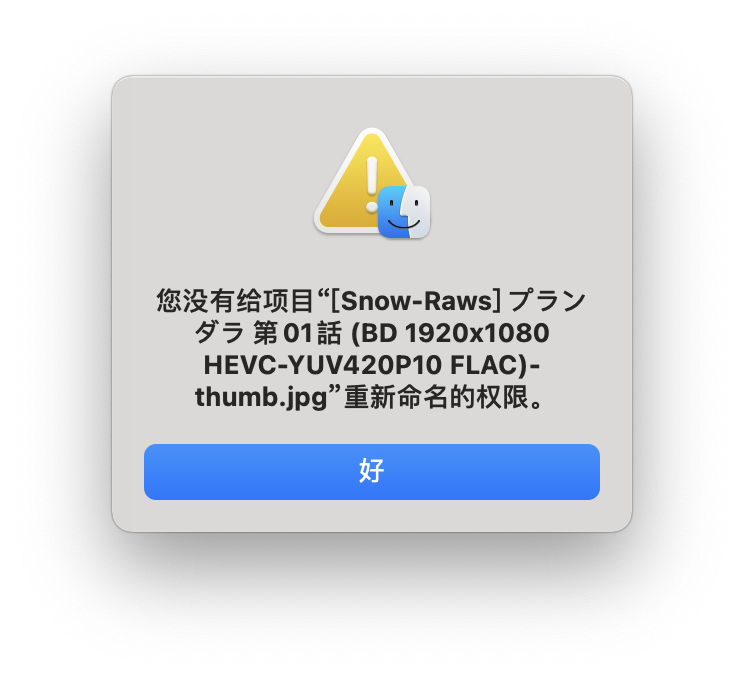
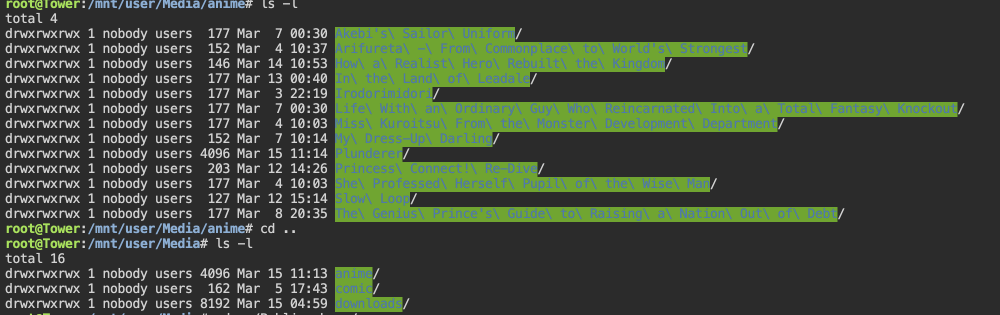
现有一账户earsum,对所有共享文件夹具有读写权限 通过smb连接到unraid机器,连接身份为earsum。 但是通过smb对其中任何文件做删除、移动或者改名操作都会提示以下报错 通过命令行可以看到修改的文件权限为777 nobody users,按理来说是所有人都可修改 请问这可能是什么原因?

-
问题已经解决,论坛英文区也有人遇到了这个问题,解决方法是清除浏览器cookie
-
使用vnc远程工具直接连接系统IP:vnc端口号是可以连接到虚拟机的,因此vnc服务应该是正常的
-
系统版本:6.9.2 问题描述:虚拟机无法通过虚拟机选项卡中的vnc远程桌面连接,但是虚拟机本身可通过rdp远程桌面,netstat中看到对应的远程桌面端口的确在被监听,查看系统日志报错如下 Mar 5 12:59:12 Tower nginx: 2022/03/05 12:59:12 [error] 10965#10965: *3463 recv() failed (104: Connection reset by peer) while reading upstream, client: 192.168.50.90, server: , request: "GET //wsproxy/5701/ HTTP/1.1", upstream: "http://127.0.0.1:5701/", host: "192.168.50.240" Mar 5 13:00:16 Tower nginx: 2022/03/05 13:00:16 [error] 10965#10965: *3819 recv() failed (104: Connection reset by peer) while reading upstream, client: 192.168.50.90, server: , request: "GET //wsproxy/5702/ HTTP/1.1", upstream: "http://127.0.0.1:5702/", host: "192.168.50.240" 看日志是unraid本身nginx出现了问题?可是我并没有对系统的nginx做过任何操作,这个问题还是有点严重的,虽然我现在暂时可通过已经在虚拟机系统上部署的rdp或ssh工具做远程管理,但是新建虚拟机后无法通过vnc操作
-
用traefik反代现在没出什么问题,用nginx应该需要配置websocket? 你可以参考这个链接的配置(但是我自己没试过)
-
例如我现在有个bt客户端在做种,在一直读写该文件的情况下,会不会出现文件一直存在缓存盘中的情况无法被move到阵列中?
-
查看配置文件,transmission默认的配置文件在/mnt/appdata/transmission/下,其中有做访问控制,rpc-whitelist和rpc-whitelist-enabled要改掉
-
我想对某个容器使用内存大小进行限制,但是看了一圈Unraid的WebUI好像不支持?点开高级视图也只有对CPU的选择
-
Earsum changed their profile photo
-
#!/bin/bash DIRECTORY_1=/mnt/remotes/453DMINI_Mydownload/Transmission_Download/动画/ DIRECTORY_2=/mnt/remotes/453DMINI_Mydownload/Transmission_Download/国漫/ DIRECTORY_3=/mnt/remotes/453DMINI_Mydownload/Transmission_Download/电影/ DIRECTORY_4=/mnt/remotes/453DMINI_Mydownload/Transmission_Download/电视剧/ while true do sleep 5s; if ["`ls -A $DIRECTORY_1`" = ""] || ["`ls -A $DIRECTORY_2`" = ""] || ["`ls -A $DIRECTORY_3`" = ""] || ["`ls -A $DIRECTORY_4`" = ""]; then echo "No Path!" else docker restart Emby; break; fi done 通过观察发现,远程挂载失败的时候代码中目录1234的底下的文件是不存在的,使用User Script脚本开机检测目录1234下是否有文件,有文件有重启名为Emby的容器即可(最好把容器的开机自启动关闭,通过脚本启动) 不过搞不懂的是通过nfs挂载的远端存储unmount以后会在remotes目录的深处留下子目录,而smb挂载的远端存储unmount后则是直接从remotes目录下消失,如果用smb的话上面的脚本可以直接检测/mnt/remotes下有没有453Dmini的文件夹即可
-
本人现在手上除了unraid外还有一个QNAP的nas,现在emby通过nfs远程挂载QNAP的存储池,然后放在unraid的emby上刮削。 但是今天unraid服务器重启后,过了一段时间去看emby,里面的媒体库还在,但是媒体资料都消失了,重新扫描资料库可以刮削到数据。 本人猜测是插件后于docker启动挂载硬盘,导致容器映射远程挂载路径到容器内部失败,然后在重启到我查看emby的这段时间,emby的自动扫描资料库任务启动了,随后emby认为媒体资料消失就把媒体资料删除了。 虽然现在可以把自动扫描资料库的任务禁用保证emby不会再自动删除媒体资料,但是每次重启后得手动重启一次emby容器才能保证容器将远程路径映射到容器中去,不然播放的时候会报错 虽然我想到可以使用开机脚本定时将容器重启,但是有没有办法实现某个容器在远程挂载成功后再启动以根本解决问题?
-
换浏览器的思路我倒是没试过,我试了下Safari也能搜得到,感谢
-
现通过自行部署docker模板可部署nginx,但app商店搜索卡死的问题依然存在
-
unraid版本:6.9.2试用版 app商店搜索nginx会卡死,具体表现为无限加载中,一段时间后网页未响应 其他的页面和app未发现此情况


