





In2Photos
Members
-
Joined
-
Last visited
Everything posted by In2Photos
-
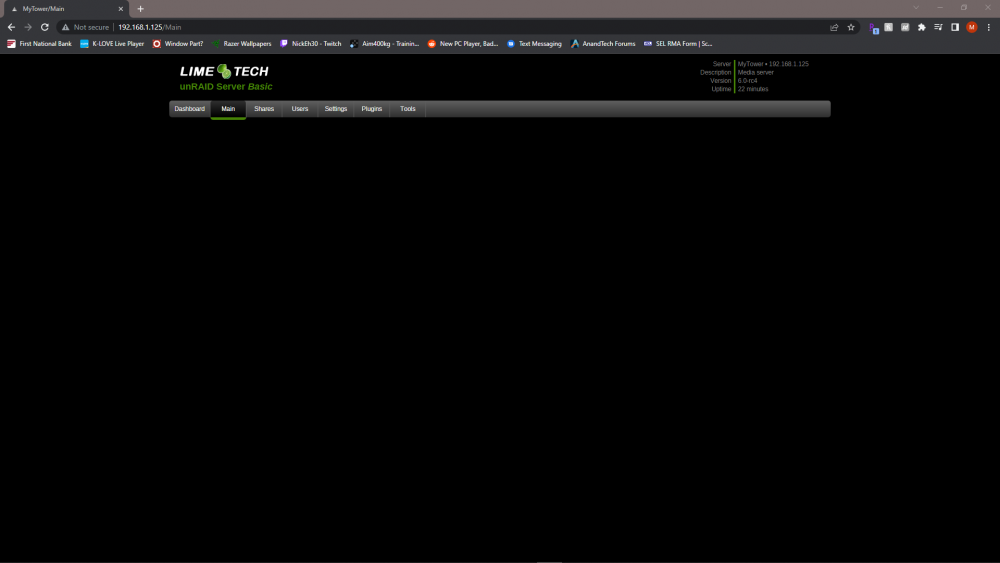
OK. I ordered 2 new drives that should be here later today. But now I have another problem. I went to the plugins page to check for updates. And now the web gui is completely blank except for the tabs. Doesn't matter what I click on I get no info below the tabs. I tried rebooting, but the same thing occurs.
-
OK, so what's the best way to go about this? Fix the drive issue first, then upgrade Unraid? Or update Unraid first? What is involved in upgrading from such an old version? I'm thinking about upgrading the hardware on this server as well. Should I get the system back up and running before moving to newer hardware?
-
OK, here you go. mytower-diagnostics-20220617-0530.zip
-
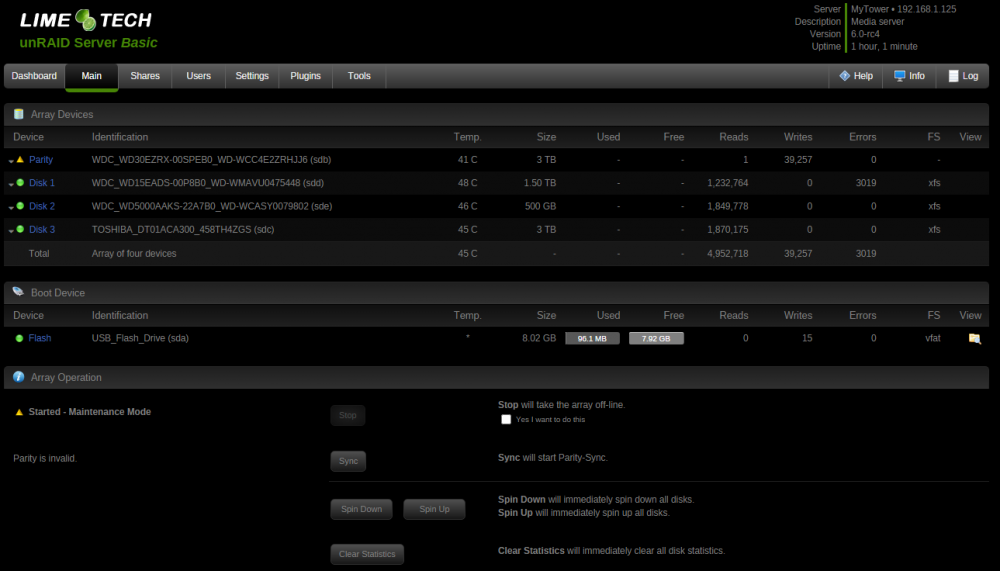
I have a small server running unRAID 6.0 rc4. I have a 3TB WD drive for parity and 3 data drives. This morning I tried to save a file to the server but couldn't access it. I went to the webgui where I encountered an invalid parity. I shut the system down to check cables and such. When I brought the system back up I noticed it took a lot longer than usual and saw some errors for one of my data drives during boot. When the webgui finally appeared it said the data drive was unmounted and parity invalid. I shut the system down again and reseated all cables to all the drives. During the boot process I noted similar errors and a longer time to boot. I decided to check the disk in maintenance mode and it says the superblock read failed, fatal error -- Input/output error. I also still have an invalid parity. So what should I do next? Is there any other info I need to provide? I have attached a screenshot of the main tab.
-
I just did this move with a cut/paste over the weekend and it was instant. No copying of any files across my Windows PC or the network. Not sure of the "behind the scenes" details of how it works, but it does.
-
Migrated my disks to XFS over the weekend. A big thanks to everyone here! Teracopy worked flawlessly for me! This is easily the most work I've done on this server since I build it years ago. Upgraded from 4.5.4 to 6, replaced the parity drive, added the additional data drive, and formatted all disks to XFS. Hoping the upgrades will keep this thing churning for a couple more years!
-
I assume for step 7 you meant to say Format Disk 1 XFS. There is no need to split the data after you have it all on disk3. Yes I did. Thanks! You could but teracopy will already check the checksum and make sure all data are okay. I would trust teracopy and skip step 8. Thanks! I'm not sure that this step was ever really necessary, but doing it won't hurt. I'm not exactly sure how Teracopy validates but I would trust its methods. Peforming a rsync -c check will take awhile and is wasted time if you've already validated the data IMO. Other then what has already been pointed out, looks good. Thanks! Recently I have used Teracopy to create a backup of my entire server to an external drive as well as moved several hundred gigs around with no problems. I'll keep my fingers crossed though!
-
Can someone tell me if I am planning this correctly? I have a small server. Right now I have a 3 drives and my shares span across both drives: Disk 0 - 3TB Parity Disk 1 - 1.5TB Data (RFS) Disk 2 - 500GB Data (RFS) I am in the process of pre-clearing a new drive right now (Disk 3 - 3TB Data). When finished I will format it XFS. This drive could hold all the data from both drives. So my plan is to: 1. Format the new 3TB drive (disk 3) XFS when pre-clear finishes. 2. Create a "t" directory on Disk 3. 3. Copy files from Disk 1 to Disk 3. I plan to use Teracopy instead of the command line in screen as I am more comfortable with Teracopy and it validates the copy. I guess I could still perform Step 8 though, Thoughts? 4. Copy files from Disk 2 to Disk 3. Since the folders for the shares already exist on this drive from the previous copy it should "merge" all the subfolders into the same share folders correct? 5. Move the files from the "t" directory to the root of Disk 3. 6. Format Disk 2 XFS. 7. Format Disk 3 XFS. This should give me all 3 disks formatted XFS. But all of my data will be on Disk 3. Should I split the data up after this? Should I move the data from the first move and format Disk 1 before moving to Disk 2? Then I could copy Disk 2 to Disk 1, then for format Disk 2. This would leave Data on 2 disks? Anything I should change? Thanks!

