





Alex1989
Members
-
Joined
-
Last visited
Everything posted by Alex1989
-
I have tye it again, also the same result ,i think the network or the package is ok ,but something was wrong with my unraid.
-
nothing i have done about GitHub API,shoud i try another time?
-
thanks for your reply ,wait for better message;
-
what will happend next time ,the J5005 will cant use this plugin forere? or i can use other method
-
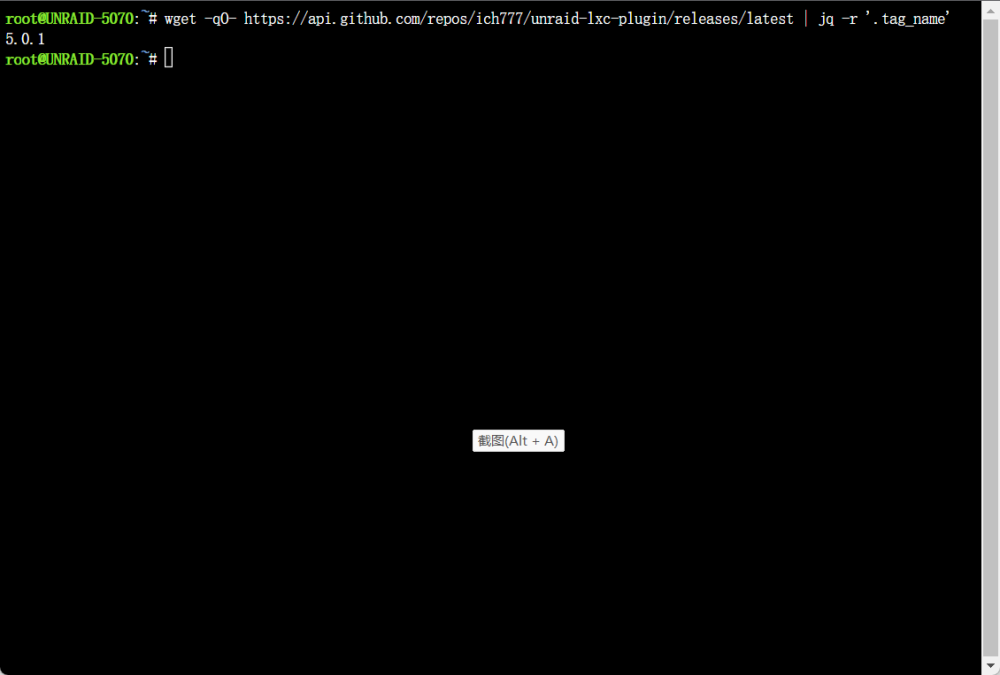
{"message":"API rate limit exceeded for 220.246.254.11. (But here's the good news: Authenticated requests get a higher rate limit. Check out the documentation for more details.)","documentation_url":"https://docs.github.com/rest/overview/resources-in-the-rest-api#rate-limiting"} this is the out put from click
-
from china , but network is ok image is the out put;
-
i got the unraid 6.10.3 pro ,with CPU intel J5005,but this plug result the message below: GVT-g not supported GVT-g is currently only supported on: Client platforms: 5th, 6th, 7th, 8th, 9th and 10th Generation Intel® Core Processor Graphics Server platforms: E3-v4, E3_v5, E3_v6, E-2xxx, W-12xx, W10xxx Intel® Processor Graphics
-
+============================================================================== | Installing new package /boot/config/plugins/lxc/lxc-2022.09.01.txz +============================================================================== Verifying package lxc-2022.09.01.txz. Installing package lxc-2022.09.01.txz: PACKAGE DESCRIPTION: Package lxc-2022.09.01.txz installed. ---Something went horribly wrong, can't get latest version from LXC and no local version found!--- Removing package: lxc-2022.09.01 Removing files: --> Deleting /usr/local/emhttp/plugins/lxc/LXC.page --> Deleting /usr/local/emhttp/plugins/lxc/LXCAddContainer.page --> Deleting /usr/local/emhttp/plugins/lxc/LXCCopyContainer.page --> Deleting /usr/local/emhttp/plugins/lxc/LXCGuide.page --> Deleting /usr/local/emhttp/plugins/lxc/LXCRestoreSnapshot.page --> Deleting /usr/local/emhttp/plugins/lxc/LXCSettings.page --> Deleting /usr/local/emhttp/plugins/lxc/LXCSnapshots.page --> Deleting /usr/local/emhttp/plugins/lxc/css/lxc.css --> Deleting /usr/local/emhttp/plugins/lxc/event/disks_mounted --> Deleting /usr/local/emhttp/plugins/lxc/event/unmounting_disks --> Deleting /usr/local/emhttp/plugins/lxc/images/distributions/almalinux.png --> Deleting /usr/local/emhttp/plugins/lxc/images/distributions/alpine.png --> Deleting /usr/local/emhttp/plugins/lxc/images/distributions/alt.png --> Deleting /usr/local/emhttp/plugins/lxc/images/distributions/amazonlinux.png --> Deleting /usr/local/emhttp/plugins/lxc/images/distributions/apertis.png --> Deleting /usr/local/emhttp/plugins/lxc/images/distributions/archlinux.png --> Deleting /usr/local/emhttp/plugins/lxc/images/distributions/busybox.png --> Deleting /usr/local/emhttp/plugins/lxc/images/distributions/centos.png --> Deleting /usr/local/emhttp/plugins/lxc/images/distributions/debian.png --> Deleting /usr/local/emhttp/plugins/lxc/images/distributions/devuan.png --> Deleting /usr/local/emhttp/plugins/lxc/images/distributions/fedora.png --> Deleting /usr/local/emhttp/plugins/lxc/images/distributions/funtoo.png --> Deleting /usr/local/emhttp/plugins/lxc/images/distributions/gentoo.png --> Deleting /usr/local/emhttp/plugins/lxc/images/distributions/kali.png --> Deleting /usr/local/emhttp/plugins/lxc/images/distributions/mint.png --> Deleting /usr/local/emhttp/plugins/lxc/images/distributions/opensuse.png --> Deleting /usr/local/emhttp/plugins/lxc/images/distributions/opnwrt.png --> Deleting /usr/local/emhttp/plugins/lxc/images/distributions/oracle.png --> Deleting /usr/local/emhttp/plugins/lxc/images/distributions/plamo.png --> Deleting /usr/local/emhttp/plugins/lxc/images/distributions/pld.png --> Deleting /usr/local/emhttp/plugins/lxc/images/distributions/rockylinux.png --> Deleting /usr/local/emhttp/plugins/lxc/images/distributions/springdalelinux.png --> Deleting /usr/local/emhttp/plugins/lxc/images/distributions/ubuntu.png --> Deleting /usr/local/emhttp/plugins/lxc/images/distributions/voidlinux.png --> Deleting /usr/local/emhttp/plugins/lxc/images/lxc.png --> Deleting /usr/local/emhttp/plugins/lxc/include/Container.php --> Deleting /usr/local/emhttp/plugins/lxc/include/Settings.php --> Deleting /usr/local/emhttp/plugins/lxc/include/Snapshot.php --> Deleting /usr/local/emhttp/plugins/lxc/include/ajax.php --> Deleting /usr/local/emhttp/plugins/lxc/include/create_vnc_container.sh --> Deleting /usr/local/emhttp/plugins/lxc/include/functions.php --> Deleting /usr/local/emhttp/plugins/lxc/js/lxc.js --> Deleting empty directory /usr/local/emhttp/plugins/lxc/js/ --> Deleting empty directory /usr/local/emhttp/plugins/lxc/include/ --> Deleting empty directory /usr/local/emhttp/plugins/lxc/images/distributions/ --> Deleting empty directory /usr/local/emhttp/plugins/lxc/images/ --> Deleting empty directory /usr/local/emhttp/plugins/lxc/event/ --> Deleting empty directory /usr/local/emhttp/plugins/lxc/css/ WARNING: Unique directory /usr/local/emhttp/plugins/lxc/ contains new files plugin: run failed: /bin/bash retval: 1
-
i removed RCLONE_USER_FLAGS,then successful receive the Webui
-
where i could find the ui from the container.has the parm of RCLONE_USER_FLAGS mean. it well cause some bad results?
-
waiting for your replies
-
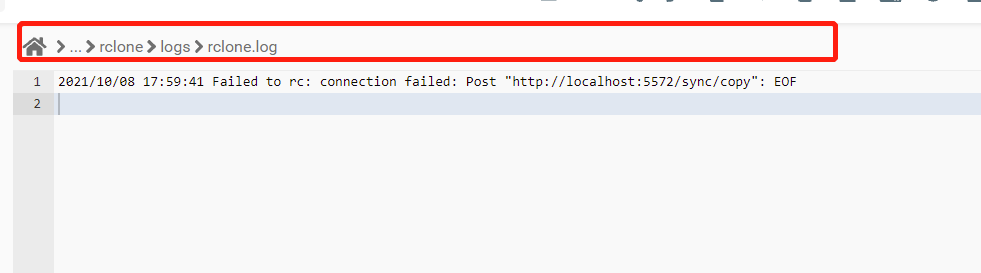
I have one time receive this message in my log ,but ,it dose not appare again in other times
-
I also try to find some html in docker but nothing results too
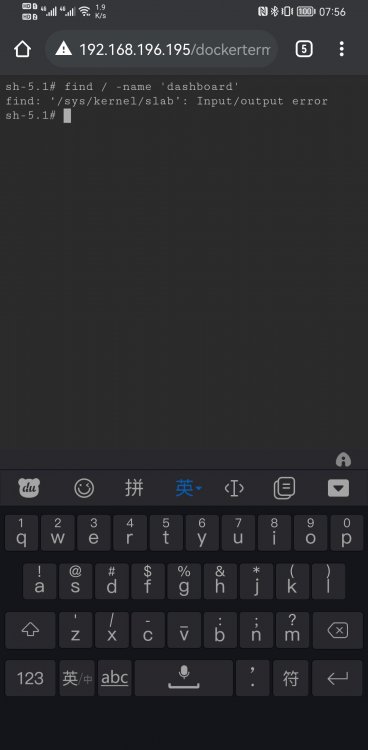 also the same results,I Have try many ways to solve this problems but get nothing. so I try to connect with you. Help me!i just use chrome or IE but got the same results
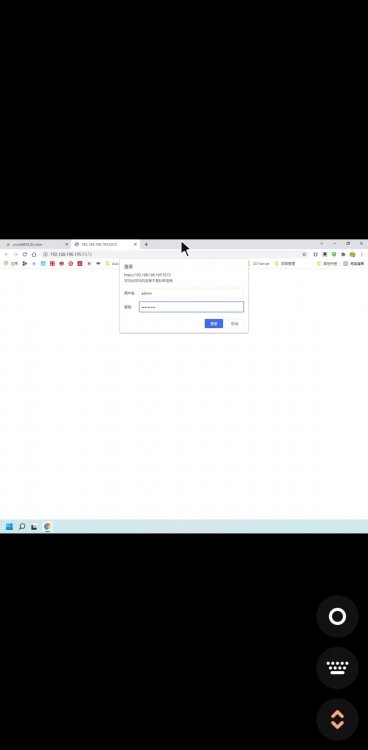
 if i type the wrong value i can't get anything or like screenshot below .also with the pc broser with the same results.
i can touch the 5572 port and with auth too
if i type the wrong value i can't get anything or like screenshot below .also with the pc broser with the same results.
i can touch the 5572 port and with auth too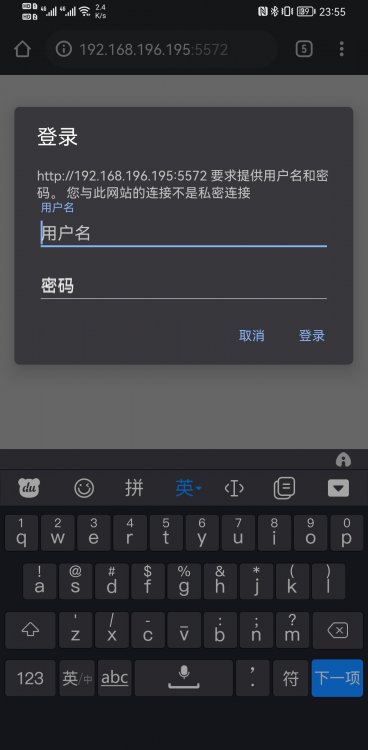

 don't work also. I have chack all the things but only got results like this
yes i use the unraid,but i change the route of the based Command: create --name='Rclone' --net='bridge' --privileged=true -e TZ="Asia/Shanghai" -e HOST_OS="Unraid" -e 'RCLONE_CONFIG_PATH'='/config/rclone/config/rclone.conf' -e 'RCLONE_MEDIA_SHARES'='/NAS/01_WorkSyn,/NAS/03_Backup' -e 'RCLONE_REMOTE_NAME'='aliyun' -e 'RCLONE_SLEEP_PERIOD'='24h' -e 'RCLONE_USER_FLAGS'='=admin' -e 'RCLONE_OPERATION'='copy' -e 'RCLONE_DIRECTION'='localtoremote' -e 'RCLONE_POST_CHECK'='yes' -e 'ENABLE_WEBUI'='yes' -e 'WEBUI_USER'='admin' -e 'WEBUI_PASS'='XXXXXXXXXX' -e 'UMASK'='000' -e 'PUID'='0' -e 'PGID'='0' -e 'RCLONE_POST_REPORT'='differ' -p '53682:53682/tcp' -p '5572:5572/tcp' -v '/mnt/user/NAS/':'/NAS':'rw' -v '/mnt/user/appdata/binhex-rclone':'/config':'rw' -v /etc/localtime:/etc/localtime:ro 'binhex/arch-rclone
don't work also. I have chack all the things but only got results like this
yes i use the unraid,but i change the route of the based Command: create --name='Rclone' --net='bridge' --privileged=true -e TZ="Asia/Shanghai" -e HOST_OS="Unraid" -e 'RCLONE_CONFIG_PATH'='/config/rclone/config/rclone.conf' -e 'RCLONE_MEDIA_SHARES'='/NAS/01_WorkSyn,/NAS/03_Backup' -e 'RCLONE_REMOTE_NAME'='aliyun' -e 'RCLONE_SLEEP_PERIOD'='24h' -e 'RCLONE_USER_FLAGS'='=admin' -e 'RCLONE_OPERATION'='copy' -e 'RCLONE_DIRECTION'='localtoremote' -e 'RCLONE_POST_CHECK'='yes' -e 'ENABLE_WEBUI'='yes' -e 'WEBUI_USER'='admin' -e 'WEBUI_PASS'='XXXXXXXXXX' -e 'UMASK'='000' -e 'PUID'='0' -e 'PGID'='0' -e 'RCLONE_POST_REPORT'='differ' -p '53682:53682/tcp' -p '5572:5572/tcp' -v '/mnt/user/NAS/':'/NAS':'rw' -v '/mnt/user/appdata/binhex-rclone':'/config':'rw' -v /etc/localtime:/etc/localtime:ro 'binhex/arch-rclone hey,thanks for your work, i work with docker all brealiant ,but i cant get the gui web with the 'ENABLE_WEBUI=YES' I only get the page '404 page not found'



