C-Dub
Members
-
Joined
-
Last visited
Everything posted by C-Dub
-
Hi, everything on Prowlarr was working great until today. Now I get this error message when I try to access it: database disk image is malformed database disk image is malformed Version 1.2.2.2699 Here's my log: I tried to uninstall binhex-prowlarr and reinstall, but I still get this error. Any way to fix this? I don't mind starting Prowlarr again from scratch but I don't know enough about Unraid/Docker/databases to fix this without help.
-
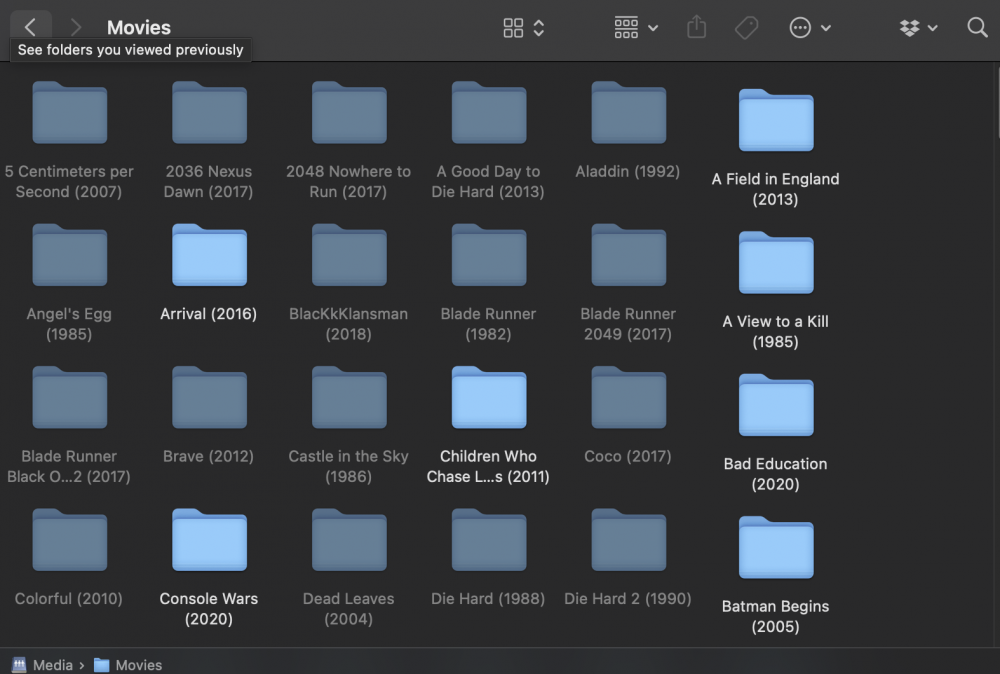
Hi, When I try to access my share through Finder on macOS some of the folders seem to be faded (screenshot attached). I can't access them on macOS at all, and I also think this is causing some errors when trying to watch these files on Plex on my Apple TV. Strangely enough, I can browse them through the WebGUI and they also browse fine on a Windows device I have. Any idea what might be happening?