





ApriliaEdd
Members
-
Joined
-
Last visited
Everything posted by ApriliaEdd
-
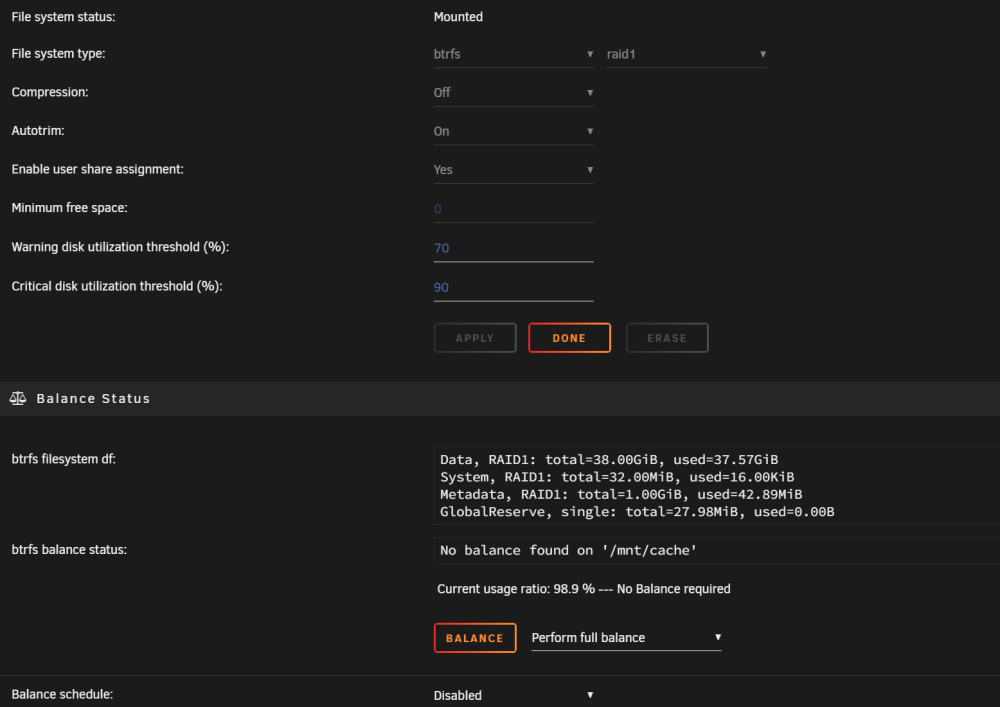
couple more questions kind of linked though. the pool with only 2 drives in is showing as 98.6Gb used. given what you said above about data being mirrored to 2 drives i assume this is because the number of slots is still 3? once I've removed both smaller drives, can I then move/reassign the 2Tb drive to "cache" and change the number of slots to 2 so it will run with 1x 2Tb drive with a spare slot ready for another 2Tb drive when I'm ready?
-
Hallelujah! its working thanks for your continued help
-
ok this makes sense stopping array now to try
-
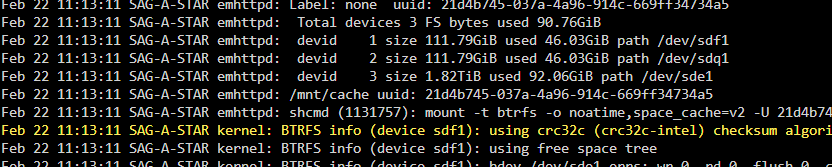
@JorgeB new diagnostics does it seem weird that there is exactly double the data on the 2Tb drive as each of the two 120's? sag-a-star-diagnostics-20240222-1125.zip
-
@JorgeB as requested sag-a-star-diagnostics-20240222-1114.zip
-
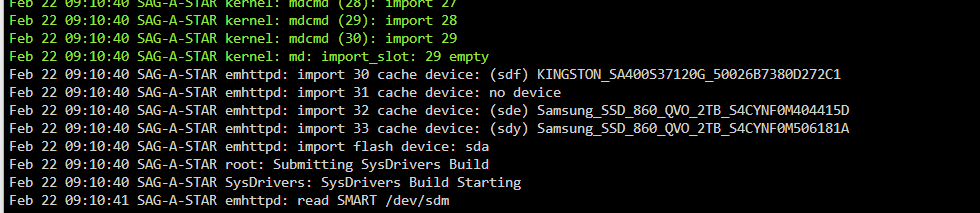
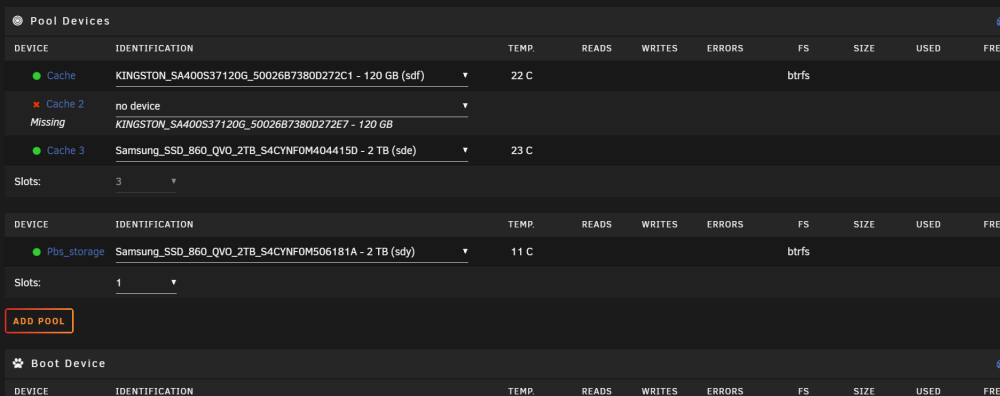
@JorgeB Morning, new day same problem. Stopped the array, removed one of the 120Gb disks and hit start 🤞........same thing as yesterday "Wrong Pool State". ran a scrub: no errors, ran a balance which took 20 mins but completed without error, and tried again same story. but, I had the logs open when I deselected the 120Gb drive and noticed this Does it think i have 4 drives in the cache? (sdy) is in another pool and has never been part of the cache So I guess next question is how do I correct this? that pool is used for a specific share for a proxmox backup server VM that didn't like being on the array.
-
I think you've cracked it! Thanks for your help today I'll try to remove one of the smaller drives tomorrow.
-
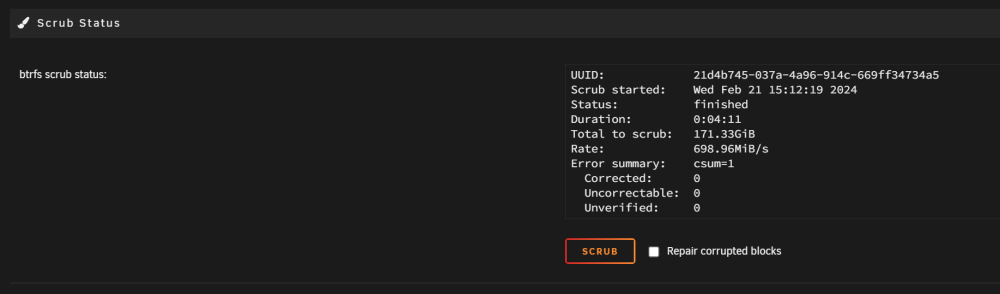
scrub finished Syslog memtest is a problem, server is in the loft without a screen as i lent it to a mate. i will have to run that at a later date how do I go about backing up the pool? do i just share everything and back it up to another PC?

-
@JorgeB the balance for converting runs for about a second then stops hope the video works convert to raid 1.mp4 sag-a-star-diagnostics-20240221-1407.zip
-
@JorgeB Diagnostics attached as requested sag-a-star-diagnostics-20240221-1359.zip
-
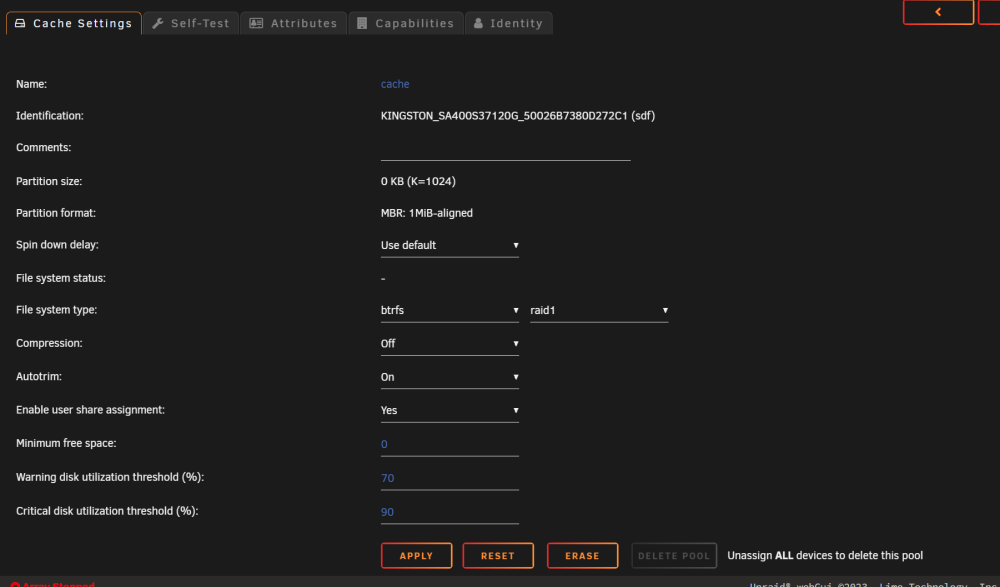
I have repeated the removal of all drives, start array, stop array. i figured out that if I reassign all the drives in the same places but before i start the array i can click the "cache" drive and I can change the file system type from "Auto" to "btrfs" and then choose "raid 1" should I apply this or will i lose my data?
-
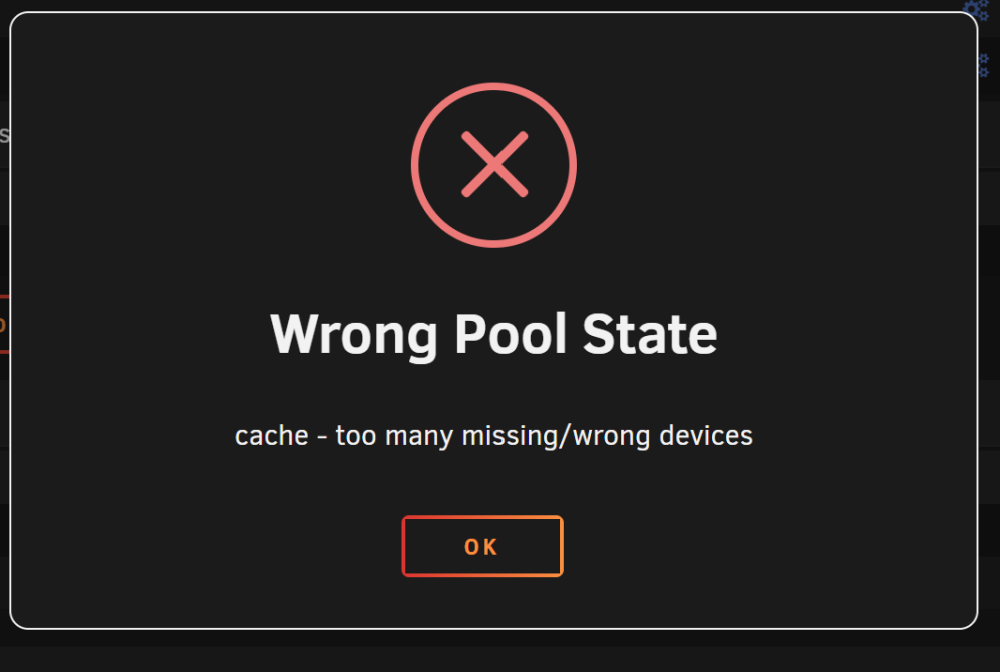
still the same situation. I try to remove disk and it wont start the array then

-
no ssh windows open that i'm aware of. rebooting worked and allowed me to stop the array. before I do this should I set all shares to array primary and run mover to move all data off the cache pool or will data survive this?
-
I saw this this morning and was thinking the same problem at the moment is it wont stop the array from the gui. I've tried from 2 different pc's sag-a-star-diagnostics-20240221-0915.zip
-
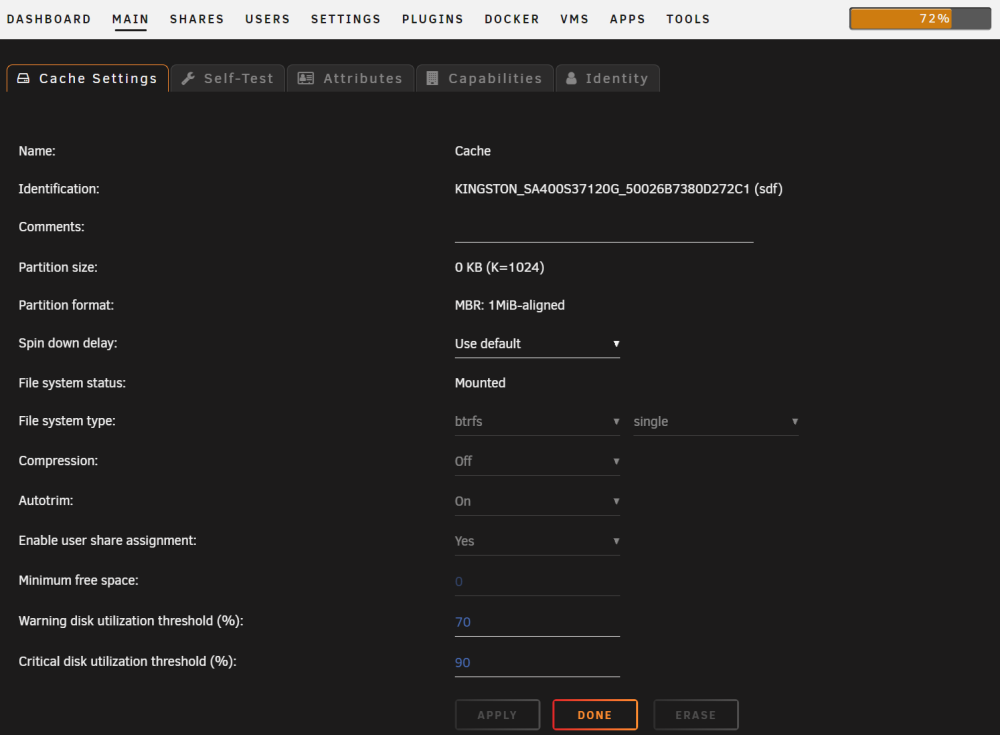
ok i converted to raid 1, current status is stopping the array and selecting no device for one of the 120gb drives gives this when starting array ive stopped anything i can think of that will use the cache for now while its so small
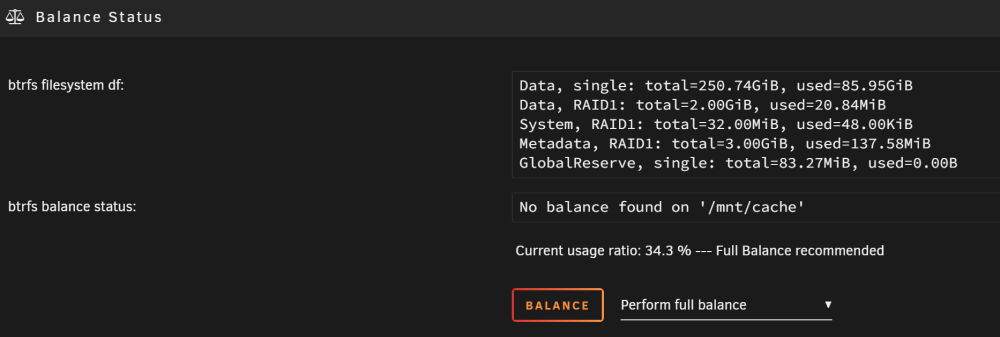

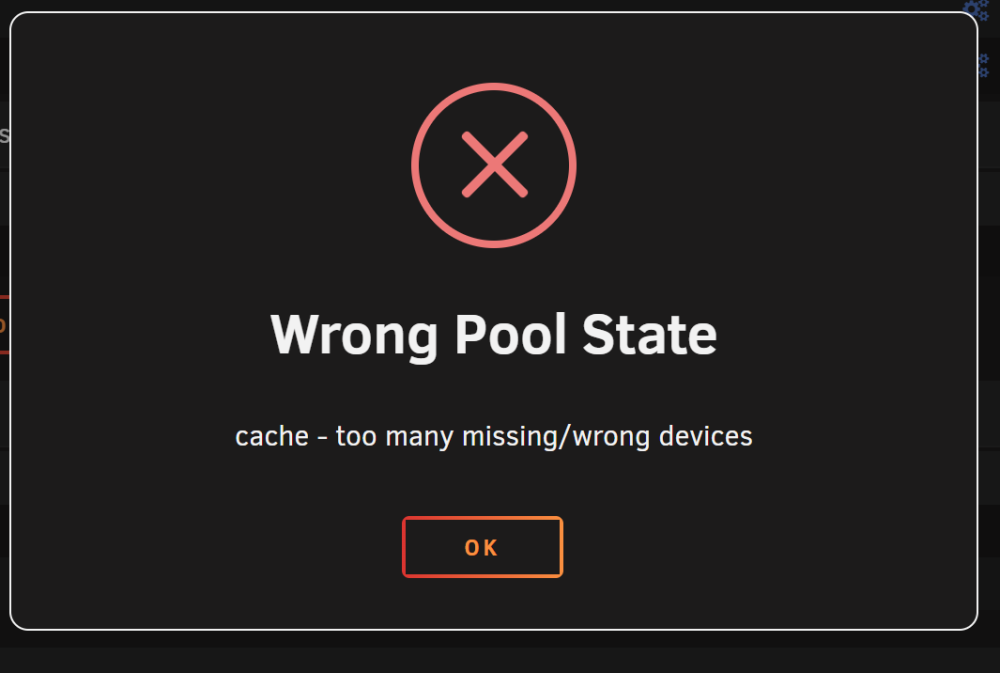
-
thanks, ill let you know how i go its doing a preclear of a disk at the moment
-
so i just select convert to raid1 mode in the gui and let it do its thing then remove the 2 small drives 1 by 1?
-
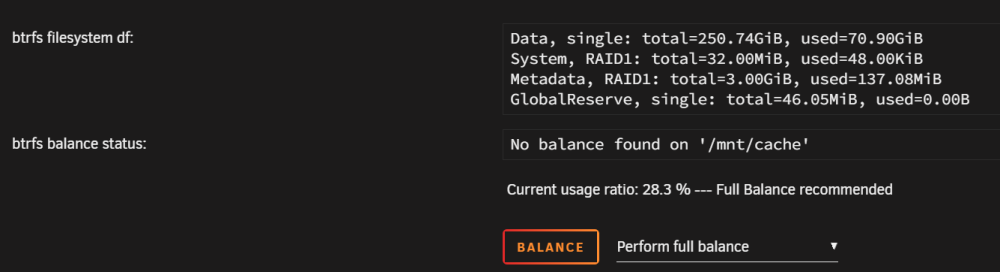
I don't really know where to start here. when I first set up my unraid I remember getting confused with setting up the cache but got something that worked so moved on. the time has come now to try to fix that mess as I need the sata ports. I have 3 SSD's in my cache pool, 1x2tb and 2x 120Gb I plan to get rid of the 2x120Gb ones leaving the 2Tb one in the cache pool on its own to give me 2 extra ports for other things. I'm not entirely sure how to do it though from this it looks to me that I've somehow created a hybrid pool is there a way without destroying anything to remove the cache completely and re create it with the one drive only?

-
no, there is no Lost + Found share that I can see. new diagnostics attached sag-a-star-diagnostics-20240210-1432.zip
-
it appears to be back online. data seems to be there. was there any indication in the diag file as to what could have caused it? I've been having issues recently with Pbs_storage pool showing as empty and a reboot is required to have it show data again which was why I rebooted this morning. i suspect that this might be to do with my disk shelf but have not confirmed this yet. marking as solved many thanks fellas 👍 you guys rock
-
results Phase 1 - find and verify superblock... Phase 2 - using internal log - zero log... ALERT: The filesystem has valuable metadata changes in a log which is being destroyed because the -L option was used. - scan filesystem freespace and inode maps... clearing needsrepair flag and regenerating metadata - found root inode chunk Phase 3 - for each AG... - scan and clear agi unlinked lists... - process known inodes and perform inode discovery... - agno = 0 - agno = 1 - agno = 2 - agno = 3 - process newly discovered inodes... Phase 4 - check for duplicate blocks... - setting up duplicate extent list... - check for inodes claiming duplicate blocks... - agno = 0 - agno = 1 - agno = 3 - agno = 2 Phase 5 - rebuild AG headers and trees... - reset superblock... Phase 6 - check inode connectivity... - resetting contents of realtime bitmap and summary inodes - traversing filesystem ... - traversal finished ... - moving disconnected inodes to lost+found ... Phase 7 - verify and correct link counts... Maximum metadata LSN (1:259292) is ahead of log (1:2). Format log to cycle 4. done should i try to restart the array now?
-
running check on disk 13 without -n results in Phase 1 - find and verify superblock... Phase 2 - using internal log - zero log... ERROR: The filesystem has valuable metadata changes in a log which needs to be replayed. Mount the filesystem to replay the log, and unmount it before re-running xfs_repair. If you are unable to mount the filesystem, then use the -L option to destroy the log and attempt a repair. Note that destroying the log may cause corruption -- please attempt a mount of the filesystem before doing this.
-
Hi, After a reboot this morning I get this error on one of my drives in the array. is it dead or is there something I can do to get it back before I swap it out? I've attached a diagnostics dump in case it s needed. thanks for any help offered. Edd sag-a-star-diagnostics-20240210-1202.zip
-
the Disk array is an HPE 3PAR M6710 24x2.5" and i used a Dell H200e HBA card Both sourced from Ebay
-
Well I'm shocked, i don't appear to have broken anything. Well not so far anyway. I've even installed my new external HBA card and disk shelf and the test drives have appeared on my server. I'm calling today a success 🍻 thanks again for your help.



