





Benjamin Weynen
Members
-
Joined
-
Last visited
-
Sali @alturismo. Sali, Danke nochma für die Hilfe!!!
-
Danke Merci Grazie!!!
-
Woran sehe ich das dann, dass es der richtige Kernel ist? Oder Überhaupt. Macht es das USBTOOL dann automatisch. Also ich gehe ja davon aus. Sag ja nicht das ich nix falsch gemacht hab. Also wenn ich den Stick neu beschreibe und dann im Unraid das Backup aufspiele bleibt der Richtige Kernel bestehen?
-
Das der NUC falls es interessiert. https://www.tomshardware.com/news/intel-nuc-9-extreme-kit-price-specs
-
Sali, Ist ein NUC mit DGPU PCIe 16x gen3. Und wegen dem DERDIEDAS ist es Das Kernel, Der Kernel oder Die Kernel. Hab ja geschrieben das ich Linux, wie viele andere, nicht so oft benutze und wenn die nötigsten Dinge selbst hinbekomme. (du hast doch geschrieben dass der Stick komplett neu gemacht wurde ? dann ist es ja "frisch" und "clean") und das frag ich mich ja auch!? nucbunker-diagnostics-20240208-2033.zip
-
Hallo, Ich habe das Problem das ich den Nvidia-Treiber vom guten ich777 auf meinem Unraid nicht zum laufen bekomme bzw gar nicht erst installiert. Habe das problem Ich777 mitgeteilt und er hat herausgefunden das ich ein Custom-Kernel installiert habe. (Linux 6.6.0-rc3-next-20230925-thor-Unraid+ x86_64) Und es deswegen es nicht geht. Weil sein Treiber nur auf offiziell von Unraid unterstützen Kernels funktioniert. Ich erinnere mich wage daran, als ich noch einen ausrangierten HP-Server nutzte, das ich da mal was mit den Customs rumgespielt habe. Was ich damals mit bezwecken wollte weiß ich heute auch nicht mehr. Mittlerweile habe ich einen IntelNUC als Server. Nach einjährigem Experiment "WIN-Server", bin ich wieder auf Unraid zurück. Ich nutze den Server als Medien- und Backupserver. Da habe ich dann einen neuen USB-Stick genommen, mit Unraid-USBTool beschrieben und meinen alten KEY der Unraid-Lizenz auf den neuen Stick von Unraid online "Freigschaltet". Und habe kein Backup geladen. Unraid frisch aufgesetzt in Prinzip. Jetzt habe ich mir eine Nvidia T400 für Plex zugelegt. Nun bekomm ich wie geschrieben den Treiber nicht installiert. Jetzt bin ich auch kein Linux experte. Ich möchte eigentlich nur wissen, ob ich "derdiedas" Kernel so ändern kann. Oder ob ich Unraid quasi neu aufsetzen muss. Und wo kommt derdiedas Custom-Kernel her?? Wenn ich doch das Unraid-USBTool genutzt habe und ich denke habe das einfach Standardmäßig den Stick beschreiben lassen. Danke für jede Info
-
Sorry, I'm not that deep into the topic. But what does “custom kernel” mean exactly? What would I have to do to get your driver to work?
-
I executed the command and restarted, the error still exists. and now I will send you a current diagnosis according to the procedure and errors. Thanks for your help. Is there a way to manually download and install the driver? nucbunker-diagnostics-20240205-1504.zip
-
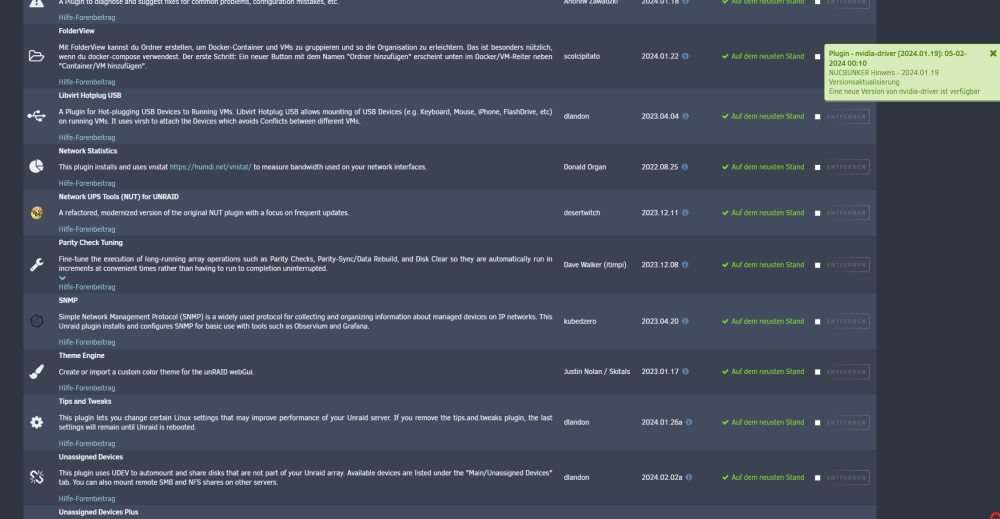
🤨 i dont understant this failure 😅
-
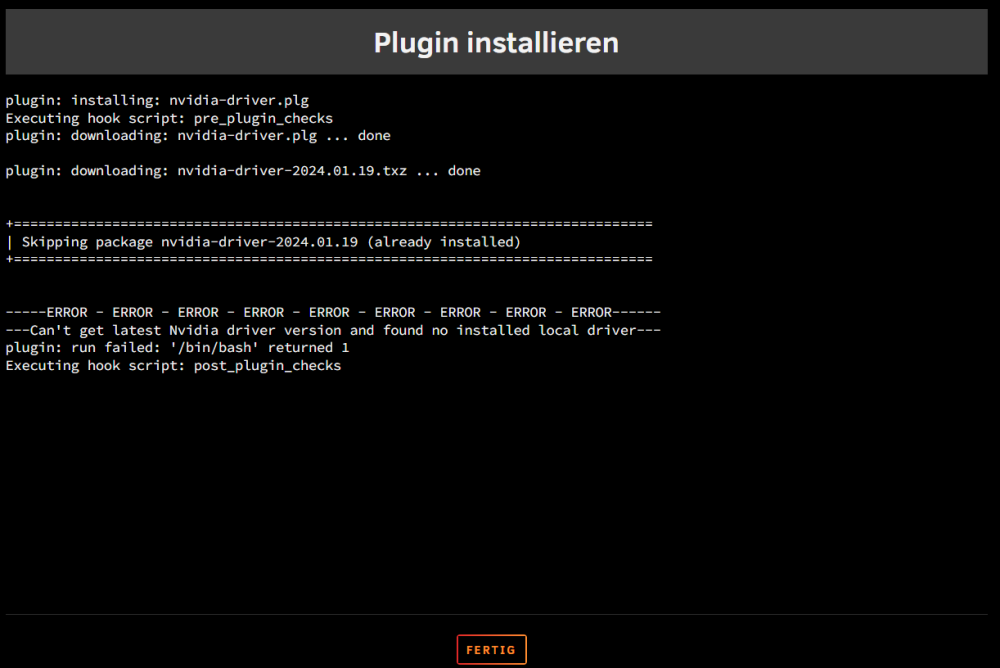
almost the same issue
-
Not Unifi-switch bud an Brocade-Switch. is there the problem? i try to change the LAN temporary to check
-
At the moment it says in CA that the driver is pending?
-
I also have a pihole but the blocking is currently switched off
-
ican open the link in switzerland iam located and I have previously used your driver on another unraid without any problems
-
the same error everytime


