





stereopine
Members
-
Joined
-
Last visited
Everything posted by stereopine
-
Perhaps it was a problem with the user scripts environment or the fact that it was an SSD? Anyway, I got worried about the SSD health, so I aborted the script. Unfortunately, the disk writes didn't stop (turns out that the write command was still running in the background). I tried killing it, but the writes didn't stop. I tried rebooting, but the reboot button didn't work, so I had to do it from the terminal. In the end, since the disk was empty, I decided to shrink my array using the traditional method of rebuilding the parity, which is happening right now (hopefully that will actually finish). Thanks for the help
-
Hmm, could be, but I do see the drive getting hit But the script doesn't say much

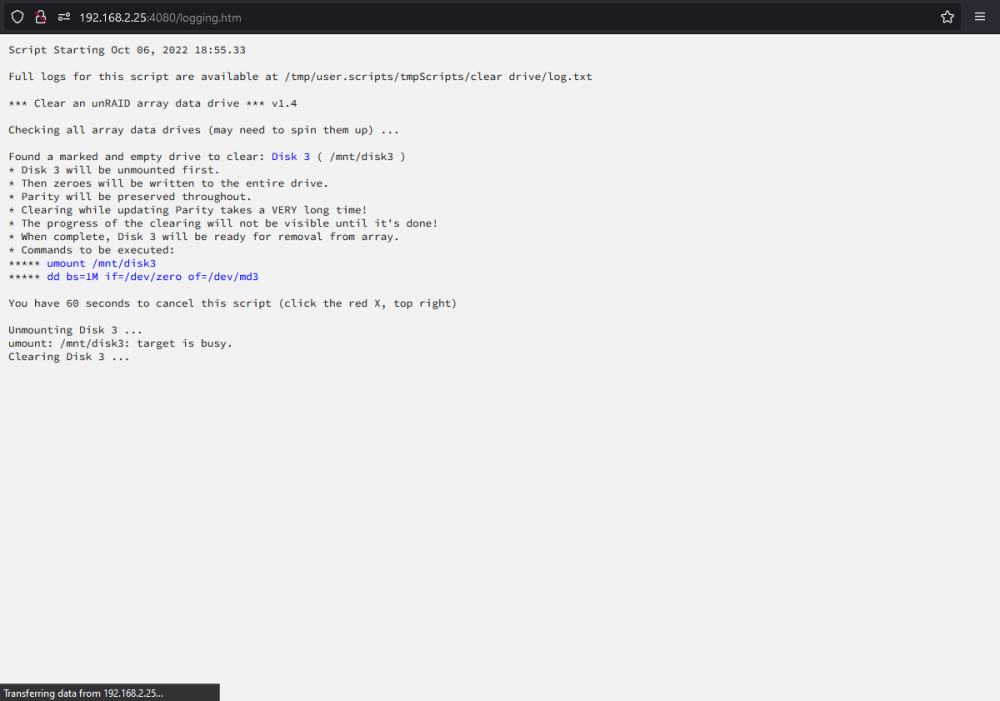
-
Hi, I enabled reconstructed write. The array consists of 3 data drives and 1 parity drive. All of them (including parity) are 2TB except for the SSD that I'm clearing which is 1TB. The parity drive is a WD Red drive (I think it's SMR), but even if it was slow, I would have expected it to complete by now. What do you think?

-
Hi, I'm following the steps from the "Clear Drive Then Remove Drive" Method from this guide https://wiki.unraid.net/index.php?title=Shrink_array#The_.22Clear_Drive_Then_Remove_Drive.22_Method to reduce the size of my array. I decided to clear a 1TB SSD, so I started the script last night. It is now morning and the script is not done and I see that it is still writing to the disk and the parity drive. Should I stop the script? It's been like 10 hours. Thanks
-
I'm seeing the same thing, but also the data seems to be ok which is good



