Kratos_
Members
-
Joined
Everything posted by Kratos_
-
APC make great UPS units with silent modes available, but you're extremely limited with your budget. Cyberpower are an alright brand and more affordable, plenty of people on here use them. Just make sure to research the model before deciding.
-
Hi Everyone, I am trying to find some additional 3.5 HDD cages for my Fractal Define R5 case. I'm currently using the x8 total bays it comes with (1x3 bay and 1x5bay) and want to add more storage but it has been pretty much impossible to find the original hdd cages (looking for another x4 to replace the x3 with). It looks like my only option (short of finding the fractal ones in the UK) is to mod the case and add off brand ones. Has anyone modded the R5 case to add more drive slots and have any ideas you can share with me? This is how I have my HDDs set up so far (I've added a other drive since taking this pic)
-
@ljm42 Thanks! I've been having the same issue and this solved it for me also.
-
-
-
Disk Utilization is disabled (set to 0)
-
Haha, duh. My bad. I don't know why I typed RAM. Corrected it. Thanks.
-
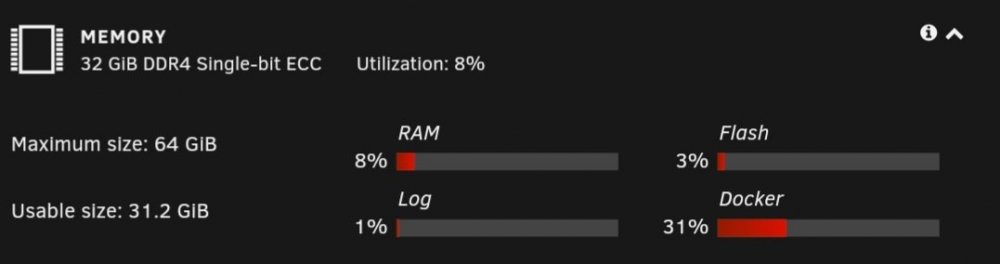
Does anyone know why my memory usage bars on my dashboard are constantly red? It's making me think there's an issue as it never use to he red. CPU and GPU are grey (as normal) it's only the Memory that's effected. It's not theme related and I haven't changed any settings. Any explanations, suggestions or ideas would be apprenticed.