





FrodoTheMagicUnraid
Members
-
Joined
-
Last visited
Everything posted by FrodoTheMagicUnraid
-
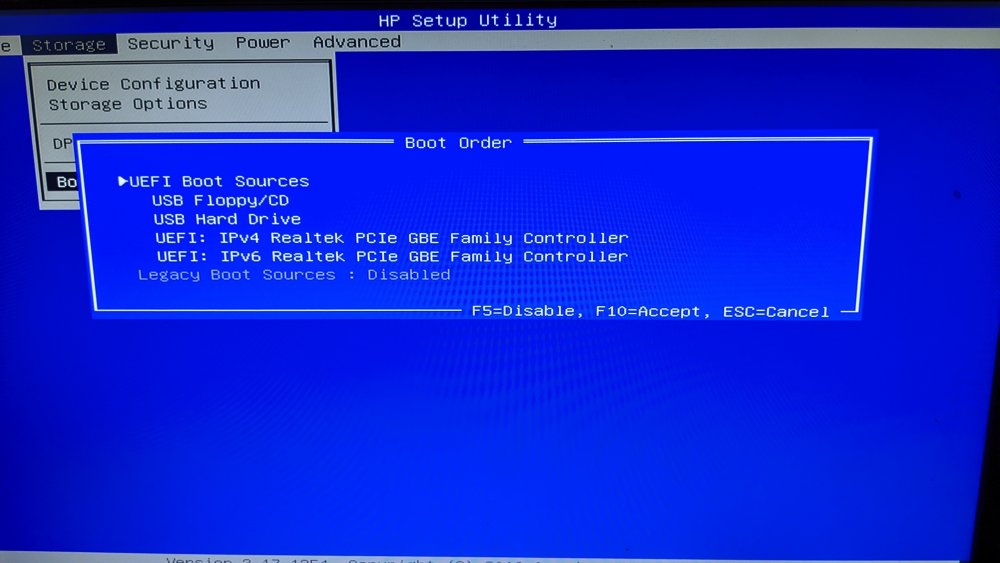
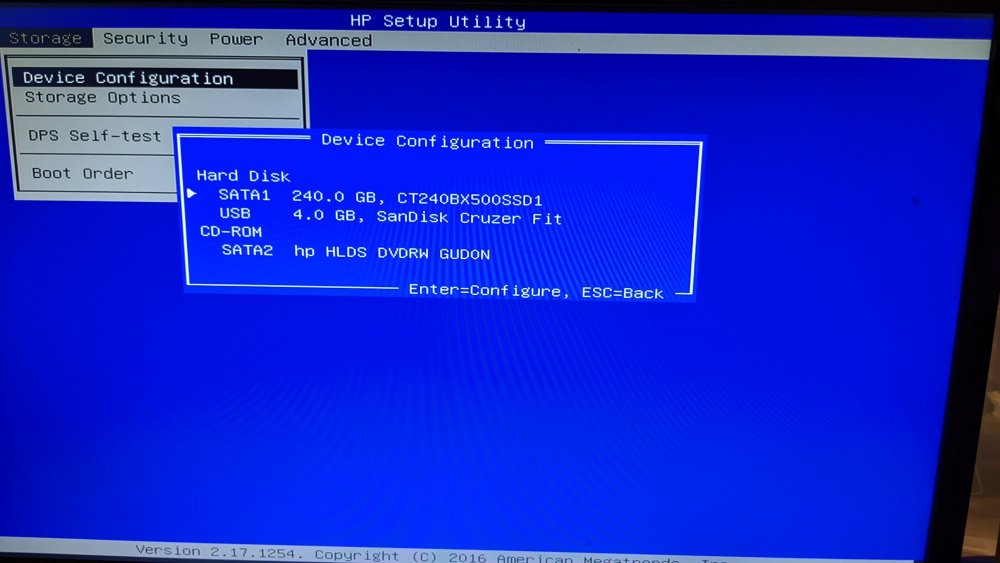
Sure. Here are pics from my boot list and what drives are appearing Thanks again!
-
When I say I tried on another PC, I mean I put the drive in while the machine was on and saw in My PC the drive appeared. I did try looking around the BIOS of my HP and it did see the Cruzer USB Stick, but for some reason its not appearing in the boot List.
-
I tried the flash drive in another PC when it was turned on and it did appear as having unraid installed. I have tried the other ports on my HP and no joy. Would I need to install another OS on a flash drive to see if it appeared on the boot menu in my HP? I have ordered another 2.0 32gb usb stick from amazon in case that was the issue (I only have 3.0 USBs and they dont let me install unraid on them). Many thanks for all the help! Its really frustrating to fumble so early in this journey!
-
When you say the BIOS. what should I be looking for? I did enter the BIOS to see the bootable order of my drives, but what I was looking for was not there. Is that what you mean?
-
I have unraid installed on a 2.0 SanDisk 4gb USB stick and have connected it to my PC via a 2.0usb port. However, when the flash drive via usb 2.0 to my PC, which is an old HP Pavilion 550-153na, the drive does not appear in the boot menu. All I see are two PCI slots (I tried them to see what happens and nothing). I do note that the new SSD I intend to use as cache is also not appearing in the boot menu, could that be related? This is the site for my PC specs, everything is standard except the Hard drive which I threw away due to data issues and replaced with an SSD. https://support.hp.com/gb-en/document/c04835128

