





Kloudz
Members
-
Joined
Everything posted by Kloudz
-
woot happy you got it resolved. I kinda ghosted everyone here, I'm sorry about that. Been very busy this week
-
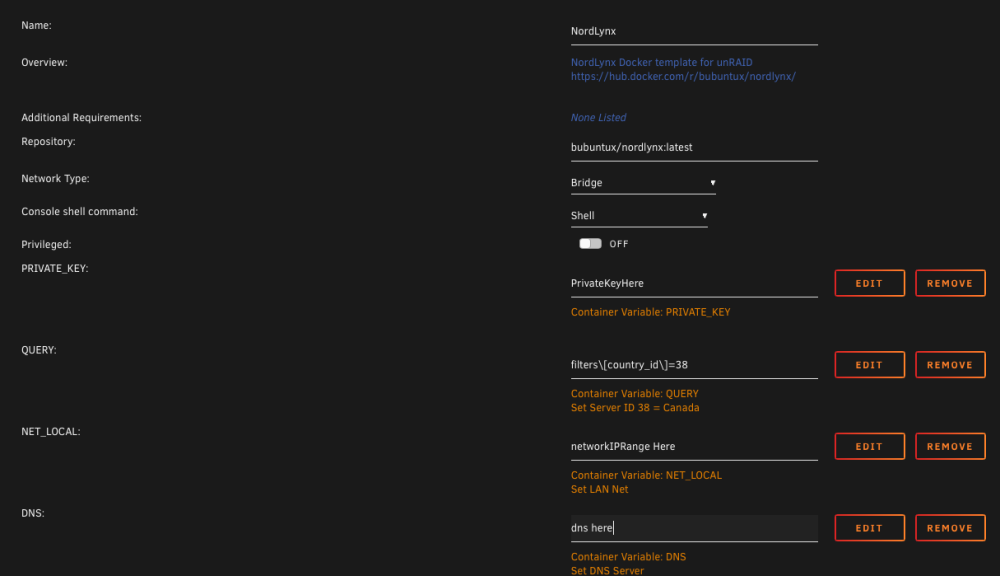
in case someone needs an example, all you need to do is QUERY a country that you'd like to connect to. The id that equals 38 is Canada. There are instructions from Nord how to query their servers using API's. Also set, Extra Parameters to "--cap-add=NET_ADMIN --sysctl net.ipv4.conf.all.src_valid_mark=1 --sysctl net.ipv6.conf.all.disable_ipv6=1"
-
make sure your NET_LOCAL includes your network. If your network or your ip ranges fall into for example 10.10.10.1 and NET_LOCAL is configured to use 192.168.1.0/24 then the container is not allowing your 10.10.10.1 into the container. If you add you add 10.10.10.0/24 then the container will let you in if your IP is 10.10.10.1.
-
This doesn't work when using TOKEN with bubuntux/nordvpn:get_private_key. But if I just run bubuntux/nordvpn:latest, TOKEN works just fine, but I'm not trying to use /nordvpn. I only use it to get my private key which you can find in the logs. And then use /nordlynx. I think we have to wait until bubuntux/nordvpn:get_private_key works with Token. I can see on nordlynx docs on GitHub that it's updated to use TOKEN instead but it doesn't work yet. Again, I think we have to wait until the container /nordvpn works with get_private_key with the use of TOKEN

-
I want to know whats going on as well. NZBHydra constantly writes to disk. I didn't notice till one day I was starring at my server and disk activity light was constantly on. Stopped NZBHydra and now activity light blinks as normal Has there been any changes lately? I moved to Prowlarr due to this issue
-
sweet thanks
-
Perfect thank you. Also, to be clear, I know its better safe than sorry but I can perform the upgrade without performing Mover. What I mean is move appdata back to the array. I could just perform the upgrade without doing that right?
-
Has anyone tried without performing the Mover method like the video? Can we just upgrade the drive?
-
I need to upgrade my cache pool soon. It's using BTRFS Raid1, what's not clear to me is that can I upgrade 1TB to 2TB without performing Mover? Can I just stop the array, Replace Cache1 (1TB) to (2TB) > Start Array > then Wait till finished? And then perform the same step but for Cache2 once Cache1 is finished? Also, what I couldn't find is that, does the order matter? Can I upgrade Cache2 first instead of Cache1? Or I would need to do it in order? I'm sorry for asking too many questions here. Like many, I don't want to lose data
-
I'm positive and USE_HDDTEMP does not help. It's OK, I just created a VM that just runs Grafana. Thank's for answering my questions.
-
Yep, restarted the container and verified that the inputs.smart block was commented out
-
Yep, I have nocheck = "standby". This is installed fresh from the App Store so not sure it would be different. That said, commented the whole block and nope, it did not resolve the issue.
-
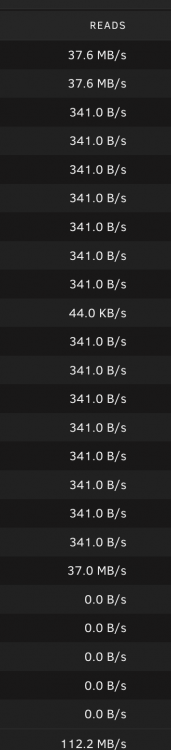
In regards to the Grafana Unraid Stack. After install, it seems to keep all my disks (SATA) active. If you notice the last 5 are not doing anything. The last 5 drives are SAS drives. It's weird that the app is keeping the other drives busy. Is there a way to fix this?
-
Been waiting for this docker to get fixed. Thank you!



