





Raventhone
Members
-
Joined
-
Last visited
Everything posted by Raventhone
-
should it atleast just move the file instead of making a copy of it?
-
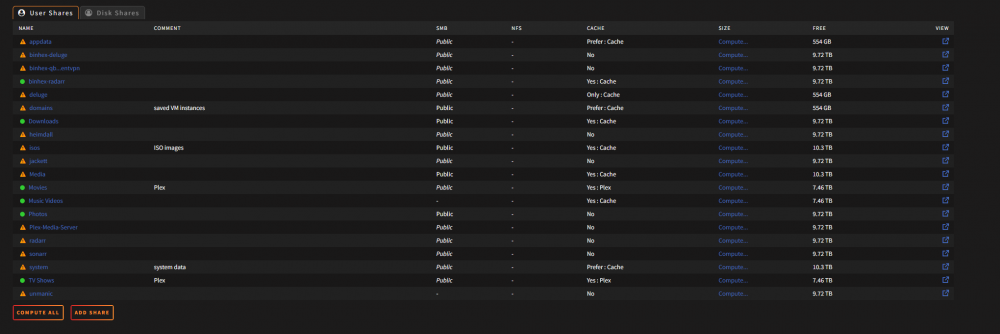
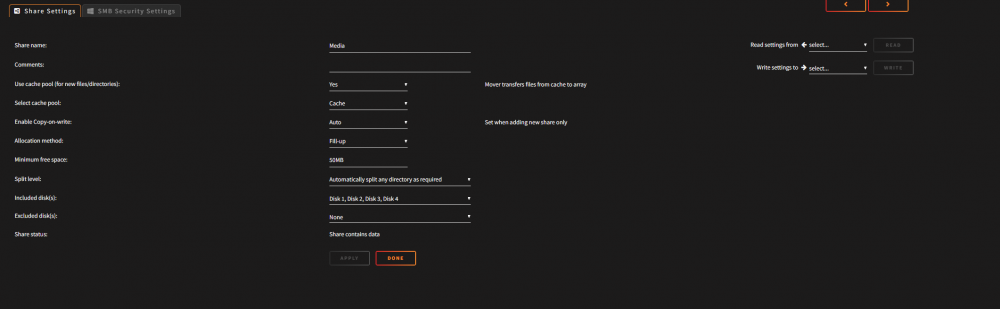
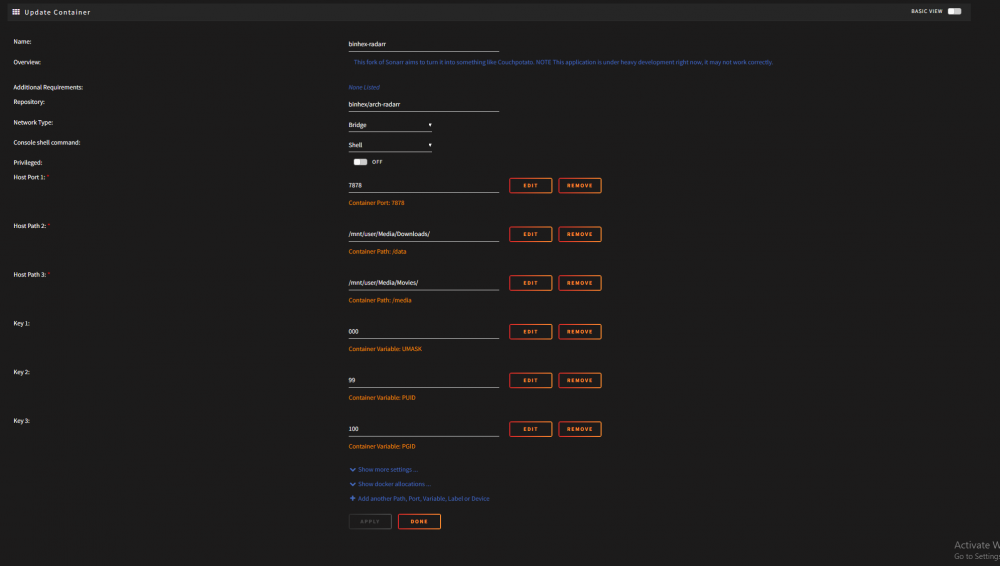
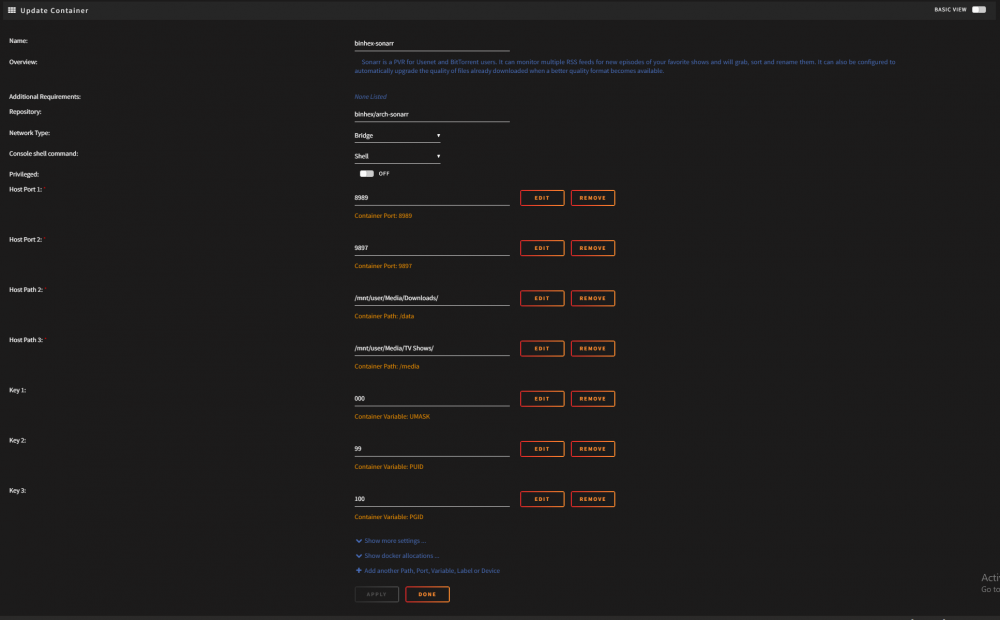
No, theres nothing in the Sonarr logs that explain as to why its not deleting the original file after it moves it to the destination its suppose to be in. I have the same issue with Raddarr. But, maybe im miss understanding. Sonarr grabs the file for the site via the indexer, sends it qbit, it downloads to a download folder. Sonnarr is suppose to move the file from downloads to TV Shows, but even if its moved it should still seed? When i had sonnar installed on my windows machine before going to unraid i didnt have the issue. Could it be that my share isnt set up correctly?


-
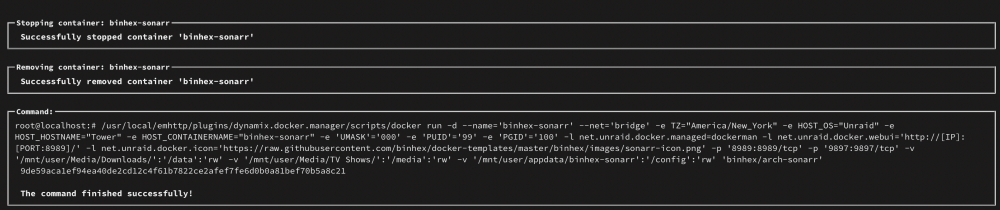
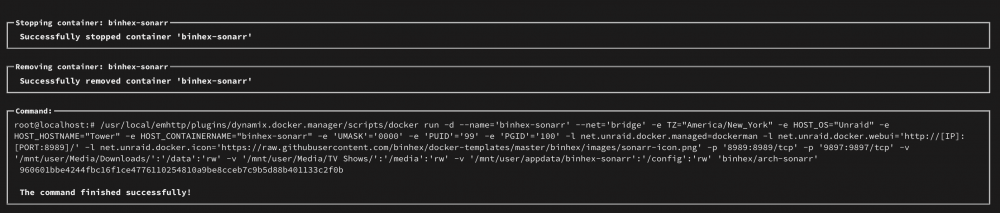
I believe I posted the command run above. Is that what we are looking for or is it something else? I’m a noob to unraid.
-
I did click on the hyperlink, problem is from what I under the docker run command prompts when installing or editing a docker image. I dont want to edit the docker to risk making more of a mess. Is there an other way to get that command prompt without installing or editing the image?
-
can you please clarify. I dont know what docker run is or how to obtain it.
-
Sorry I forgot. tower-diagnostics-20220511-0029.zip
-
Hello all !!!! Im noticed I was using a lot of disk space for the amount of media that I have. 95% of my content is 1080p. I have to manually delete my files from my downloads folder, if not I have duplicate files on my server. I dont know which one is the issue either Sonarr or Mover, After sonar moves the files to either Movies or TV Shows without issue. I have the original file sitting in downloads and a duplicate sitting in either respected folders. When I had sonarr installed on W10 it would simple grab the file from one folder and move it without creating a duplicate file. I dont know what setting I missed while installing the docker but I cant seem to figure out why it does this. Any help would be highly grateful.
-
Thank you kind sir...my windows VM is now working again...have no idea why it stopped working but im glad its working again
-
unraid-6.10.0-rc5.txt unraid-6.10.0-rc5.txt domain.cfg flash.cfg cache.cfg docker.cfg super.dat ident.cfg share.cfg network.cfg go.txt disk.cfg vfio-pci.cfg libvirt.txt docker.txt vfio-pci.txt syslog.txt Windows 10.txt appdata.cfg r----r.cfg s----r.cfg domains.cfg b-----------e.cfg b-----------r.cfg W-----------s.cfg W--------0.cfg M---a.cfg M----s.cfg h------l.cfg isos.cfg G---s.cfg system.cfg b-------------------n.cfg d----e.cfg u-----c.cfg R---------e.cfg shareDisks.txt P----s.cfg T------s.cfg D-------s.cfg M----------s.cfg T--------p.cfg j-----t.cfg t--p.cfg P---------------r.cfg ST4000DM004-2CV104_ZTT2XBGF-20220503-2054 disk1 (sdc).txt _USB_DISK_3.0_0700139C81E07704-0-0-20220503-2054 flash (sda).txt ST4000DM004-2CV104_ZFN1KDFW-20220503-2054 parity (sdb).txt ST4000VN000-1H4168_Z3032VNC-20220503-2054 disk2 (sde).txt ST4000VN008-2DR166_ZDH1RJ2Z-20220503-2054 disk4 (sdd).txt ST4000VN000-1H4168_Z306JWT5-20220503-2054 disk3 (sdf).txt ADATA_SX8100NP_2J4720012214-20220503-2054 cache (nvme0).txt eui.00000000010000004ce00018dd8c9084-20220503-2054 cache (nvme0).txt cmdline.txt unraid-api.txt plugins.txt motherboard.txt iommu_groups.txt ethtool.txt folders.txt lsmod.txt lsscsi.txt loads.txt memory.txt lspci.txt meminfo.txt lsusb.txt urls.txt top.txt ps.txt vars.txt lscpu.txt lsof.txt df.txt ifconfig.txt Windows 10.xml Windows 11.xml Ubuntu.xml
-
Sorry im still pretty new to unraid...how do I get the diagnostic files for the VM?
-
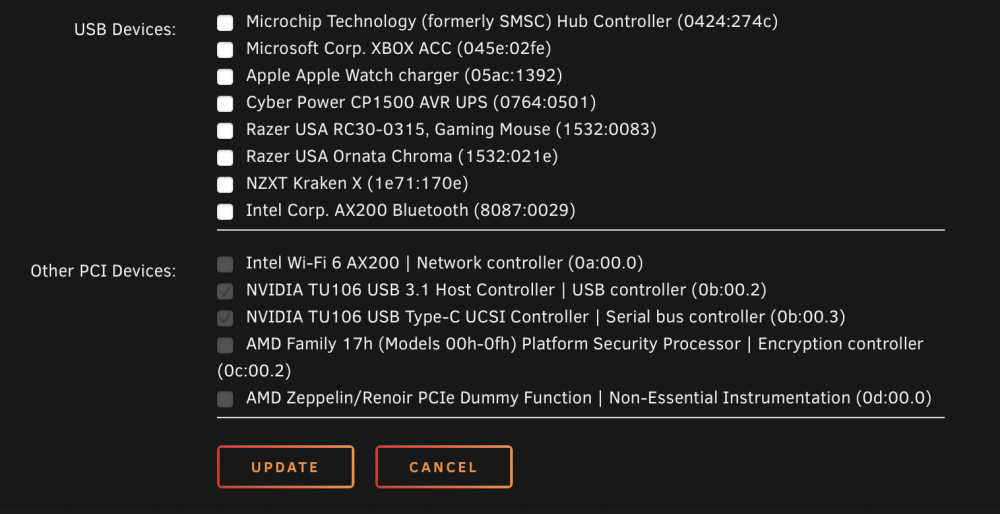
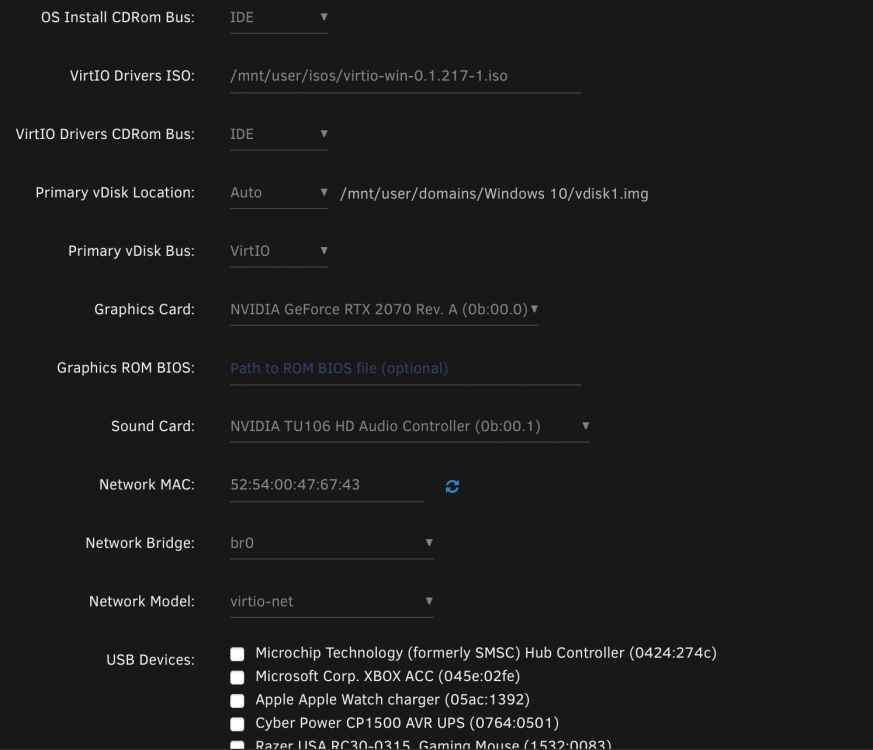
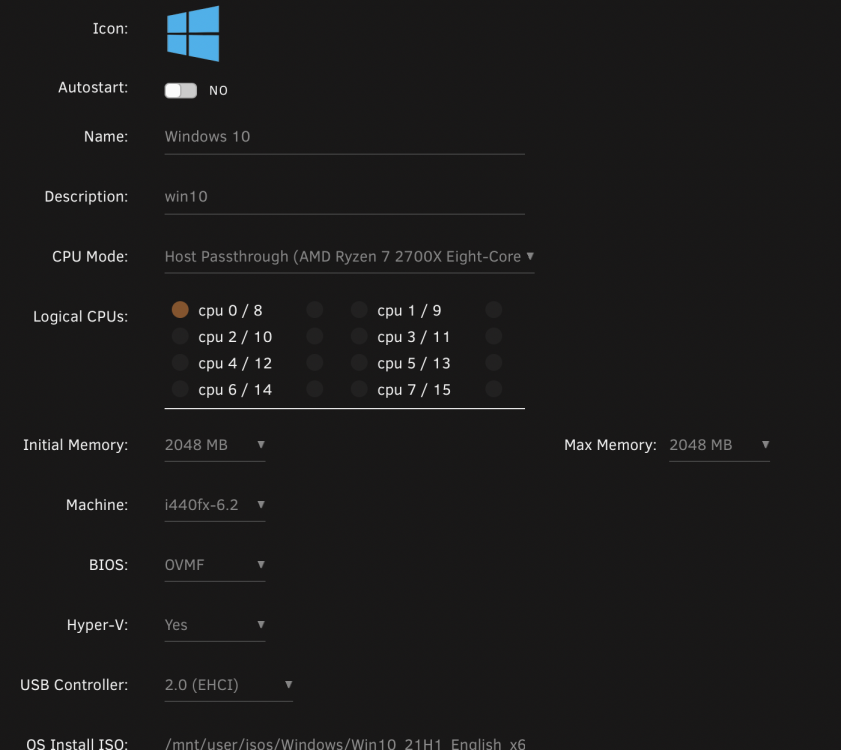
Hello, Hopefully one of you amazing peoples can help me with an issue that I am having. I had a win 10 vm working perfectly fine, I was gaming on it and had no issues with video outputs to my dual monitors. I moved to an other house and when I hooked up my sever again my windows 10 vm stoped outputting my video. I didn't make any changes when I moved, since it wasn't working I nuked my vm and attempted it again. I can see the windows desktop and do everything via VNC within unraid but not my monitors. My linux vm outputs video without any issues. Attached are my logs for the VM from start up. I also attached images of my config of the windows 10 vm, same set up for my windows 11 vm expect for passing though the TPM. Any ideas or help would be awesome. I dont use my graphics card for anything but the VM. Win 10 VM Log.docx
-
Thank you guys for helping me with this. I was able to format my drives properly and start over.
-
Thank you! I see where it gives the format option now. How would I format the cache drive as well? Add-on question, after I format the drives, will my shares, dockers and things be as if it was a new install or will I also need to format the usb drive and move the key mover. Doe the USB UUID stay the same even after format.
-
When you say format..I’m assuming your talking about, on the dashboard going into the disk maintained and changing the file system and then saving and clicking erase?
-
No that I have not tried. I will try this later and update if it fixes the issue. I truly hope it does. I been trying to accomplish this for a week
-
The info on the disk remained after click erase. All for some odd reason I delete a VM and reboot my server the VM I just deleted comes right back. I honestly dont know what is happening to the system. I wish there was a start over button lol.
-
Hello!!! Newbiee here! I would like to start my unraid server back up from scratch. Meaning I want the cache drive to be blank and my array to be blank as well. I dont care about losing the config or appdata as I want to start brand-new. I have my key downloaded on a separate machine. My windows 10 VM just stopped working out of no where. It was running perfectly fine then all of sudden it wouldn't play any of my games. My RTX 2070 is passthroughed, I already checked my 2070 on a different system to see if its my GPU that died or something crupted on my array. I understand that each time unraid boots its a "clean" install of unraid as it unpacks itself into RAM and operates there. I have tried the change of file system of each disk on the array and then changing it back to xfs causing the system to rewrite over the disk, which would solve my problem but didn't work (not sure if I did it correctly). I also have tried turning off the array and going into the disk and click erase and then typing yes on the pop up should format the drive to zero but it didn't seem to work for me. Yes I also unmuted the parity drive and put it in a disk slot and did the same as the other drives, to prevent the parity disk to attempt to recover the files. Also not sure if I did that properly or not as all my data is there and functional. Please tell me how I can delete all the data on the array and cache drive so I can start brand new. The other reason why I want to start brand new is due to my shares being set up incorrectly and now I know how to set them up correctly, so they live on the cache drive and not the array and my Sonnar and raddar are also set up incorrectly (leaves duplicate files after S or R finishes the import process to my Plex folders).


