





Knight2339
Members
-
Joined
-
Last visited
Everything posted by Knight2339
-
I did this but the issue hasn't gone away, has anyone else noticed in the text theres a "lan device" mentioned?
-
I am also having the same problem as above and my setup is exactly the same apart from I did the unraid update to 7.2.3
-
Thank you 👍Its using it now and rock solid at about 258mb/s
-
thanks for the reply, how do I do that?
-
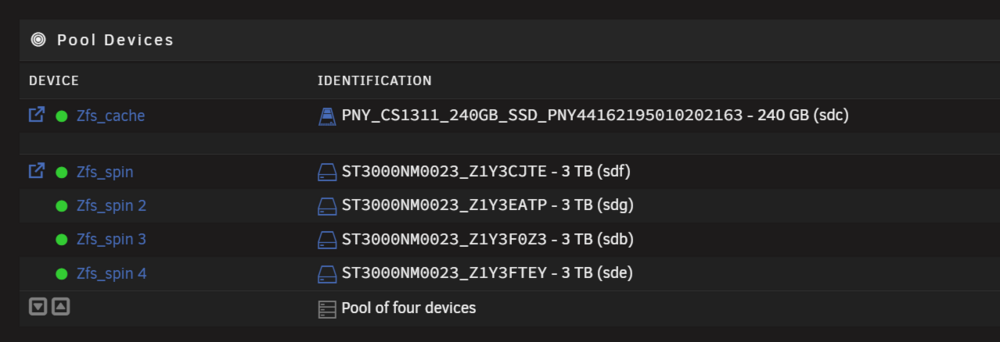
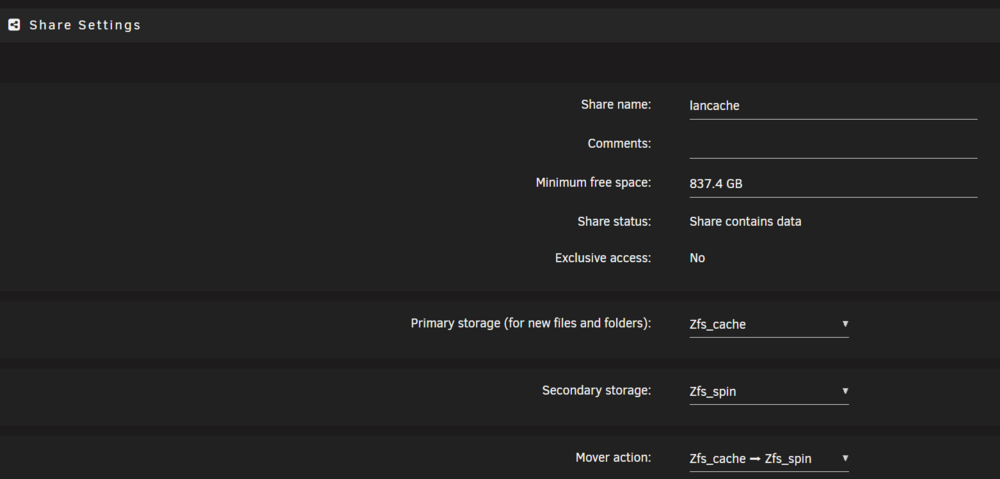
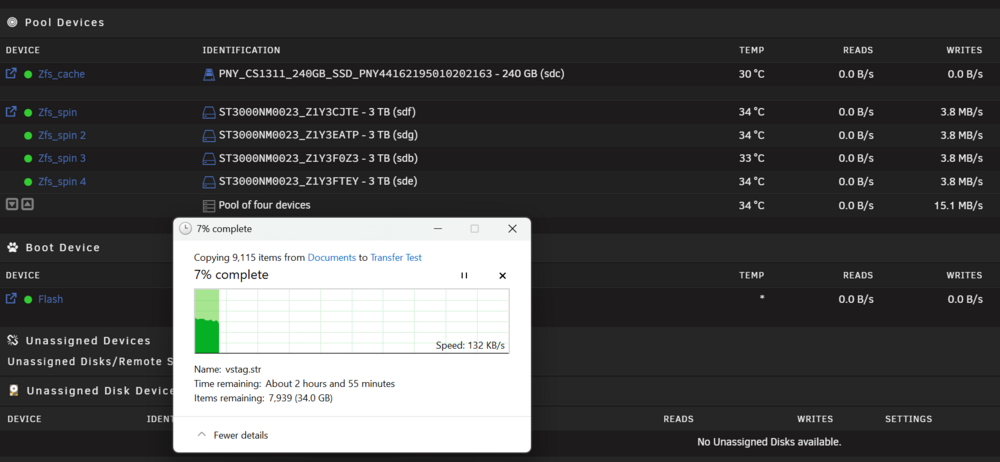
Hi, I did have a search and look but nothing seems to match the issue I am/seem to be having. I setup a zfs_pool of 4 HDD's about 3 months ago, and recently decided to add a SSD I had laying around as a cache drive for faster file transfers and I can go do other things/turn off my main PC whilst it then sends the data onto the slower HDD's. This appears to not be at all what is happening though, everytime I set something transfering it is going straight to the HDD's, looks like it bypassing the SSD completely. I think I have the share setup correctly so that it should be using the SSD for initial transfer. I am amateur at best and I know if I dont know what im doing I should ask. Here is how things are setup and I am on 7.1.4 And here is whatI am seeing when I transfer anything at all to the share, in this example I started transfering 34GB to make sure I wasnt mistaking it for using ram or something first, which only seems to grows to around 3gb for info. I do not see writes to the SSD move whatsoever even 4-5 minutes into the transfer, at which point the speed is down in the KB's...... Sorry for the long post. Any help would be appreciated. Dan
-
NO offence taken or intended. I just wanna fix it 👍
-
something changed im just tryin to find out what it is
-
must be the inbuilt one then, I took a stab at api because of the web address it shows on startup and it has api in it. as far as i know the mod id's are what curseforge refer too them as and the mod id's match up to the mods i intended to be using when it starts and the name pops up


-
As i said previously the two mods where working before so I dont know why they would not now thats why I was asking incase something had changed on your side of things and I needed to re direct a folder path or something.
-
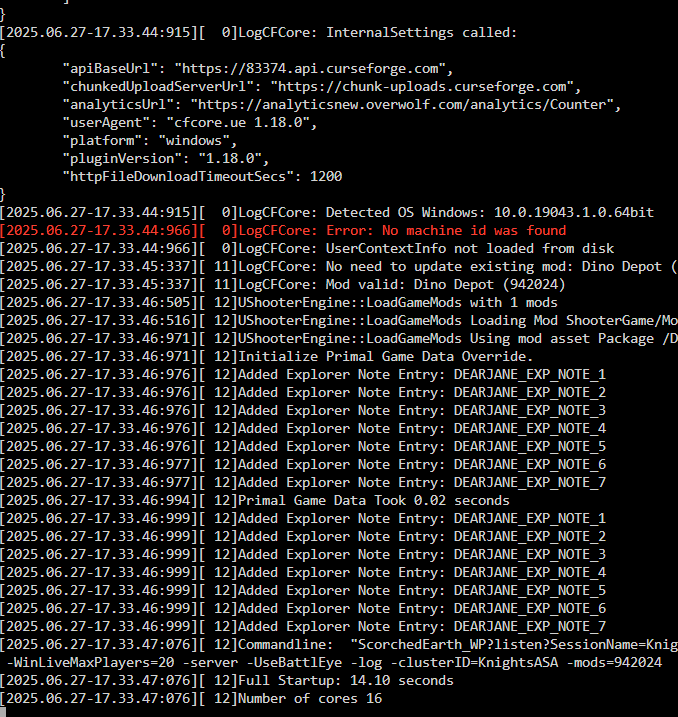
i belive its going to be AsaApi? as its done throught steam command in the command line/config files. it grabs listed mods and installs them first time you start the server after adding them then after it checks them for updates and loads them on server start if working correctly anyway, the stage mines gettin stuck at is after the update check and mod load.
-
I stil cannot get my ASA conatiner to start if I try to use ANY mods. I have brands new container and image of the docker cont, the steamcmd and server files and newly downloaded mod files, all the config files are correct as well as command line, it just will not start up correctly.
-
I had to remove every mod id from the command line (grand total of 2) tried each one seperately same issue. I take it its a question of waiting for the mod creators too patch something? idk if its just this container or mod creators but other self hosted servers on the ingame list are using mods
-
so i backed up all my save data, removed everything, containers, steam cmd and ark-asa folders from appdata, re installed everything fresh and the server started up no issues ONCE. After that initial time im back to where i started
-
So I fired up my ASA container in prep for the new map coming soon and it keeps getting stuck at it just sit there doesnt move on and its using ~3% of the cpu and 1gb of ram, i left it for half an hour but when i came back it was exactly the same

-
My ASA dockers have stopped updating properly and im also getting the "error! app '2430930' state is 0x6 after update job." message and it fails to update to the latest version of the game.
-
Thank you much appreciated
-
Hi sorry to bother you, total newb here, could you let me know how to do the "echo 265000 > /proc/sys/vm/max_map_count" thats required for the ASA container, i have no clue how to go about this thanks
-
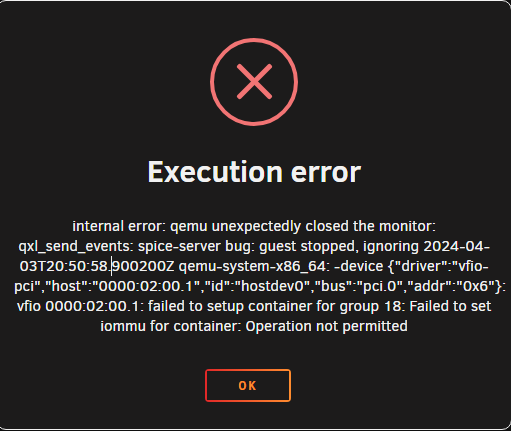
it gave same error but just Group 17 instead
-
I do its one of the other network ports, ill try adding that as well

-
i tried it without the lan port and get same error but with the ssd instead group 20
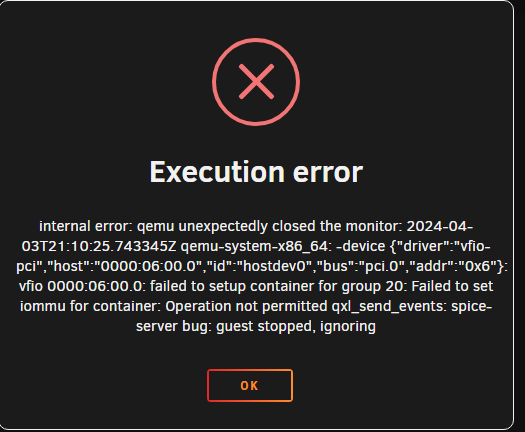
-
I am trying to setup a win10 VM, and pass through my nvme drive and one of my lan ports too it but i keep getting this error when i try and start the vm too install windows. I have tried having a good google but i am now out of my depth.
 I am really struggling with reducing my vdisk size from 500gb too 240gb.. I have already done the volume shrink inside of the vm and shut it down. whenever i try too connect with the ssh part (putty, nothing mentioned in the video about which terminal spaceinvader is using) too resize the vdisc i get too the password entering part and the terminal stops accepting any other keyboard inputs other than enter so i cannot enter my password....... is this doable from unraids own terminal? if so how/what commands do i need please?When trying to join via steam server list it did throw a message, "unable to query server info for invite"How did you try to connect (Local IP, Public IP)? LAN Have you changed anything in the template? No Have you changed anything in the config itself? No Can you see the game in the Steam Server Browser? Yes Do you get a error message when you are kicked back to the Lobby? No error message just sends me back there



