VicePrez
Members
-
Joined
-
Last visited
Everything posted by VicePrez
-
Alright, so things seem to be stable. I ended up replacing the SATA cables as per your suggestions. Thank you all for your continued support. Marking this as solved.
-
For sure, @trurl - thanks a bunch. I noticed that as soon as i switched the drive to another bay slot after @JorgeB suggested doing that. I have one more to verify, which I'll do in a couple of hours.
-
Oh my goodness, I didn't know I could do that. You live you learn. Thank you! I'll try swapping the the offending drive right after work and report back.
-
Adding diagnostics file here just in case. titan-diagnostics-20240122-1051.zip
-
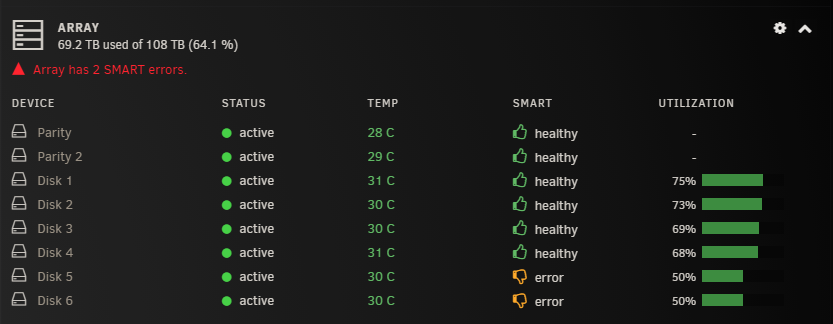
Ok, so more updates. The drive in question doesn't seem to be spitting out any UDMC CRC errors after moving it to another bay slot (confirmed under the warning notification history page as well); however, is it normal for it to continue showing as a drive with errors on the dashboard (see below for reference)? I assume it has to do the smart attribute being stored and read by unraid and still being shown as a drive with errors? Further to that, I seem to have 1 more drive that's showing similar errors. I'll try do what @JorgeBrecommended and report back.
-
Excellent; sounds good. Smart test is almost done, I'll have to do this in the morning. I'll report back.
-
Sounds good - thanks @JorgeB, quick question - I have 4 other bays that are empty. If i move the disk to either of them, would it impact the drives contents, or screw up the mapping on unraid? I figured I'd test the drive under any one of those bays to rule out cabling.
-
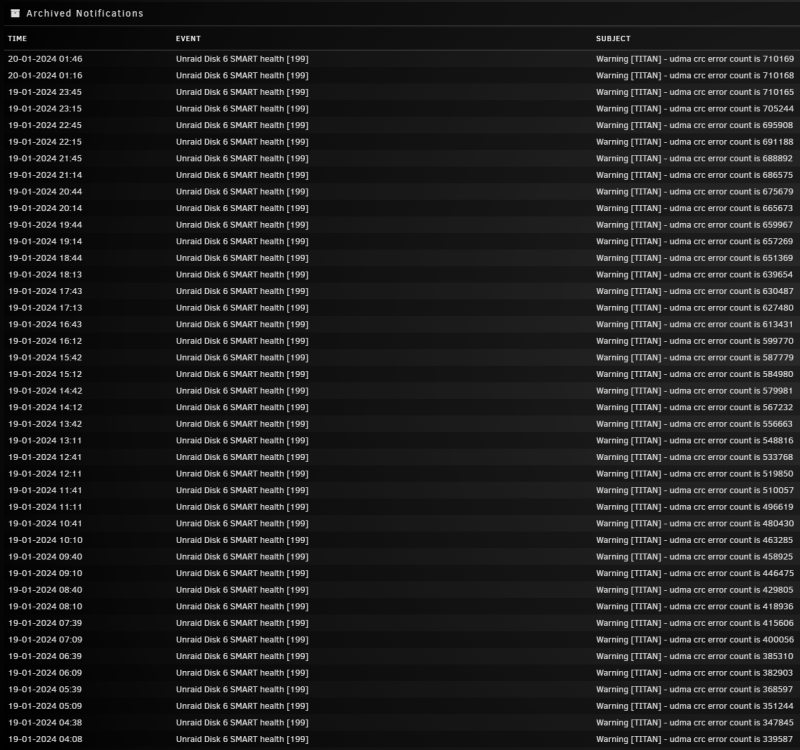
My Unraid server is seeing an increased number of udma crc errors for one of the disks. Please see attached for reference. I've tried reseating the SATA cables yesterday per some suggestions on this forum and the error count is still increasing. I'm currently running an extended self test on all my drives and will report back with the results (hopefully in a day). In the interim, I've included the diagnostics file - hoping someone can help me out. Much appreciated in advance. titan-diagnostics-20240120-0208.zip
-
Just closing this thread, i ended up reverting back to my original 6.12.3 backup and the error disappeared. I'll just ride it out and see why i was crashing in 6.12.x to begin with. Thank you everyone
-
Yea absolutely, I've seen recommendations anywhere between 2 and 8 passes. I am less inclined to think its memory related; the system has been stable for over 2 years and decided to go kaput after the 6.12.x upgrade. I can do another memtest run next weekend, time permitting. I'm running out of ideas as to what the cause is..
-
Correct - was getting the same error even in safe mode. Was looking through some other threads, some were related to network changes. The only thing i can think of is changing ports on my switch from one sfp port to another. Coincidently it was also around the same time i downgraded, so not sure which event caused what. EDIT: This thread specifically:
-
Yep, tried that just now. Still the same issue. Wondering if the php file that's spitting out those errors is a 6.12.x version (i.e. code thats not backwards compatible with 6.11.5) For reference: /usr/local/emhttp/plugins/dynamix/include/DefaultPageLayout.php
-
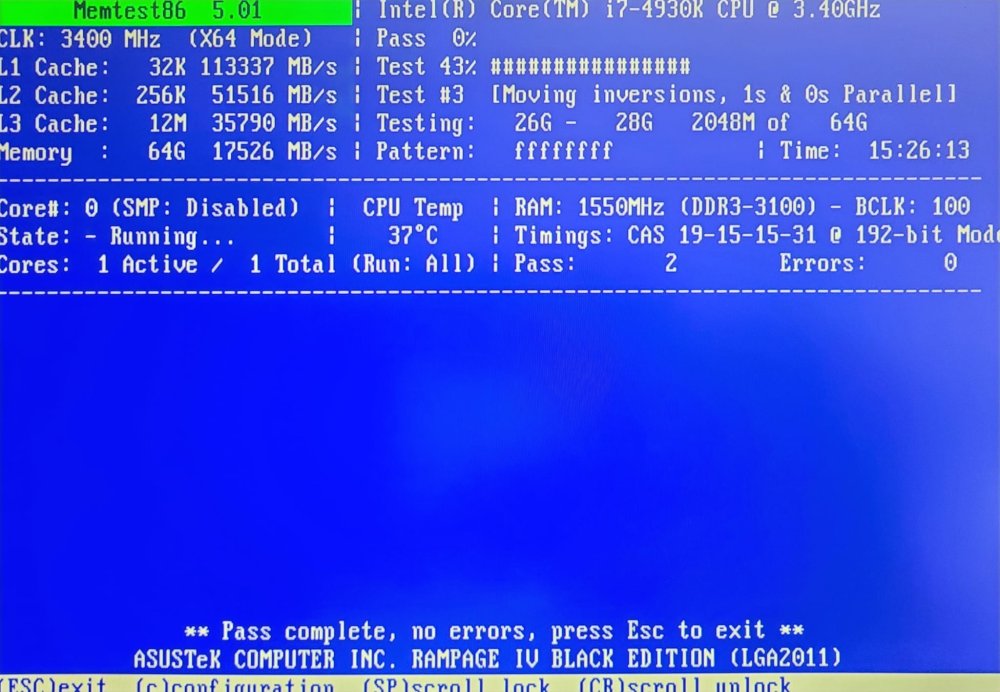
Quick update on the memtest run; no issues with 2 passes. Going to try reflashing the USB stick. Am I basically using the USB Creator tool to install 6.11.5 and copying the config file over? Would that nullify the registration key?
-
thank you both, ill try a memtest run tonight and see where that goes. if that doesnt go anywhere, i'll the other suggestion by @Mainfrezzer
-
Please see attached. Thanks @Squid titan-diagnostics-20230810-1757.zip
-
Bump
-
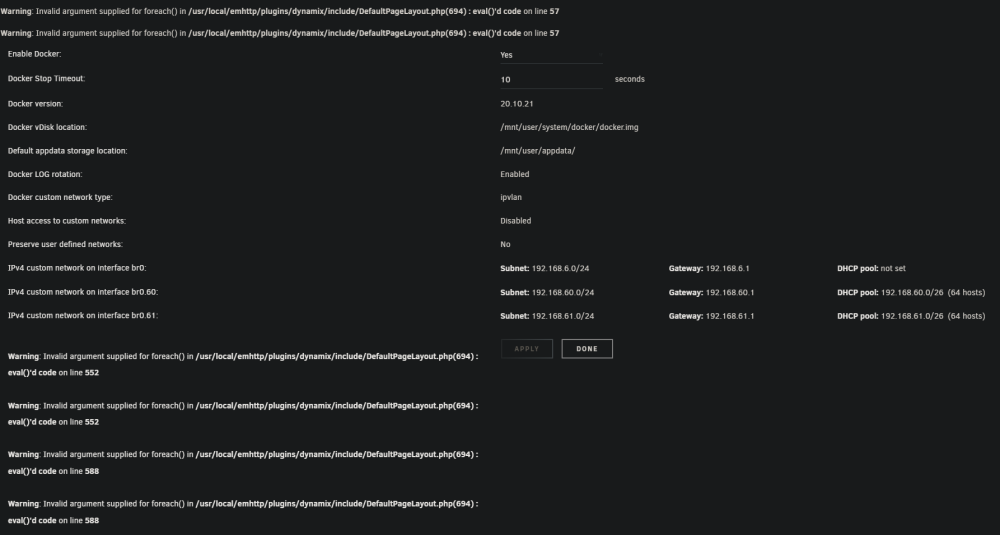
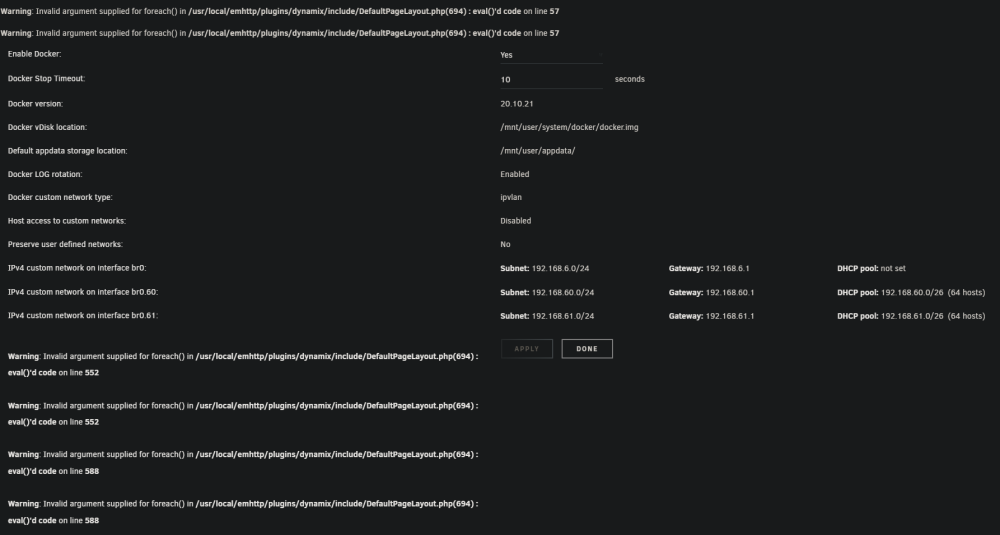
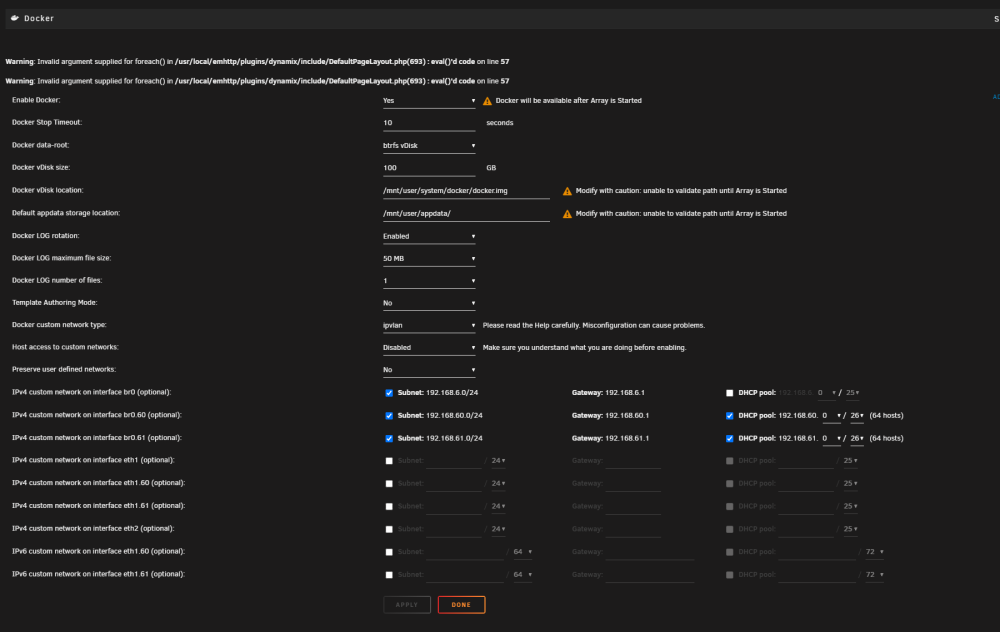
Same errors after rebooting in safe mode (image: Safe mode - array not started), I did however notice that the last set of php errors are not showing up when the array hasn't started. Once started, its exactly like first picture i posted (image: Non-safe mode). Any other ideas? Non-safe mode: Safe mode - array not started:
-
Not yet; will try that right after work.
-
Hello! Hope someone can help me through this issue I've been having. Can't seem to find the root cause after searching online and through my logs. Background: I recently downgraded from 6.12.x to 6.11.5 due to stability issues, I've been stable on 6.11.5 for quite some time and the recent upgrade to 6.12.x had me crashing at least once a week or so. What I noticed after the downgrade: I followed the official docs on downgrading to an earlier version, and noticed that my docker containers weren't running after a clean reboot. Took a quick peak at the docker settings tab and noticed a number of PHP errors (see below). What I've done thus far: Manual force update for each docker container - this fixed the issue with containers that weren't running Several system reboots (php error still persists) Deleted docker vdisk image, and reinstalled docker containers from templates (php error still persists) Warning: Invalid argument supplied for foreach() in /usr/local/emhttp/plugins/dynamix/include/DefaultPageLayout.php(694) : eval()'d code on line 57 Warning: Invalid argument supplied for foreach() in /usr/local/emhttp/plugins/dynamix/include/DefaultPageLayout.php(694) : eval()'d code on line 57