





herculepirate
Members
-
Joined
-
Last visited
Everything posted by herculepirate
-
@benjhong I see that you have got the DELL to work with UNRAID. Any help for me.
-
@h3xcmd so i have changed all the hard drives to non raid. but yet the C drive shows. any possibly to help me out over the phone ?
-
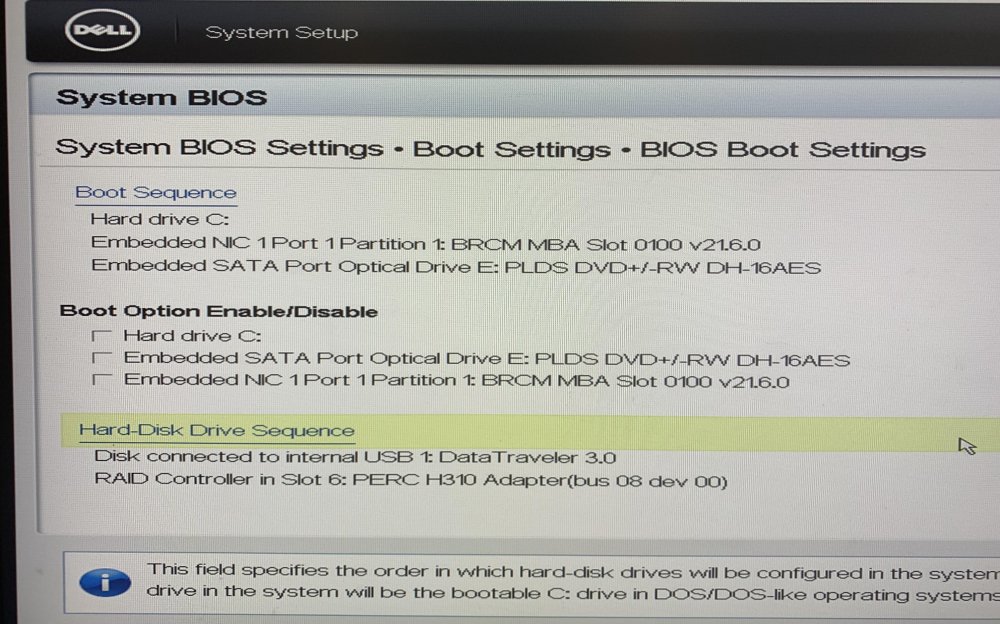
@h3xcmd Managed to clear the log, and reboot with BIOS settings (no UEFI. USB was created without UEFI) Booted with USB at the front and USB on the motherboard Found the USB both times in the BIOS settings. But cannot see it in the Boot Sequence. Any help ?
-
Thank you @h3xcmd But the Booting from USB option only appears on UEFI and not with BIOS. On BIOS, I have only, C drive and the 2 network ports. Let me have a look again.
-
@h3xcmd Any help on this issue. I did change the RAM as well. And ended with the same error.
-
Does not seem to be the Server RAM cause I did change to a new RAM and it didnt work. Same error. Any help ?
-
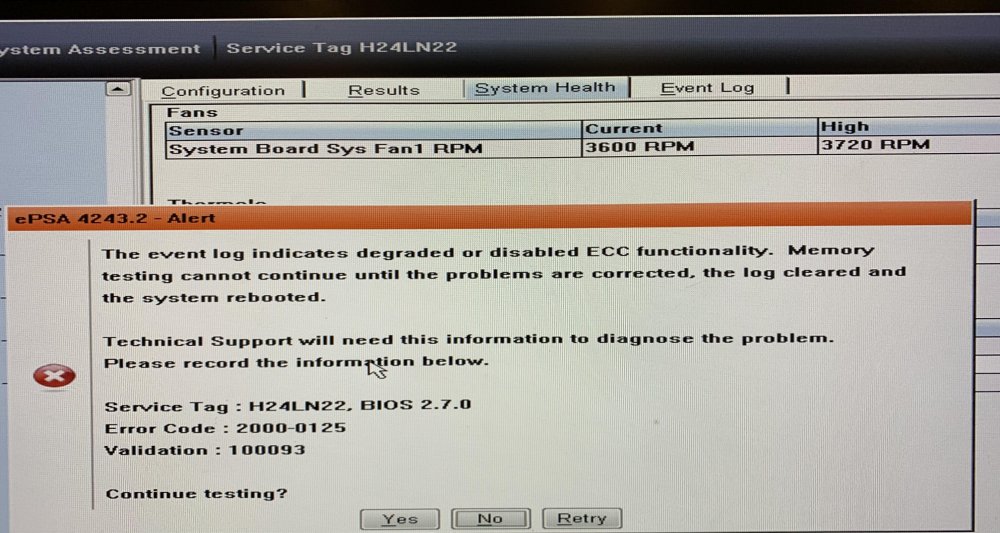
When I ran a system check, I came across this result. Is it that the RAM is bad ? Cause there is no ECC setting in the BIOS
-
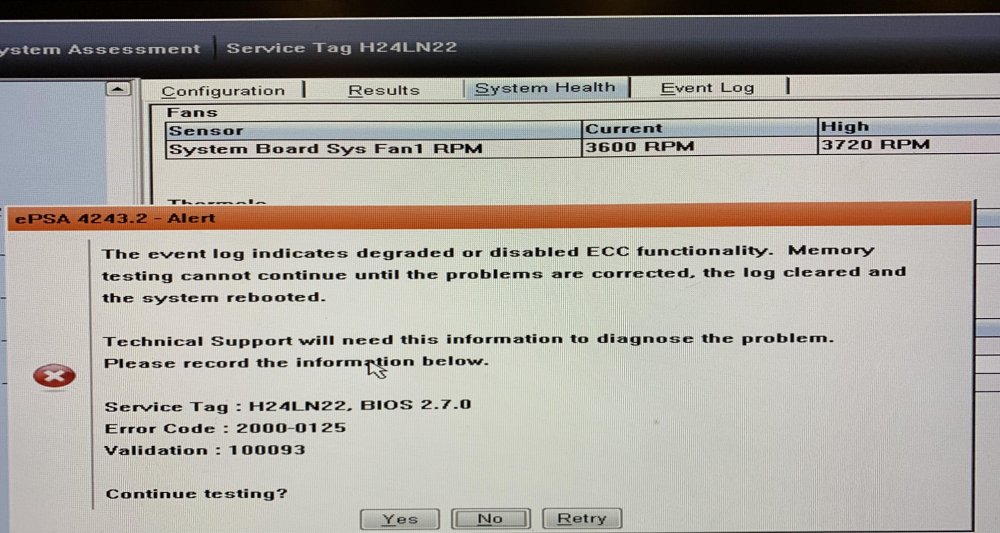
I did run a system check and I found this. Any help on this. Does this mean that my RAM is bad ? Cause there is no BIOS setting for ECC to be enabled or disabled.
-
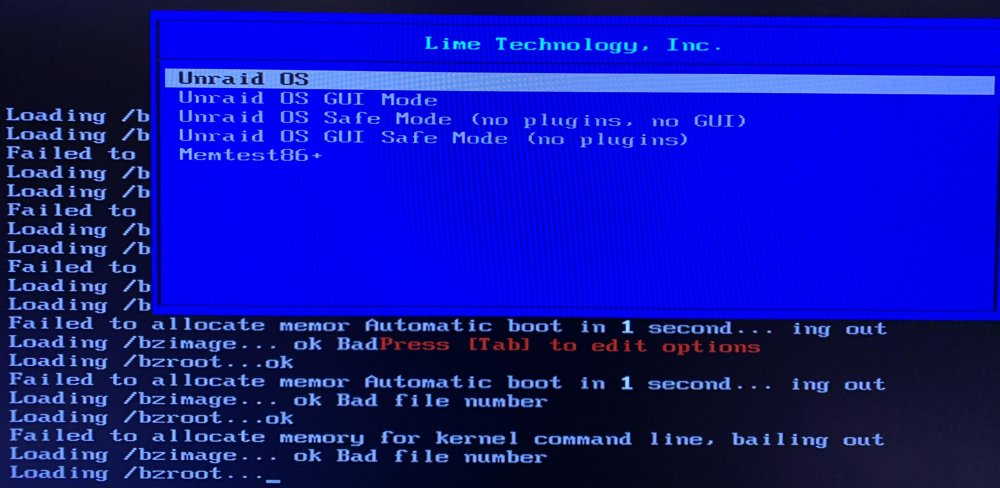
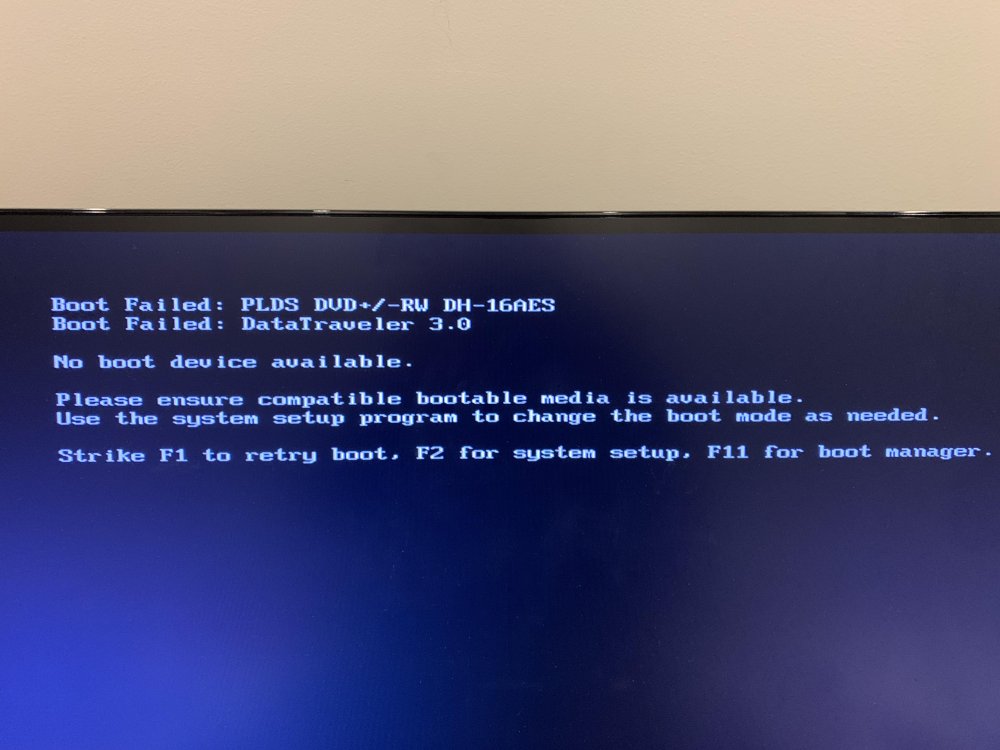
Does anyone have a solution to this. I just bought a Dell T320 server and have been getting the error as shown here. I have the DELL boot in UEFI mode since the BIOS mode does not show the USB as a booting option. Any help ?
-
@itimpi Exactly same error again with the extraction of all the bz files
-
Thank you @itimpi How do I get the image because right not I download the USB creator and let it do its magic on the USB. Where can I find the image itself and how do I get the bz* files. Do you think I should try the v6.10 with my primary server ?
-
That worked and was able to boot into the UNRAID menu. But I get a command line error that says Loading /bzimage...ok Bad file number Loading /bzroot...ok Failed to allocate memory for kernel command line, bailing ooutI have an option to set the embedded SATA mode on my Dell T320 server what should be the setting for This ATA AHCI RAID
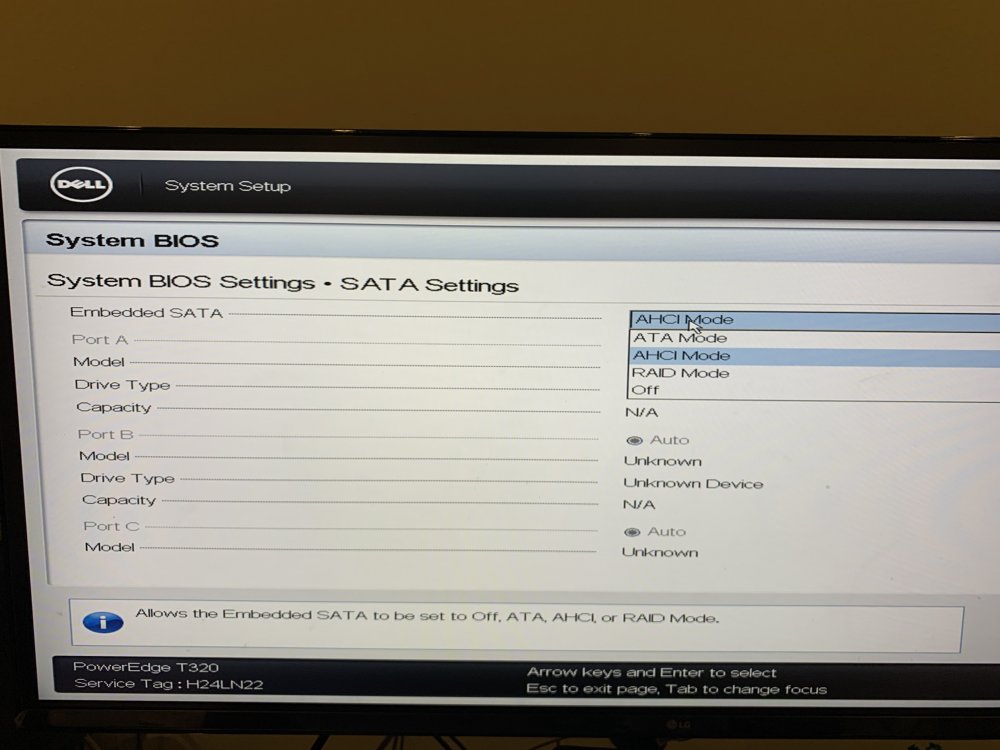 I have a DELL T320 and this is the first time I am trying out Unraid. I have tried 2 USB 3.0 sticks. one is 32GB (USB3.2) and the other is a 16GB (USB3.0). Both have failed to boot through the USB. The BIOS is in UEFI mode. and error and it comes back as a not compatible bootable media. I have tried a LINUX MINT bootable usb and it loads fine. Please help
 Hello, very new to the forum here. I am a currently owner of a Synology DS410 and love it. I want to upgrade since the total size is a limitation since this is a old hardware. Plan to buy a used server like this: Used Server And buy new hard drives. - I want to add random HDD (irrespective of size and brand) as I go along. I love this feature in Synology. - would love to add a Squeezeserver, Plex server. - Can I install this Unraid to a SSD or does it have to be on a USB. What about reliability of USB's. - Any hardware limitations? What are the benefits of Unraid vs Xphenology Synology DSM, Thank you. HP


