




Skip to content
View in the app

A better way to browse. Learn more.

Unraid

A full-screen app on your home screen with push notifications, badges and more.

To install this app on iOS and iPadOS
  1. Tap the Share icon in Safari
  2. Scroll the menu and tap Add to Home Screen.
  3. Tap Add in the top-right corner.
To install this app on Android
  1. Tap the 3-dot menu (⋮) in the top-right corner of the browser.
  2. Tap Add to Home screen or Install app.
  3. Confirm by tapping Install.

AntoJSánchez

Members
  • Joined

  • Last visited

Everything posted by AntoJSánchez

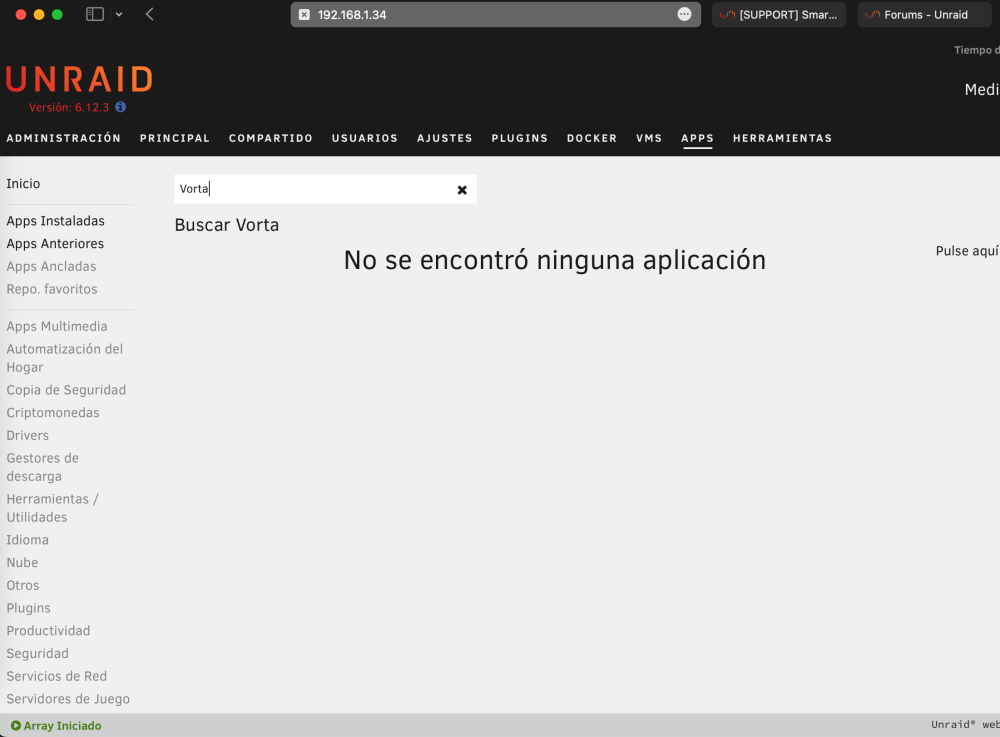
  1. ¡Hola a todos/as! Siguiendo el video de @Carpe_Diem sobre Vorta (Youtube-Carpe-Vorta) he visto que ya no está disponible en el AppCenter. ¿Qué otra alternativa habría para descargarlo de forma sencilla? Mediante este Docker podríamos realizar copias de seguridad siguiendo instrucciones mediante interfaz gráfica. Algo que, quienes no estamos familiarizados con la terminal ni tenemos conocimientos profundos de informática, agradecemos enormemente. Echadme una mano.
  2. Vorta doesn't appear in the UnRAID appcenter search, how could I download it? Will it show up there again? I would really like Vorta because it has a graphical interface and I don't have deep computer knowledge. (It was translated by ChatGPT).
Account

Navigation

Search

Search

Configure browser push notifications

Chrome (Android)
  1. Tap the lock icon next to the address bar.
  2. Tap Permissions → Notifications.
  3. Adjust your preference.
Chrome (Desktop)
  1. Click the padlock icon in the address bar.
  2. Select Site settings.
  3. Find Notifications and adjust your preference.