





MustbeCanadian
Members
-
Joined
-
Last visited
-
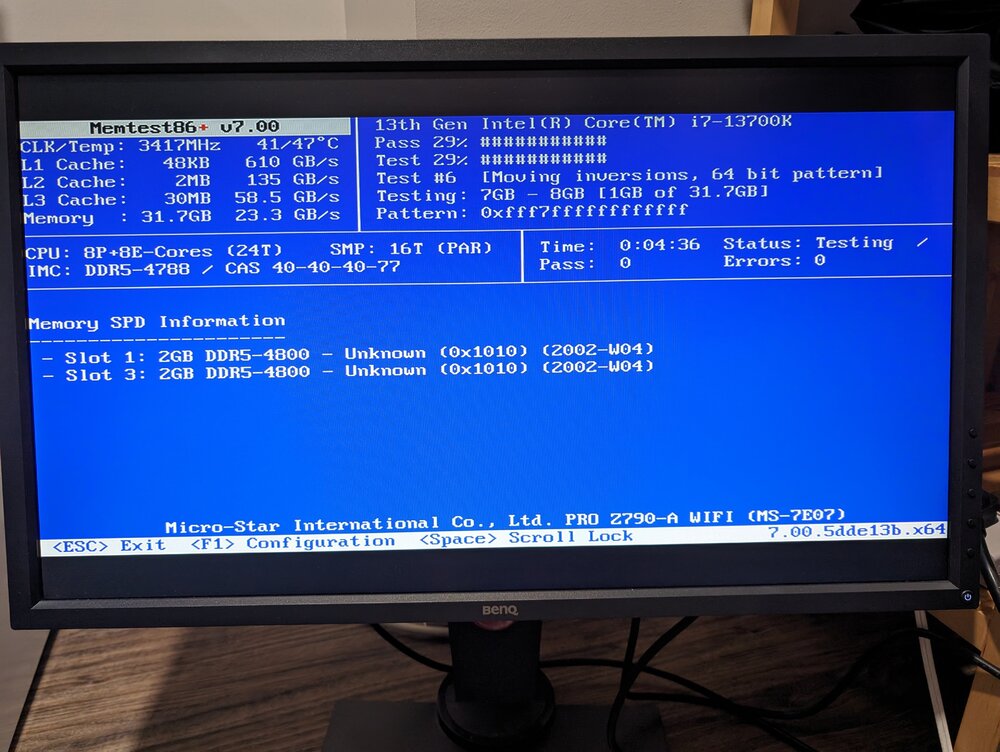
Updated BIOS and disabled XMP - so far running without error. If the test passes I'll try the server again and see what happens...
-
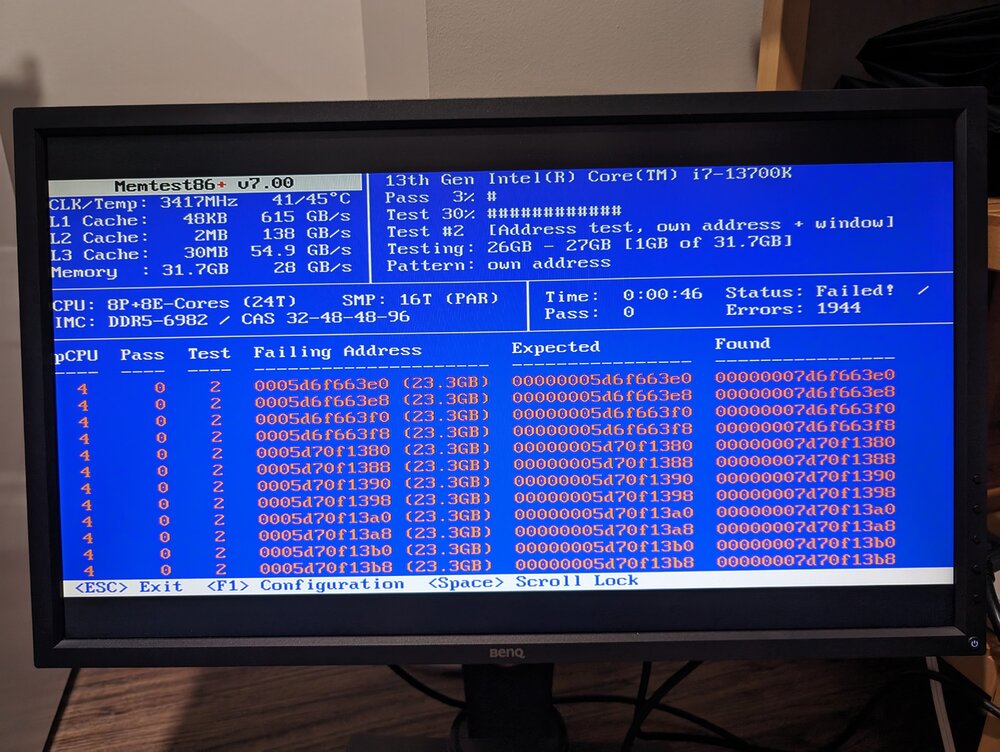
Perhaps it's a hardware failure after all? Any insight?
-
Hello, I am at a complete loss. Earlier this week, I upgraded my server to new hardware and have been unable to get it functioning since. Essentially, the server boots up and runs for 30-60 minutes, then either hangs or crashes and becomes completely unconnectable. I'm assuming the former because with a monitor plugged in, the monitor gets no signal once this happens. I have to physically shut down the server when this happens... Hardware Change Original i5-6500 16 GB DDR3 RAM New i7-13700K 32 GB DDR5-7000 CL32 Memory MSI Pro Z790-A MOBO What I have tried so far: boot server in safe mode - this works and the server has been able to run for 12+ hours without issue. potentially rules out hardware issue? disable docker service disable VMs delete all plugins I have not updated BIOS firmware or done a memtest. In my most recent attempt, with all the above done, I let the server run and after 50 minutes the same issue occurred. During this run, the only thing I did was download diagnostics. I'm not sure if timing makes a difference, so I collected diagnostics every ~5 minutes until the server became unresponsive. Here are the diagnostics right after boot, and the last available ones I had, as well as the syslog. My next plan is to grab a new flash drive and put a trial version of Unraid on it to see if a "clean" version runs... Any help would be greatly appreciated because I am totally out of my wheelhouse. tower-diagnostics-20240615-1232.zip tower-diagnostics-20240615-1315.zip tower-syslog-20240615-1835.zip
-
I found an old DVI-D monitor laying around and plugged it in. That seemed to do the trick for activating it. Now I just have to purchase the dummy plug as a longer term solution and figure out why Plex won't utilize it for HW transcoding. Thanks for your help! For anyone stumbling across this in the future, I'm running an i5-6600 with an Asus H170-E D3 motherboard.

-
I've been trying to get my iGPU working so I can use HW transcoding in Plex for days now and nothing I seem to do works. https://forums.unraid.net/topic/92865-support-ich777-amd-vendor-reset-coraltpu-hpsahba/?do=findComment&comment=1076014 That is the latest thing I've tried to follow. I even unplugged a monitor from my GPU and plugged one in via HDMI to my MOBO and I still get when I run the "intel_top_gpu" command. And this doesn't even get me to pointing my Plex docker container at the iGPU for HW transcoding... I've attached my diagnostics so any help someone can provide me would be much appreciated. tower-diagnostics-20220206-0905.zip


