thomas.mantot
Members
-
Joined
-
Last visited
-
Hello, Moi j'utilise Vaultwarden avec SWAG et ma freebox et j'arrive bien a y accéder depuis l'extérieur. C'est SWAG qui s'occupe du reverse proxy et des certificats HTTPS
-
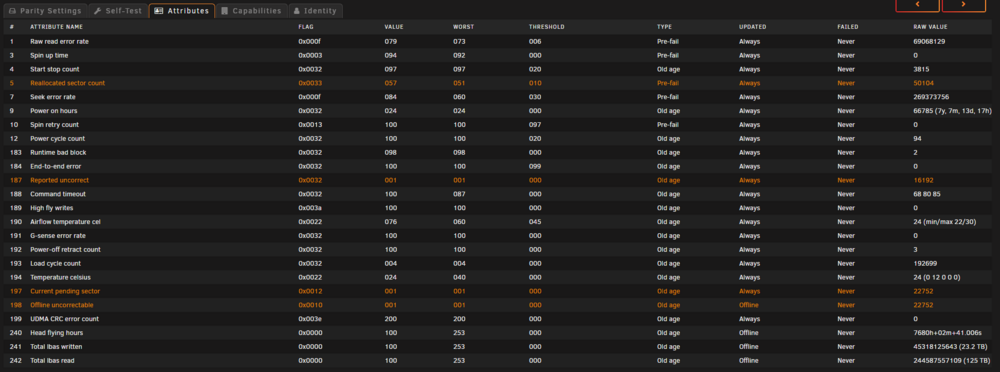
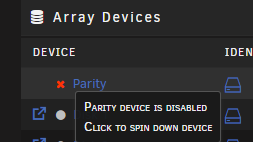
In 2017 I have purchased my basic license, I have built my own server with a passive intel atom 4Gb of RAM and 2x4Tb. Simple home NAS. Now my system is i7-8700K 32Gb of RAM and 4x4Tb + 512gb cache and using a lot of Docker and VM's. And today is the day.... 3 days ago my parity drive send me a lot of SMART warning, today my parity is now disabled buy unraid, I have tried a SMART test but the result is : Completed: read failure I think it's time, good buy me Parity ST4000DM000-1F2168_Z30427R2 - 4 TB Now I'm waiting my new 4Tb drive to replace it.
-
yes right, I only use immish as a "big library browser", all my image are stored on my unraid and uploaded using owncloud. So it is not possible to delete image using external library ?
-
Hi again, I cannot delete picture using immich web page, when I delete I have a message information : Trashed 0 assets. and using android app : impossible to delete, read only file. What I need to do ?
-
Does someone successfully configure Crowdsec with SWAG and Immich ? Crowdsec ban me when I access Immich Solved : I have added whitelist : name: crowdsecurity/immich-whitelists description: "Whitelist des faux positifs d'Immich-api" filter: "evt.Meta.service == 'http' && evt.Meta.log_type in ['http_access-log', 'http_error-log']" whitelist: reason: "Faux positifs d'Immich-api" expression: - evt.Meta.http_verb == 'POST' && evt.Meta.http_status == '403' && evt.Parsed.request contains '/asset/upload' - evt.Meta.http_verb == 'GET' && evt.Meta.http_status == '429' && evt.Parsed.request contains '/api/asset/thumbnail/' - evt.Meta.http_verb == 'GET' && evt.Meta.http_status == '200' && evt.Parsed.request contains '/api/asset/thumbnail/' - evt.Meta.http_verb == 'GET' && evt.Meta.http_status == '304' && evt.Parsed.request contains '/api/asset/thumbnail/'
-
Hello, I'm using Immich and PostgreSQL_Immich, but I have this error into the postgresql docker when I open immich apps or website : ERROR: could not resize shared memory segment "/PostgreSQL.4195037598" to 907743232 bytes: No space left on device I don't know why all my disk are not full
-
Thanks it's works like a charm Using unraid 6.12.8 with crowsed and SWAG from unraid App.
-
No Idea?
-
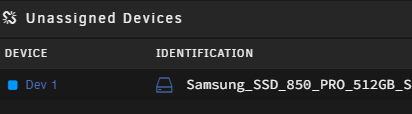
Update : It was easy, I just switch the hardware and I have created a VM and add my SSD as vdisk :

-
Hello, I need to execute a shell command (into the docker) after each time my Domoticz docker start (or restart). How can I do this automatically ? The shell command is : chmod -R 777 /dev/ttyUSB0 Thank you
-
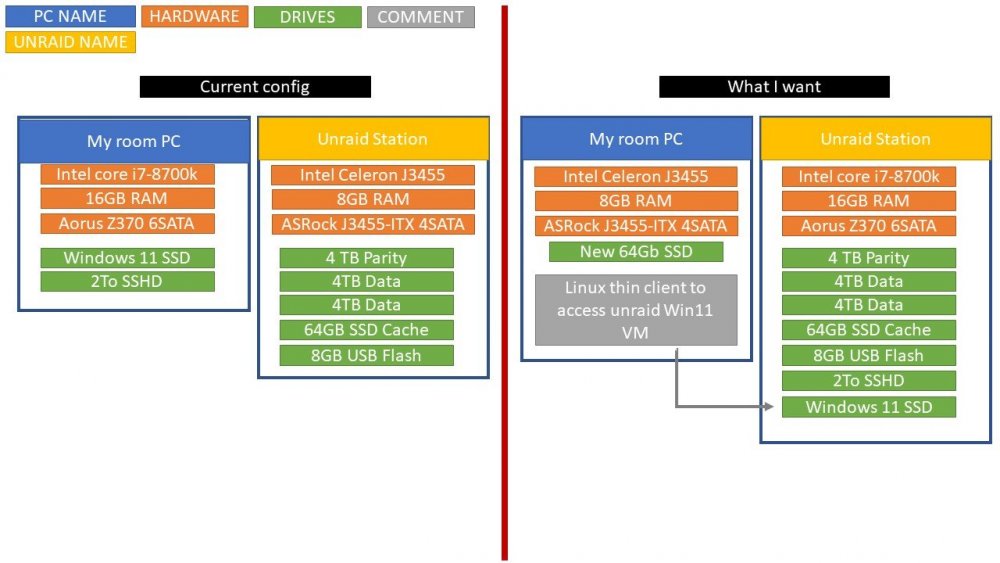
Hello all, First sorry for my bad english and if I post into the wrong forum section. I need to upgrade my unraid hardware because I use now a lot of docker and since I have the fiber at home I use my own cloud services, password services, pictures services and so on. since I have buy the xbox series X and resell my old grahpic card I do not use my good gaming PC, only for some photoshop, adobe premiere pro task and administrative work, so I have an idea : I want to use the gaming hardware for unraid and use my old unraid hardware to create a linux thin client and access my current PC with unraid VM (all my house are ethernet so good network communication). To be more clear I draw a schema, my question : is it possible to do that ? PS : I do not want to format my Win11 SSD and I want to use directly with VM thanks for you help guys