Benz0187
Members
-
Joined
-
Last visited
-
Got new RAM and it runs flawless. thnxz!
-
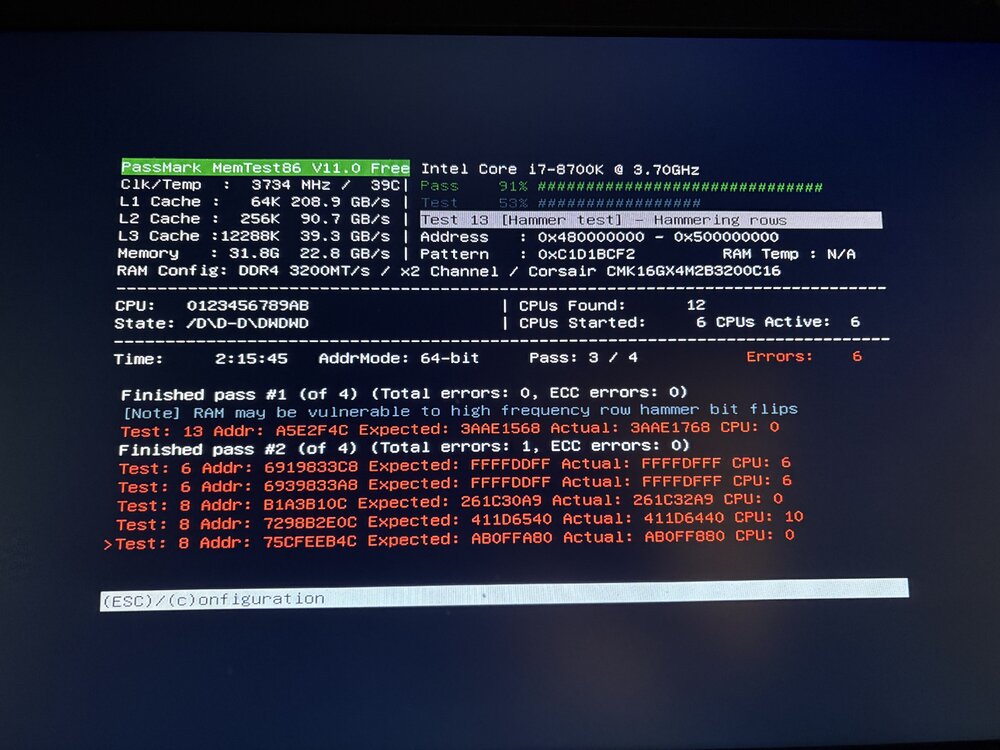
This is after 2 hours… guess I’m buying new ram then
-
Yeah. I´ll do a parity-check once a month and its always give a few errors. Had more errors before, like 500-600 1year ago. I´ve been replacing many hardware, cables and re-routing cables. Didnt find the fault who´s giving me the errors. Did a Memtest at that time and didnt get any errors... Its very very hard to find whats giving the errors. I will do a 48h memtest now and check. I got 4x8gb DDR4 @ 3200mhz. Thnxz for reply. I´ll get back after a few days memtesting 😃
-
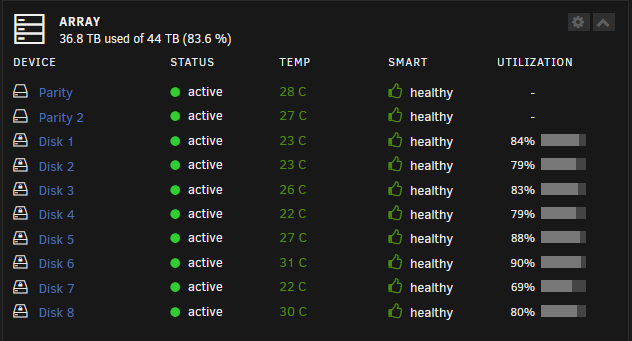
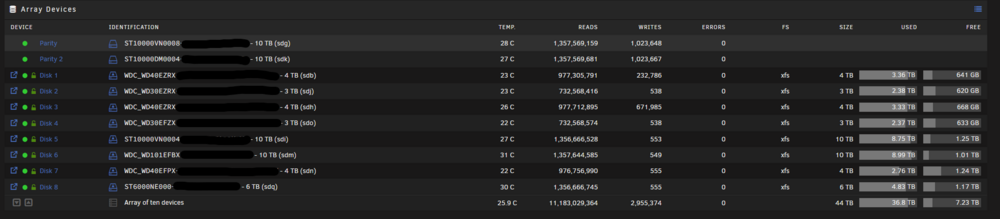
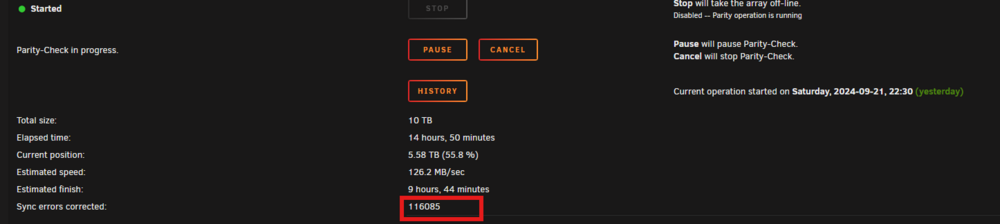
Hello! My server having a hardtime right now and i rly dont know what to do... Unraid doing Parity check and returns with MANY ERRORS. I use to have like 6-40 errors, now its 140´000-160´000. But when the parity check is done the server hangs/freezes a short while after. Not directly but some hours after complete pairity-check. Connected a monitor direct to motherboard to check if any error message appear but its stays black when it hangs... Then i need to do a hard-reset and then when Unraid wants another parity-check uppon boot finish --> hangs again when its done... ends up in a bad loop... Problem is that i dont know where to start here. As seen on screenshots i dont see any errors on any disk and i dont get any error message of whats wrong. Feels like a hardware fail but what? I got some Pools with a bad drive. But that only handle a torrent-download. But the parity-check only handles parity+array drives. oden-diagnostics-20240922-1317.zip
-
oden-diagnostics-20240806-2153.zip After that same command and array-restart it works again for now. My dockers acting strange after this, some complain about configfiles and some wont start. Its something strange...
-
Just rebooted and its the same problem again. Works with that command thoe...
-
Thnxz! that worked! Just have to ask, where did you find "sdh1"
-
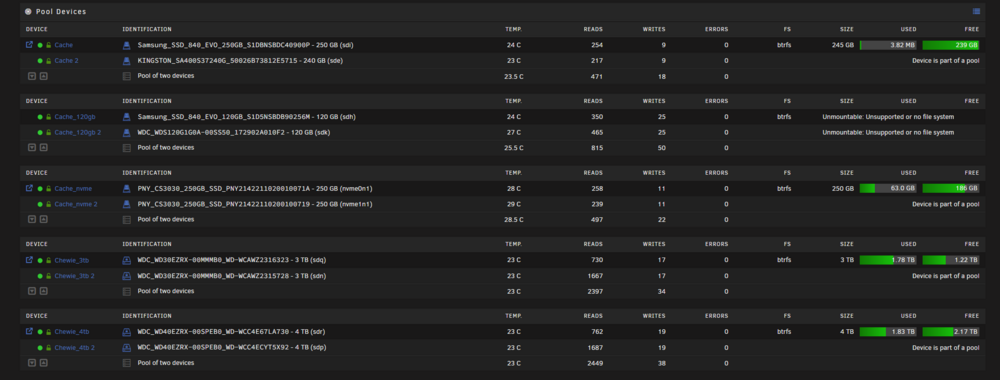
Well, guessing i´m in this club also from today... I dont know what to do. Been searching for a fix but i cant get it to work. This morning i rebooted the server and then one of my pools suddenly stop working. The pool Cache_120gb is my docker pool. btrfs Unmountable: Unsupported or no file system I tried to : "Stop array and unassign both pool devices Start array (click checkbox "I want to do this") Stop array Reassign both pool devices Start array, post new diags." But didnt work. Later i tried the command: btrfs rescue zero-log /dev/sdXX but i dont rly know what sdXX to choose. Those drives in the cache pool is Raid1, btrfs and is encrypted, its named: sdh and sdk. I tried: btrfs rescue zero-log /dev/sdh and btrfs rescue zero-log /dev/sdk but guessing i´m doing it wrong... I´ll do daily backups for the system, havnt done a rollback yet. oden-diagnostics-20240806-1940.zip
-
Yeah. + i disabled then rebooted and tried
-
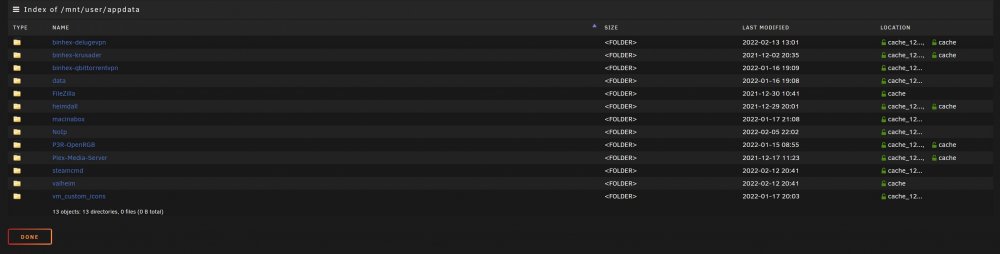
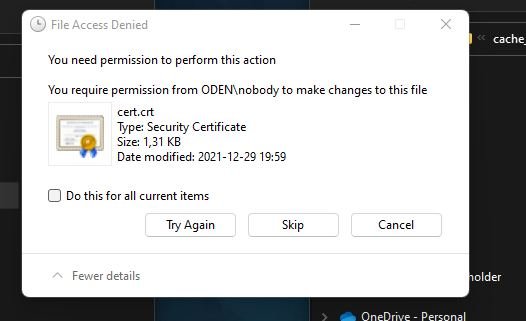
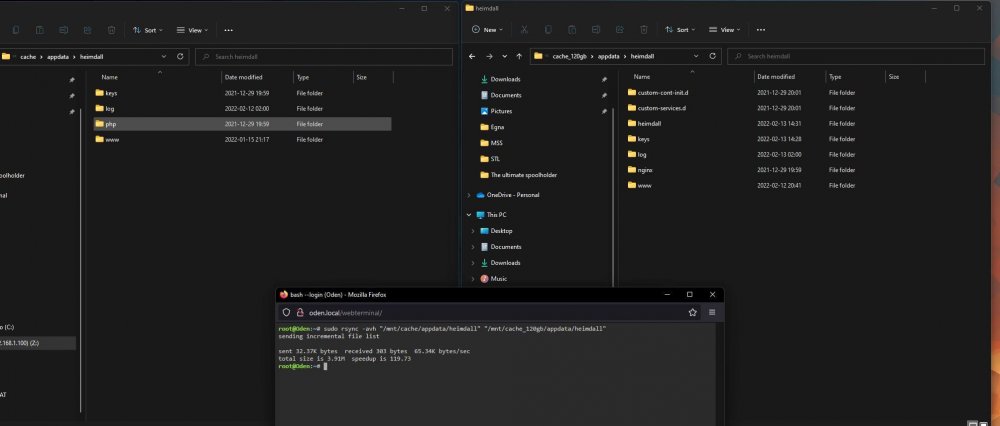
Hello! Got multiple ssd pools. Appdata is set to: Prefer cache_120gb, domains: Prefer cache_nvme, and got a "regular" cache pool. My appdata is spread over cache and cache_120gb. How do i repair/move this? Tried this: * Disable Docker and VMs in settings, rebooted, invoke the mover but didnt work. * Followed spaceinvader one video for rootshare, Unraid share didnt allow me to move the content from one disk to another "File access denied" * Tried to copy/move with rsync: sudo rsync -avh "/mnt/cache/appdata/heimdall" "/mnt/cache_120gb/appdata/heimdall", didnt work. Been googling this for the past 3-4 hours and seems like many unraid users have problem with spread folders + multiple pools.