





always67
Members
-
Joined
-
Last visited
Everything posted by always67
-
Hi @ich777 what is your unraid version? on 6.9.2 my N6005 HW transcoding well with both Plex and emby,when I upgrade to 6.10 (rc2,3,4),it just broken.I have tried many method,incloud ‘echo "blacklist i915" > /boot/config/modprobe.d/i915.conf’,'install Intel_gpu_top', 'options i915 force_probe=4e71 options i915 enable_guc=2',I can see /dev/dri shows card0 and renderD128,but all of these did not work. someone uses 11gen core cpu like 1135G7, 11500 can use HW transcoding without any code,but my 11gen Pentium CPU cant. is there any other steps for Jasper Laker ? sorry about my poor English.
.jpg.9f55247a0c6f1d720d91e0d6d7212acc.jpg.36d1aa802b7123b9875ad8d372e5149f.jpg)
.jpg.6bdd075b42480daccd2a4bfac4a4c40c.thumb.jpg.6704868d1e81a97c5235cdbe2e7a0193.jpg)
-
亲测6.10 RC4 plex不可以,你有没有安装igpu top
-
plex也搞定了,只不过最新版本的plex对dv颜色支持也出了问题,看plex论坛反馈旧版本反倒是好的,这去试试。
-
刚刚试了,jellyfin可以硬解4k了,转码占用不高。qsv和vaapi都可以硬解,但是对于dv的颜色不能正常显示。 之所以用plex只是因为花了💰,而且界面更好看点。以前用jellyfin总是感觉有点不稳定的样子。现在考虑切换回来。 微信群怎么整?不知道unraid有没有简中的官方群。临时建了个qq群,753385116
-
难受了,emby好贵啊,卖了plex还要加钱。
-
群晖是确定不行。 我之前直通显卡给ubuntu 21.10是可以硬解h264的,h265不行。 其实6.9.2不用加这些参数,直接intel gpu top就能显示renderD128,只不过plex和中国特供版jellyfin都不能硬解。 另外BIOS是最新的了,设置也基本没有特别要注意的地方。 我比较好奇的是,我昨天确实显示硬解了4k的h265,不知道是不是我看错了。现在连硬解都做不到了。
-
无语了,BIOS升级,系统降级,还是不行,真不知道还有哪里没弄好
-
你在unraid的ssh界面,用intel_gpu_top能正确显示gpu用量吗?还有就是你现在用的哪个版本系统?我刚发现我的BIOS是0803的,最新屁0804的,准备升级BIOS,降级系统到6.9.2
-
PN41没有这个选项吧,而且11代之后,gvt g不能用了。我现在都怀疑,昨天我是不是看错了,实际并没有硬解
-
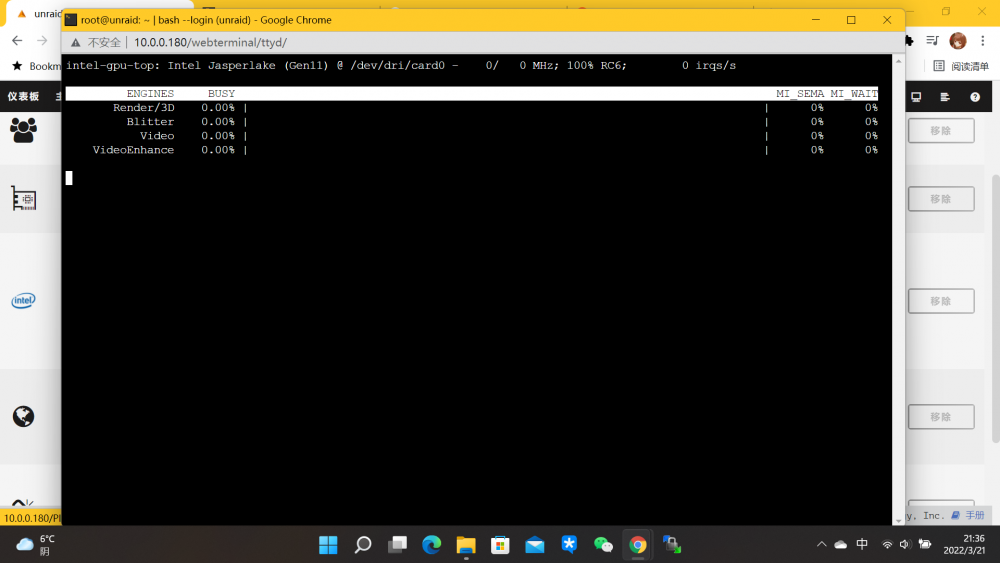
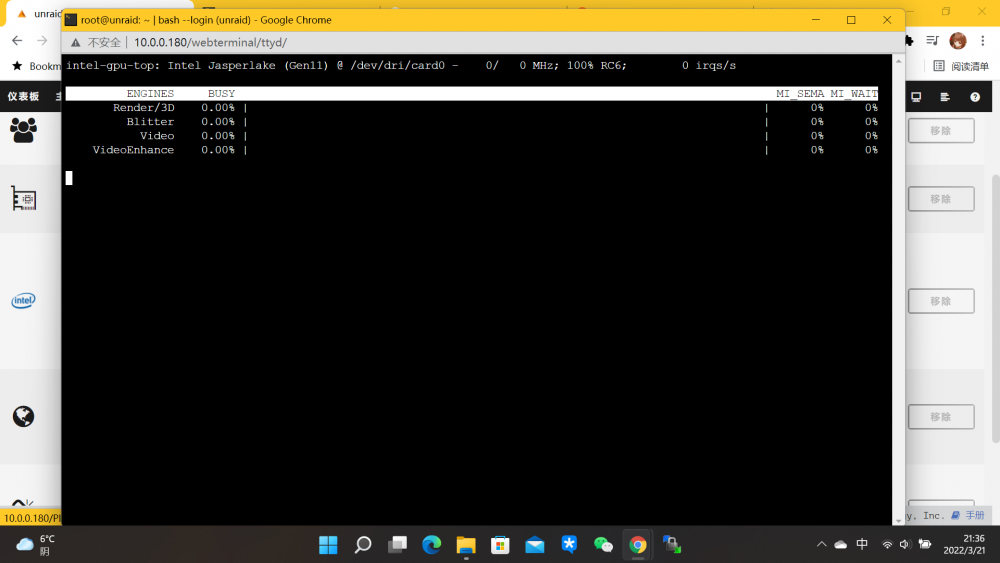
受不了了,突然就不能硬解了。 现在的操作,显卡驱动加黑名单,启动文件加了4e71,安装了igpu top插件,plex官方镜像,加了dev/dri,容器内ls /dev/dri有显示显卡。 要看日志是看哪里的日志? 另外igpu top 用量统计不出来
-
坏了,我回到家又试了一下,hw没了,连1080p的硬解都没了。新技术貌似叫srvio什么的。方便分享下你的配置吗?
-
我也搞定硬解了,只要echo "blacklist i915" > /boot/config/modprobe.d/i915.conf,让igpu接管驱动就可以了。现在我播放17Mbps的4k hevc可以流畅转1080p,并且显示hw,只不过即使硬解,cpu也90%多了,而且igpu top 显示不正常,都是0%,至于你说的VTg好像11代之后不可以,至少目前不可以。
-
如果是开机加黑名单的话,在unraid界面 ls /dev/dri就没有设备了啊?
-
[AVHWDeviceContext @ 0x5615f3223140] libva: /usr/lib/jellyfin-ffmpeg/lib/dri/iHD_drv_video.so init failed [AVHWDeviceContext @ 0x5615f3223140] Failed to initialise VAAPI connection: 1 (operation failed). Device creation failed: -5. Failed to set value 'vaapi=va:,driver=iHD,kernel_driver=i915' for option 'init_hw_device': Input/output error Error parsing global options: Input/output error 又试了一遍,jellyfin特供版的错误日志
-
前几日入了PN41的学生车,这几天折腾硬解无果,特来请教。 1.直接安装Windows 11使用硬解没问题,但是不想Windows作底层虚拟openwrt等,遂放弃 2.PVE和ESXI做底层,直通核显不成功,也不想折腾 3.unraid 6.9.2 应该是识别不了显卡,ls /dev/dri 没结果 4.unraid 6.10 rc3 直接识别显卡,可以直通给Windows 11 ,但是无论如何重启显卡43 貌似目前无解。 4.2 直通显卡到Ubuntu 20.10 5.13内核,CPU开low power mode,安装plex可以正常硬解h264,h265无解,而且不想为了plex单开Ubuntu 5.unraid 直接docker 安装plex,用了官方和linuxserver的镜像,都不能硬解。docker内是能看到dev/dri的,而且dv视频会显示颜色不支持什么的…… 想问问有没有大佬用11代核显的,目前有解吗?另外usb 2.5g网卡 rc2正常用,rc3死活不认,显示有这设备,但是网络设置页面不显示,只能直通给openwrt用了。 根据 @ich777 提供的方法,在6.10 RC5上测试成功,原理上6.10 RC 通用 1.卸载Intel-GPU-TOP, Intel-GVT-g,去掉所有启用核显的代码(保证系统原生状态) 2.命令行输入 echo "blacklist i915" > /boot/config/modprobe.d/i915.conf 重启 3.重启之后命令行输入 wget https://fastdl.minenet.at/Unraid/customtestpackages/i915/i915_custom-plugin-5.15.35-Unraid-1.txz installpkg i915_custom-plugin-5.15.35-Unraid-1.txz depmod -a modprobe i915 enable_guc=3 好了 按道理下个版本会加入这个补丁 分割线 6.10 RC6之后,补丁已经集成到内核。只需要把 options i915 enable_guc=3 加入到/boot/config/modprobe.d/i915.conf即可
.jpg.9f55247a0c6f1d720d91e0d6d7212acc.jpg.36d1aa802b7123b9875ad8d372e5149f.jpg)
.jpg.6bdd075b42480daccd2a4bfac4a4c40c.jpg.b99004c4e69c72898b2be02a74a5d33d.jpg)


