





Nath2125
Members
-
Joined
-
Last visited
-
I just followed this because I decided to reformat the cache drives and recreate the docker.img. 1. Stopped Array and Unmounted cache drives. 2. Reformated the Cache drives. 3. Re-created the docker.img 4. Restored the appdata with CA Appdata restore plugin. 5. Re-create the docker containers and there configs from the Apps tab. 6. Boom!
-
I have found this as well. I'm going to say maybe the cache drives need reformatted?
-
Hi there, I was having issues with one of my cache drives having corruption. Since then, I have rebooted multiple times and got the drive back up, reset the stats and did damage control. Unfortunately, I think docker.img has F*** itself. So I have followed the above to recreate a docker img except every time I do this I get this below: Fix common problems plugin is also detecting this for the appsyscache which holds all appdata and system cache which would include docker.img I'm assuming this may be contributing to my issue of making another docker.img If this is true, does this mean I never actually deleted the docker.img and I still have my old docker.img because its a read-only mount? Scrub also keeps aborting I have noticed as well.


-
After a memtest what other procedure should I be doing to resolve this? Like, do I need to rebuild the drive or something? Simple restart and find what's been corrupted?
-
So I havent yet had the opportunity to do this change, but in that time Ive ran into another issue which Im providing the diagnostics below, it has caused all my docker containers to stop and error when i try to restart them, it hasnt crashed the server but it seems containers no longer work. mediaserver-diagnostics-20231015-1042.zip
-
Ok, il give that a go tomorrow and report back.
-
This is a diagnostics I just pulled now, since this is the reboot from the crash. Doesn't seem to have time logs from before the crash, maybe I missed it. It does have something in the end of the syslog.txt that looks similar to the screenshots I sent above when I plugged a monitor into it. mediaserver-diagnostics-20231011-2126.zip
-
I actually did have it active it seems but the syslog it has doesnt have anything related the server just all to the proxmox server container I have running. EDIT: I just uploaded it incase syslog-127.0.0.1.log
-
I can do the syslog to the flash drive for when it crashes but how can I collect the diagnostics for after the crash?
-
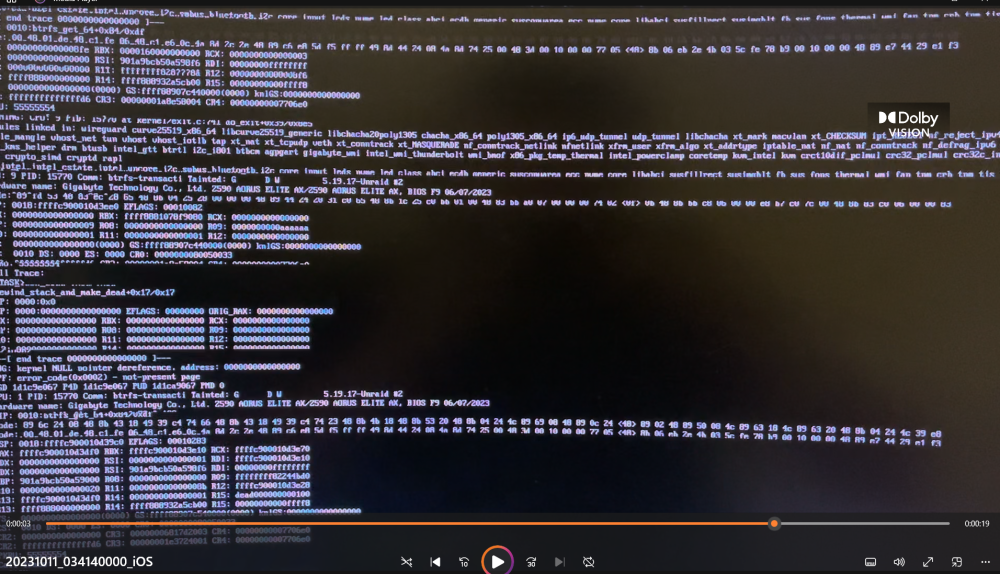
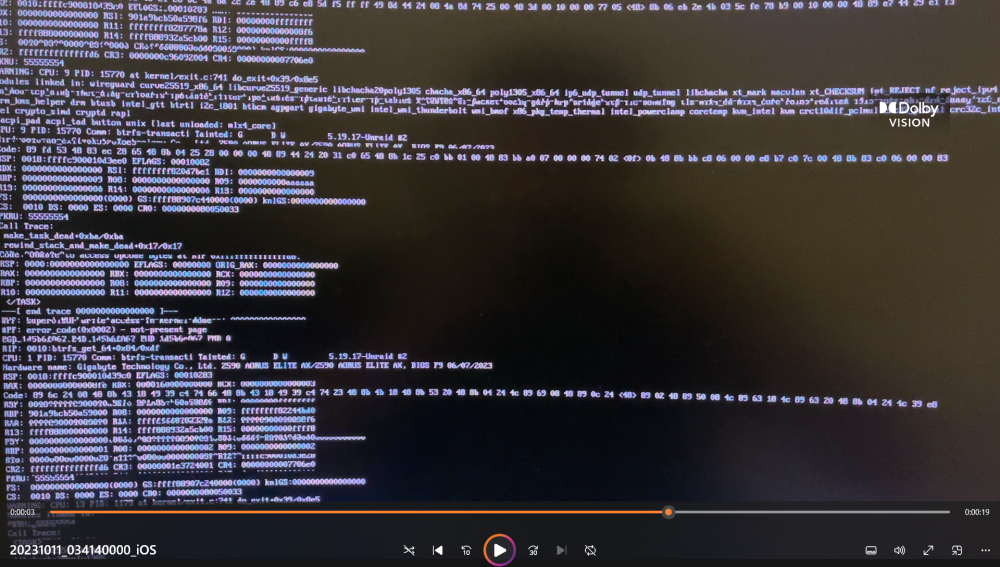
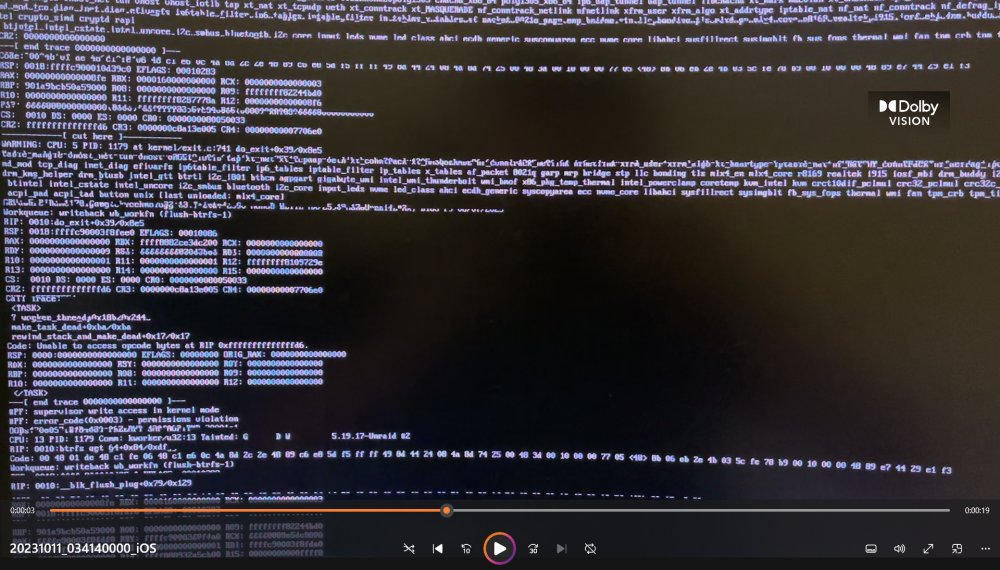
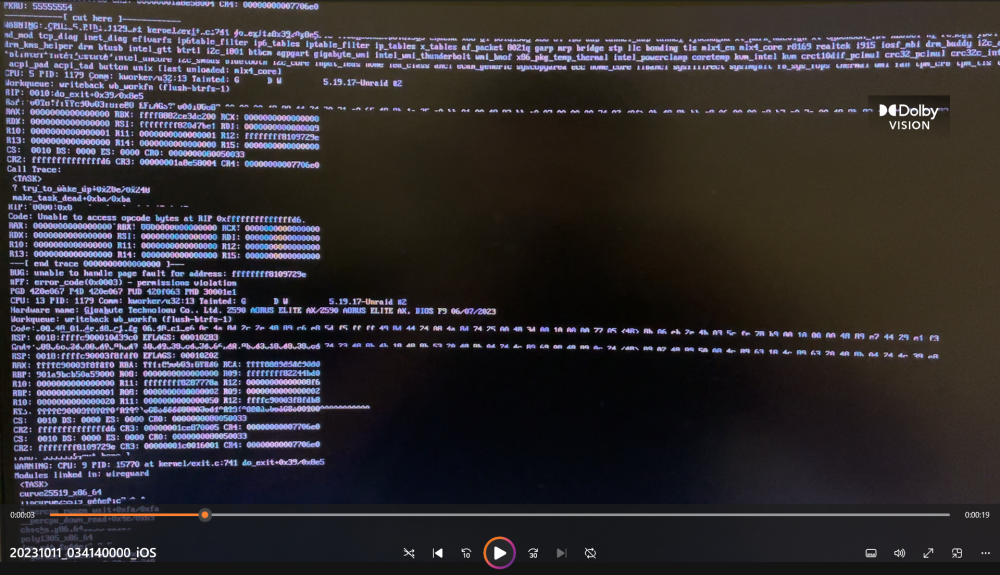
Ok so I managed to snip shots from the video I took seems doesn't like my mp4 file
-
Hi there, As the title sounds my Unraid Crashed today and webgui unresponsive and found this when I plugged monitor into it. This is the first time in a little bit since my last crash due to power and other issues. This time different though since those issues I'm pretty sure been resolved and also this glitchy log keeps spamming down my monitor which I can tell doesn't look good. My question is what could be causing this if anything is familiar and/or what can I do to figure it out and solve it? Since this I have force restarted the server so unsure if I can now actually provide anything useful for this other than the video attached I captured. Edit: For some reason it won't let me upload my attachment
-
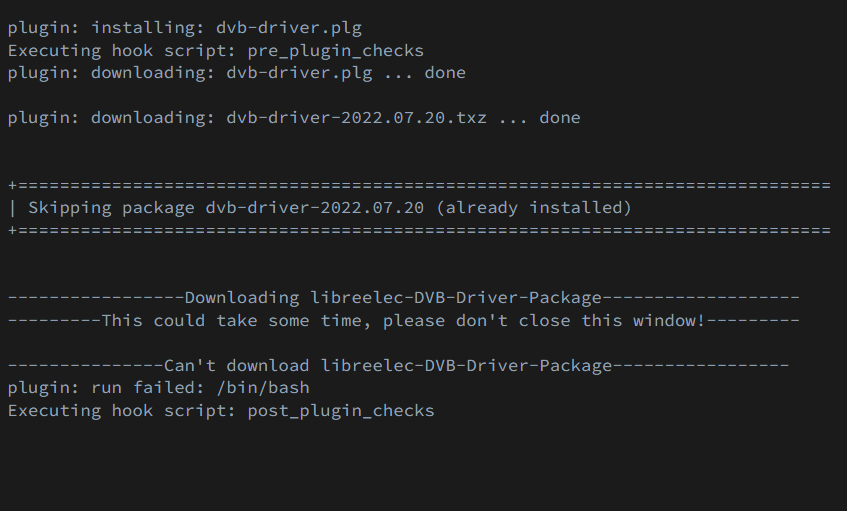
NVM I think I found a way I tried to make a duplicate container, and it won't load that because of the /dev/dvb issue (this is in regard to Plex). getting this every time im trying to load this plugin.
-
is there any way to not delete the docker.img and just do seperately or something.
-
Are there roll back specific instructions or something? For removing and adding containers?
-
I have tried force updating (with "Force Update" option) containers and starting them, and that's the response I get for some containers. Some containers seem to be loading and work just find from autostart up but my main ones I use which are about 5-7+ containers just won't budge. I read through the notes and I'm pretty sure I've tried that if there is not another way of force updating and starting containers other than by the button under the docker tab.


