





Nath2125
Members
-
Joined
-
Last visited
Everything posted by Nath2125
-
I just followed this because I decided to reformat the cache drives and recreate the docker.img. 1. Stopped Array and Unmounted cache drives. 2. Reformated the Cache drives. 3. Re-created the docker.img 4. Restored the appdata with CA Appdata restore plugin. 5. Re-create the docker containers and there configs from the Apps tab. 6. Boom!
-
I have found this as well. I'm going to say maybe the cache drives need reformatted?
-
Hi there, I was having issues with one of my cache drives having corruption. Since then, I have rebooted multiple times and got the drive back up, reset the stats and did damage control. Unfortunately, I think docker.img has F*** itself. So I have followed the above to recreate a docker img except every time I do this I get this below: Fix common problems plugin is also detecting this for the appsyscache which holds all appdata and system cache which would include docker.img I'm assuming this may be contributing to my issue of making another docker.img If this is true, does this mean I never actually deleted the docker.img and I still have my old docker.img because its a read-only mount? Scrub also keeps aborting I have noticed as well.


-
After a memtest what other procedure should I be doing to resolve this? Like, do I need to rebuild the drive or something? Simple restart and find what's been corrupted?
-
So I havent yet had the opportunity to do this change, but in that time Ive ran into another issue which Im providing the diagnostics below, it has caused all my docker containers to stop and error when i try to restart them, it hasnt crashed the server but it seems containers no longer work. mediaserver-diagnostics-20231015-1042.zip
-
Ok, il give that a go tomorrow and report back.
-
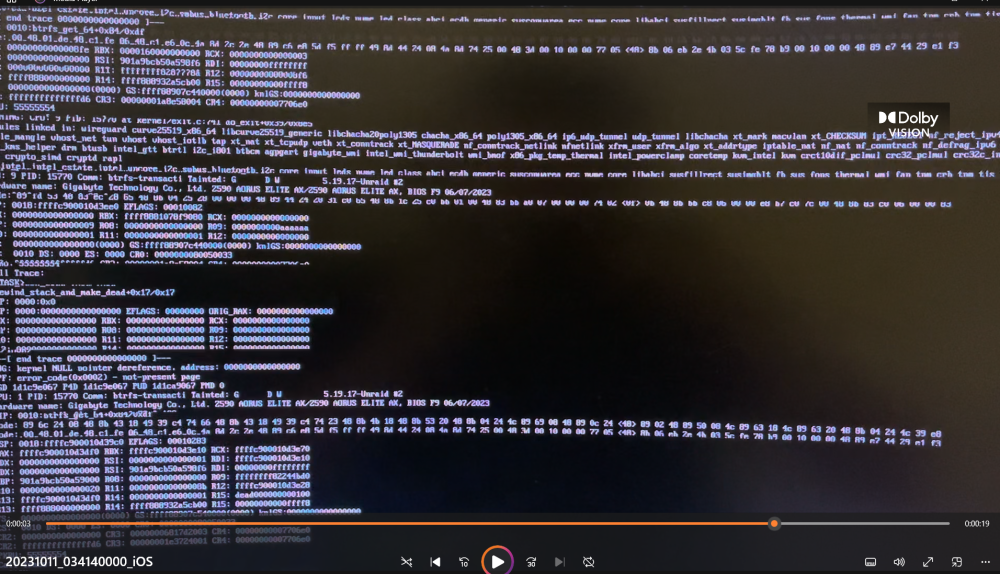
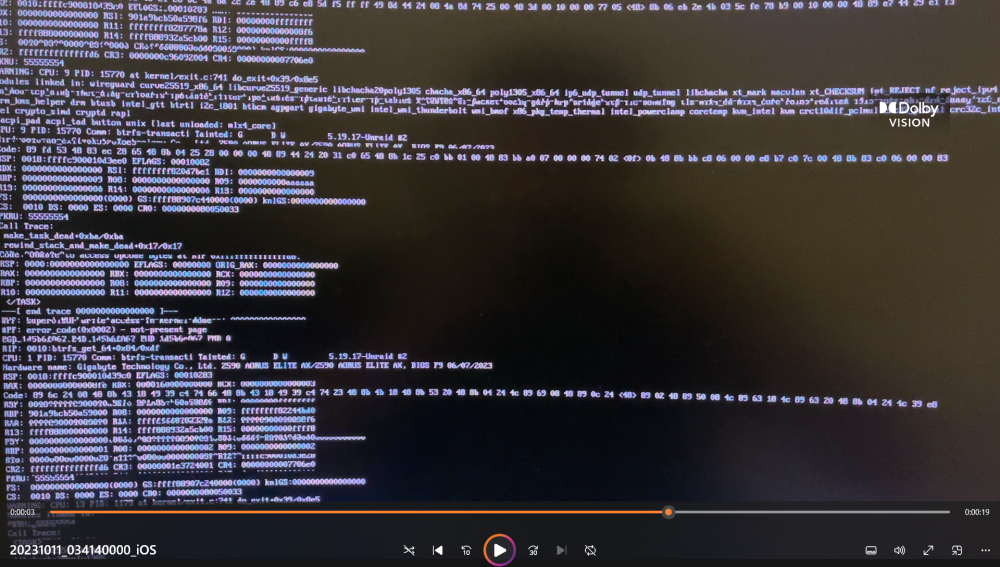
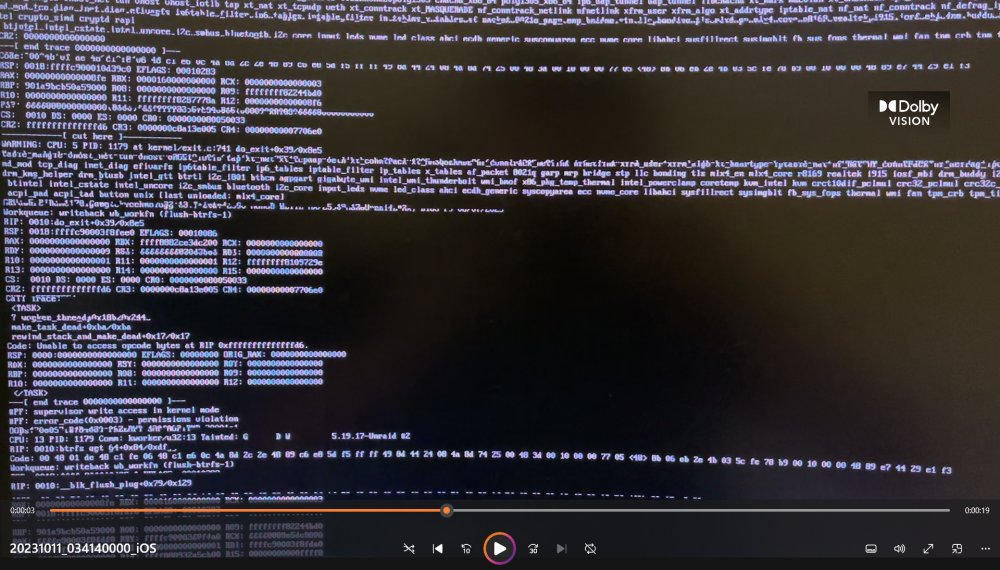
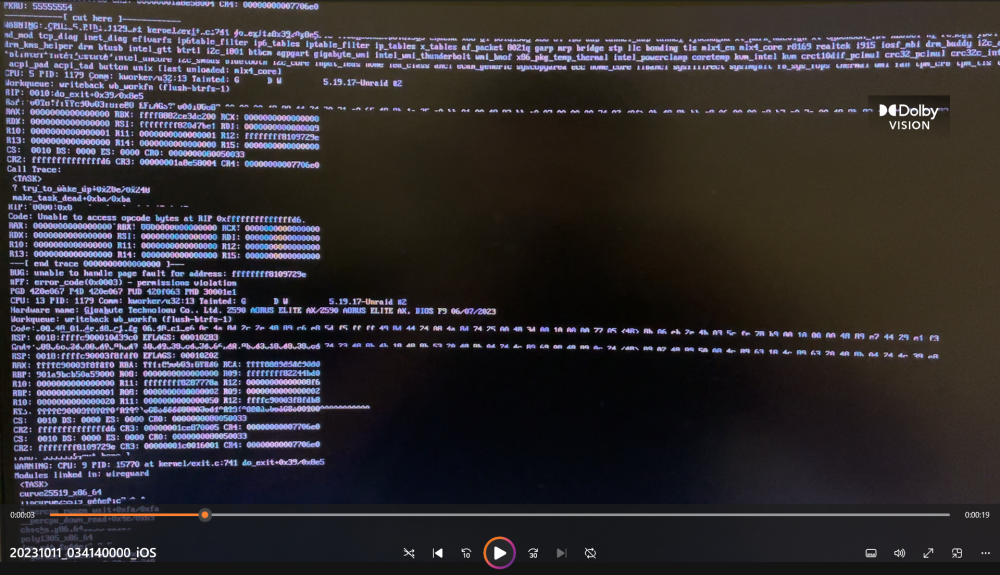
This is a diagnostics I just pulled now, since this is the reboot from the crash. Doesn't seem to have time logs from before the crash, maybe I missed it. It does have something in the end of the syslog.txt that looks similar to the screenshots I sent above when I plugged a monitor into it. mediaserver-diagnostics-20231011-2126.zip
-
I actually did have it active it seems but the syslog it has doesnt have anything related the server just all to the proxmox server container I have running. EDIT: I just uploaded it incase syslog-127.0.0.1.log
-
I can do the syslog to the flash drive for when it crashes but how can I collect the diagnostics for after the crash?
-
Ok so I managed to snip shots from the video I took seems doesn't like my mp4 file
-
Hi there, As the title sounds my Unraid Crashed today and webgui unresponsive and found this when I plugged monitor into it. This is the first time in a little bit since my last crash due to power and other issues. This time different though since those issues I'm pretty sure been resolved and also this glitchy log keeps spamming down my monitor which I can tell doesn't look good. My question is what could be causing this if anything is familiar and/or what can I do to figure it out and solve it? Since this I have force restarted the server so unsure if I can now actually provide anything useful for this other than the video attached I captured. Edit: For some reason it won't let me upload my attachment
-
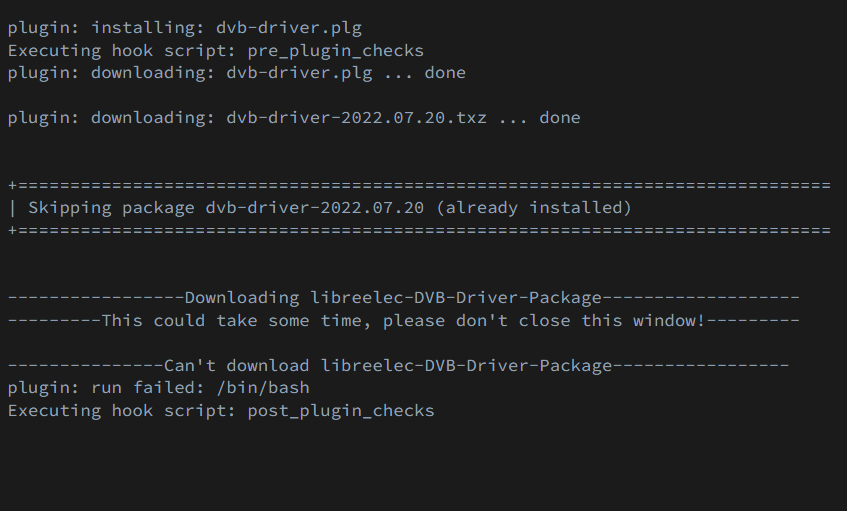
NVM I think I found a way I tried to make a duplicate container, and it won't load that because of the /dev/dvb issue (this is in regard to Plex). getting this every time im trying to load this plugin.
-
is there any way to not delete the docker.img and just do seperately or something.
-
Are there roll back specific instructions or something? For removing and adding containers?
-
I have tried force updating (with "Force Update" option) containers and starting them, and that's the response I get for some containers. Some containers seem to be loading and work just find from autostart up but my main ones I use which are about 5-7+ containers just won't budge. I read through the notes and I'm pretty sure I've tried that if there is not another way of force updating and starting containers other than by the button under the docker tab.
-
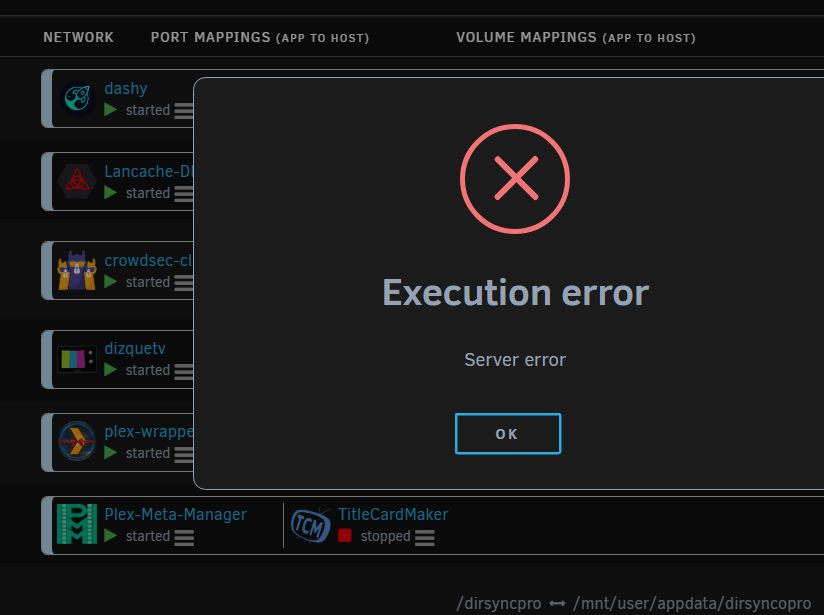
Hi there, So, since the Version: 6.12.0 update came out, and I updated to that version, it's been every couple of days my server keeps crashing and becoming unresponsive by ssh, webgui and plugging a keyboard and monitor into it and then needing to hard restart it for it to operate fully. Since it created a lot of instability of my server for me, I have rolled back to the Version: 6.11.5 since that seems to of worked for me. I'm now being greeted with this for some of my docker containers when they auto start up. If anyone could shed some light as to what I can do about this. I tried updating the images on some of the containers, I tried making sure the app data folders and configurations for each container is correct but doesn't seem to matter cause still won't start up but it's weird because as in the photo below some are able to but some are as well.
-
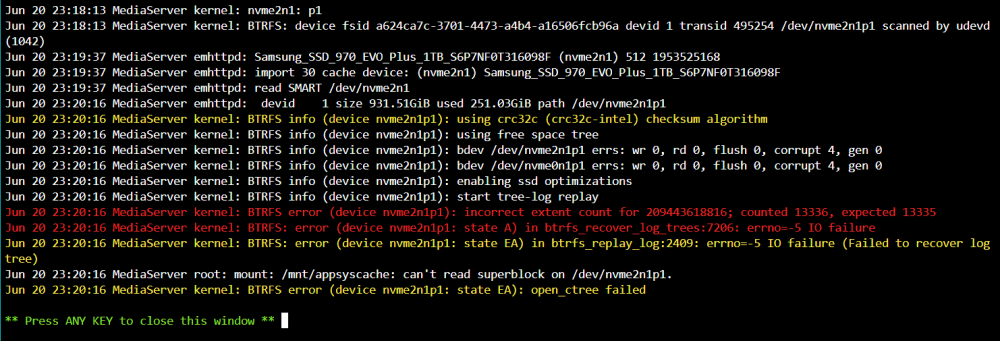
Do you mind explaining also what that was that happened there? Could it of been something I caused from a force restart? And does that mean data loss on that cache pool, or is it an error picked up from a read and write on the SSD?
-
I ran that and got this "Clearing log on /dev/nvme2n1p1, previous log_root 210335744000, level 0". Will restarting my array bring them back to be mountable or will this require a restart?
-
Hi there, So last week my server seemed like it crashed, I restarted it, and then it did its parity check thing and was all good from there. Today it has crashed again, not accessible from Web GUI or ssh and nothing was coming up when I put my monitor into it and the keyboard wasn't even being picked up. So, so much for trying to get diagnostics for that, so I force restarted my machine and now when loading in the array I have been welcomed with this. Is there any way to fix this or bring it back or do damage control. I'm not an expert on Linux, It's still something I'm learning over time. Any help or guidance would be appreciated.

-
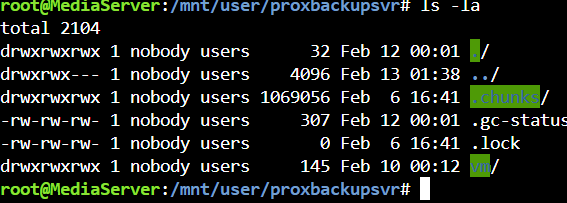
in follow up of this i tried to create a user group with those permissions not sure if it was ment to be a user or not since im not sure what the vm uses permission wise but i set it up with the 34/34 i believe but still not working. Im continplating do i make the whole share 777 to allow everyone since im losing patients as to why i cant get it to backup.
-
I went to proxmox with what you had said and they wrote back to me and said this: "no, the datastore just needs to be (fully) writable by the backup user/group (34/34) ". Not sure if you can tell me what they mean by the 34/34, they make reference to the backup user/group possibly made by the pbs but would it even be possible since its in a vm.
-
chunks are i believe the contents or "snapshots" of the proxmox vms that the PBS takes and puts in there since thats where i directed it to put it in the share. How would i go about changing it to 777 would that fix it?
-
Permissions for the proxbackupsvr share on unraid
-
Hi there, Was previously using a community docker app for PBS (proxmox backup server) till i was having chunk permission issues. I couldnt figure out what it was and not many people could figure it out either. I went ahead and got rid of that decided to get an iso directly from proxmox and put it on a vm and pass through my array and do it that way. All was well till i noticed tonights backup failed again like the docker and i noticed one thing i did today i normally dont do. I ran "new docker safe permissions" why i was told to run it with unbalance since i was running that today but didnt realise that could petentally mess up the permissions i had going for this backup. It basacally is ment to from the proxmox machine to my server PBS on unraid then be stored in the share "/mnt/proxbackupsvr" So I would like to know if there is any way around this or how to fix this since its a very big issue for me right now. Thanks to anyone who has some guidance or can help! Currently Running Latest unraid OS and PBS VM Error from PBS: INFO: starting new backup job: vzdump 108 --notes-template '{{guestname}}' --mode snapshot --remove 0 --storage unraidvm-proxbackupsvr --node pve1 INFO: Starting Backup of VM 108 (qemu) INFO: Backup started at 2023-02-13 00:37:51 INFO: status = running INFO: VM Name: Debian-Portainer INFO: include disk 'scsi0' 'local-lvm:vm-108-disk-0' 100G INFO: backup mode: snapshot INFO: ionice priority: 7 INFO: creating Proxmox Backup Server archive 'vm/108/2023-02-12T13:37:51Z' ERROR: VM 108 qmp command 'backup' failed - backup register image failed: command error: update atime failed for chunk/file "/mnt/proxbackupsvr/.chunks/bb9f/bb9f8df61474d25e71fa00722318cd387396ca1736605e1248821cc0de3d3af8" - EPERM: Operation not permitted INFO: aborting backup job INFO: resuming VM again ERROR: Backup of VM 108 failed - VM 108 qmp command 'backup' failed - backup register image failed: command error: update atime failed for chunk/file "/mnt/proxbackupsvr/.chunks/bb9f/bb9f8df61474d25e71fa00722318cd387396ca1736605e1248821cc0de3d3af8" - EPERM: Operation not permitted INFO: Failed at 2023-02-13 00:37:52 INFO: Backup job finished with errors TASK ERROR: job errors
-
Turns out it was a motherboard issue not compatable. Note: check fine print on motherboard website


