





giosann
Members
-
Joined
-
Last visited
-
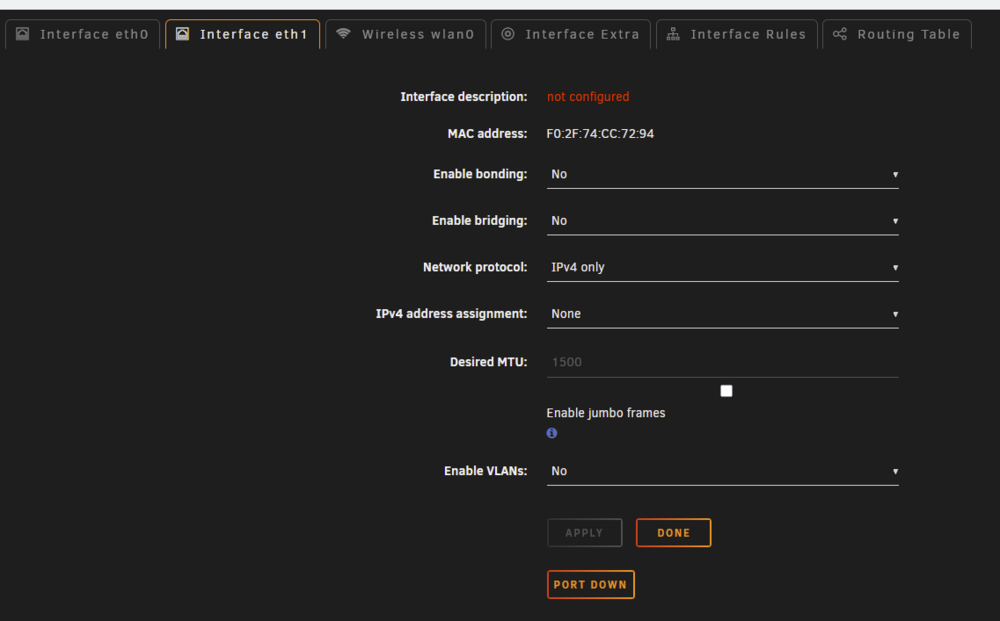
How can i change it? I've tried with ip link set dev rename_eth121 down ip link set dev rename_eth121 address F0:2F:74:CC:72:93 ip link set dev rename_eth121 upbot straight from the command line and putting it in "/boot/config/go" and then rebooting but nothing changed. I've then tried deleting the /boot/config/network-rules.cfg file and after a reboot both eth0 and eth1 (it's no longer named rename_eth121) show up in NetworkSettings It still seems to have the same MAC adress... i clicked the "port up" button but it does not take an ip and it shows "not configured" under interface description Update: from this I did the cli commands again with eth1, enabled the port again, set IPv4 assignment to automatic and it works, I can have my container on the secondary WAN tower-diagnostics-20251101-1902.zip
-
I've updated the bios to the latest version and it still shows the same
-
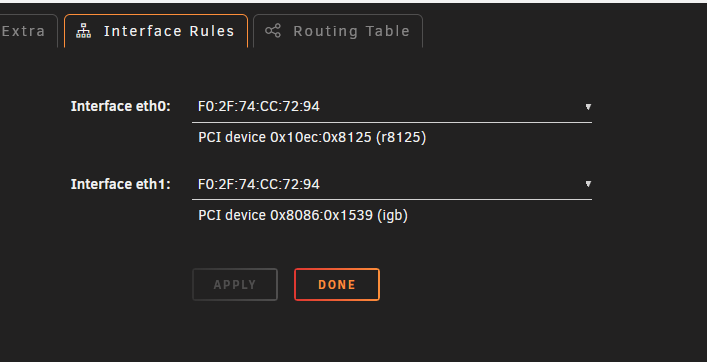
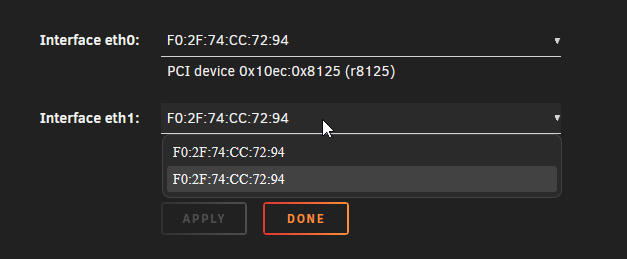
I have a dual wan setup at home and I would like to configure some containers to go on the secondary WAN. In order to do this I wanted to just connect the second ethernet port to the motherboard and from there set a forwarding rule in the router. I'm stuck at the first step, after connecting the ethernet cable to the motherboard i can't manage to have it show up in Network Settings. Only the "Interface eht0" tab appears and with Bridging enabled only eth0 is selectable. I've tried rebooting the NAS with no success. Both ethernet devices show up in the System Devices List like this: IOMMU group 26: [10ec:8125] 06:00.0 Ethernet controller: Realtek Semiconductor Co., Ltd. RTL8125 2.5GbE Controller IOMMU group 27: [8086:1539] 07:00.0 Ethernet controller: Intel Corporation I211 Gigabit Network Connection (rev 03) eth0 and eth1 show up in "Interface Rules" but with the same MAC adress and trying to edit anything gets me an "MAC address mismatch Rules contain duplicate MAC address assignments" error. The motherboard is a "Asus ROG Strix X570-E Gaming" with a "AMD Ryzen 9 5900X" What can I try to do? Thanks tower-diagnostics-20251031-1819.zip
-
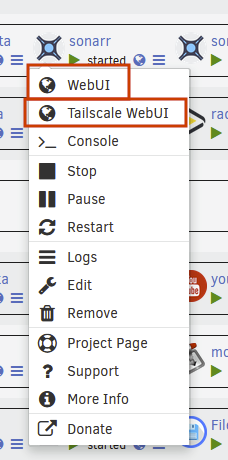
You need to flag the "Add preview open WebUI" in the folder settings.
-
@bmartino1 I was referring to this button actually.
-
Great work, thanks for keeping the plugin alive. I will shamelessly ask if it wold be possible to have the option to "Add preview open Tailscale WebUI" like there is for the normal webUI. It's not really a big deal if not but it would be nice.
-
I usually do a btrfs pool so i imagine that it would be bottle-necked by the slower one. I don't know how much difference it would make. Do you reccomend doing something different? Maybe i could just keep one but it's not very comfortable.
-
Thanks @Vr2Io, I'll see if it's needed, in the end how much speed will i lose? i bought a nvme drive to have a better performance out of the containers. For now I'll just run 1 i think since it was that the problem and taking out the second nvme drive solved the issue.
-
Looking at page 16 of the manual it seems like I can't use the third PCIe slot if the second M2 slot is connected? Is there anything I can do? I wanted to put system and appdata on NVME... Maybe i can keep one and just back it up
-
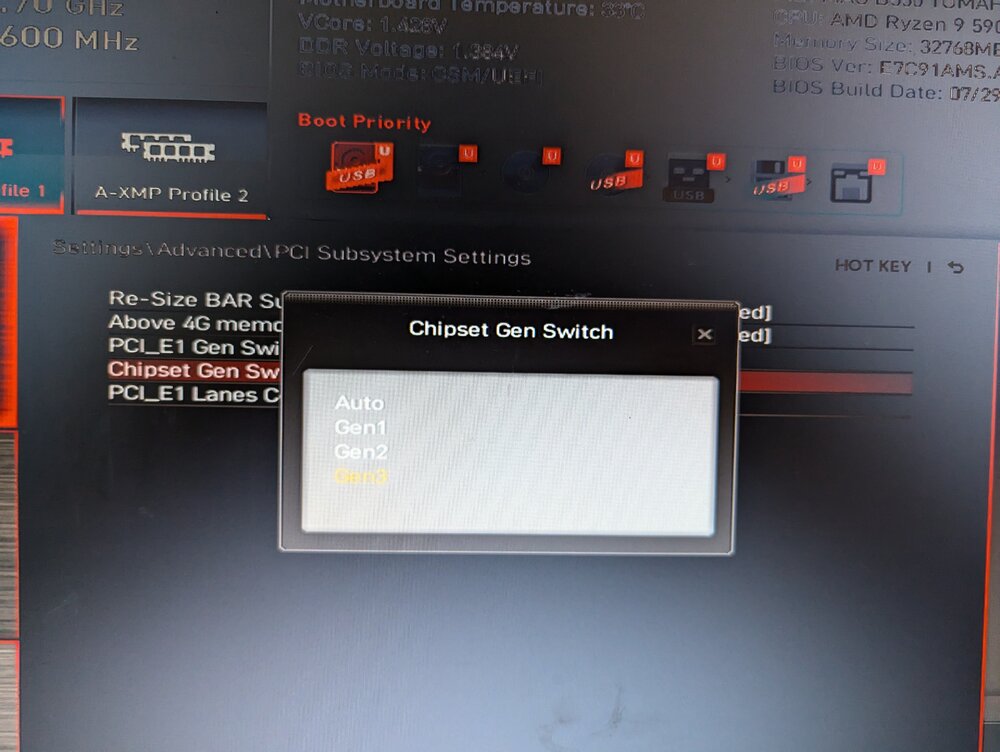
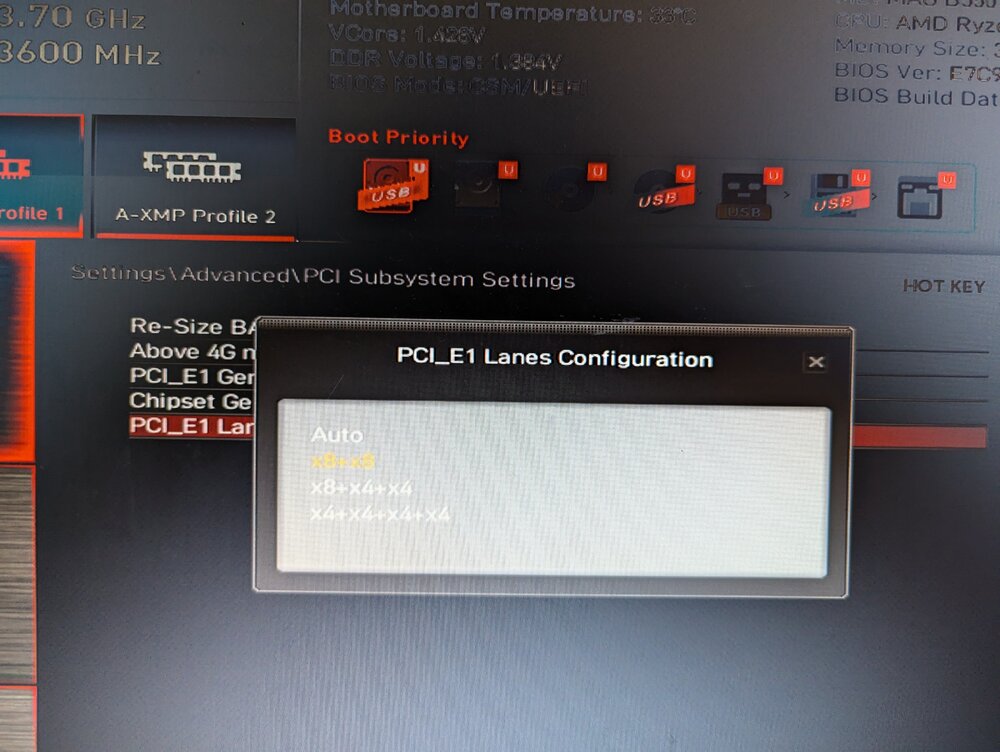
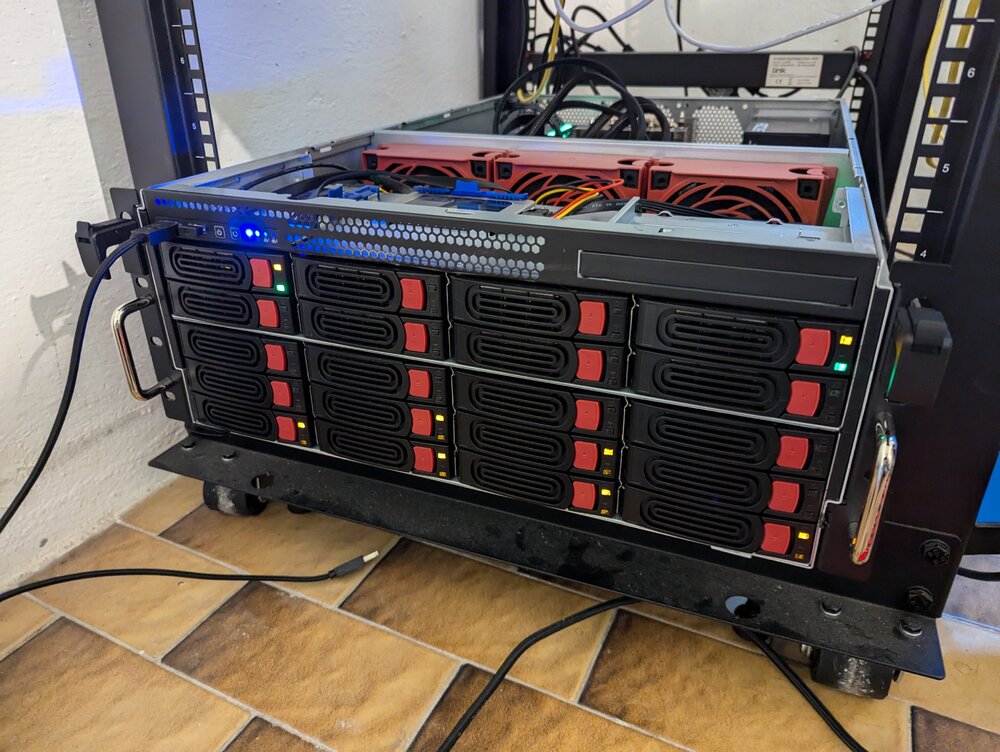
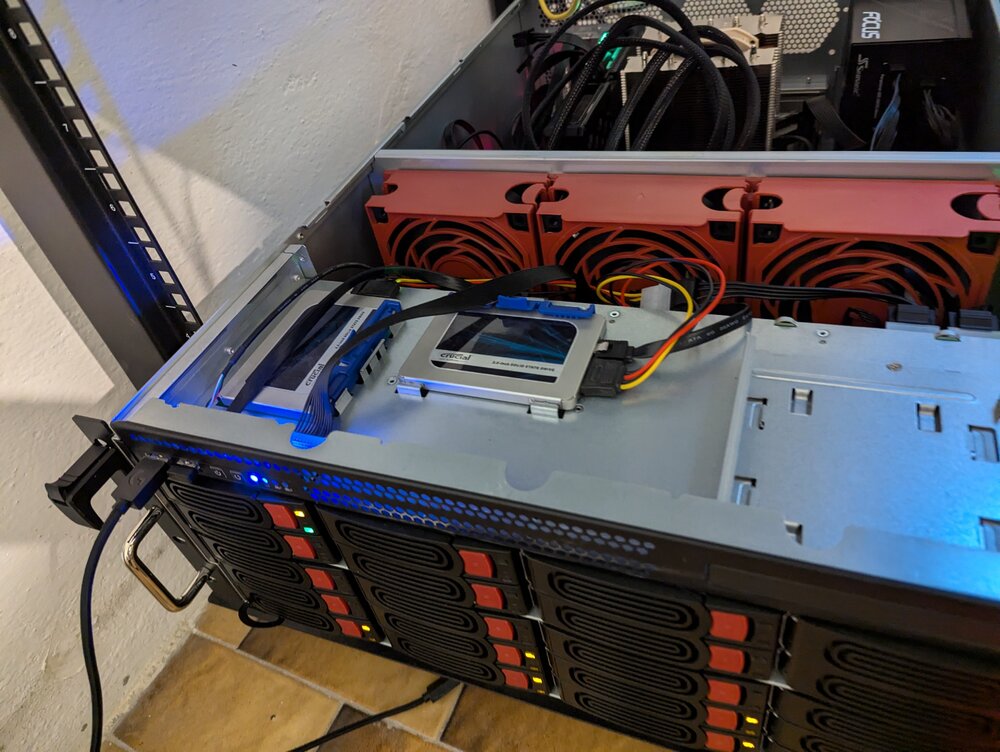
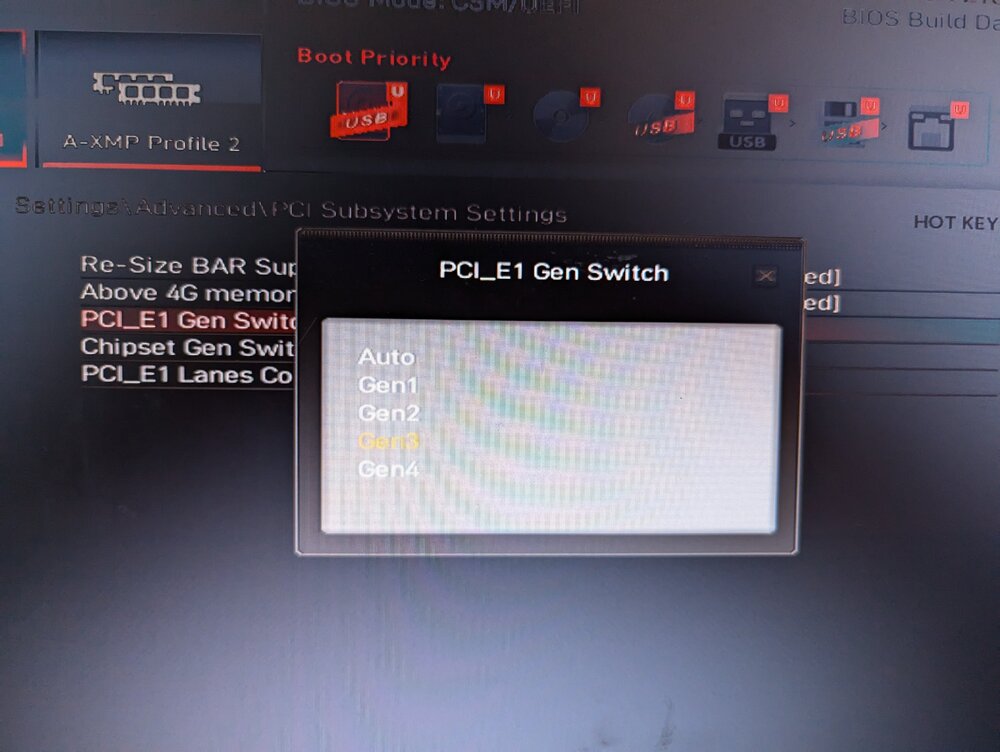
Today I wanted to take some time to do some upgrades to my Unraid NAS. I already had my current drives connected like this 2x SATA SSDs connected directly to the motherboard 2z SATA SSDs + 6x SATA HHDs connected to a LSI 9207-8i (IBM M5110) I wanted to add 2x nvme drives and connect the LSI to an expander (the Intel RAID Storage Expander RES2SV240 E91267-203) So i shut everything down and connected the expander via sata power, attached all the mini sas cables to the expander and a mini sas cable from the expander to the LSI I also put in the 2 nvme drives. i boot the system and none of the drive connected trough the LSI+expander shows up. so i did some tries changing the PCI generation settings in the bios. They present like this: I basically tried to set the gen to 3 and switch around with the lanes configuration but had no success. I also tried taking out the GPU and powering the expander with the PCI slot instead of molex but with no results. In the end i took out the expander thinking it was broken and connected the cables back to the LSI but still no disk shows up. Do you have any reccomendation on what I can try? is it possible i accindetaly broke the LSI and need a new one? should i Just buy a 24i and attach everything to that? I have attached diagnostics of the first time the drives did not show up (or after a reboot I can't quite remember) and the latest diagnostics. Thanks row 4 column 2+3 and row 5 are the hard disks. I had moved the SSDs to row1 but i moved them back to row 4 coumn 1+4 afther this ordeal. tower-diagnostics-20241020-1612.zip tower-diagnostics-20241020-1730.zip
-
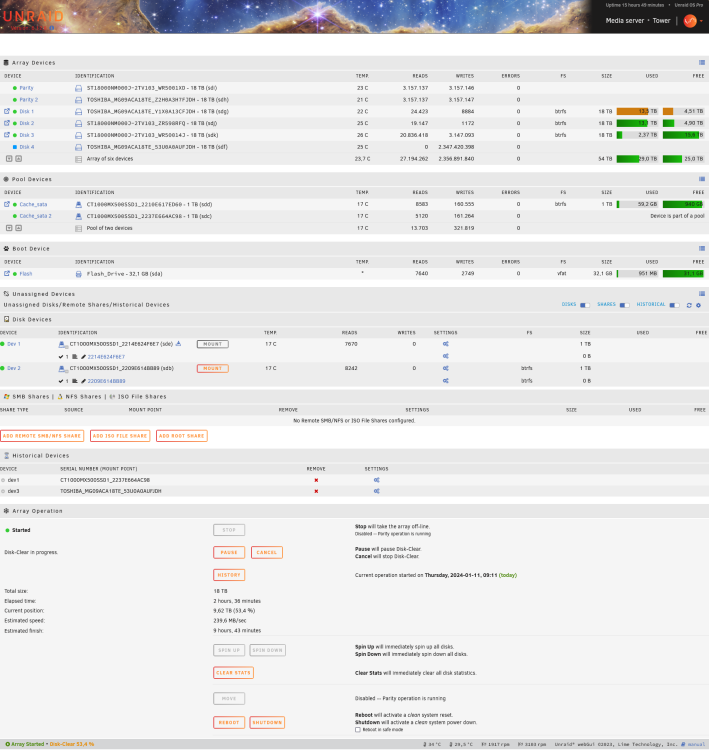
a few weeks ago one of my ssd drives was trowing a lot of errors and filling the log space. I restarted the sytem and it was no longer showing up, so i replaced it with one of the unmounted free ones. maybe the "broken" one is the one that is supposedly part of the pool? Should I really add it back in? Anyway after my previous answer i finished copying the files from the mounted /temp, unmounted the device and then formatted them (as per the guide) now they show up correctly. For now I still have not restarted the docker service. tower-diagnostics-20240111-1148.zip
-
as suggested by "Fix Common Problems" I've followed this guide: https://forums.lime-technology.com/topic/46802-faq-for-unraid-v6/?page=2&tab=comments#comment-543490 the pool mounted correclty to /temp with "mount -o rescue=all,ro /dev/sdd1 /temp" trying to copy the folders with subfolders into /mnt/user0/ failed with error "no medium found". copying just the subfolders (by doing like cp appdata/* /mnt/user0/ -r) worked correctly except i have the /mnt/user0/ full of subfolders of all the apps that i will need to fix up and put back in their place.
-
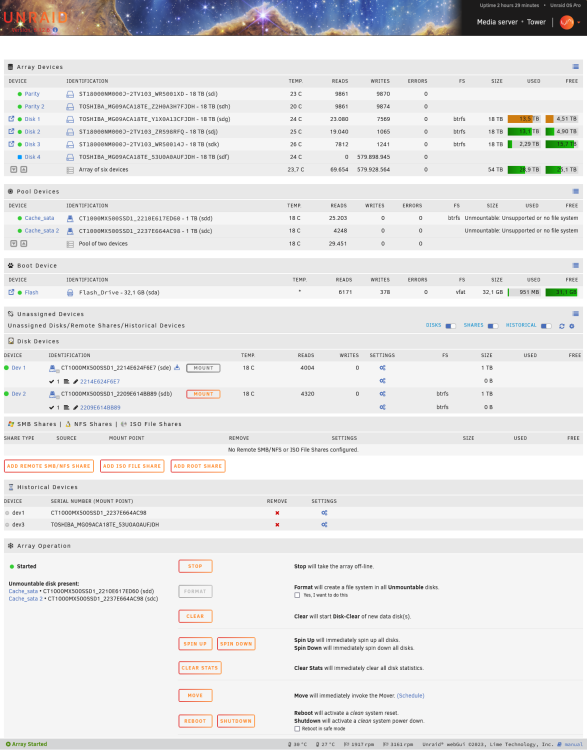
Hello, a few weeks ago one of my ssd drives was trowing a lot of errors and filling the log space. I restarted the sytem and it was no longer showing up, so i replaced it with one of the unmounted free ones. I had no real problems with this. Today arriving home i noticed that the system was unreachable via network but it was actually on. Since I had to add a new drive anyway i decided (a bad idea i guess) to just force the shut down. I inserted the new drive and turned it back on, then added the new drive to the array. Only just now I've noticed that the SSD Pool devices are showing the error "Unmountable: Unsupported or no file system". Also the old SSD drive that I still have to take out appeared back on the "unassigned devices" list. Can you please help me? Attached is the config and the diagnostics. Thanks tower-diagnostics-20240110-2227.zip
-
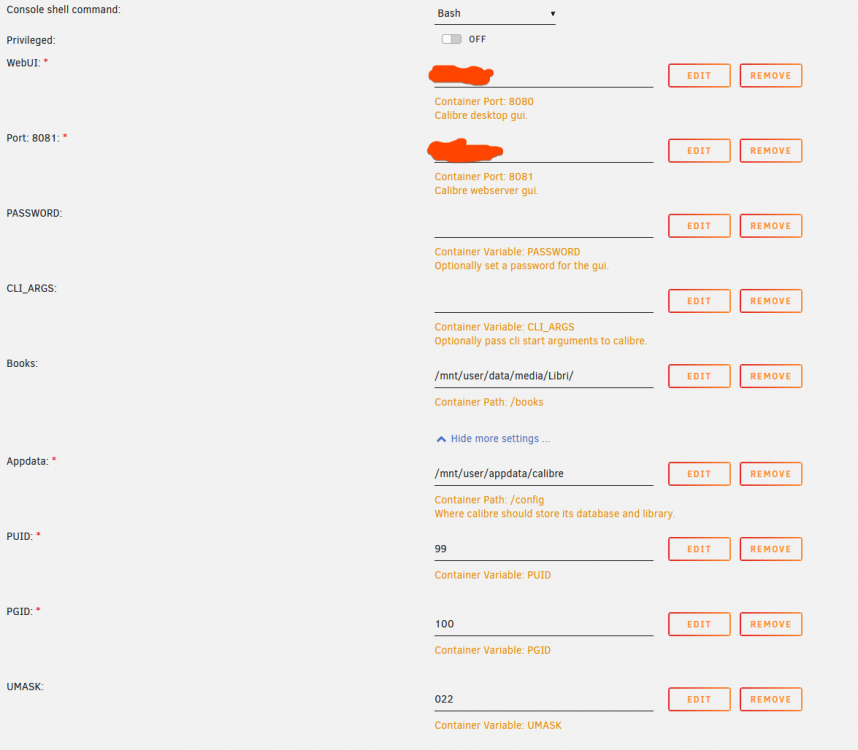
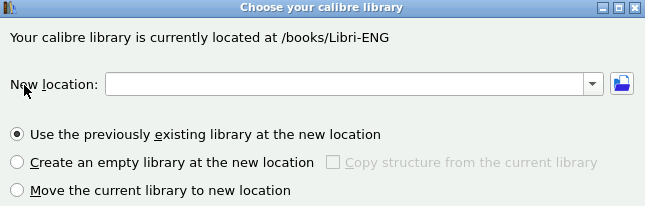
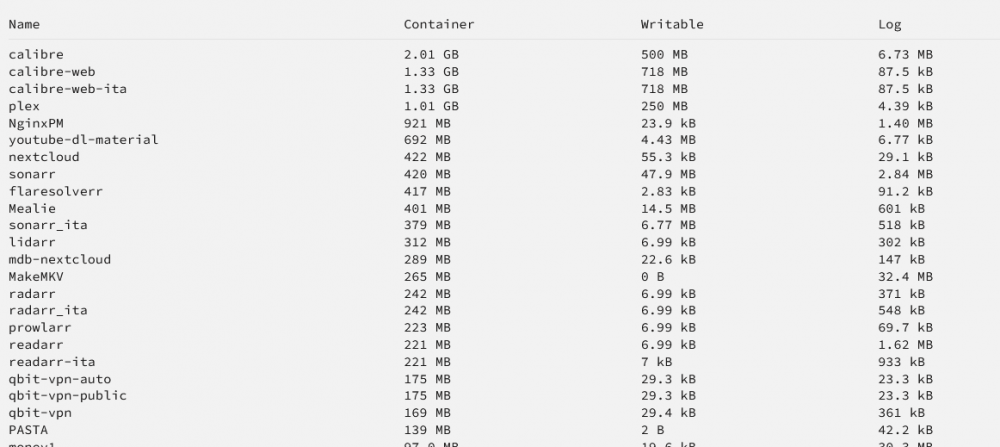
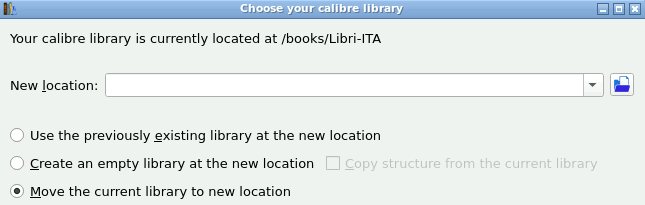
Hi, I'm also having the container size a little too big to be normal (the calibre-web too to be honest), I checked the path and library mapping and i don't see anything strange. Am I doing something wrong? the /mnt/user/data/media/Libri by itself is 958 MB
-
Hi, thanks for the plugin, I was wandering if it was possible as a future release feature to custom choose the "Move files that are larger than this size (In M)." option, 1024 MB is a little low for me, I'd like to move files larger than 2 GB. If not than it's no problem. Thanks




