





Wurmatron
Members
-
Joined
-
Last visited
-
ok, its least you where able to give me a direction when I had none, others just constantly fighting issues. May be worth me cheking the power requirements of each drive and comparing to what the PSU says it can output, and see what I have leftover. I also keep an eye on the card's temp, mabey its just overheating, causing odd issues.
-
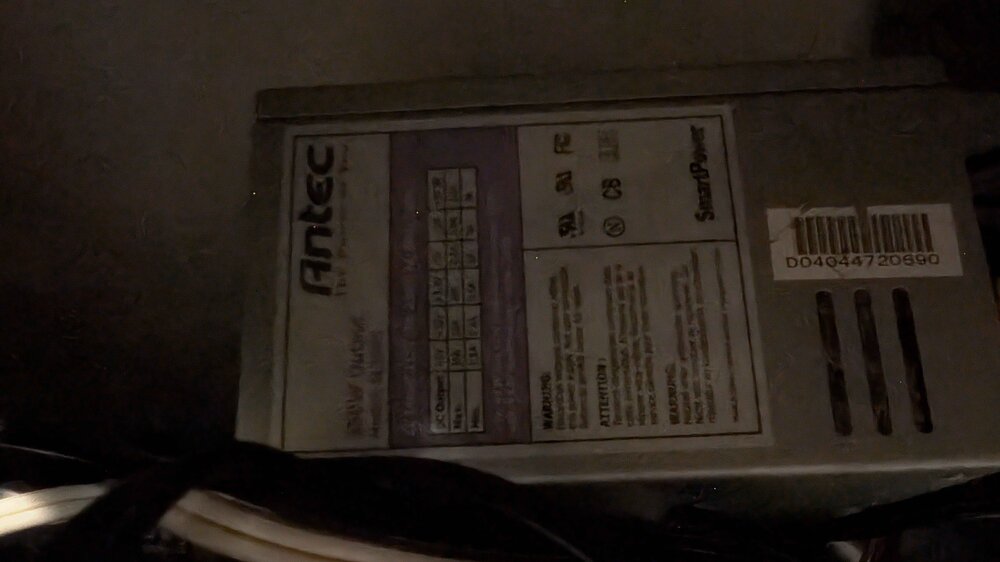
Antec 350w, you think its the PSU? never even considered that. Note this PSU is to power the 7 drives. (Was 6, and still had issues)
-
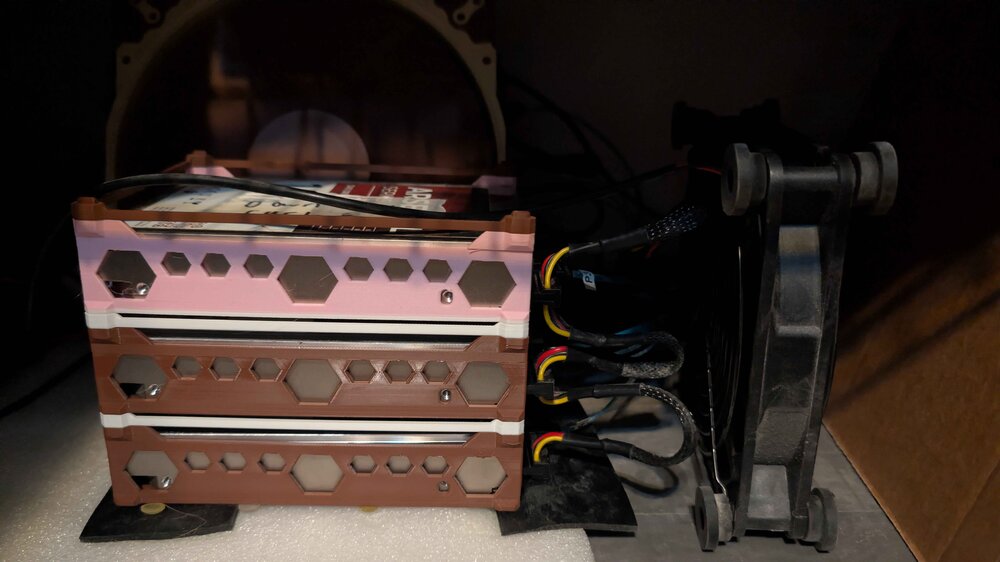
An external PSU to molex -> sata power, 3 per, for a total of 6 drives. (7 now,4 on one, now that i've got an another drive precleaning, just in case)
-
I swapped what was originally my Backup drive for parity 2, I think. (Didn't have an 18TB on hand when it died the first time)
-
I just checked the temp of the pci card and its 65c so that does seem a bit high i think, ill try adding another fan, while im at it, once this backup is done. (my old one was 2 days ago, rather not lose data if i can help it.)
-
For the parity, yes, it was parity 2, though I ended up swapping drives around so its not the same connection anymore. It was originally on that PCI card, but not anymore. So all issues have been on the pci card, if thats what you are asking.
-
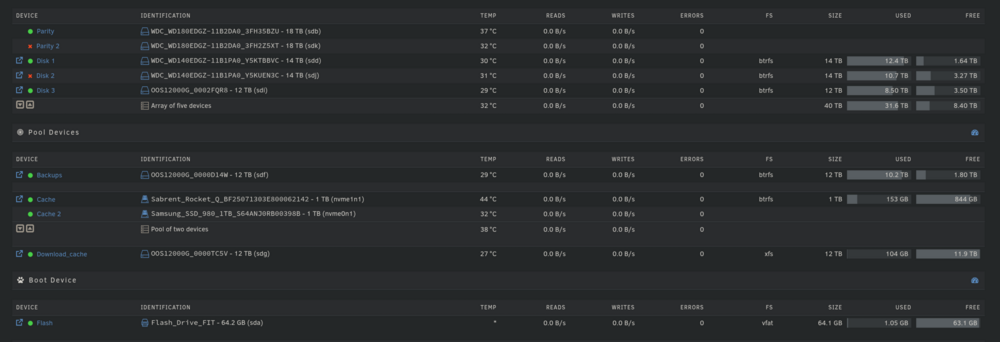
no, all are green, except Parity 2, Disk 2, which are disabled. Its possible, but I've got the internal case fan, Mini Desktop, and an external Fan pointing into the system, along with fans pointing at the array itself. You think its a good idea to rebuild or should I run the extended test first.
-
Here, can run the extended test if needed but that'l take a bit. Note: This is after a restart. nas-diagnostics-20260205-1040.zip
-
Wurmatron changed their profile photo
-
Hi, Im tried of dealing with consistent issues, and this is beyond my knowledge to diagnose. Long story short, I just had 2 drives disabled a few hours after rebuilding another drive, and one of these drives (Parity 2) was also replaced just recently (like 48h before, the other repair started), and I had run a preclear on it (default settings). Do note these are all used drives (I got them new, but where running for like 2 years on another project, with very limited read/write). So I'm not ruling them out due to previous usage. A month before, I also had similar issues to this, but didn't think much of it at the time. I am tried of dealing with issues every 1 - 3 months and looking at any suggestions to fix having to deal with this. I'm not ruling out just replacing everything, because at this point i just want the issues to stop. I attached the diagnostics for the most recent incident. nas-diagnostics-20260205-0918.zip


